The alarm clock is no longer just a buzzer; it is a gateway to a synchronized morning routine where the lights fade up, the coffee maker starts, and a calm voice summarizes your first meeting of the day. This is not science fiction—it is the reality of living with intelligent personal assistants (IPAs). As of January 2026, these AI-driven tools have evolved from novelty voice recorders into sophisticated agents capable of managing complex aspects of our daily existence.
Intelligent personal assistants are software agents that can perform tasks or services for an individual based on commands or questions. Originally defined by simple “call and response” interactions, modern IPAs leverage Large Language Models (LLMs) and generative AI to understand context, remember past interactions, and proactively offer help. Whether embedded in a smartphone, a smart speaker, or a wearable device, these assistants are fundamentally changing how we organize our time, consume information, and interact with the physical world around us.
This guide explores the mechanics, capabilities, and ethical considerations of inviting artificial intelligence into your personal life. We will break down how they work, how to use them effectively, and how to maintain privacy in an increasingly connected world.
Key Takeaways
- Beyond Voice Commands: Modern assistants use generative AI to understand nuance, follow up on conversations, and execute multi-step workflows.
- Ecosystem Matters: The utility of an assistant often depends on the hardware ecosystem (Apple, Google, Amazon) it inhabits.
- Agentic Capabilities: We are shifting from “informational” assistants (answering questions) to “agentic” assistants (performing actions like booking tickets or negotiating refunds).
- Privacy is Paramount: Using these tools requires active management of data permissions, voice recordings, and history logs.
- Local Processing: Newer devices process more data on-device rather than in the cloud, improving speed and privacy.
Who This Is For (And Who It Isn’t)
This guide is designed for general consumers, tech enthusiasts, and busy professionals looking to optimize their daily routines using AI. It is suitable for younger adults adopting new tech, as well as older readers seeking accessibility through voice control.
This guide is not a technical developer documentation for building your own LLM, nor is it a specialized enterprise manual for backend IT integration. It focuses on the personal, consumer-facing application of intelligent assistants.
What Are Intelligent Personal Assistants?
At their core, intelligent personal assistants are interfaces—bridges between human intent and digital execution. While early iterations required rigid, specific phrasing (e.g., “Set timer for 5 minutes”), today’s assistants utilize Natural Language Understanding (NLU) to interpret intent regardless of phrasing.
The Core Technology Stack
Understanding these assistants requires a brief look under the hood. They typically rely on a stack of three technologies:
- Automatic Speech Recognition (ASR): This converts your spoken sound waves into text.
- Natural Language Understanding (NLU): This analyzes the text to determine what you mean. It extracts the intent (e.g., “play music”) and the entities (e.g., “jazz,” “living room”).
- Text-to-Speech (TTS): This synthesizes a human-like voice to respond to you.
In recent years, the integration of generative AI has added a “reasoning” layer. Instead of just matching your command to a pre-programmed script, the assistant can generate a novel response or figure out how to solve a problem it hasn’t explicitly been taught to handle.
Types of Personal Assistants
- Voice-First Assistants: Primarily smart speakers like Amazon Echo or Google Nest Audio. These rely entirely on audio interaction.
- Screen-First Assistants: Integrated into smartphones (Siri, Google Assistant on Android) or smart displays. These offer visual feedback alongside voice.
- Text-Based Agents: Chatbots like ChatGPT or Claude, which act as assistants for drafting, planning, and coding, primarily through text interfaces (though voice modes are increasingly common).
- Wearable Assistants: Embedded in smartwatches, earbuds, or smart glasses, offering heads-up or eyes-free assistance.
The Evolution: From Reactive to Agentic AI
To understand the current landscape, it helps to see how rapidly the technology has shifted. The utility of an intelligent personal assistant is measured by its “agency”—its ability to act on your behalf.
Phase 1: The Command Era (2011–2018)
In the early days, assistants were reactive. You pressed a button or said a wake word, and the assistant executed a single, simple command. “What is the weather?” or “Call Mom.” If you deviated from the script, the assistant failed. Context was non-existent; asking “How about in London?” immediately after asking for the weather in New York often resulted in confusion.
Phase 2: The Context Era (2019–2023)
Assistants became conversational. They could handle follow-up questions (“Who is the President of France?” followed by “How tall is he?”). They integrated deeper into smart homes, allowing for routines—sequences of actions triggered by a single phrase. However, they were still largely retrieval engines, fetching information or flipping digital switches.
Phase 3: The Agentic Era (2024–Present)
We are currently in the transition to Agentic AI. An agent doesn’t just retrieve information; it formulates a plan to achieve a goal.
- Old way: You ask for flight prices. The assistant reads a list.
- Agentic way: You say, “Book a flight to Chicago for under $400 leaving Friday morning.” The assistant searches, selects the best option, navigates the checkout flow, uses your stored payment info, and sends you the confirmation.
This shift transforms the assistant from a glorified search engine into a true digital secretary.
Core Capabilities in Daily Life
How exactly do these assistants manage daily life? The applications are vast, but they generally fall into four primary categories: Organization, Automation, Information, and Communication.
1. Organization and Productivity
This is the “secretary” function. Intelligent assistants excel at managing the granular details that clutter the human mind.
- Calendar Management: “Move my 3 PM meeting to 4 PM” or “What does my Thursday look like?”
- Reminders and Lists: Location-based reminders are particularly powerful. “Remind me to check the tire pressure when I get home” uses the GPS on your phone to trigger the alert upon arrival.
- Notes and Dictation: Capturing fleeting thoughts while driving or cooking.
- Email Triage: Advanced agents can now summarize incoming emails and draft replies, waiting only for your final approval.
2. Smart Home Automation
For many, the intelligent assistant is the central nervous system of the home. It acts as the unifying interface for disparate devices from different manufacturers.
- Routine Orchestration: A “Good Night” routine might lock the smart lock, arm the security system, lower the thermostat, turn off all lights, and play white noise.
- Energy Management: Assistants can learn your habits and adjust heating/cooling to save money when you aren’t home.
- Hands-Free Control: Essential for accessibility or simply when your hands are full of groceries. “Turn on the kitchen lights” removes friction from daily tasks.
3. Information and Learning
The “librarian” function remains a core use case.
- Real-Time Queries: Traffic conditions, stock prices, or sports scores.
- Cooking Assistance: Reading recipes step-by-step, setting multiple concurrent timers, and converting measurements (e.g., cups to milliliters).
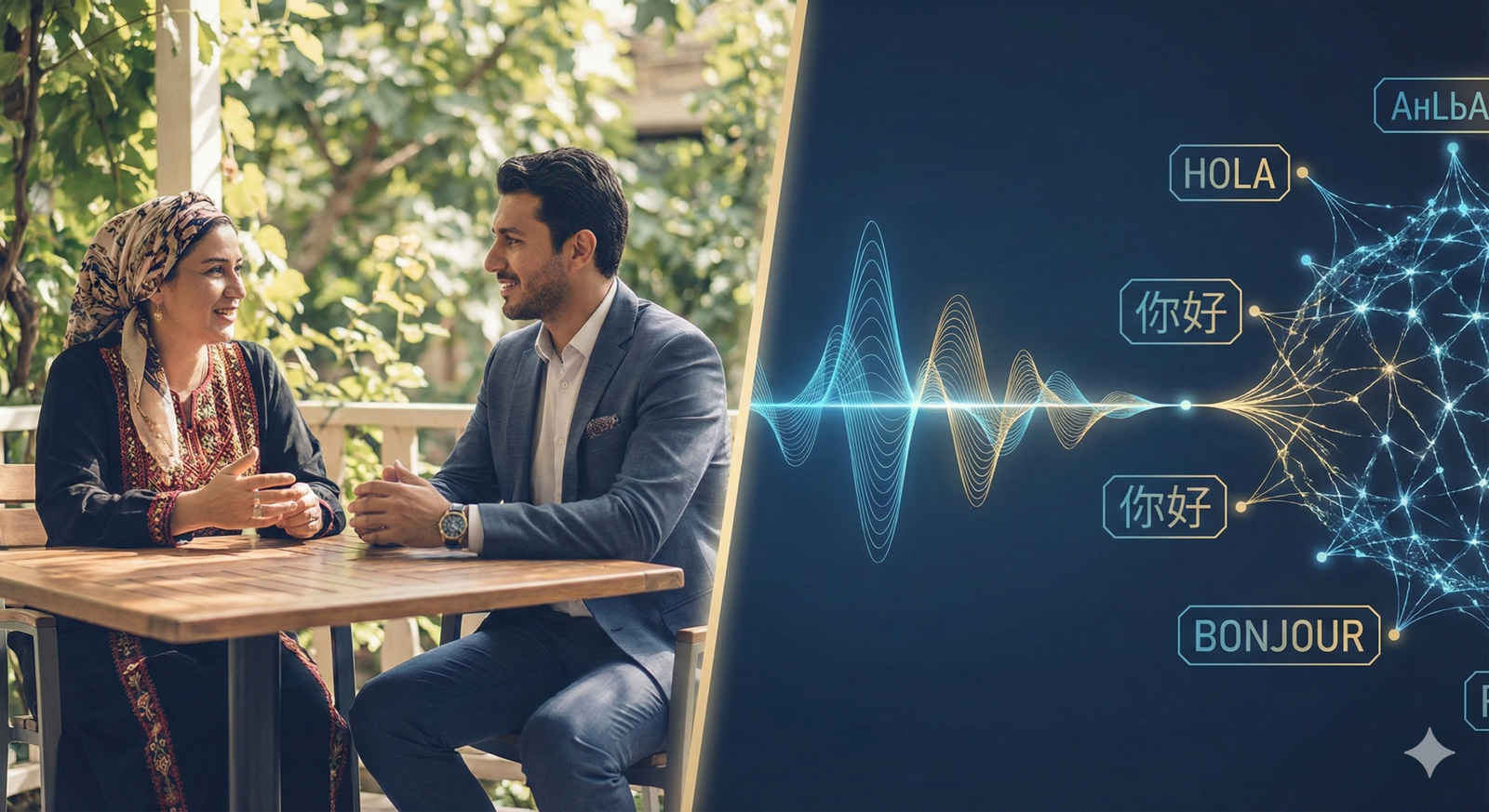
- Translation: Real-time translation modes allow for conversation across language barriers, acting as a live interpreter.
4. Communication
- Broadcasting: Using smart speakers as an intercom system (“Dinner is ready” broadcast to all rooms).
- Hands-Free Messaging: Sending texts or making calls while driving, which significantly increases safety by keeping eyes on the road.
How Intelligent Personal Assistants Work
Understanding the mechanism helps in troubleshooting and privacy management. The process typically follows a “Wake, Record, Process, Act” loop.
The Wake Word
Devices operate in a passive listening mode. They are waiting for a specific acoustic pattern (the wake word, like “Hey Siri” or “Alexa”). This processing usually happens locally on a low-power chip. No audio is sent to the cloud (or main processor) until this specific trigger is detected.
- Nuance: False positives occur when the device mishears a similar-sounding word. This is why you might see your smart speaker light up unexpectedly during a TV show.
Cloud vs. Edge Processing
Once the wake word is detected, the audio of your command is captured.
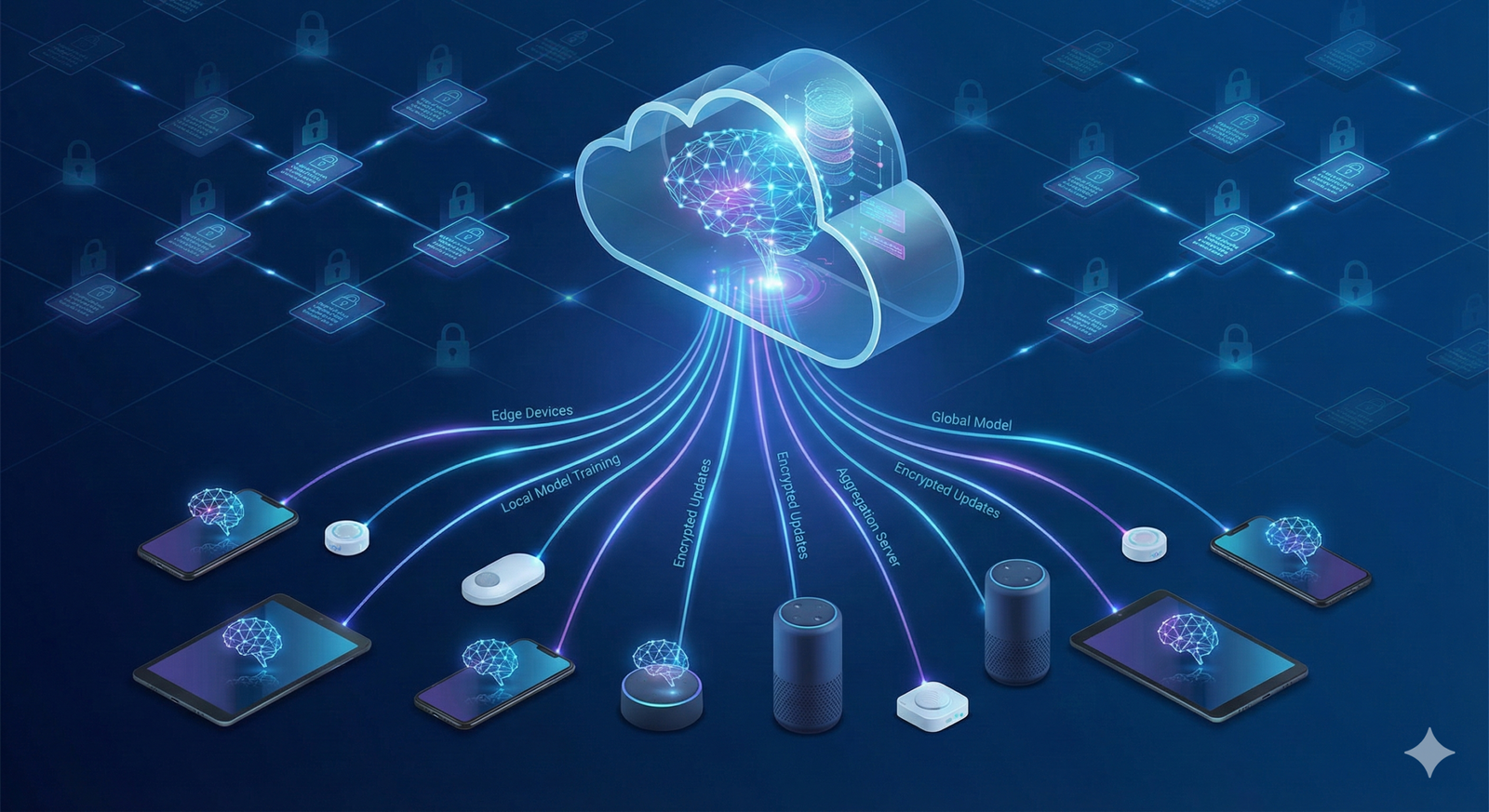
- Cloud Processing: Historically, this audio was compressed and sent to massive server farms. There, powerful computers analyzed the speech, determined the intent, and sent the answer back. This allows for high accuracy but requires an internet connection and raises privacy concerns.
- Edge (On-Device) Processing: As of 2026, premium smartphones and smart speakers utilize powerful neural engine chips to process speech locally. This means your voice recording never leaves the device for standard requests (like setting a timer or launching an app). This is faster and more private.
The Feedback Loop
IPAs learn from interaction. If you correct the assistant (“No, I meant the other lights”), that data can be used to refine the model. This “Reinforcement Learning from Human Feedback” (RLHF) is critical for improvement but is also where data privacy policies become complex.
Top Intelligent Personal Assistants in 2026
The market is dominated by major tech ecosystems, each with distinct strengths. Choosing one often depends on the hardware you already own.
1. Apple Ecosystem (Siri / Apple Intelligence)
- Best for: Privacy-conscious users and those deeply integrated into the Apple ecosystem (iPhone, Mac, Apple Watch, HomePod).
- Strengths: Deep integration with hardware. In 2026, Apple Intelligence allows Siri to take action across apps (e.g., taking a photo from Messages and saving it to a specific Note). Privacy is a primary marketing pillar, with significant on-device processing.
- Weaknesses: historically stricter “walled garden,” making it harder to mix and match with non-Apple devices compared to Alexa.
2. Google Ecosystem (Gemini Assistant)
- Best for: Information retrieval, complex queries, and Android/Google Home users.
- Strengths: Leveraging Google’s massive Knowledge Graph and the Gemini LLM, this assistant is arguably the “smartest” at answering factual questions and understanding complex, multi-part prompts. Excellent integration with Google Workspace (Docs, Gmail, Calendar).
- Weaknesses: Google’s business model relies on data, which makes some privacy-focused users hesitant, despite robust control tools.
3. Amazon Ecosystem (Alexa)
- Best for: Smart home control and shopping.
- Strengths: Alexa has the broadest compatibility with third-party smart home devices. It is highly optimized for household management and commerce (ordering products from Amazon). The “Skills” store allows for niche third-party integrations.
- Weaknesses: Mobile integration is weaker than Siri or Google Assistant because Amazon does not have its own smartphone OS.
4. Agnostic/Open Models (ChatGPT, Claude, Open Source)
- Best for: Content generation, coding, and complex reasoning tasks.
- Strengths: These act as “overlays” or apps. They are often smarter than the default voice assistants for reasoning tasks (e.g., “Plan a 3-day vegan meal plan and write the grocery list”).
- Weaknesses: They often lack deep system-level access to control your phone settings (like toggling Bluetooth) compared to native assistants.
Privacy and Security Concerns
The convenience of an intelligent assistant comes with a trade-off: data. To be helpful, the assistant must know things about you. To be accessible, it must listen.
The “Always-Listening” Myth
A common fear is that assistants record everything said in a room. In practice, while they are “always monitoring” for the wake word, they are not “always recording” to a storage drive. The buffer is constantly overwritten until the wake word is triggered. However, accidental triggers do result in unintended snippets being sent to the cloud.
Data Collection Practices
Companies use anonymized transcripts of interactions to train their AI models.
- What is collected: Voice recordings (optional on many platforms), text logs of commands, location data, contact lists (for calling), and device usage patterns.
- The Risk: If an account is compromised, a hacker could gain insights into your schedule, location, and habits. Furthermore, there have been historical instances of human reviewers listening to anonymized clips to improve accuracy, which some users find intrusive.
Security Best Practices Checklist
To use IPAs safely, implement these protocols:
- Review Voice History: Go into the privacy settings of your assistant app (Alexa App, Google Activity, Apple Settings) and set voice recordings to “Auto-delete” after the minimum time (e.g., 3 months) or turn off recording retention entirely.
- Mute Hardware: Use the physical mute switch on smart speakers when having sensitive conversations or when the device is not in use.
- Two-Factor Authentication (2FA): Secure the main account (Google, Amazon, Apple ID) with 2FA. If the main account is breached, the assistant is compromised.
- Pin Codes for Voice Purchasing: Disable voice purchasing or require a spoken pin code to confirm orders to prevent children or guests from ordering items accidentally.
- Guest Mode: Use “Guest Mode” on devices when visitors are over, which prevents their commands from being saved to your personal history.
Beyond the Basics: Advanced Use Cases
Once you master the timer and the weather, intelligent assistants offer profound utility in specific domains.
Travel and Navigation
Advanced assistants act as real-time co-pilots.
- Dynamic Re-routing: “There is a crash ahead; find a faster route.”
- Trip Planning: “Find a hotel in downtown Boston that allows dogs and is under $200, then add the reservation to my calendar.”
- Local Discovery: “What is that building on my left?” (Using multimodal AI via smart glasses or phone cameras).
Accessibility and Disability Inclusion
For individuals with mobility, vision, or dexterity impairments, IPAs are not just convenient; they are liberating.
- Voice Navigation: Controlling the entire phone interface by voice allows users with motor impairments to send texts and browse the web.
- Visual Interpreters: Features like “Be My Eyes” or Google’s “Lookout” use the camera to describe surroundings to blind users (“There is a can of soup in your hand”).
- Sound Recognition: Phones can listen for doorbells or crying babies and alert deaf users via vibration or flashing lights.
Health and Wellness
Note: While useful for tracking, AI assistants should not replace professional medical advice.
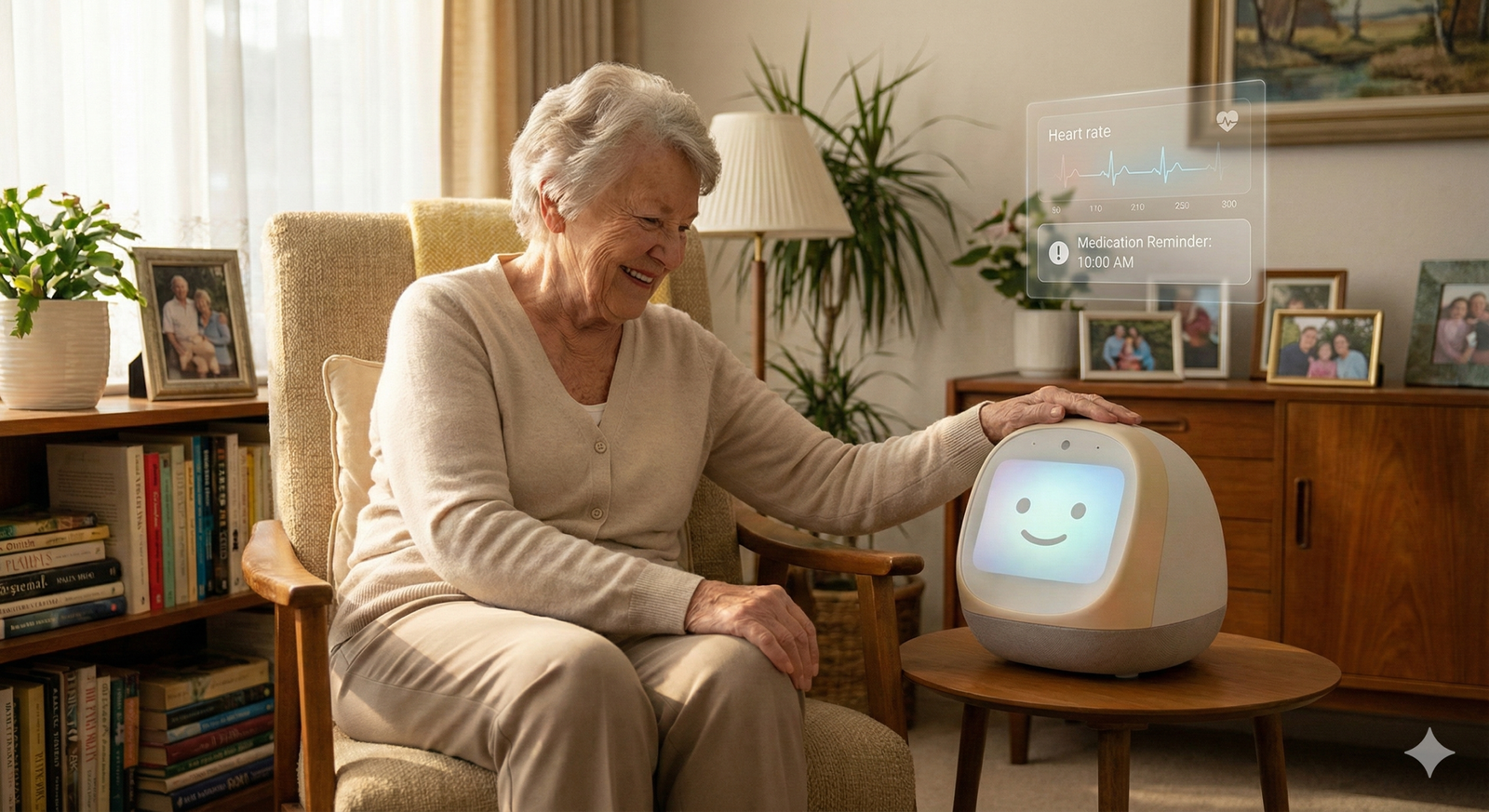
- Medication Reminders: “Remind me to take my pill at 8 AM daily.”
- Symptom Logging: “Log a migraine at 2 PM.” The assistant can later generate a report for your doctor.
- Sleep Hygiene: Assistants can dim screens and play sleep sounds to encourage better rest patterns.
Common Mistakes and Pitfalls
Adopting an intelligent assistant often leads to friction if expectations are not managed.
1. The “Smart Home” Tower of Babel
Buying smart devices without checking compatibility is the most common error. A “Works with Alexa” bulb may not work natively with Apple HomeKit without a complex bridge setup.
- Solution: Choose one ecosystem (Apple, Google, or Amazon) and stick to it, or look for devices that support Matter, the new universal smart home standard that ensures cross-platform compatibility.
2. Over-Reliance on Memory
Delegating everything to an assistant can lead to “digital amnesia.” If the internet goes down and you cannot access your calendar, you might be stranded.
- Solution: Maintain backups for critical information and do not rely on voice-only retrieval for complex data like passwords or financial codes.
3. Ignoring the “Skill” Learning Curve
Users often try a command once, fail, and never try again. Syntax still matters slightly, even with LLMs.
- Solution: Spend 10 minutes exploring the “What can I say?” section of the app. Learning specific invocations for third-party apps (e.g., “Ask Todoist to add a task”) is often necessary.
4. Poor Device Placement
Placing a smart speaker next to a loud TV or a noisy dishwasher will result in poor performance and frustration.
- Solution: Place devices in open spaces, away from noise sources and walls that might reflect sound waves confusingly.
The Role of Agentic AI: The Next Frontier
The defining shift of the mid-2020s is the move toward Agentic AI. While traditional assistants wait for commands, agents have goals.
How Agentic AI Differs
An agentic personal assistant can break down a high-level goal into sub-tasks.
- User Goal: “Plan a dinner party for Saturday.”
- Agent Actions:
- Checks calendar for availability.
- Suggests recipes based on dietary preferences stored in memory.
- Creates a grocery list based on the recipes.
- Checks the pantry inventory (if connected to smart appliances).
- Places an online grocery order for delivery on Friday.
- Sends invites to a contact list group named “Dinner Friends.”
The “Human-in-the-Loop” Model
In agentic workflows, the AI proposes a plan, and the human approves it. This “human-in-the-loop” approach ensures control while outsourcing the labor. As of 2026, we are seeing the first reliable versions of this in finance (managing subscriptions) and travel (rebooking cancelled flights automatically).
Future Trends: Ambient Computing and Proactivity
Where is this technology heading? The device itself is disappearing.
Ambient Computing
The future is not a speaker on a desk; it is intelligence woven into the environment. Microphones and sensors embedded in light bulbs, thermostats, and furniture create a mesh of “ambient” intelligence. You speak to the room, not a device. The system uses presence detection (via Wi-Fi signals or radar) to know which room you are in and directs the response to the nearest speaker automatically.
Predictive Proactivity
Instead of waiting for a command, the assistant predicts needs based on patterns.
- Scenario: It notices you usually leave for work at 8:00 AM. It detects heavy traffic at 7:45 AM. It proactively speaks: “Traffic is heavy today; I suggest leaving in 5 minutes to make your 9 AM meeting.”
- Scenario: It hears a smoke alarm tone while you are away and sends an alert to your phone.
Emotional Intelligence (Emotion AI)
Future assistants will detect stress or urgency in a user’s voice. If you scream “Call 911,” the assistant will skip the conversational pleasantries (“Okay, calling now”) and act immediately. Conversely, if you sound tired, it might lower its volume and shorten its responses.
Related Topics to Explore
To deepen your understanding of how AI is reshaping personal life, consider exploring these related concepts:
- The Matter Standard: Understanding the protocol that connects different smart home devices.
- Digital Minimalism: Balancing the utility of AI with the need for unplugged downtime.
- AI Ethics and Bias: How the training data of assistants affects the answers they give and the cultural nuances they understand.
- Edge Computing: The technical shift moving AI processing from server farms to your pocket.
- Wearable AI Tech: The transition from phones to smart glasses and pins.
Conclusion
Intelligent personal assistants have graduated from novelty gadgets to essential infrastructure for modern living. By offloading the cognitive load of scheduling, remembering, and organizing, they free up human bandwidth for more creative and meaningful pursuits.
However, this convenience is a partnership that requires active management. We must be vigilant about privacy, intentional about the permissions we grant, and realistic about the technology’s limitations. As we move into the era of Agentic AI, the question is no longer “What can I ask my assistant?” but “What will I trust my assistant to do?”
Next Steps: Take ten minutes today to audit your assistant’s privacy settings. Review your voice recording history, enable two-factor authentication on your account, and delete any old voice logs you no longer need. A secure assistant is a helpful assistant.
FAQs
1. Can intelligent personal assistants work without the internet?
Generally, no. Most robust features require cloud connectivity to access vast databases and processing power. However, as of 2026, many devices perform basic tasks (timers, alarms, local smart home control, simple dictation) on-device using “Edge AI” without an active internet connection.
2. Is it safe to have smart speakers in the bedroom?
It depends on your comfort level with privacy. While devices have mute switches, many privacy advocates recommend keeping them out of private areas like bedrooms. If you do use them there, utilize the hardware mute button when not in use and ensure “camera” features (on smart displays) have physical shutters closed.
3. Which personal assistant is the smartest?
“Smart” is subjective. Google’s Gemini-powered assistant generally excels at answering factual questions and handling complex reasoning due to its search database. ChatGPT-based voice modes are often better at creative conversation. Siri is typically considered the best for controlling the iPhone interface and protecting user privacy.
4. How do I stop my assistant from laughing or talking randomly?
This is usually a “false positive” trigger where the device thought it heard its wake word. To fix this, check the device activity log to see what triggered it. You can often lower the “wake word sensitivity” in the app settings to prevent it from activating too easily.
5. Can intelligent assistants speak multiple languages at once?
Yes, most major assistants (Google, Alexa, Siri) support “multilingual mode.” You can set two languages (e.g., English and Spanish), and the assistant will understand and respond in whichever language you speak to it, without needing to change settings back and forth.
6. What is the difference between a chatbot and a personal assistant?
A chatbot (like ChatGPT on the web) is primarily text-based and exists in a browser or app, focusing on generating information. A personal assistant (like Siri) has system-level access to your hardware (microphone, GPS, phone dialer) and smart home, allowing it to perform physical actions and control other apps.
7. Do intelligent assistants cost money to use?
The basic service is usually free with the purchase of the device (smartphone or speaker). However, the industry is shifting toward “Freemium” models. Advanced features, like highly capable agentic AI that can draft complex documents or manage complex workflows, may require a monthly subscription (e.g., Gemini Advanced, ChatGPT Plus).
8. How can I delete my voice data?
Each major platform has a privacy dashboard. For Google, go to “My Activity.” For Alexa, go to “Privacy Settings” in the app. For Apple, go to “Siri & Search” settings. You can usually choose to delete history by date range or set it to auto-delete after 3 or 18 months.
9. Can I change the voice of my assistant?
Yes. All major assistants offer a variety of voices across different genders, accents, and tones. Some even allow for celebrity voices or, in the near future, custom voice synthesis where the assistant could sound like a generic version of a family member (though this raises ethical issues).
10. Will AI assistants eventually replace human secretaries?
For administrative tasks like scheduling, booking, and data entry, AI agents are already replacing these functions. However, human assistants still excel at tasks requiring high emotional intelligence, physical presence, nuanced negotiation, and complex judgment calls that AI currently cannot replicate reliably.
References
- Google DeepMind. (n.d.). Gemini: A family of highly capable multimodal models. Google DeepMind. https://deepmind.google/technologies/gemini/
- Apple Inc. (2025). Apple Intelligence and Privacy. Apple Official Documentation. https://www.apple.com/privacy/
- Amazon Science. (n.d.). Alexa AI: Research and Science. Amazon. https://www.amazon.science/alexa
- Connectivity Standards Alliance. (n.d.). The Matter Standard. CSA-IOT. https://csa-iot.org/all-solutions/matter/
- Federal Trade Commission (FTC). (2024). Voice Cloning and Consumer Privacy. FTC Consumer Advice. https://consumer.ftc.gov/
- Mozilla Foundation. (2025). Privacy Not Included: Smart Home Guide. Mozilla. https://foundation.mozilla.org/en/privacynotincluded/
- Microsoft. (2025). The Future of Work with AI Agents. Microsoft WorkLab. https://www.microsoft.com/en-us/worklab/
- Ada Lovelace Institute. (2024). Ethical issues in the development of AI assistants. Ada Lovelace Institute. https://www.adalovelaceinstitute.org/