The internet often feels permanent. We assume that if we upload a photo, post a blog, or share a meme, it will exist forever in the cloud. However, the reality is starkly different. We are living through an era of rapid digital decay, often referred to by historians and archivists as a potential “Digital Dark Age.”
Unlike stone tablets or vellum manuscripts, which can survive for millennia with benign neglect, digital artifacts are inherently fragile. They rely on specific hardware to run, specific software to interpret them, and a continuous supply of electricity to exist. When a platform shuts down, a server crashes, or a file format becomes obsolete, vast swathes of human culture can vanish in an instant.
Digital heritage preservation is the urgent, complex, and deeply human effort to ensure that the memes, movements, code, art, and conversations that define the 21st century are accessible to the generations of the 22nd century and beyond. This guide explores the mechanisms of internet preservation, the threats facing our digital history, and the practical steps individuals and institutions are taking to stop the internet from forgetting itself.
Key Takeaways
- The Internet is fragile: The average lifespan of a webpage is roughly 100 days before it changes or disappears.
- It’s not just about files: Preserving digital heritage involves saving the context, the user experience, and the cultural reaction, not just the raw data.
- Format obsolescence is a major threat: As software evolves, older file types (like Flash) become unreadable without active intervention like emulation.
- Institutions cannot do it alone: While the Internet Archive and national libraries lead the charge, community archivists and individuals play a crucial role.
- You are an archivist: Personal digital archiving is essential for protecting your own family history and contributions to the digital world.
Who This Guide Is For
- Content Creators & Artists: Who want to ensure their digital portfolios and creative works survive platform changes.
- Historians & Researchers: Looking to understand the methodologies behind web archiving.
- Tech Enthusiasts: Interested in the technical challenges of emulation, data storage, and the decentralized web.
- Everyday Internet Users: Who want to protect their personal photos, emails, and social media memories from disappearing.
Defining Digital Heritage: More Than Just Code
When we speak of “heritage,” we often visualize UNESCO World Heritage sites like the Pyramids of Giza or the Great Wall of China. Digital heritage is the virtual equivalent of these monuments.
According to UNESCO, digital heritage consists of “unique resources of human knowledge and expression… created digitally, or converted into digital form from existing analogue resources.” This definition is broad, covering everything from scanned manuscripts to “born-digital” content that has no physical origin.
The Scope of Born-Digital Culture
In this guide, our primary focus is born-digital content—material that originates in a digital environment. This includes:
- Social Media & Microblogging: The billions of tweets, status updates, and comments that form the real-time diary of humanity. These capture the linguistic evolution (e.g., the rise of emojis) and political movements (e.g., #BlackLivesMatter or the Arab Spring) as they unfold.
- Memetic Culture: Memes are not just jokes; they are complex cultural units that transmit ideas and societal sentiments. Preserving a meme requires preserving the image, the context, and the variations that followed.
- Video Games & Interactive Media: Games are a massive part of modern culture. Preserving them involves more than saving the code; it requires preserving the ability to play them, which often means emulating obsolete consoles or operating systems.
- Blogs & Journalism: Citizen journalism and early blogospheres offer grassroots perspectives on history that differ significantly from official corporate media narratives.
- Software & Code: The underlying architecture of the web, including open-source repositories on platforms like GitHub, represents the engineering heritage of our time.
Why Preservation Matters
Without active preservation, we risk creating a historical black hole. Future historians might know more about the daily life of a Roman soldier in 100 AD than the daily life of a gig worker in 2024, simply because the soldier’s letters were written on durable material, while the gig worker’s interactions occurred on proprietary apps that deleted data to save server space.
The Threat Landscape: Why the Web is Disappearing
To understand the solution, we must first understand the problem. The threats to digital heritage are multifaceted, ranging from technical failures to legal barriers.
1. Link Rot and Content Drift
“Link rot” refers to the phenomenon where hyperlinks point to resources that become permanently unavailable (the dreaded 404 Error). A 2021 study by the Harvard Law School Library found that roughly 25% of all deep links in New York Times articles from 1996 to mid-2019 were broken.
Closely related is “content drift,” where a link still works, but the content on the page has changed completely. This creates a crisis for citations and historical accuracy. If a news article cites a government report, but that URL is later overwritten with a generic homepage, the evidence trail is broken.
2. The Walled Gardens of Social Media
In the early web (Web 1.0), much of the content was static HTML hosted on open servers. It was relatively easy for a web crawler to visit a page and download a copy.
Today, the majority of internet activity happens inside “walled gardens”—Facebook, Instagram, TikTok, and Discord. These platforms use complex, dynamic scripts to load content. They require logins, endless scrolling, and 2FA (Two-Factor Authentication). Traditional web crawlers often hit walls they cannot climb. Furthermore, these companies are under no obligation to preserve history. When MySpace botched a server migration in 2019, it accidentally lost 12 years’ worth of music uploads—over 50 million songs—wiping out a massive chunk of independent music history.
3. Format Obsolescence
Digital files are not visible to the naked eye; they need software to decode them. When the software is discontinued, the file becomes “dead.”
The most famous example is Adobe Flash. For two decades, Flash was the engine of internet creativity, powering games, animations, and interactive websites. When Adobe discontinued Flash Player in 2020 due to security concerns, thousands of games and artistic works were rendered unplayable in standard browsers. Without specific preservation efforts (like the BlueMaxima’s Flashpoint project), this entire era of internet culture would have been erased.
4. DRM and Copyright Locks
Digital Rights Management (DRM) is designed to prevent piracy, but it also prevents preservation. Even if a library legally owns a digital copy of a game or e-book, DRM might prevent them from making a backup copy or moving it to a modern computer. This creates a legal gray area where archivists must sometimes bypass protections—technically breaking the law—to save the artifact.
The Guardians: Institutions Preserving the Web
Despite these threats, a global network of institutions and non-profits is working tirelessly to archive the web.
The Internet Archive and the Wayback Machine
Founded in 1996 by Brewster Kahle, the Internet Archive is the cornerstone of digital preservation. Its Wayback Machine allows users to see how websites looked in the past. As of early 2024, it holds nearly a trillion web pages.
The Internet Archive acts as a library of last resort. It uses automated crawlers to take snapshots of the web. However, it faces legal challenges (such as the recent lawsuits regarding its digital lending library) and technical limits (it cannot easily archive private Facebook groups or complex databases).
National Libraries and Legal Deposit
Many countries have extended “legal deposit” laws to the digital realm.
- The Library of Congress (USA): Famously attempted to archive the entire Twitter archive but eventually scaled back to a selective approach due to the sheer volume and complexity of the data.
- The British Library: Runs the UK Web Archive, attempting to capture all UK domain websites.
- Common Crawl: A non-profit that produces and maintains an open repository of web crawl data that can be accessed and analyzed by anyone.
Community Archivists
When institutions move too slowly, the internet mobilizes.
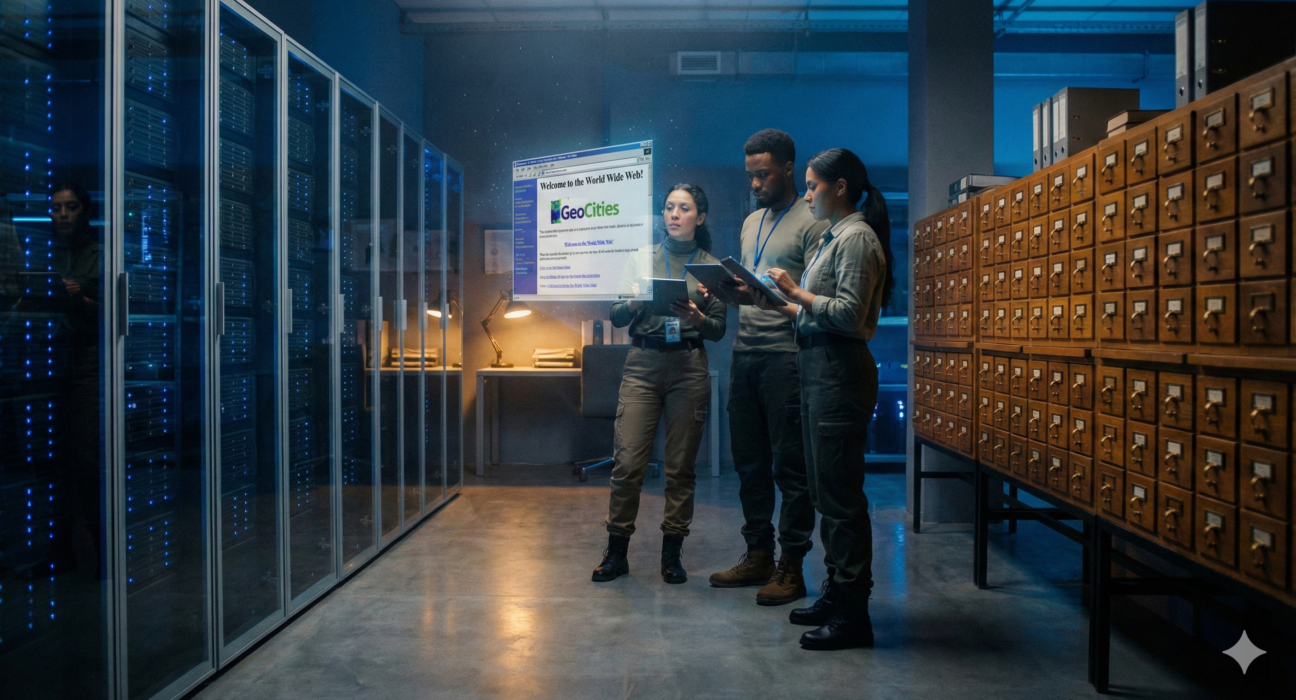
- Archive Team: A “loose collective of rogue archivists, programmers, writers, and loudmouths” founded by Jason Scott. They function as digital first responders. When a site announces it is shutting down (like Geocities or Google+), Archive Team mobilizes “warrior” scripts to scrape and save the content before the servers go dark.
- Flashpoint: As mentioned, this community project saved over 100,000 Flash games and animations, wrapping them in a custom launcher that allows them to be played safely on modern PCs.
Preservation Strategies: How to Save a Digital Object
Archivists generally rely on four main strategies to preserve digital heritage. Each has pros and cons.
1. Bit-Level Preservation
This is the most basic form: saving the binary data (the 1s and 0s) exactly as they are.
- Pros: Preserves the original artifact perfectly.
- Cons: Does not guarantee you can open the file. It’s like saving a VHS tape but not having a VCR.
2. Migration
This involves converting data from an obsolete format to a modern one. For example, converting a WordPerfect document to a PDF/A, or converting a .mov video file to MP4.
- Pros: Ensures the content remains accessible on modern devices.
- Cons: Every migration involves some loss. Formatting might break, interactive elements might stop working, or image quality might degrade. It alters the original artifact.
3. Emulation
Instead of changing the file, emulation recreates the old computer environment on modern hardware. This allows the original file to run in its native habitat.
- Example: You can play the original Oregon Trail on the Internet Archive because the browser is emulating an MS-DOS operating system.
- Pros: Preserves the “look and feel” and original experience.
- Cons: Technically difficult and expensive to develop. Requires the rights to the original operating system software.
4. Web Crawling (Harvesting)
This involves using bots (like Heritrix) to traverse websites, following links and saving copies of the HTML, CSS, and images found.
- Pros: Good for broad, surface-level preservation of the public web.
- Cons: Struggles with “deep web” content (databases), paywalls, and heavy JavaScript applications.
The Role of AI in Digital Archiving
As the volume of data explodes, human archivists can no longer keep up. Artificial Intelligence is beginning to play a pivotal role in digital heritage preservation.
Categorization and Metadata
The biggest challenge in archiving is not storage, but retrieval. A pile of a billion emails is useless if you can’t find the one relevant to a specific historical event. AI and Machine Learning (ML) models are being trained to:
- Auto-tag images and videos.
- Transcribe audio files into searchable text.
- Identify entities (people, places, dates) within vast unstructured datasets.
Restoration
AI upscaling tools are being used to restore low-resolution digital images and videos from the early web era. However, this is controversial in archival circles. AI “hallucinates” details that weren’t there, creating a cleaner but potentially historically inaccurate image. Archivists must balance the desire for clarity with the duty of authenticity.
Semantic Search
Traditional search looks for exact keyword matches. Vector-based AI search allows researchers to find concepts. You could search a video archive for “people celebrating a political victory” and the AI could identify relevant clips even if the metadata doesn’t contain those specific words.
Practical Guide: Personal Digital Archiving
While institutions handle the “big web,” your personal digital heritage is your responsibility. If you rely solely on Google Photos or iCloud, you are renting your memories, not owning them. If you lose access to your account, or if the terms of service change, your history is gone.
Here is a step-by-step framework for preserving your own digital legacy.
The 3-2-1 Rule of Backups
This is the gold standard for data survival:
- 3 Copies of anything you care about.
- 2 Different Media types (e.g., your laptop hard drive and an external SSD).
- 1 Offsite Copy (e.g., cloud storage or a drive kept at a friend’s house).
Step 1: Identification and Export
Identify where your digital life lives. Most major platforms allow you to export your data (often hidden in settings under “Download Your Data”).
- Google (Takeout): Exports emails, Drive files, YouTube videos, and Photos. Warning: This can result in massive file sizes separated into multiple .zip files.
- Facebook/Instagram: You can download a copy of your profile info, photos, and posts. Note that the metadata (comments, likes) often comes in JSON format, which is not easily readable without a viewer.
- Twitter/X: Request your archive. This usually provides a browsable HTML file of your tweets.
Step 2: Organization and Renaming
“IMG_2034.jpg” tells you nothing. Future you will not know what this is.
- Folder Structure: Organize by Year > Event. (e.g., 2024/2024-12-25_Christmas).
- Renaming: If manageable, bulk rename files to include dates and context.
- Curating: You don’t need to save everything. Curate the best photos. A folder of 50 great photos is more likely to be looked at than a dump of 5,000 blurry ones.
Step 3: Migration to Sustainable Formats
Avoid proprietary formats that require paid software to open (like .psd for Photoshop) for long-term storage. Convert a copy to open standards:
- Documents: PDF/A (a version of PDF designed for archiving).
- Images: TIFF (for high quality) or JPEG/PNG.
- Audio: WAV or FLAC (lossless), MP3 (universal).
- Video: MP4 (H.264 codec) is currently the most compatible standard.
Step 4: Storage Maintenance
Hard drives die. Cloud companies go bust.
- Refresh your media: Every 3–5 years, move your data to a new hard drive. Mechanical drives seize up if left strictly on a shelf for a decade.
- Checksum verification: For advanced users, use tools to generate “checksums” (digital fingerprints) of your files. Check these periodically to ensure “bit rot” hasn’t corrupted the file.
Ethical Considerations in Digital Heritage
Preserving the internet is not just a technical problem; it is an ethical minefield.
The Right to Be Forgotten vs. Historical Record
In Europe, the GDPR grants individuals the “right to be forgotten”—to have their data removed from search engines. How does this square with archiving? If a politician tweets something offensive and then deletes it, archivists argue it should be preserved as historical record. If a teenager posts an embarrassing photo they later regret, privacy advocates argue it should be deleted. Balancing the public interest with private dignity is an ongoing debate.
Indigenous Data Sovereignty
Historically, museums often took artifacts from indigenous cultures without permission. Digital archivists must avoid “digital colonialism.” Indigenous communities are increasingly asserting data sovereignty—the right to govern the collection, ownership, and application of their own data. This means some digital heritage should not be open access for the whole world but should be controlled by the community it belongs to.
The Problem of Context
A tweet saved in isolation loses its meaning. To understand a digital conversation, you need the replies, the quote-tweets, and the cultural mood of that day. Archiving “context” is incredibly difficult. Without it, future historians might misinterpret sarcasm for sincerity, or propaganda for fact.
Future Trends: Decentralization and Perma-Web
The current model of the web (centralized servers owned by big tech) is a single point of failure. New technologies aim to create a “Perma-Web.”
IPFS (InterPlanetary File System)
IPFS is a peer-to-peer protocol where files are not stored in one location (like a Google server) but are distributed across a network of computers. You address content by what it is (its cryptographic hash), not where it is. If one node goes down, the file can still be retrieved from others.
Arweave
Arweave describes itself as a “hard drive that never forgets.” It uses blockchain technology to create a permanent, immutable storage system. Users pay a one-time upfront fee to store data “forever” (endowed by an innovative endowment model). This is becoming popular for storing historical records and NFT metadata to ensure they don’t vanish.
DNA Storage
For the ultra-long term (centuries or millennia), scientists are experimenting with encoding digital data into synthetic DNA strands. DNA is incredibly dense and stable. While currently prohibitively expensive and slow, it offers a potential future where the entire internet could be stored in a shoebox-sized container, readable for thousands of years as long as we have the biology to sequence it.
Conclusion
We are the first generation to live a dual life: one physical, one digital. The emails we send, the worlds we build in Minecraft, and the movements we organize on social media are the artifacts of our time.
Preserving this digital heritage is not just about nostalgia; it is about accountability, identity, and history. If we allow our digital past to rot, we lose the ability to understand how we arrived at our future. Whether you are a national librarian backing up a government database, or a parent backing up photos of your child, the act of preservation is an act of defiance against the entropy of the digital age.
The internet feels infinite, but it is temporary. It is up to us to make it endure.
Next Steps for You
- Audit your digital life: Pick one platform (like Instagram or your email) and download your archive this weekend.
- Support the guardians: Consider donating to the Internet Archive or Wikipedia.
- Local backup: Buy an external hard drive and perform a full backup of your primary computer.
FAQs
Q: Is the Internet Archive legal? A: The Internet Archive operates as a non-profit library. However, it exists in a complex legal landscape. While it respects “robots.txt” (requests by sites not to be crawled) and DMCA takedown requests, it has faced lawsuits from publishers regarding its book lending program and copyright holders regarding music storage. Its legal status regarding web archiving is generally accepted under fair use and preservation exemptions, but it is frequently challenged.
Q: Can I archive a website that I don’t own? A: Yes, you can use the Wayback Machine’s “Save Page Now” feature. You simply enter the URL, and if the site allows crawling, the Internet Archive will take a snapshot immediately. This is a great way to cite a source that might change later.
Q: How long do hard drives last? A: A typical spinning hard disk drive (HDD) lasts about 3 to 5 years of active use. Solid State Drives (SSDs) can last longer but can lose data if left unpowered for extended periods (years). No storage medium is permanent; data must be migrated to new drives regularly.
Q: What is the M-DISC? A: M-DISC is a write-once optical disc technology (DVD or Blu-ray) that uses a rock-like recording surface instead of organic dye. Manufacturers claim it can preserve data for up to 1,000 years, making it a popular choice for “cold storage” archiving of photos and documents.
Q: Why do old websites look broken on the Wayback Machine? A: Old websites often relied on external assets (images, stylesheets) hosted on other servers that were not captured at the same time. Additionally, modern browsers may not support the obsolete code (like old Java applets or Flash) that the site used, causing layout errors or missing functionality.
Q: Is “The Cloud” safe for archiving? A: The Cloud is convenient, but it is not an archive. It is a syncing service. If you accidentally delete a file on your phone, it deletes from iCloud/Google Photos. If your account is hacked or banned, you lose everything. Use the cloud for access, but always have a local, offline backup for true preservation.
Q: What is “Bit Rot”? A: Bit rot (or data degradation) occurs when the magnetic charge on a hard drive or the electrical charge in flash memory degrades over time, causing a 0 to flip to a 1 (or vice versa). This corrupts the file. Regular integrity checks and migrating data to fresh media prevent this.
Q: Can AI help me organize my old photos? A: Yes. Tools like Google Photos, Apple Photos, and open-source alternatives like PhotoPrism use local AI to recognize faces, objects, and locations, making it much easier to sort through thousands of unorganized legacy photos.
References
- UNESCO. (2003). Charter on the Preservation of the Digital Heritage. UNESCO. https://www.unesco.org/en/legal-affairs/charter-preservation-digital-heritage
- Internet Archive. (n.d.). About the Internet Archive. https://archive.org/about/
- Library of Congress. (n.d.). Web Archiving. https://www.loc.gov/programs/web-archiving/
- Zittrain, J., et al. (2021). The Paper of Record Meets an Ephemeral Web: An Examination of Link Rot and Content Drift within The New York Times. Harvard Law School Library.
- Digital Preservation Coalition. (2024). Digital Preservation Handbook. https://www.dpconline.org/handbook
- BlueMaxima’s Flashpoint. (n.d.). A Webgame Preservation Project. https://flashpointarchive.org/
- The British Library. (n.d.). UK Web Archive. https://www.webarchive.org.uk/
- Protocol Labs. (n.d.). IPFS: Powers the Distributed Web. https://ipfs.tech/
- Arweave. (n.d.). Permanent Information Storage. https://www.arweave.org/
- National Archives. (2024). Guidance on Personal Digital Archiving. https://www.archives.gov/preservation/family-archives/digital-preservation