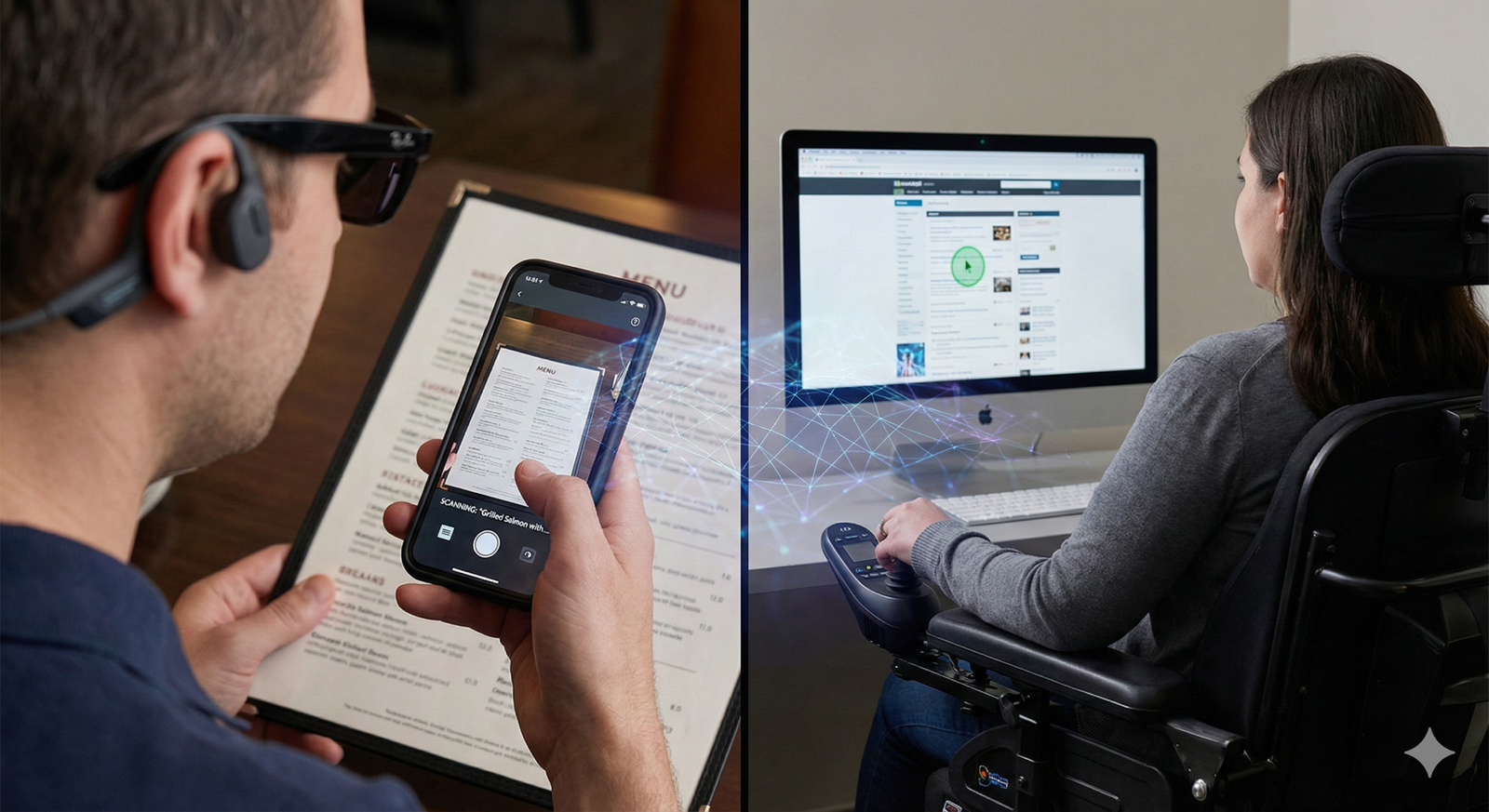
For millions of people worldwide, Artificial Intelligence (AI) is not just a buzzword about efficiency or automation; it is a fundamental driver of independence and autonomy. AI for accessibility refers to the application of machine learning, computer vision, and natural language processing to remove barriers for people with disabilities. By translating text to speech, recognizing images, or predicting user intent, AI bridges the gap between physical limitations and digital capabilities.
This guide explores the transformative power of AI in the accessibility space. We will examine how specific technologies function, the real-world tools currently available, and the complex ethical landscape surrounding these advancements.
Key Takeaways
- Multimodal Support: AI tools now combine vision, audio, and text to support diverse needs, from blindness to neurodivergence.
- Real-Time Processing: Modern processors allow for instant captioning and object recognition on mobile devices without needing internet connectivity.
- Generative AI Impact: Large Language Models (LLMs) are revolutionizing communication aids and simplifying complex tasks for cognitive accessibility.
- Web Compliance: AI is automating parts of web accessibility testing, though human auditing remains essential for full WCAG compliance.
- Ethical Vigilance: Issues regarding data privacy and algorithmic bias in training data require ongoing scrutiny to ensure safety.
Scope of This Guide
In this guide, “AI for accessibility” refers to consumer-facing and developer-focused technologies designed to assist individuals with permanent, temporary, or situational disabilities. This includes assistive software, smart hardware integration, and digital design tools. It does not cover experimental medical surgeries or pharmaceutical interventions.
What is AI for Accessibility?
At its core, AI for accessibility is about leveraging intelligent algorithms to augment human capabilities. Traditional assistive technology (AT) often required manual configuration—like programming a screen reader or customizing a switch control. AI-driven AT, however, is adaptive. It learns from context, predicts needs, and processes sensory data that was previously inaccessible to computers.
The Shift from Static to Adaptive
Legacy accessibility tools were rule-based. If a website image lacked an “alt tag” (alternative text description), a traditional screen reader could only say “image.” An AI-powered screen reader, however, uses computer vision to analyze the pixels and describe the image: “A dog running in a park.” This shift from reading code to understanding content is the defining characteristic of modern AI accessibility.
The Three Pillars of AI Accessibility
- Sensing: The ability of the device to “see” (camera input) or “hear” (microphone input) the environment.
- Processing: The use of neural networks to interpret that raw data (e.g., identifying a doorway in a video feed).
- Actuating: Converting that interpretation into a usable format for the user (e.g., a vibration alert, a spoken sentence, or a simplified text summary).
How AI Enhances Vision and Navigation
For the estimated 2.2 billion people globally with vision impairment, AI serves as a digital narrator of the physical world. By combining smartphone cameras with cloud-based or on-device processing, these tools provide situational awareness that was previously impossible without human assistance.
Computer Vision in Practice
Computer vision acts as the “eyes” of the AI. It breaks down video feeds into identifiable objects, text, and spatial relationships.
- Object Recognition: Tools like Microsoft’s Seeing AI or Google’s Lookout can identify currency, products in a pantry, or even the color of a shirt. The user points their phone, and the AI speaks the result.
- Scene Description: Beyond single objects, generative AI models can now describe complex scenes. For example, “A busy street crossing with a red light and a white car waiting.”
- Navigation and LiDAR: Modern smartphones equipped with LiDAR (Light Detection and Ranging) sensors use AI to build 3D maps of a room. This helps detect obstacles like chairs or open doors, providing haptic feedback (vibration) to the user’s hand to guide them safely—a digital equivalent of a white cane.
Real-World Example: The “Virtual Volunteer”
The app Be My Eyes initially relied solely on human volunteers. Recently, they integrated GPT-4o vision capabilities to create a “Virtual Volunteer.”
- Scenario: A user wants to check the expiration date on a milk carton.
- Action: They show the carton to the AI.
- Result: The AI reads the date. If the user asks, “Is it still good?” the AI checks the current date and answers, “Yes, it expires in three days.” This interaction mimics a human conversation, offering agency without relying on another person’s schedule.
Common Pitfalls
- Hallucinations: AI can sometimes confidently misidentify objects. A bottle of shampoo might be misread as a bottle of cleaner, which poses safety risks.
- Lighting Sensitivity: Low-light environments can significantly degrade the accuracy of computer vision models.
AI Tools for Hearing and Speech
For the d/Deaf and hard-of-hearing communities, as well as those with speech impairments, AI creates bridges for communication that operate in real-time.
Automatic Speech Recognition (ASR)
ASR technology has moved beyond simple dictation to handle complex, multi-speaker environments.
- Live Captioning: Tools like Google Live Transcribe and Ava provide real-time subtitles for conversations. These models are trained to filter out background noise (like a coffee shop clatter) and focus on the primary speaker’s voice.
- Speaker Diarization: Advanced AI can distinguish between different voices, labeling captions as “Speaker 1” and “Speaker 2,” which is crucial for following meetings or social gatherings.
Sound Recognition Alerts
Not all critical audio is speech. AI models in smartphones and smart home hubs can now listen for specific environmental sounds:
- Safety Alerts: Identifying smoke alarms, crying babies, or glass breaking.
- Notification: When detected, the device flashes a light or vibrates a smartwatch, ensuring the user is aware of the urgent event even if they cannot hear it.
Speech Accessibility for Non-Standard Speech
Standard voice assistants (Siri, Alexa) historically struggled to understand people with dysarthria, ALS, or other speech impairments.
- Project Relate (Google): This initiative allows users to train a custom AI model on their unique speech patterns. By repeating a set of phrases, the AI learns to interpret the user’s specific phonetics.
- Voice Banking: For individuals with degenerative conditions (like ALS), AI allows for “voice banking.” Before losing their voice, they record samples, and AI synthesizes a digital voice that sounds just like them, which can be used with text-to-speech devices later.
Cognitive and Neurodiverse Support
Neurodivergent individuals (such as those with ADHD, autism, dyslexia, or executive function challenges) benefit from AI that organizes, simplifies, and interprets information.
Text Simplification and Summarization
Generative AI tools (like ChatGPT or specialized reading assistants) can rewrite dense text into “plain language.”
- For Dyslexia: AI can reformat text to change fonts, spacing, and contrast, or summarize a long email into three bullet points to reduce cognitive load.
- For Anxiety/Overwhelm: Tools like Goblin.tools use AI to break down intimidating tasks (e.g., “Clean the kitchen”) into manageable, micro-steps (e.g., “1. Pick up trash,” “2. Put dishes in sink,” “3. Wash cups”).
Social and Emotional cues
For some individuals on the autism spectrum, interpreting emotional subtext can be challenging.
- Sentiment Analysis: AI tools can analyze the tone of an email draft and warn the user if it sounds aggressive or passive-aggressive before they hit send.
- Conversational Coaching: specialized apps act as role-play partners, allowing users to practice job interviews or social scripts in a judgment-free environment.
Predictive Text and AAC
Augmentative and Alternative Communication (AAC) devices are lifelines for non-verbal individuals. Old AAC devices required tedious selection of icons. AI-powered AAC uses predictive text engines (similar to those in smartphones but more advanced) to suggest the next likely word or phrase based on the user’s history and location. This significantly speeds up communication.
Mobility and Motor Control Innovations
For individuals with paralysis, cerebral palsy, or limited dexterity, AI transforms subtle physical movements into digital commands.
Eye Tracking and Gaze Interaction
While eye-tracking hardware exists, AI improves the calibration and intent prediction.
- Smooth Pursuit: AI algorithms filter out the natural “jitter” of human eye movements, making the cursor on a screen move smoothly rather than erratically.
- Dwell Control: The AI intelligently decides when a user is staring at a button to click it versus just looking around, reducing accidental clicks.
Voice Control for Navigation
Voice Control (available on iOS and Android) is more than just dictation; it provides full device command.
- Grid Overlays: A user can say “Tap grid 5,” and the AI executes a touch at that specific coordinate.
- Contextual Understanding: The AI understands context-dependent commands like “Go back” or “Scroll down,” enabling completely hands-free operation of complex interfaces.
Switch Access and Adaptive Gaming
In gaming and computer use, “switches” (buttons operated by head, foot, or breath) replace keyboards. AI helps map these limited inputs to complex actions. In video games, AI “co-pilots” can assist with steering or aiming, allowing a player with slower reaction times to enjoy fast-paced games on an equal footing.
Generative AI: A New Frontier for Inclusion
The explosion of Generative AI (GenAI) in the mid-2020s marked a paradigm shift. Unlike discriminative AI (which identifies things), GenAI creates things, offering novel ways to fill accessibility gaps.
Automated Alt-Text Generation
For years, the internet was largely invisible to screen readers because millions of images lacked descriptions. GenAI models can now scan a webpage and generate detailed, context-aware alt text for every image.
- Impact: Instead of hearing “Image 504.jpg,” a user hears “A graph showing a 20% increase in sales over Q3.”
- Limitation: It is not perfect. AI may miss nuance or context (e.g., recognizing a face but not knowing it is the CEO of the company).
Code Remediation
For developers, GenAI serves as an accessibility pair programmer. It can scan codebases and suggest specific fixes for ARIA (Accessible Rich Internet Applications) labels, contrast ratios, and keyboard navigation traps. This democratizes accessibility knowledge, allowing non-expert developers to build more inclusive products.
Personalized Learning Content
For students with learning disabilities, GenAI can instantly convert a textbook chapter into a dialogue, a quiz, or a simplified story, adapting the format to the student’s preferred learning modality.
Web Accessibility and Automated Testing
As the digital world becomes essential for employment and services, web accessibility is a legal and moral imperative. AI plays a controversial but growing role here.
The Role of Automated Audits
AI crawlers can scan thousands of web pages in minutes to detect WCAG (Web Content Accessibility Guidelines) violations.
- What AI Can Catch: Missing alt text, poor color contrast, missing language tags, broken links.
- What AI Misses: Context and usability. AI might see that an image has alt text, but it cannot judge if the text “image” is helpful (it isn’t). It cannot easily test logical tab order or keyboard traps in complex single-page applications.
- The “30% Rule”: Industry experts estimate that automated tools can only catch about 30% to 50% of accessibility issues. Human manual testing is still required.
The “Overlay” Controversy
A contentious application of AI in this space is the “accessibility overlay”—a plugin installed on a website that claims to fix accessibility issues automatically using AI.
- The Promise: Instant compliance with one line of code.
- The Reality: Many accessibility advocates and users report that these overlays often interfere with their native screen readers, creating more barriers rather than fewer. They can override user preferences and provide a false sense of security to website owners.
- Best Practice: Use AI to find issues in the code during development, rather than trying to patch them on the live site with an overlay.
Challenges and Ethical Considerations
While AI offers immense promise, it introduces significant risks that must be managed to ensure true inclusion.
1. Data Bias and Representation
AI models are trained on massive datasets. If those datasets do not include diverse examples of disabilities, the models will fail.
- Example: A gesture recognition system trained only on hands with five fingers may fail to recognize the hand of someone with a limb difference.
- Example: Speech recognition trained on “standard” broadcast speech will struggle with the speech patterns of someone with cerebral palsy.
- Solution: The “Nothing About Us Without Us” principle. Developers must include people with disabilities in the data gathering and training phases.
2. Privacy and Surveillance
Many AI accessibility tools require constant sensing—cameras and microphones must be “always on” to be helpful.
- Risk: A blind user wearing smart glasses might inadvertently record private conversations or sensitive documents (like a credit card or medical record) which are then processed in the cloud.
- Mitigation: Companies are moving toward Edge AI (on-device processing), where data is processed locally on the phone or glasses and never sent to a server.
3. The “Pink Tax” and Cost
Advanced assistive technology is often expensive. While consumer AI (like ChatGPT) is relatively affordable, specialized medical-grade AI hardware can cost thousands of dollars. There is a risk that AI accessibility becomes a luxury good, widening the gap between wealthy and low-income individuals with disabilities.
4. Over-Reliance and Skill Erosion
There is a philosophical debate regarding skill erosion. If an AI always writes emails for a user, do they lose the ability to write effectively? However, most advocates argue that the focus should be on functional output rather than the method used. If AI enables a person to communicate who otherwise couldn’t, the benefit outweighs the theoretical risk.
The Future of Assistive Technology
Looking ahead, the convergence of AI with other emerging technologies paints a hopeful picture.
Brain-Computer Interfaces (BCI)
Companies like Neuralink and Synchron are developing interfaces that allow direct communication between the brain and computers. AI is the decoder ring in this process. It interprets neural spikes and translates them into cursor movements or text. This holds the potential to restore communication for those with “locked-in” syndrome.
Autonomous Support Robots
Robotics combined with AI navigation will lead to better physical assistance. Future service robots could perform tasks like opening heavy doors, retrieving dropped items, or assisting with transfers from a wheelchair to a bed, reducing reliance on human caregivers.
Hyper-Personalization
The future is not “one size fits all.” It is “one size fits one.” AI operating systems will likely morph their interfaces in real-time—increasing font size, simplifying menus, or switching to voice mode—based on the user’s fatigue level or current ability.
Who This Is For (And Who It Isn’t)
This guide is for:
- Individuals with disabilities looking for modern tools to assist with daily tasks.
- Caregivers and family members seeking technology to support loved ones.
- Developers and designers who want to understand how to build inclusive products.
- Employers looking to provide reasonable accommodations in the workplace.
This guide is NOT for:
- Medical professionals seeking clinical diagnosis tools or surgical advice.
- Those seeking legal advice on ADA lawsuits (though we touch on compliance, this is not legal counsel).
Common Mistakes When Implementing AI Accessibility
If you are a developer or an organization looking to deploy these tools, avoid these traps:
1. Assuming AI Solves Everything
Do not assume that installing a plugin or buying an app fixes accessibility. You must still design your core product to be accessible. AI is a supplement, not a replacement for good design.
2. Ignoring User Feedback
Do not deploy a tool without testing it with actual users who have disabilities. What works in a lab often fails in the real world due to unexpected friction points.
3. Forgetting Fallbacks
AI requires power and often internet. If your primary accessibility feature relies on the cloud, what happens when the user goes offline? Always build non-AI fallbacks into your system.
4. Overlooking Intersectionality
A user might be both blind and deaf (DeafBlind). An AI tool that relies solely on audio feedback for a visual task will fail this user. Design for multiple concurrent disabilities.
Related Topics to Explore
- Universal Design Principles: The foundation of creating environments usable by everyone, regardless of ability.
- WCAG 2.2 Guidelines: The technical standard for web accessibility compliance.
- Smart Home Automation: How IoT devices (lights, locks, thermostats) enable independence.
- Inclusive Hiring Practices: How to support neurodiverse employees in the modern workforce.
- Edge Computing: The technology enabling privacy-preserving, fast AI on local devices.
Conclusion
AI for accessibility is one of the most profound and positive applications of machine learning technology. It is shifting the narrative of disability from “impairment” to “mismatch.” When the environment interacts intelligently with the user, the disability is not erased, but the barrier is removed.
From computer vision that narrates the world to the blind, to voice recognition that understands unique speech patterns, AI is empowering millions to live with greater independence. However, technology alone is not the cure-all. It requires ethical development, inclusive training data, and a commitment to listening to the community it serves.
Next Steps: If you are a user, explore the accessibility settings already built into your smartphone—you may be surprised by the power already in your pocket. If you are a developer, audit your current project with a screen reader today to see where AI could help—or hurt—the experience.
FAQs
1. Is AI for accessibility free to use? Many powerful AI accessibility features are built directly into operating systems (iOS, Android, Windows) for free. Apps like Seeing AI and Google Lookout are also free. However, specialized software and hardware can have subscription fees or high upfront costs.
2. Can AI completely replace human sign language interpreters? No. While AI avatars and translation tools are improving, they lack the nuance, cultural context, and emotional expression of a human interpreter. They are useful for quick, low-stakes interactions but are not yet suitable for medical or legal settings.
3. How accurate are AI image descriptions for the blind? As of 2026, leading models are highly accurate for general object identification and text reading. However, they can still hallucinate (invent details) or miss subtle context. Users are advised to use them for information gathering but to be cautious in safety-critical situations (like reading medication labels).
4. What is the difference between WCAG compliance and AI remediation? WCAG (Web Content Accessibility Guidelines) is the standard set of rules for accessibility. AI remediation is a tool that attempts to fix code to meet these rules. AI cannot currently guarantee 100% WCAG compliance without human verification.
5. Does using voice control require the internet? It depends on the device. Modern smartphones (iPhone 15/16/17 ranges, Pixel 9/10 ranges) process a significant amount of voice data on-device for privacy and speed. However, complex queries or older devices may still require an internet connection to process voice commands.
6. Are AI accessibility tools safe for privacy? Most reputable providers (Apple, Google, Microsoft) emphasize privacy, often processing data on the device rather than the cloud. However, users should always check the privacy policy of third-party apps, especially those using cameras, to ensure data isn’t being stored or sold.
7. Can AI help with dyslexia? Yes. AI tools can summarize long texts, simplify complex vocabulary, rewrite fonts to be more readable, and provide text-to-speech so users can listen while they read, which improves comprehension.
8. What is the “curb-cut effect” in AI? The curb-cut effect is when a feature designed for people with disabilities ends up benefiting everyone. For example, AI captioning was designed for the Deaf, but it is widely used by people watching videos with the sound off or in noisy environments.
9. How do I turn on AI accessibility features on my phone? On iOS, go to Settings > Accessibility. On Android, go to Settings > Accessibility. Both platforms group features by Vision, Hearing, and Physical/Motor needs.
10. Will AI eventually cure disabilities? AI is not a medical “cure” in the biological sense. Instead, it is a functional bridge. It “cures” the inaccessibility of the environment, allowing a person to perform tasks they otherwise couldn’t, effectively mitigating the impact of the disability.
References
- World Wide Web Consortium (W3C). (2023). Web Content Accessibility Guidelines (WCAG) 2.2. W3C Recommendation. https://www.w3.org/TR/WCAG22/
- Microsoft. (n.d.). Seeing AI: The intelligent camera app for those who are blind or have low vision. Microsoft Accessibility. https://www.microsoft.com/en-us/ai/seeing-ai
- Google. (n.d.). Project Relate: Communication for everyone. Google Research.
- World Health Organization (WHO). (2023). Assistive Technology. WHO Fact Sheets. https://www.who.int/health-topics/assistive-technology
- Be My Eyes. (2024). Be My AI: The Virtual Volunteer. Be My Eyes Press. https://www.bemyeyes.com/blog/introducing-be-my-ai
- National Institute on Deafness and Other Communication Disorders (NIDCD). (2023). Assistive Devices for People with Hearing, Voice, Speech, or Language Disorders. U.S. Department of Health and Human Services. https://www.nidcd.nih.gov/health/assistive-devices-people-hearing-voice-speech-or-language-disorders
- WebAIM. (2024). The WebAIM Million: An annual accessibility analysis of the top 1,000,000 home pages. WebAIM. https://webaim.org/projects/million/
- Apple. (n.d.). Accessibility features on iPhone. Apple Support. https://www.apple.com/accessibility/iphone/
- Neuralink. (2024). Patient Registry and Progress Updates. Neuralink. https://neuralink.com/patient-registry/
- Access Living. (2023). The Ethics of AI and Disability Rights. Access Living Advocacy. https://www.accessliving.org/newsroom/blog/ai-and-disability-rights/