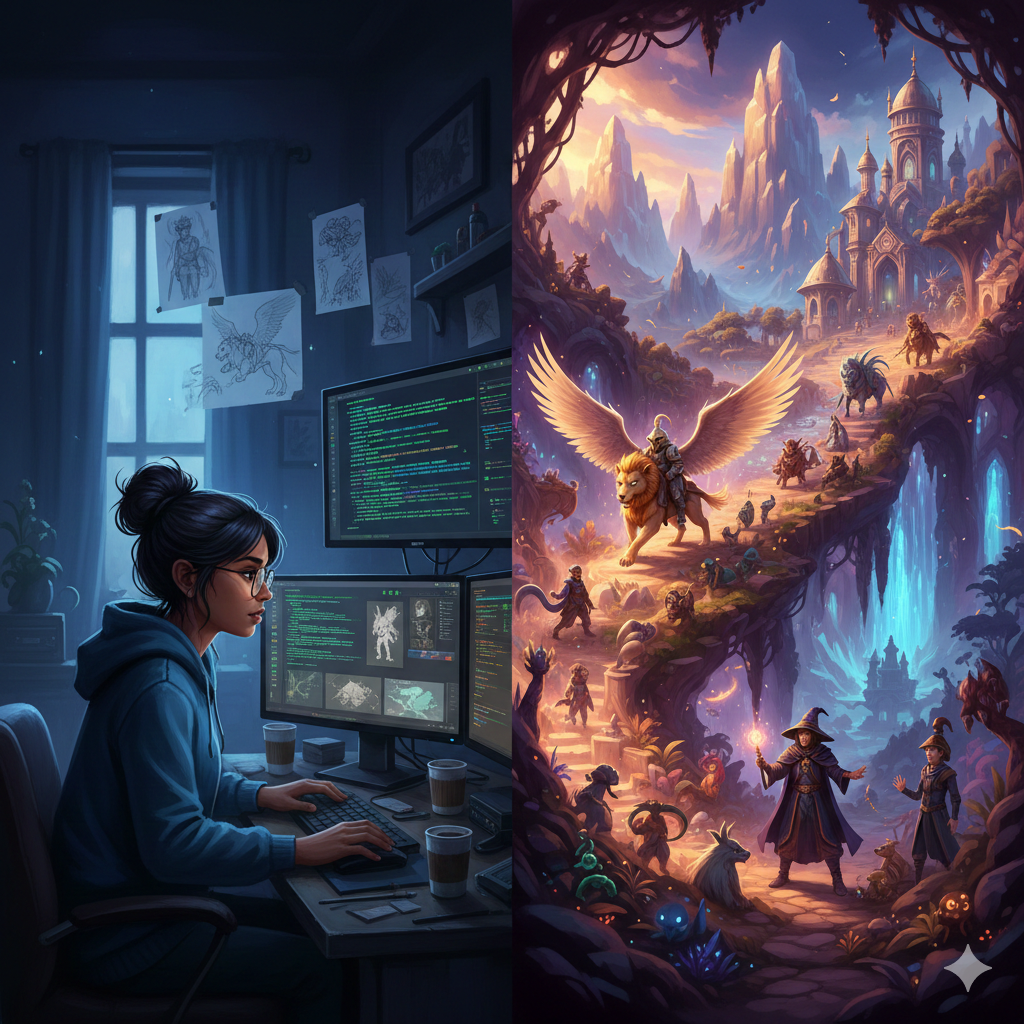
For decades, the divide between AAA studios and independent developers was measured in manpower and budget. While a major studio could deploy hundreds of artists to model individual leaves on a tree, a solo developer often had to choose between a smaller scope or a decade-long development cycle. In recent years, however, a new technological paradigm has emerged that is fundamentally altering this equation. Generative AI for indie game developers is no longer just a buzzword; it is a force multiplier that allows small teams to punch well above their weight class.
By automating repetitive tasks, generating high-quality assets, and debugging complex code, generative AI is democratizing game development. It is enabling creators to focus on what matters most: the gameplay experience and the story they want to tell. This guide explores the multifaceted ways AI is reshaping the indie landscape, from concept art to code, while navigating the complex ethical and legal waters that accompany this innovation.
Key Takeaways
- Resource Amplification: Generative AI acts as a virtual team, handling tasks like texture generation, voice acting, and coding support, allowing solo devs to achieve “studio-quality” output.
- Rapid Prototyping: The time from “idea” to “playable prototype” is drastically reduced, enabling faster iteration and failure recovery.
- Asset Creation: Tools like Stable Diffusion and Midjourney help with concepting and 2D assets, while specialized AI tools assist with 3D modeling and animation.
- Code Assistance: AI coding assistants reduce the barrier to entry for non-programmers and speed up workflow for experienced engineers.
- Legal Nuance: Understanding platform policies (like Steam’s AI disclosure rules) and copyright limitations is critical for commercial success.
- Human-in-the-Loop: AI is an assistant, not a replacement; the most successful indie games use AI to enhance human creativity, not displace it.
Scope of This Guide
In this guide, generative AI refers to machine learning models capable of creating new content—including text, images, audio, and code—in response to prompts. We will cover practical applications in asset creation, programming, narrative design, and marketing. We will also address the specific challenges regarding copyright and platform compliance as of January 2026. We will not cover general game design theory or traditional procedural generation (which relies on algorithmic randomness rather than learned patterns) except where it intersects with AI.
Who This Is For (And Who It Isn’t)
This guide is for:
- Solo Developers and Hobbyists: Individuals looking to streamline their workflow and fill skill gaps (e.g., a programmer who needs art, or an artist who needs code).
- Small Indie Studios (2–10 people): Teams aiming to reduce crunch and optimize their budget to compete with larger productions.
- Producers and Project Managers: Professionals seeking to understand how AI tools can impact timelines and resource allocation.
This guide is NOT for:
- AAA Studio Executives: While relevant, the scale and enterprise licensing discussions required for massive studios differ significantly from the indie context.
- AI Purists or Anti-AI Advocates: This article takes a pragmatic view on using AI as a tool; it assumes the reader is interested in using the technology responsibly, rather than debating its existence.
The New Indie Toolkit: Defining Generative AI in Gaming
To understand how generative AI for indie game developers functions, it is essential to distinguish it from tools of the past. Traditionally, indie devs relied on asset stores or procedural generation. Asset stores provided high-quality but generic content, often leading to the “asset flip” stigma where games looked identical. Procedural generation (like the algorithms used in No Man’s Sky) is excellent for creating vast environments but requires heavy mathematical coding and setup.
Generative AI sits in the middle. It offers the customization of hand-crafted assets with the speed of automation. It functions as a “creative co-pilot.”
The “Co-Pilot” Philosophy
The most effective way for indie developers to utilize this technology is through a human-in-the-loop workflow. The AI generates the raw material—a texture, a snippet of C# code, or a dialogue tree—and the developer refines, curates, and integrates it. This preserves the unique artistic vision of the indie game, which is often its primary selling point, while removing the drudgery of creating every pixel or polygon from scratch.
The Shift in Barrier to Entry
Historically, the barrier to making a game was technical skill. You needed to know how to draw, model, or code. Today, the barrier is shifting toward curation and direction. The skill lies in knowing what to ask the AI and having the taste to judge the output. This opens the door for storytellers and designers who may have previously been locked out of development due to a lack of technical or artistic proficiency.
Accelerating Asset Creation: Art and Animation
Visually, indie games often struggle to compete with the polish of high-budget titles. AI game assets are changing this dynamic by allowing developers to generate bespoke visuals that fit a cohesive style without hiring a large art team.
Concept Art and Ideation
The “blank page syndrome” is a major hurdle in game design. Generative image models allow developers to visualize characters, environments, and UI elements in seconds.
- Mood Boarding: Instead of searching Google Images for hours, a developer can prompt, “Cyberpunk city with art deco architecture, neon purple lighting, isometric view,” to instantly generate a mood board.
- Character Iteration: You can generate twenty variations of a protagonist’s costume in the time it would take to sketch one. This rapid iteration helps nail down the visual identity of the game early in pre-production.
2D Assets and Textures
For 2D games, AI can generate sprites, backgrounds, and UI icons. However, consistency is key. A common pitfall is generating assets that look like they belong in different games.
- Stable Diffusion for Games: Advanced users utilize tools like Stable Diffusion for games, often running locally to train “LoRAs” (Low-Rank Adaptation models) on their specific art style. This ensures that every generated tree, rock, or character adheres to the same brushwork and color palette.
- Texture Generation: In 3D pipelines, creating seamless textures is tedious. AI tools can now generate tileable textures (e.g., “mossy cobblestone,” “rusted sci-fi metal”) complete with normal, displacement, and specular maps, ready to be dropped into an engine like Unity or Unreal.
3D Modeling and Animation
While 2D generation is mature, 3D is rapidly catching up.
- Text-to-3D: Newer tools allow developers to type a prompt and receive a basic 3D mesh. While often not production-ready for a main character, these are perfect for “level clutter”—the barrels, crates, and rocks that populate a scene.
- AI-Assisted Animation: Animating a bipedal character is complex. AI tools can now take a static 3D model and auto-rig it (add the digital skeleton). Furthermore, video-to-animation AI allows a developer to record themselves performing a sword swing in their living room and transfer that motion data directly onto their game character, bypassing expensive motion capture studios.
Coding at the Speed of Thought
Perhaps the most intimidating aspect of game development is programming. AI coding assistants have fundamentally changed how code is written, debugged, and optimized.
The Rise of the AI Pair Programmer
Tools integrated directly into IDEs (Integrated Development Environments) act as a pair programmer that never sleeps.
- Boilerplate Reduction: Game development involves writing a lot of “boilerplate” code—standard structures for menus, inventory systems, or player controllers. An AI assistant can generate these structures instantly, allowing the developer to focus on unique mechanics.
- Refactoring and Optimization: Indie games often suffer from performance issues due to unoptimized code. AI tools can analyze scripts and suggest more efficient algorithms or identify memory leaks, crucial for ensuring the game runs smoothly on lower-end hardware (a key demographic for indie games).
Natural Language Programming
For designers with limited coding experience, AI bridges the gap.
- “Explain This Code”: If a developer downloads a plugin or asset pack and doesn’t understand how it works, they can highlight the code and ask the AI to explain it in plain English.
- Prompt-to-Script: A developer can type, “Write a C# script for Unity that makes the camera follow the player with a slight delay and screen shake upon impact.” The AI generates the script, often including comments explaining how to customize the variables.
Engine-Specific Integration: Unity AI Tools
Major engines are integrating AI directly. Unity AI tools, for example, are evolving to allow developers to interact with the editor using natural language. Instead of navigating through five sub-menus to change the lighting settings, a developer might eventually just type, “Make the scene look like a sunset,” and the AI adjusts the directional light, skybox, and fog density automatically. This lowers the learning curve for complex engines significantly.
Infinite Narratives and Dynamic Dialogue
Indie games like Disco Elysium or Undertale are famous for their writing. AI narrative design tools are helping developers expand the depth and reactivity of their stories without needing a team of twenty writers.
Dynamic NPC Interactions
In traditional games, Non-Playable Characters (NPCs) are limited to a fixed list of pre-written lines. Once the player exhausts the dialogue tree, the illusion breaks.
- Generative Conversations: By hooking NPCs up to Large Language Models (LLMs) with strict “system prompts” (instructions that define the character’s personality, knowledge, and constraints), developers can create characters that can talk about anything within the game’s context.
- Guardrails are Essential: The risk here is the NPC saying something offensive or breaking character. Successful implementation requires robust “guardrailing”—filtering inputs and outputs to ensure the dialogue stays safe and on-theme.
Lore and Quest Generation
Creating a rich history for a fantasy world takes time. AI can act as a “Dungeon Master,” generating thousands of years of lore, item descriptions, and side quest hooks.
- Flavor Text: Writing unique descriptions for 500 different swords is tedious. AI excels at this type of bulk creative writing, ensuring every item feels unique.
- Branching Storylines: AI can help visualize and manage complex branching narratives, suggesting consequences for player actions that the developer might not have considered.
Soundscapes and Audio Engineering on a Budget
Bad audio can ruin a good game. Yet, hiring an orchestra or professional voice actors is often out of reach for indies.
AI Voice Acting
Voice acting adds immersion but is expensive and logistically difficult (scheduling, recording, editing).
- Text-to-Speech (TTS) for Prototyping: At a minimum, AI voices are incredible for “placeholder” audio, allowing developers to test dialogue timing and emotional beats before hiring real actors.
- Production-Ready Voices: High-end AI voice models are becoming indistinguishable from human speech, capable of expressing specific emotions (whispering, shouting, crying). For background NPCs or distinct alien languages, this allows for a fully voiced world on a shoestring budget.
Adaptive Music Generation
Music sets the emotional tone.
- Generative Soundtracks: AI tools can generate royalty-free background music that adapts to the gameplay intensity. If the player enters combat, the AI can seamlessly transition the track to a higher tempo and introduce percussion.
- Sound Effects (SFX): Instead of buying generic SFX libraries, developers can generate custom sounds—”a laser blaster made of glass shattering”—to perfectly match their game’s aesthetic.
Automated Playtesting and Quality Assurance
One of the biggest advantages AAA studios have is a QA department. Indie devs often release buggy games because they simply couldn’t test every edge case. Automated playtesting powered by AI is the solution.
The AI Playtester
AI agents can be trained to play the game relentlessly. Unlike a human, they don’t get tired or bored.
- Pathfinding and Collision: An AI agent can run into every wall in a level for 24 hours straight to ensure there are no spots where the player can fall through the map.
- Difficulty Balancing: By having an AI play the game at different “skill levels,” developers can gather data on whether a boss fight is too hard or a puzzle is too obscure, allowing for data-driven balancing tweaks.
Crash Reporting and Analysis
AI can analyze crash logs to find patterns that a human might miss, pinpointing the exact line of code causing a memory leak after 4 hours of gameplay.
Marketing and Community Building
A game cannot succeed if no one knows it exists. Indie game marketing AI tools help developers manage the business side of their art.
Asset Generation for Social Media
Social media algorithms demand constant content. AI can repurpose game assets into TikTok-ready videos, generate eye-catching thumbnails for YouTube, or write engaging variations of Twitter/X copy to see what resonates best with the audience.
Localisation (Translation)
Translating a game into ten languages opens up global markets. While professional localization is best for nuance, AI translation provides a “good enough” baseline for smaller markets or initial releases, allowing indie devs to sell in regions like Brazil, China, or Germany much earlier in their lifecycle.
Procedural Generation vs. Generative AI
It is common to confuse these two terms, but understanding the difference helps in choosing the right tool.
| Feature | Procedural Generation | Generative AI |
| Mechanism | Algorithms and noise functions (e.g., Perlin noise). | Machine Learning models trained on datasets. |
| Best For | Terrain, dungeons, infinite map layouts. | Art assets, dialogue, code, complex textures. |
| Control | Mathematical parameters (seed values). | Natural language prompts and image inputs. |
| Outcome | Random but structurally logical. | Creative, patterned, and “artistic.” |
The Sweet Spot: The most powerful indie workflows combine both. Procedural generation tools might create the layout of a dungeon, while Generative AI decorates the rooms with textures and writes the diary entries found on the desks.
Economic Impact: Cost Reduction and Resource Allocation
The primary driver for AI adoption is cost reduction for indie studios.
The “Time is Money” Equation
For a solo developer, time is the most finite resource. If AI cuts the time to create a background asset from 10 hours to 1 hour, that is a 90% cost reduction. This saved time can be reinvested into:
- Polish: Making the game feel better to play.
- Marketing: Promoting the game to ensure sales.
- Life Balance: Avoiding the notorious burnout that destroys many indie careers.
Reducing Reliance on Outsourcing
Previously, a developer might spend $5,000 hiring a freelancer for UI icons. Now, they might generate base icons with AI and spend $500 hiring an artist to polish and unify them. This keeps money in the developer’s pocket, extending their “runway” (how long they can survive before the game launches).
The Ethics and Legalities of AI in Indie Games
This is the most critical section for any developer planning to sell their game. The landscape of copyright in AI art and platform distribution is volatile.
Copyright Ownership
As of early 2026, the general legal consensus in major jurisdictions (like the US) is that purely AI-generated content cannot be copyrighted.
- Implication: If you generate a character entirely with AI and put it in your game, you generally cannot sue someone else for copying that specific character image.
- The Hybrid Solution: However, if you use AI to generate a sketch and then paint over it, or use AI code as a base and modify it heavily, the human-created elements are copyrightable. Indie devs must document their workflow to prove human input.
Steam and Platform Policies
Valve (owners of Steam, the largest PC marketplace) has strict policies regarding AI.
- Disclosure: Developers must disclose if their game uses AI.
- Pre-Generated vs. Live-Generated:
- Pre-Generated: Assets created during development. You must promise they don’t contain illegal/infringing content.
- Live-Generated: AI that runs while the player is playing (e.g., AI NPCs). This requires strict guardrails to prevent the AI from generating illegal content on the user’s screen.
- Risk of Removal: Failing to disclose AI usage can result in your game being banned from Steam. Transparency is non-negotiable.
Community Sentiment
There is a segment of the gaming audience that is hostile toward AI. “Asset flip” accusations can fly if a game looks generic.
- Advice: Use AI to enhance a unique style, not to copy a generic one. Be transparent with your community about how you use AI. If you use it to avoid crunch and make a better game, most players will understand. If you use it to produce low-effort “slop,” they will reject it.
Practical Workflow: Integrating AI into Your Pipeline
What does this look like in practice? Here is a hypothetical workflow for a solo dev creating a 2D Platformer.
Step 1: Pre-Production (Day 1-7)
- Narrative: Use an LLM to brainstorm 10 plot hooks about a “Time-Traveling Baker.” Select one and refine the outline.
- Visual Style: Use Midjourney to generate mood boards mixing “French Bakery” aesthetics with “Cyberpunk Neon.”
Step 2: Prototyping (Day 8-30)
- Code: Use an AI coding assistant in VS Code to write the basic “jump” and “dash” mechanics in C#. Ask the AI to debug why the player gets stuck on walls.
- Placeholder Art: Generate rough sprites for the baker and enemies. They don’t need to be perfect, just readable.
- Voice: Use TTS to add temporary voice lines for the tutorial.
Step 3: Production (Month 2-6)
- Asset Refinement: Take the best generated backgrounds and paint over them in Photoshop to fix errors and add specific details.
- Texture Gen: Use AI to create seamless “flour-dusted floor” textures.
- Music: Generate a lo-fi hip-hop track for the background.
Step 4: Polish (Month 7)
- Playtesting: Run AI agents to test level difficulty.
- Marketing: Generate social media captions and use AI to help edit the trailer footage.
Common Mistakes and Pitfalls
- Inconsistent Art Style: Mixing different AI models often leads to a “Frankenstein” look where characters don’t match the background. Fix: Train custom models or use extensive Image-to-Image workflows.
- Over-Reliance on Code Gen: Copy-pasting AI code without understanding it leads to “spaghetti code” that is impossible to fix later. Fix: Use AI to explain the code to you before you commit it.
- Ignoring Legal Risks: Using trademarked characters (e.g., asking for “Mario-style”) in generated assets can lead to lawsuits. Fix: Always prompt for original concepts, never existing IPs.
- Hiding AI Usage: Trying to trick players into thinking AI assets are hand-drawn often backfires. Fix: Be honest. “AI Assisted” is better than “Liar.”
Related Topics to Explore
- Prompt Engineering for Textures: Deep dive into the specific vocabulary needed to get usable game textures (e.g., “seamless,” “albedo map,” “4k”).
- Local LLMs for NPCs: Running AI models on the player’s computer to avoid server costs for indie multiplayer games.
- The Future of Game Engines: How Unreal Engine and Unity are incorporating generative features directly into the editor viewport.
- Ethical Sourcing of Training Data: Using models trained only on public domain or licensed images (like Adobe Firefly) to mitigate ethical concerns.
- AI for Accessibility: Using AI to auto-generate subtitles, color-blind modes, and descriptive audio for visually impaired players.
Conclusion
Generative AI acts as the great equalizer in the game industry. It allows the solo developer with a dream to bypass the traditional gatekeepers of budget and manpower. By intelligently leveraging generative AI for indie game developers, creators can automate the mundane, iterate faster, and populate worlds that previously would have existed only in their imagination.
However, this power comes with responsibility. The successful indie developer of the future will not be the one who simply presses a button to “make a game,” but the one who curates, directs, and refines AI output with a human touch. As we move through 2026, the tools will only get better, but the heart of a great indie game will remain the same: a unique vision executed with passion.
Next Steps: Audit your current development pipeline. Identify the one bottleneck that slows you down the most—whether it’s writing dialogue, drawing icons, or debugging code—and research a specific AI tool designed to solve that problem today.
FAQs
1. Is it cheating to use generative AI for indie game developers? No, it is not cheating. Game development has always relied on tools to make the job easier, from game engines to asset stores. AI is simply the next evolution of these tools. The value of an indie game lies in the final experience, not how hard it was to make.
2. Can I release a game with AI assets on Steam? Yes, as of 2026, you can release games with AI assets on Steam. However, you must disclose the use of AI during the submission process. You generally need to confirm that you have the rights to the data used or that the output is not illegal. Always check the latest Steamworks documentation as policies can change.
3. Will AI replace indie game artists and programmers? AI is unlikely to replace them entirely, but it will change their roles. Artists will spend more time editing and directing AI generations, and programmers will spend more time reviewing and architecting code rather than writing syntax. It shifts the role from “creator” to “editor.”
4. What is the best AI tool for game assets? There is no single “best” tool, as it depends on the style. For 2D art, Midjourney and Stable Diffusion are top-tier. For 3D textures, tools like Adobe Substance 3D with AI features are industry standard. For code, GitHub Copilot and Cursor are highly recommended.
5. How much does it cost to use AI for game dev? Many tools have free tiers or low monthly subscriptions ($10-$30/month). Running open-source models (like Stable Diffusion) locally on your own PC is free if you have a powerful enough graphics card. Compared to hiring contractors, the cost is negligible.
6. Can AI write my entire game code? Not reliably. AI is excellent at writing small functions, debugging, and explaining concepts. However, it struggles with the high-level architecture of a complex game. You still need to understand how the code fits together to build a functional, bug-free game.
7. How do I keep my art style consistent with AI? Consistency requires training or fine-tuning models on your specific dataset. Using “Image-to-Image” generation (where you feed the AI a rough sketch or a previous asset) helps maintain a consistent look better than text prompts alone.
8. What are the risks of using AI in my game? The main risks are legal (copyright uncertainty), reputation (backlash from anti-AI players), and quality control (assets looking generic or having artifacts). Transparency and significant human modification of assets mitigate these risks.
9. Can AI help with game marketing? Absolutely. Indie game marketing AI can help write press releases, generate social media posts, creating variations of trailer cuts, and even analyze user feedback to suggest marketing angles.
10. Is AI useful for narrative-heavy games? Yes, AI is incredibly useful for brainstorming plot points, generating flavor text for items, and creating dynamic dialogue systems where NPCs can react to player input in real-time, deepening immersion.
References
- Valve Corporation. (2024). Steamworks Documentation: AI Content Policy. Steamworks.
- Unity Technologies. (2025). Unity Muse: AI for Content Creation. Unity.com. https://unity.com/products/muse
- United States Copyright Office. (2023). Copyright Registration Guidance: Works Containing Material Generated by Artificial Intelligence. Federal Register. https://www.federalregister.gov/documents/2023/03/16/2023-05321/copyright-registration-guidance-works-containing-material-generated-by-artificial-intelligence
- GitHub. (2025). GitHub Copilot: The AI Pair Programmer. GitHub.com. https://github.com/features/copilot
- Stability AI. (2024). Stable Diffusion 3 Technical Report. Stability.ai. https://stability.ai/news/stable-diffusion-3-research-paper
- Epic Games. (2025). Unreal Engine 5.5 Release Notes: Procedural Content Generation Framework. UnrealEngine.com. https://www.unrealengine.com/en-US/blog/unreal-engine-5-5-released
- Adobe. (2025). Adobe Firefly: Generative AI for Creators. Adobe.com. https://www.adobe.com/sensei/generative-ai/firefly.html
- Inworld AI. (2024). The Future of NPCs: AI Character Engine. Inworld.ai. https://inworld.ai/