The landscape of modern business is undergoing a seismic shift. For decades, “automation” meant setting up rigid, rules-based systems to handle repetitive data entry. Today, we are entering the era of autonomous operational workflows. This isn’t just about faster software; it’s about systems that can perceive, reason, and act without constant human intervention. As of February 2026, the integration of generative AI and agentic workflows has moved from experimental labs into the core of enterprise operations, signaling a definitive end to the era of “soul-crushing” routine manual tasks.
Definition and Core Concept
An autonomous operational workflow is a self-managing sequence of tasks that utilizes Artificial Intelligence (AI) and Machine Learning (ML) to execute end-to-end business processes. Unlike traditional automation, which follows a linear “if-this-then-that” logic, autonomous workflows are goal-oriented. They can interpret unstructured data (like emails or handwritten notes), make decisions based on changing variables, and learn from their own performance over time.
Key Takeaways
- From Tools to Agents: We are moving from software tools that humans use to AI agents that work alongside us.
- Data-Driven Decision Making: Autonomy allows for real-time adjustments that humans simply cannot perform at scale.
- Focus on High-Value Work: By eliminating routine tasks, employees can focus on strategy, creativity, and complex problem-solving.
- The “Human-in-the-Loop” (HITL) Requirement: Autonomy does not mean “unsupervised”; it means the human role shifts to oversight and exception handling.
Who This Is For
This guide is designed for Chief Operating Officers (COOs), Digital Transformation Leads, IT Managers, and small-to-medium business owners who find their teams bogged down by administrative debt. If your organization spends more than 20% of its time moving data between spreadsheets or manually approving standard requests, this transition is for you.
The Evolution: From Simple Automation to Full Autonomy
To understand where we are going, we must look at where we have been. The journey toward autonomous operational workflows has occurred in three distinct waves.
Wave 1: Basic Scripting and Macros
Early automation was localized. A user might write a VBA macro in Excel to format a report or use a simple script to move files between folders. These were highly fragile; a single change in a file name or a column header would break the entire system.
Wave 2: Robotic Process Automation (RPA)
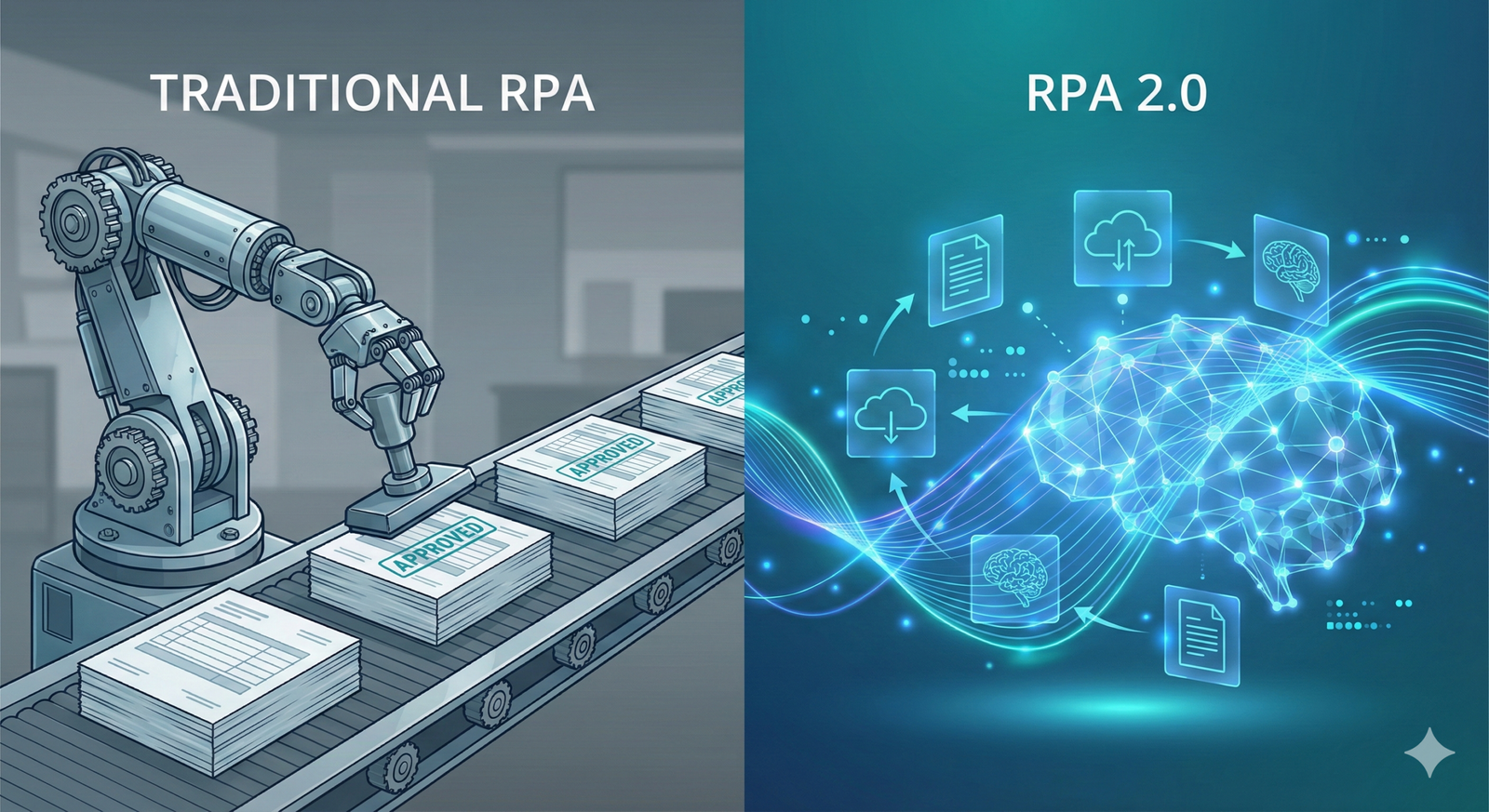
RPA introduced the “digital worker.” These bots mimicked human UI interactions—clicking buttons, scraping screens, and copying data. While revolutionary, RPA remains “dumb.” It cannot handle ambiguity. If a bot encounters an invoice format it hasn’t seen before, it fails and requires a human to fix it.
Wave 3: The Autonomous Shift
The current wave integrates Large Language Models (LLMs) and “Agentic” architectures. Modern workflows don’t just follow a path; they navigate a maze. If an autonomous workflow encounters an unknown invoice, it uses vision models to understand the context, compares it against historical data, and decides whether to pay it or flag it for review.
The Architecture of an Autonomous Workflow
Building an autonomous system requires more than just an AI subscription. It requires a robust “tech stack” that allows different components to communicate.
1. The Perceptual Layer (Data Ingestion)
The system must “see” and “hear” what is happening in the business. This involves:
- Process Mining: Using software to analyze event logs from your existing tools (ERP, CRM) to identify where bottlenecks exist.
- Optical Character Recognition (OCR): Turning physical or PDF documents into machine-readable data.
- API Integrations: Connecting directly to software backends to pull data without relying on the user interface.
2. The Cognitive Layer (The “Brain”)
This is where AI agents reside. Instead of a single AI, many organizations use a “multi-agent” system. For example:
- The Researcher Agent: Finds missing information about a customer.
- The Compliance Agent: Checks the data against current laws and company policy.
- The Executor Agent: Updates the database and sends the confirmation email.
3. The Action Layer (Execution)
Once a decision is made, the system must act. This might involve generating a code snippet to update a database, calling a webhook to trigger another software, or drafting a response to a client.
Strategic Implementation: How to Transition
Moving to autonomous workflows is a marathon, not a sprint. A “human-first” approach ensures that technology serves the people, rather than creating a culture of fear or confusion.
Step 1: Identify “High-Friction” Tasks
Look for tasks that are:
- High Volume: Occur hundreds of times a month.
- Rule-Based: Have a clear logic, even if that logic is complex.
- Prone to Human Error: Tasks where a typo causes significant downstream issues.
Step 2: Clean the Data
AI is only as good as the data it feeds on. If your CRM is full of duplicate entries and your inventory lists are outdated, an autonomous workflow will simply make mistakes faster. Data hygiene is a prerequisite for autonomy.
Step 3: Start with “Co-Pilots”
Before giving a system full autonomy, implement it as a “Co-pilot.” The AI drafts the work, but a human must click “Submit.” This builds trust and allows the AI to learn from human corrections.
Safety & Financial Disclaimer: When automating financial transactions or medical data processing, you must implement strict “guardrails.” Autonomous systems should never have the final authority on multi-million dollar transfers or clinical diagnoses without a certified human-in-the-loop review. Always consult with legal and compliance experts before deploying autonomous agents in regulated sectors.
Common Mistakes in Workflow Autonomy
Even the most tech-savvy companies stumble during implementation. Here are the most frequent pitfalls:
- Over-complicating the First Project: Trying to automate the entire HR department at once is a recipe for failure. Start with a single process, like “New Employee Equipment Provisioning.”
- Ignoring the “Edge Cases”: Developers often build for the “happy path”—the 80% of cases that go right. True autonomy requires a plan for the 20% of cases that are weird or unique.
- Neglecting Change Management: If employees think the “AI is coming for their jobs,” they will subconsciously (or consciously) sabotage the system. Frame autonomy as a tool that removes the “drudgery” and lets them do the “real work.”
- Hard-Coding Logic: The beauty of autonomous systems is their flexibility. If you try to write thousands of “If-Then” statements into an AI-driven workflow, you are just building a very expensive, fragile RPA bot.
Industry-Specific Use Cases
Finance and Accounting
Autonomous workflows can handle the entire “Order-to-Cash” cycle. When an order comes in, the system checks credit limits, verifies inventory, generates an invoice, and monitors the bank account for payment. If a payment is late, the AI drafts a polite reminder tailored to that specific client’s history.
Supply Chain and Logistics
Imagine a system that monitors global weather patterns and shipping delays. If a storm is brewing in the Atlantic, an autonomous workflow can automatically re-route shipments to a different port and update the expected delivery dates in the customer portal—all before a human manager even wakes up.
Customer Support
Beyond simple chatbots, autonomous support workflows can actually solve problems. If a customer emails about a refund, the system can verify the return shipment, check the refund policy, process the credit through the payment gateway, and send a confirmation—only involving a human if the customer seems genuinely upset (detected via sentiment analysis).
Measuring the ROI of Autonomy
How do you know if it’s working? You must look beyond “time saved.”
| Metric | Traditional Manual | Autonomous |
| Processing Time | Hours/Days | Seconds/Minutes |
| Error Rate | 3–5% (Average human) | <0.1% (With proper guardrails) |
| Scalability | Requires new hires | Requires more compute power |
| Employee Satisfaction | Low (Boredom/Burnout) | High (Focus on strategy) |
As of February 2026, companies implementing these workflows report an average 40% reduction in operational costs within the first 18 months.
The Future: From Workflow to “Self-Healing” Operations
The next frontier is “self-healing” workflows. This means the system doesn’t just execute tasks; it monitors its own health. If an API it relies on goes down, the autonomous system will search for an alternative route or write a temporary patch to keep the business running.
We are moving toward a world where the “Routine Manual Task” is a relic of the past, much like the switchboard operator or the physical filing cabinet. The goal is not a lights-out factory where no humans exist, but a “bright-on” office where humans are the architects, judges, and innovators, while the machinery of the business hums along autonomously in the background.
Conclusion
The transition to autonomous operational workflows represents a fundamental change in how we define “work.” It is no longer about the hours spent clicking and typing, but about the value created through strategic oversight and creative problem-solving. By embracing these technologies—starting with clear goals, clean data, and a human-centric philosophy—organizations can unlock unprecedented levels of efficiency.
However, the journey requires a shift in mindset. Leaders must be willing to let go of the “micro-management” of tasks and instead focus on the “orchestration” of outcomes. The end of routine manual tasks is not just a technological milestone; it is an invitation to do more meaningful work.
Your Next Steps:
- Audit your team’s week: Identify one task that is repeated more than 10 times a week by multiple people.
- Map the data: Trace where the information for that task comes from and where it goes.
- Pilot a “Co-pilot”: Use a low-code autonomous tool to draft the outputs for that task for 30 days.
Would you like me to create a step-by-step technical implementation plan for a specific process, such as autonomous invoice processing or automated lead qualification?
FAQs
What is the difference between RPA and autonomous workflows?
RPA (Robotic Process Automation) is rules-based and mimics human actions on a screen. It follows a fixed path. Autonomous workflows use AI to reason, handle unstructured data, and make decisions, allowing them to adapt to changes without being re-programmed.
Will autonomous workflows replace human jobs?
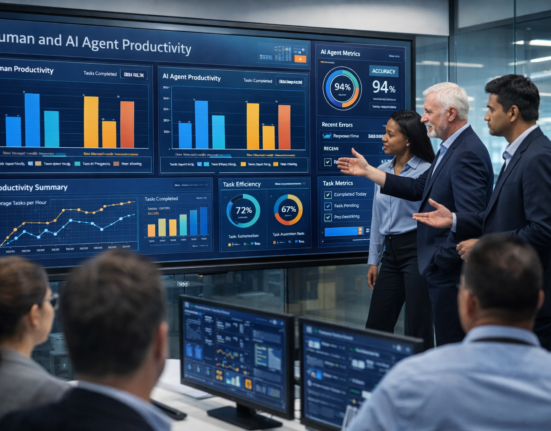
While these systems automate tasks, they rarely replace entire jobs. Instead, they shift the human’s role toward “Exception Management” and “Strategy.” A person who used to spend 8 hours data-entering might now spend 2 hours overseeing the AI and 6 hours on business development.
Is this technology affordable for small businesses?
Yes. With the rise of “Low-code/No-code” AI platforms and “Pay-as-you-go” API models, small businesses can implement autonomous workflows without a massive upfront investment in custom software.
How do I ensure the AI doesn’t make massive mistakes?
By implementing “Guardrails” and “Human-in-the-loop” (HITL) checkpoints. For example, you can set a rule that the AI can autonomously approve any invoice under $500, but anything over that amount requires a human signature.
What are “AI Agents” in this context?
AI Agents are specialized software programs designed to achieve a specific goal. Unlike a standard chatbot that just talks, an agent can interact with other software, search the web, and execute commands to finish a task.
References
- Gartner. (2025). Top Strategic Technology Trends: Hyperautomation and Beyond.
- McKinsey & Company. (2024). The Economic Potential of Generative AI: The Next Productivity Frontier.
- IEEE Computer Society. Standard for Intelligent Process Automation. (Referenced for cognitive layer standards).
- Harvard Business Review. (2025). How to Lead When the AI Does the Work.
- ISO/IEC 42001:2023. Information technology — Artificial intelligence — Management system. (International standard for AI governance).
- MIT Technology Review. (2026). The Rise of the Agentic Economy.
- Oxford Internet Institute. Research on Human-AI Collaboration in the Workplace.
- Project Management Institute (PMI). AI in Business Process Management: A Guide to Implementation.
- Forbes Tech Council. The End of the Routine: Why Autonomy is the New Automation.
- World Economic Forum. The Future of Jobs Report 2025/2026.