Serverless functions let you run code in response to events without managing servers, scaling, or patching. In practice, you write stateless functions, wire them to triggers (HTTP requests, queues, storage events, schedulers), and the platform handles scaling and billing per execution. This guide gives you an opinionated, hands-on path for getting productive with serverless functions on AWS Lambda and Azure Functions—without the fluff.
Quick definition: A serverless function is a short-lived, stateless piece of code executed on demand; the platform automatically handles capacity, scaling, and availability, charging only for what you use.
At a glance—your 10 steps:
- Confirm fit and scope.
- Pick platform, runtime, and triggers.
- Install CLIs and scaffold a project.
- Design your interface (HTTP vs events) and front door.
- Lock down identity, secrets, and networks.
- Tame cold starts and tune performance.
- Connect to data and external services safely.
- Add observability (logs, metrics, traces).
- Automate with IaC, versioning, and safe releases.
- Model and monitor cost.
When you follow these steps, you’ll ship reliable, observable, and cost-aware functions that scale cleanly—and you’ll avoid the most common pitfalls.
1. Confirm the workload really fits serverless
Start by validating that your workload is event-driven, stateless between invocations, and tolerant of the platform’s execution model. Serverless shines for APIs, webhooks, background jobs, data processing, ETL, and scheduled tasks. It’s a great match when traffic is spiky or unpredictable and when you want to minimize operational overhead. It’s less ideal for long-running, stateful, or latency-critical workloads that require consistent low milliseconds from a cold start. Clarify SLAs, latency budgets, concurrency expectations, and any compliance/networking constraints (private networks, egress control, data residency). Define a crisp “done” for your first slice: one endpoint or one event flow, one datastore, one dashboard.
How to do it
- Write a one-page “pitch” for the function: trigger, payload shape, expected p95 latency, and a success metric.
- Identify state externalization: where will you store state (DynamoDB/Cosmos DB/SQL/Redis)?
- Note latency sensitivity: is a rare 100–500 ms cold-start spike acceptable?
- List required integrations (APIs, queues, storage) and any private-network dependencies.
- Decide on a rollback strategy: disable the trigger, roll back an alias/slot, or revert infrastructure.
Numbers & guardrails
- Concurrency heuristic: concurrency = rps × avg_duration_seconds. If you expect 50 RPS with 200 ms average, plan for about 10 concurrent executions.
- Payload sizes: Keep request/response bodies small (KBs not MBs) to avoid API limits and timeouts.
- Timeouts: Begin with 5–10 seconds for I/O-bound code; tighten once you observe real latencies.
Close this step by writing down the trigger, data flow, and an explicit acceptance test (e.g., “POST /submit returns 201 in <300 ms p95 with 100 requests/minute for 10 minutes”).
2. Choose your platform, runtime, and triggers
Both AWS Lambda and Azure Functions offer broad language support (Node.js, Python, .NET, Java, and more), rich triggers, and managed scaling. Choose based on where your data and teams already live, networking needs, and your organization’s toolchain. On AWS, you’ll typically front HTTP functions with Amazon API Gateway (HTTP or REST APIs) or an ALB; on Azure, the HTTP trigger is built in, and for enterprise governance you often place Azure API Management in front. For orchestration, AWS gives you Step Functions, and Azure provides Durable Functions.
How to do it
- Pick a runtime your team knows well; Node.js or Python are common for quick iteration, .NET for strong typing and tooling.
- Select triggers: HTTP for APIs/webhooks; SQS/Service Bus for async; S3/Blob for storage events; timers for scheduled tasks.
- Decide on orchestration: multi-step flows are simpler via Step Functions/Durable Functions than hand-rolled code.
- Prototype locally: use AWS SAM/Serverless Framework for Lambda or Azure Functions Core Tools for Azure.
Tools/Examples
- AWS: Lambda + API Gateway (HTTP API) for simple REST endpoints; Step Functions for retries/timeouts branching.
- Azure: Functions with HTTP trigger; Durable Functions for fan-out/fan-in or sagas; API Management for versioning, throttling, and policy-based governance.
Wrap this step by creating a minimal “hello” function with your chosen runtime and trigger. Run it locally and return a JSON body that reflects the incoming event to verify bindings work.
3. Install CLIs and scaffold a working project
Set yourself up for repeatable builds and fast feedback loops. On AWS, use the AWS SAM CLI or Serverless Framework to define functions and infrastructure. On Azure, install Azure Functions Core Tools and use the Functions extension in VS Code for local debugging and packaging. Keep everything in source control (code + infrastructure as code).
How to do it
- AWS path
- Install AWS SAM CLI. Initialize a sample: sam init.
- Build locally: sam build. Test: sam local start-api or sam local start-lambda.
- Plan to deploy via sam deploy and wire up an IAM execution role and logs.
- Azure path
- Install Azure Functions Core Tools. Scaffold with func init and func new.
- Run locally with func start, attach your debugger, and verify bindings.
- Prepare a deployment via func azure functionapp publish <appname> or GitHub Actions.
Mini-checklist
- Project has a single command to build and run locally.
- Environment variables are injected from a .env/local.settings.json (never commit secrets).
- A smoke test script hits the local endpoint or posts a sample event to your queue/topic.
- CI validates lint/tests at every push.
Close by committing the scaffold, a basic README with run commands, and an initial CI pipeline that at least builds and runs tests.
4. Design your interface: HTTP vs events and the “front door”
Your interface is how clients or upstream systems call your function. HTTP triggers are straightforward for REST or webhooks. Events (queues, topics, storage notifications) decouple senders from consumers and help smooth traffic spikes. On AWS, you’ll often choose between API Gateway HTTP APIs (lean, cheaper) and REST APIs (feature-rich). On Azure, the function’s HTTP trigger can be fronted by Azure API Management for enterprise-grade policies (rate limiting, auth, transforms).
Front-door options (quick guide)
| Option | Typical use | Notes |
|---|---|---|
| API Gateway HTTP API (AWS) | Simple REST/webhooks | Lower cost and latency, fewer features than REST API. |
| API Gateway REST API (AWS) | Advanced API features | Rich policies, request validation, more integrations. |
| Azure HTTP trigger | Simple REST/webhooks | Built-in trigger; add APIM later when needed. |
| Azure API Management | Governance & policies | Import Functions as APIs, apply security and throttling. |
How to do it
- Sketch your routes or event schema first. Keep payloads small and explicit.
- For APIs: decide on auth (JWT/OAuth/OIDC), idempotency keys, and error mapping.
- For events: define DLQs (dead-letter queues), retry policies, and at-least-once semantics.
- Document the interface in OpenAPI (HTTP) or a JSON schema (events).
Numbers & guardrails
- Prefer HTTP API on AWS when you don’t need REST API features; it’s typically ~70% cheaper per million requests in common scenarios.
- Keep integration timeouts conservative (e.g., 5–10 s) and push heavy work to async pipelines.
- For queues, start with a visibility timeout ≥ function timeout × 2 to prevent premature retries.
Conclude by publishing a minimal, versioned interface and a test client (cURL, Postman, or a small script) you can run in CI.
5. Lock down identity, secrets, and network boundaries
Security is table stakes. On AWS, every Lambda should run with a scoped IAM execution role (least privilege). On Azure, prefer managed identities for Functions and require HTTPS. Never hardcode secrets; use AWS Secrets Manager/Parameter Store or Azure Key Vault. If you must reach private databases or services, configure VPC/VNet integration and plan for NAT/egress.
How to do it
- Least privilege: start with managed policies but move to custom policies that grant only the actions/resources you need.
- Secrets: fetch at startup and cache in memory; rotate centrally (Secrets Manager/Key Vault).
- Network: only attach a Lambda to a VPC when you truly need private access; for Azure, enable VNet integration or private endpoints where required.
- HTTP security: enforce TLS, validate tokens/keys, and avoid exposing admin endpoints.
Common mistakes
- Overly broad IAM policies (*:*).
- Storing secrets in environment variables or code.
- Forgetting that VPC-attached Lambdas need NAT to reach the internet; Azure Functions with VNet may need NAT gateway for stable outbound IPs.
Mini-checklist
- There’s a human-readable policy doc listing the function’s allowed actions.
- Secrets are central and rotated; code only reads references.
- You can explain how the function reaches the database and how to cut that path off if compromised.
Finish by running a permission scan (e.g., policy linter) and a secrets scan on your repo.
6. Tame cold starts, timeouts, and memory for performance
Cold start is the extra time needed to create a fresh execution environment. For most workloads, it’s rare and acceptable. For user-facing APIs with tight SLAs, plan mitigations. On AWS, Provisioned Concurrency keeps a pool warm. On Azure, Premium and Flex Consumption plans offer always-ready instances to reduce cold starts. Memory size also controls CPU; more memory often shortens runtime and reduces cost if total GB-s falls.
How to do it
- Choose a runtime with fast startup for your language; keep dependencies lean.
- Initialize heavy clients (DB, SDKs) outside the handler so they’re reused.
- Right-size memory: start at a modest setting, then step up until p95 duration stops improving.
- Use provisioned/always ready only where necessary (e.g., a single hot alias or endpoint).
Numbers & guardrails
- Start with timeout = 5–10 s for HTTP handlers; set retries off at the edge and on in the queue.
- For AWS Provisioned Concurrency, add a ~10% buffer above observed peak concurrency to absorb bursts without queuing.
- Track p50, p90, p95, p99 latencies separately to detect long-tail cold starts; aim to keep p95 within budget.
Common mistakes
- Bundling very large deployment packages (>10s of MBs) that slow init.
- Overusing provisioned capacity across everything—target it to latency-sensitive paths only.
Conclude by running a simple load test and charting p50/p95. Adjust memory and provisioned/always-ready settings based on data.
7. Wire up data stores and external services safely
Most functions read/write data or call third-party APIs. Favor managed, serverless-first datastores and resilient patterns. For AWS, common choices include DynamoDB, S3, SQS, SNS, EventBridge, and RDS via Proxy; for Azure, use Cosmos DB, Storage (Blob/Queue/Table), Event Grid, Service Bus, and SQL with managed identity. When you need private access, configure VPC/VNet integration and NAT or private links accordingly.
How to do it
- Choose an integration style: synchronous for user responses; async via queues/events for non-blocking work.
- Set timeouts and retries per dependency; use exponential backoff and circuit breakers for flaky upstreams.
- Use connection pooling: keep DB/HTTP clients outside the handler and reuse across invocations.
- Plan for idempotency with request IDs and conditional writes to handle retries safely.
Numbers & guardrails
- Keep synchronous calls under 100–300 ms each; beyond that, consider asynchronous offload.
- For queue consumers, configure max concurrent handlers so downstreams (DBs, APIs) aren’t overloaded; start low and increase gradually.
- For private networking, document egress: NAT gateways incur cost; private endpoints avoid public egress but require setup.
Mini-checklist
- Idempotency keys present and tested.
- Backoff and DLQs configured.
- Secrets/identity for each dependency are clear and auditable.
Wrap by running failure drills: force timeouts and HTTP 429/500s from a mock upstream and verify retries/DLQs behave as designed.
8. Add observability: logs, metrics, and end-to-end tracing
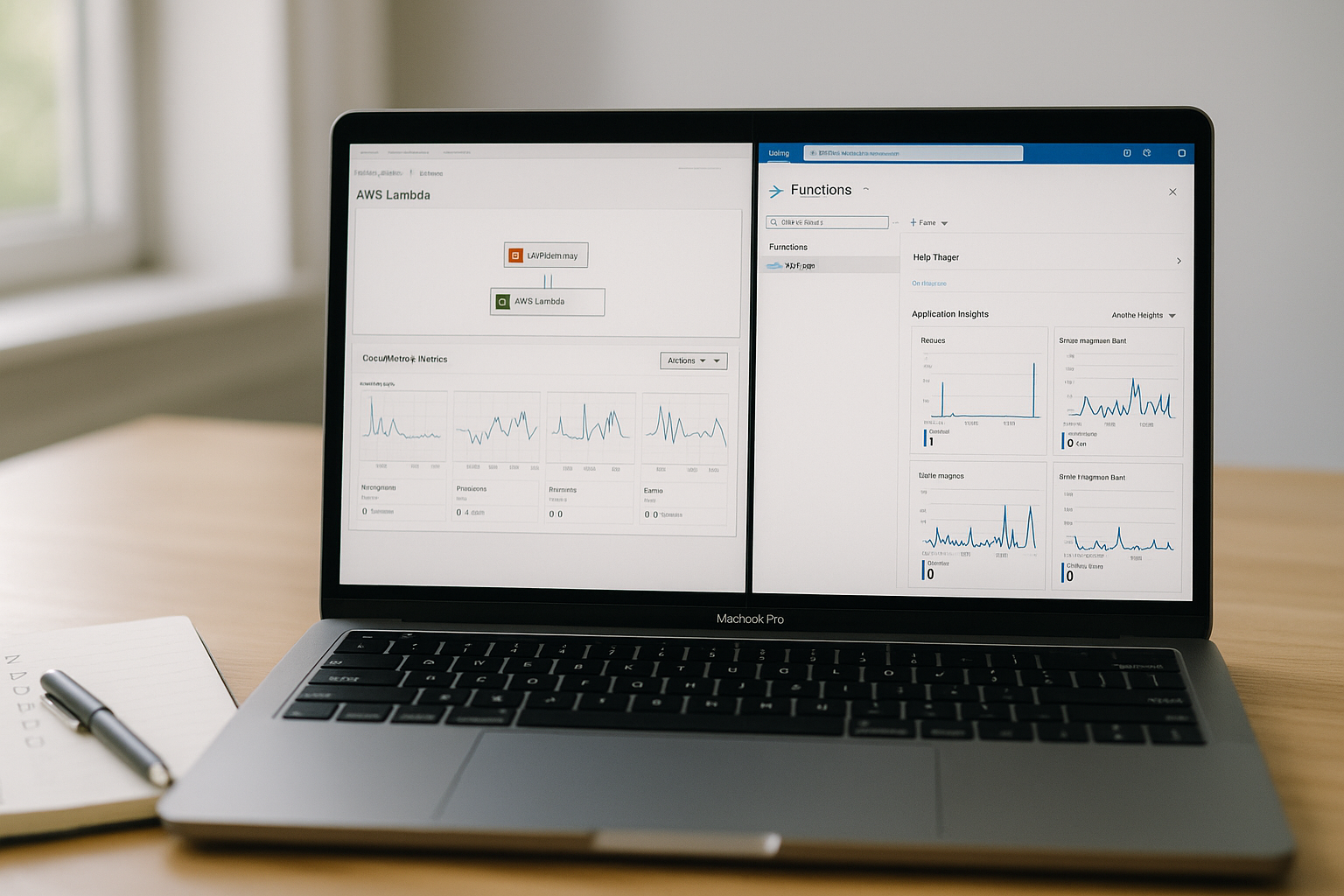
You can’t fix what you can’t see. Emit structured logs, custom metrics, and distributed traces. On AWS, ship logs to CloudWatch, and enable tracing via X-Ray or ADOT (OpenTelemetry). On Azure, connect to Application Insights, which captures requests, dependencies, and exceptions; optionally enable OpenTelemetry exporters for vendor-neutral signals.
How to do it
- Logging: JSON logs with correlation IDs. Don’t log secrets; include request IDs, tenant/user IDs if appropriate.
- Metrics: record success/failure counts, duration histograms, and dependency latencies.
- Tracing: turn on platform tracing (X-Ray on AWS, Application Insights/OpenTelemetry on Azure) and propagate trace context across hops (API → function → queue/DB).
Tools/Examples
- AWS: Enable Active X-Ray tracing on your function/HTTP stage; view service maps and bottlenecks.
- Azure: Hook Application Insights connection string; validate data in Live Metrics and end-to-end transaction details.
Mini-checklist
- A “four golden signals” dashboard: latency, traffic, errors, saturation.
- An alert on error rate spikes and a separate alert on sustained high duration.
- A runbook in your repo: “If p95 spikes, check X; if errors spike, check Y.”
Finish by triggering a few test errors and verifying they appear in your trace/metrics views with useful context.
9. Automate delivery with IaC, versioning, and safe releases
Treat everything as code. Define functions, triggers, permissions, and observability with AWS SAM/CloudFormation/Terraform or Azure Bicep/ARM. Version your functions and release safely: Lambda supports versions/aliases and gradual rollouts via CodeDeploy; Azure supports deployment slots and swap. Use GitHub Actions/Azure Pipelines to build, test, and deploy automatically on merge.
How to do it
- AWS:
- Define an AWS::Serverless::Function or AWS::Lambda::Function with IAM role, env vars, and events.
- Use sam build/sam deploy; pin a version, route traffic via an alias (e.g., prod).
- Add a CodeDeploy canary (e.g., 10% for 10 minutes, then 100%).
- Azure:
- Provision the Function App and storage with Bicep; set app settings (prefer Key Vault references).
- Deploy code with GitHub Actions (official azure/functions-action) to a staging slot, run validation, then swap.
Numbers & guardrails
- Keep rollout windows short but meaningful: e.g., 10% for 10–15 minutes with auto-rollback on error/latency thresholds.
- Track release health on a per-version/slot basis; never roll out without version-scoped metrics.
Common mistakes
- Manual console changes drifting from IaC.
- Deploying straight to production without an alias/slot.
- Forgetting to version dependencies (layers, packages) and ending up with inconsistent behavior.
Conclude by tagging every deployed artifact with commit SHA and by documenting your rollback command.
10. Model and monitor cost from day one
Serverless bills by requests and compute duration (GB-seconds) in consumption plans; “always on” or provisioned capacity introduces baseline costs. Do the math early and alert on cost anomalies. For APIs, the choice of API product can materially impact price. Optimize by right-sizing memory, minimizing idle provisioned capacity, and offloading heavy work to async flows.
How to do it
- Estimate: (requests_per_month × avg_duration_seconds × memory_GB) → GB-s; add request charges.
- Select API front door with price in mind (HTTP API vs REST API; APIM tier).
- Tune memory: higher memory can reduce duration and lower total GB-s.
- Scope provisioned/always ready to the few endpoints that truly need it.
Numbers & guardrails
- Track cost drivers by function name and version.
- Set alerts when projected GB-s or request counts exceed thresholds.
- Revisit “always ready/provisioned” every month: switch off if traffic patterns change.
Mini case
- Suppose 5 million monthly requests, 200 ms each at 512 MB (0.5 GB). GB-s ≈ 5,000,000 × 0.2 × 0.5 = 500,000 GB-s. Apply the platform’s free tier and per-million request pricing to project spend; if p95 drops significantly by doubling memory to 1 GB and duration halves to 100 ms, total GB-s stays ~constant—but user latency improves.
Wrap by adding cost charts next to performance dashboards so you see trade-offs in one place.
Conclusion
Serverless is at its best when you keep functions small, stateless, and focused; delegate orchestration to managed workflows; and make observability, security, and cost part of your day-one design. You validated fitness, picked a platform and triggers, scaffolded with CLIs, designed a stable interface, and locked down identities and networks. You tuned for performance and cold starts, integrated data services safely, built traceable telemetry, and automated delivery with versioned, safe rollouts. Finally, you put numbers behind cost and performance so decisions are grounded in data, not guesswork.
Adopt this as your repeatable playbook: ship a thin slice, observe it in production, iterate with IaC, and expand confidently. Ready to build your first function? Start with one endpoint or one event flow and follow the 10 steps above.
FAQs
1) What programming language should I choose for my first serverless function?
Pick the language your team knows best and that has first-class platform support. Node.js and Python offer fast iteration and rich ecosystem libraries; .NET provides strong typing and tooling; Java works well for long-lived warm containers but may start slower cold. For latency-sensitive paths, keep dependencies lean and initialize heavy clients outside the handler. Try a minimal endpoint in two languages and compare p95 latency and deployment size before committing.
2) How do I avoid cold starts hurting my API latency?
Keep packages small, reuse connections across invocations, and choose a lean runtime. If a specific path is latency-critical, use AWS Provisioned Concurrency or Azure always-ready instances just for that version/slot. Cache config and secrets in memory, and avoid synchronous calls to slow dependencies. Measure with p50/p95/p99; if the long tail violates your budget, apply provisioned capacity to the bottleneck endpoints, not globally.
3) Should I front my function with an API gateway or call it directly?
On AWS, you typically use API Gateway (HTTP API for simpler, cheaper cases; REST API for advanced features). On Azure, the built-in HTTP trigger is fine for starters; add Azure API Management when you need rate limiting, transforms, or centralized auth. Gateways also simplify cross-cutting concerns like CORS, JWT validation, and request shaping—making them a solid default for public APIs.
4) How do I connect a function to a private database securely?
Use VPC/VNet integration with appropriate subnets and security groups/NSGs, plus NAT or private endpoints for egress as needed. Authenticate with managed identities (Azure) or IAM database authentication/short-lived creds (AWS). Pool connections by creating clients outside the handler, set sensible timeouts/retries, and apply idempotency for writes. Document the egress path and practice revoking access quickly if credentials are compromised.
5) What’s the difference between Step Functions and Durable Functions?
They solve the same problem—reliable, stateful workflows with retries and compensation. AWS Step Functions declaratively orchestrate steps (including Lambda and many services), while Azure Durable Functions uses code-centric orchestrators/activities within Functions. Choose based on platform alignment, team skills, and ecosystem: both provide visualizations, retries with backoff, and error handling that’s safer than hand-rolled orchestration.
6) How should I store secrets for functions?
Use AWS Secrets Manager/Parameter Store or Azure Key Vault. Grant your function’s identity least-privilege read access, fetch secrets at startup, cache them in memory, and rotate centrally. Avoid embedding secrets in environment variables or code. For Azure, Key Vault references in app settings are convenient; for AWS, consider the Parameters & Secrets extension for low-latency access.
7) How do I test functions locally when they rely on cloud services?
Use the platform CLIs to emulate triggers: AWS SAM’s sam local start-api/start-lambda and Azure Functions Core Tools’ func start. Connect to real cloud services in a dev subscription/account when possible to avoid mismatches. Seed test data, use environment-specific configuration, and add integration tests that run in CI against ephemeral infrastructure.
8) How do I roll out changes safely without interrupting traffic?
Version your function and use traffic shifting. On AWS, deploy a new version behind an alias and let CodeDeploy canary a small percentage before full rollout. On Azure, deploy to a staging slot, run smoke tests, then swap. Gate rollouts on error and latency thresholds; auto-rollback if violated. Always tag deployments with the commit SHA and keep a one-command rollback in your README.
9) Can I make serverless work for batch jobs and scheduled tasks?
Yes—use timers (CloudWatch Events/EventBridge on AWS, Timer Trigger on Azure) to kick off functions or workflows on a schedule. For long or parallel work, orchestrate with Step Functions/Durable Functions, chunk input into batches, and push intermediate results to queues. Watch timeouts and concurrency so you don’t overload downstream services; use DLQs and idempotent writes.
10) How do I keep costs predictable at scale?
Estimate GB-seconds and request counts up front, select the appropriate gateway product, and right-size memory. Scope any provisioned/always-ready capacity to the few endpoints that need it. Add dashboards and alerts for spend drivers per function/version, and review them regularly. If workload patterns change, revisit plan choices (e.g., switch off provisioned capacity or resize always-ready instances).
References
- AWS Lambda — Serverless Compute. Amazon Web Services. https://aws.amazon.com/lambda/
- AWS Lambda Pricing. Amazon Web Services. https://aws.amazon.com/lambda/pricing/
- Understanding Lambda function scaling. Amazon Web Services Docs. https://docs.aws.amazon.com/lambda/latest/dg/lambda-concurrency.html
- Configuring provisioned concurrency for a function. Amazon Web Services Docs. https://docs.aws.amazon.com/lambda/latest/dg/provisioned-concurrency.html
- Choose between REST APIs and HTTP APIs. Amazon API Gateway Docs. https://docs.aws.amazon.com/apigateway/latest/developerguide/http-api-vs-rest.html
- Azure Functions documentation. Microsoft Learn. https://learn.microsoft.com/en-us/azure/azure-functions/
- Azure Functions scale and hosting. Microsoft Learn (updated). https://learn.microsoft.com/en-us/azure/azure-functions/functions-scale
- Azure Functions Premium plan. Microsoft Learn (updated). https://learn.microsoft.com/en-us/azure/azure-functions/functions-premium-plan
- API Management documentation. Microsoft Learn. https://learn.microsoft.com/en-us/azure/api-management/
- Identity and Access Management for AWS Lambda. Amazon Web Services Docs. https://docs.aws.amazon.com/lambda/latest/dg/security-iam.html
- Use Key Vault references as app settings. Microsoft Learn (updated). https://learn.microsoft.com/en-us/azure/app-service/app-service-key-vault-references
- Giving Lambda functions access to resources in an Amazon VPC. Amazon Web Services Docs. https://docs.aws.amazon.com/lambda/latest/dg/configuration-vpc.html
- AWS Lambda and AWS X-Ray. Amazon Web Services Docs. https://docs.aws.amazon.com/xray/latest/devguide/xray-services-lambda.html
- Enable OpenTelemetry in Application Insights. Microsoft Learn (updated). https://learn.microsoft.com/en-us/azure/azure-monitor/app/opentelemetry-enable
- sam build — AWS SAM CLI. Amazon Web Services Docs. https://docs.aws.amazon.com/serverless-application-model/latest/developerguide/sam-cli-command-reference-sam-build.html
- Azure Functions Core Tools reference. Microsoft Learn (updated). https://learn.microsoft.com/en-us/azure/azure-functions/functions-core-tools-reference
- Using GitHub Actions to deploy with AWS SAM. Amazon Web Services Docs. https://docs.aws.amazon.com/serverless-application-model/latest/developerguide/deploying-using-github.html
- Use GitHub Actions to make code updates in Azure Functions. Microsoft Learn (updated). https://learn.microsoft.com/en-us/azure/azure-functions/functions-how-to-github-actions
- Use AWS Secrets Manager secrets in AWS Lambda functions. Amazon Web Services Docs. https://docs.aws.amazon.com/secretsmanager/latest/userguide/retrieving-secrets_lambda.html
- Working with Lambda environment variables. Amazon Web Services Docs. https://docs.aws.amazon.com/lambda/latest/dg/configuration-envvars.html