The debate over where we work has largely settled. After the frantic shift to remote work in 2020 and the contentious “Return to Office” (RTO) mandates that characterized 2023 and 2024, the professional landscape of 2026 has found its equilibrium. It is no longer a binary choice between fully remote and fully in-person. Instead, the hybrid work model has emerged not just as a compromise, but as the default operating system for modern business.
In this guide, “hybrid work” refers to a flexible working arrangement where employees split their time between a central workplace (the office) and a remote location (usually home, though sometimes third spaces like co-working hubs).
This article explores why this shift has occurred, how organizations are optimizing it, and the practical realities of managing a workforce that is rarely in the same room at the same time. Whether you are a business leader drafting a policy, a manager leading a distributed team, or an employee navigating this new normal, this comprehensive guide covers the mechanisms, benefits, and pitfalls of the hybrid era.
Key Takeaways
- Hybrid is the Stabilization Point: The friction between strict RTO mandates and employee demand for flexibility has resulted in hybrid work becoming the standard compromise for knowledge workers in 2026.
- Intentionality is Crucial: “Hybrid by default” (letting it happen) often fails; “Hybrid by design” (structured policies) succeeds.
- The Office Has a New Purpose: The physical office is no longer for solitary work; it is a destination for collaboration, socialization, and complex problem-solving.
- Proximity Bias is a Real Risk: Managers must actively fight the tendency to favor employees they see physically over those working remotely.
- Asynchronous > Synchronous: Successful hybrid teams rely less on real-time meetings and more on documentation and asynchronous communication tools.
- Technology is the Backbone: Without the right hardware and software stack, the hybrid experience breaks down, creating a “two-tier” workforce.
Who This Is For (And Who It Isn’t)
This guide is designed for:
- Business Leaders & HR Executives: Looking to refine policies, optimize real estate costs, and improve retention.
- Team Managers: Seeking frameworks to manage performance and maintain culture across distributed locations.
- Knowledge Workers: Navigating career growth and productivity in a flexible environment.
- Facilities Managers: Rethinking office design and utilization rates.
This guide is NOT for:
- Fully On-Site Industries: Manufacturing, retail, healthcare (frontline), or other industries where physical presence is non-negotiable for 100% of the role.
- Fully Remote Purists: While remote principles apply, this article focuses specifically on the complexities of mixing locations, rather than eliminating the office entirely.
The Evolution: Why Hybrid Won the “Work Wars”
To understand why hybrid work is becoming the default, we must look at the convergence of three major forces: economic pressure, technological capability, and human behavior.
1. The Economic Reality
For employers, the fully in-person model is expensive. Maintaining distinct desks for every employee in prime real estate markets is a massive line item. By 2026, many organizations realized that average office occupancy rarely exceeded 60% even with mandates. Moving to a hybrid model allows companies to reduce their real estate footprint by 20–30%, shifting to shared desking and smaller, higher-quality hubs.
2. The Talent Imperative
Top talent—especially in tech, finance, and creative fields—considers flexibility a non-negotiable benefit. As of early 2026, job postings offering hybrid or remote options receive significantly more applications than fully on-site roles. Companies enforcing strict 5-day in-office mandates found themselves drawing from a smaller, more localized talent pool, putting them at a competitive disadvantage.
3. The Productivity Evidence
The initial fears that remote work would kill productivity have been largely debunked. However, the counter-argument—that innovation suffers without spontaneous interaction—held weight. Hybrid work solves this by dedicating remote days to “deep work” (high focus, low distraction) and office days to “collaborative work” (meetings, brainstorming, social bonding).
Defining the “Default” Hybrid Models
“Hybrid” is an umbrella term. In practice, organizations generally adopt one of three specific structures.
The Structured Hybrid (3/2 or 4/1)
This is the most common model for large enterprises.
- How it works: Employees are required to be in the office for a set number of days (usually 2 or 3) and can work remotely for the rest.
- Pros: Predictability for facilities management; ensures face time.
- Cons: Can feel arbitrary if the in-office days are just spent on Zoom calls; reduces employee autonomy.
The Anchor Day Model
- How it works: The company or team designates specific days (e.g., Tuesdays and Thursdays) where everyone must be present. The remaining days are flexible.
- Pros: Maximizes collaboration potential; prevents the “empty office” syndrome.
- Cons: Commutes are terrible on anchor days due to peak congestion; office resources (meeting rooms) are overbooked on those days and empty on others.
The Manager-Led (or Choice-First) Model
- How it works: There is no company-wide mandate. Individual team leads decide the rhythm based on the nature of their work.
- Pros: High autonomy; tailored to specific job functions.
- Cons: Creates inconsistency and perceived unfairness across the organization (e.g., “Why does the marketing team get to stay home while sales has to come in?”); harder to manage office capacity.
Core Components of a Successful Hybrid Policy
Creating a hybrid culture isn’t as simple as telling people to bring their laptops home. It requires a fundamental rewriting of the “rules of engagement.”
1. Eligibility and Scope
Not every role is suitable for hybrid work. A robust policy must define eligibility based on tasks, not titles.
- Task Analysis: Does the role require physical interaction with machinery, secure physical files, or customers? If not, it is likely eligible.
- Tenure Requirements: Some companies require new hires to be onsite more frequently during their probationary period to facilitate onboarding and cultural assimilation.
2. The “Purpose of Presence”
This is the most critical shift in 2026. Policies should articulate why employees are coming in.
- Bad Policy: “You must be here 3 days a week because we pay for the building.”
- Good Policy: “We use office time for sprint planning, complex problem solving, and team lunches. We use remote days for coding, writing, and administrative tasks.”
3. Asynchronous Communication Protocols
In a hybrid world, you cannot tap someone on the shoulder. Information must be accessible anytime.
- Documentation First: Decisions made in hallway chats must be documented in a central repo (Notion, Confluence, SharePoint).
- Meeting Hygiene: If one person is remote, the meeting is remote. Everyone logs in from their own laptop, even if three people are in a conference room, to democratize the audio/visual experience (unless the room is equipped with high-end immersive tech).
4. Technology and Equipment Stipends
Hybrid relies on parity. An employee cannot be effective if their home internet is slow or they lack a second monitor.
- Stipends: Most competitive firms offer a setup stipend (ranging from $500 to $1,000) for home office ergonomics.
- Security: VPNs, Zero Trust Network Access (ZTNA), and endpoint management are mandatory to secure data moving between home and office networks.
Overcoming the “Messy Middle”: Challenges and Pitfalls
Hybrid is often harder than fully remote or fully in-person because it introduces asymmetry.
The Threat of Proximity Bias
Proximity bias is the unconscious tendency for leaders to give preferential treatment, better projects, and faster promotions to employees they see physically every day.
- ** The Risk:** Remote-heavy employees become “second-class citizens,” leading to higher attrition among women and caregivers, who often utilize flexibility the most.
- ** The Fix:**
- objective, output-based performance reviews.
- Leaders must intentionally schedule 1:1s with remote staff.
- “Digital-first” meeting etiquette where remote participants speak first.
The “Zombie Office”
There is nothing more demoralizing than commuting 45 minutes to an office only to sit alone on video calls all day because the rest of the team is at home.
- The Fix: Anchor days. If the team isn’t there, the individual shouldn’t be forced to be there (unless they prefer it). Coordination is key.
Coordination Fatigue
Trying to figure out who is where and when can be exhausting.
- The Fix: Desk booking software and shared team calendars. Tools like Robin, Envoy, or Microsoft Places allow teams to see when colleagues are coming in, encouraging synchronized schedules.
The Physical Transformation: Redesigning the Office
The era of the “cubicle farm” is effectively over for hybrid organizations. If people are coming to the office to collaborate, the space must reflect that.
From “Me Space” to “We Space”
- Pre-2020: 70% desks, 30% collaborative space.
- 2026 Ideal: 40% individual focus spots, 60% collaborative space.
Key Architectural Features
- Phone Booths & Zoom Rooms: Small, soundproof pods are essential for hybrid meetings. One open-plan floor cannot support 50 simultaneous video calls.
- Huddle Areas: Soft seating areas with whiteboards for informal brainstorming.
- Hot Desking (Done Right): Since fewer people are in daily, dedicated desks are wasteful. However, “hot desking” requires excellent cleaning protocols and easy docking stations (single USB-C connectivity).
- Immersive Meeting Rooms: Conference rooms equipped with AI-tracking cameras and high-quality audio to make remote participants feel physically present.
Technology Stack for the Hybrid Workforce
A “default hybrid” organization runs on a specific stack of tools designed to bridge the physical gap.
1. Collaboration Hubs
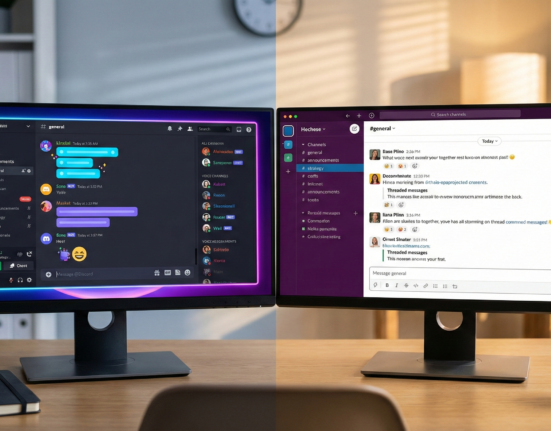
- Slack / Microsoft Teams: The digital headquarters. This is where culture happens, questions are asked, and announcements are made.
- Best Practice: Create “watercooler” channels to replicate social interaction.
2. Project Management & Async Tools
- Asana / Trello / Jira: Work must be visible. In a hybrid model, you cannot see someone working; you must see the work moving through the system.
- Loom / Vimeo: Video messaging tools allow complex ideas to be explained via screen recording, reducing the need for synchronous meetings.
3. Visual Collaboration
- Miro / Mural: Digital whiteboards are essential for brainstorming when half the room is virtual. They allow remote users to stick “Post-it notes” on the same board as in-office users.
4. Presence and Booking
- Envoy / Robin: Tools for booking desks and meeting rooms, and for health/safety compliance (checking in).
Managing Hybrid Teams: A Framework for Leaders
Leadership in a hybrid environment requires a shift from surveillance (watching inputs) to trust (measuring outcomes).
Trust vs. Surveillance
In the early days of remote work, some companies utilized “bossware” (mouse movers, keystroke loggers). By 2026, this is largely recognized as counter-productive and toxic to culture.
- The Approach: If you cannot trust an employee to work without watching them, you have a hiring problem, not a location problem.
Results-Oriented Work Environment (ROWE)
Managers must define what “good” looks like.
- Instead of “Did you work 8 hours?”, ask “Did you deliver the project on time and to spec?”
- This removes the anxiety remote workers feel about needing to be “always on” (green dot status) to prove they are working.
Intentional Socialization
Culture does not happen by osmosis in a hybrid team. It must be engineered.
- Quarterly Offsites: Even if the team is hybrid, bringing everyone together physically for 2–3 days once a quarter is high-ROI for bonding.
- Virtual Rituals: Coffee chats, online gaming sessions, or “show and tell” segments in meetings help maintain personal connections.
Legal, Tax, and Compliance Implications
Disclaimer: This section provides general information and does not constitute legal advice. Organizations should consult with legal and tax professionals regarding their specific jurisdictions.
Hybrid work introduces complexity regarding where work is legally performed.
Tax Nexus and Payroll
If a “hybrid” employee decides to work their remote days from a different state or country, it can trigger tax obligations for the employer (Nexus).
- State Lines: An employee commuting from New Jersey to New York has different tax implications than one fully remote in Texas.
- Compliance: Policies must explicitly state where employees are allowed to work. Many companies implement a “Work from Anywhere” policy for 2–4 weeks a year, but require the employee to have a permanent residence within a commutable distance to the hub.
Data Security (InfoSec)
The perimeter of the corporate network has dissolved.
- BYOD (Bring Your Own Device): If employees use personal devices, Mobile Device Management (MDM) software is critical to segregate corporate data.
- Physical Security: Remote workers must be trained on physical security (e.g., not leaving laptops unlocked in coffee shops, using privacy screens).
Implementation Guide: Transitioning to Default Hybrid
If your organization is formalizing a hybrid model, follow this step-by-step implementation guide.
Phase 1: Assessment & Listening
- Survey Employees: What is their preferred cadence? What prevents them from coming to the office (commute, distractions, childcare)?
- Audit Roles: Categorize every role in the organization as On-Site Essential, Hybrid Eligible, or Fully Remote.
Phase 2: Policy Creation
- Draft the Rules: Define core hours, anchor days, and equipment policies.
- Define “Hybrid”: Be specific. Is it 2 days/week? 10 days/month? Is it flexible or fixed?
Phase 3: Infrastructure Upgrade
- Tech Audit: Upgrade conference rooms to support seamless video conferencing.
- Space Planning: Reconfigure the office layout to favor collaboration over isolation.
Phase 4: Pilot & Iterate
- Soft Launch: Test the policy with a specific department for 90 days.
- Feedback Loop: Gather data on engagement, productivity, and space utilization. Adjust the policy based on friction points (e.g., if Tuesdays are too crowded, switch anchor days).
Common Mistakes to Avoid
Even well-intentioned companies falter when stabilizing their hybrid models.
1. The “One Size Fits All” Trap
Forcing developers (who need quiet focus) to adhere to the same in-office schedule as sales teams (who need energy and buzz) usually backfires.
- Solution: Allow department heads to customize the execution of the corporate hybrid policy.
2. Ignoring the Commute
The commute is the biggest barrier to RTO.
- Solution: Make the commute worth it. Subsidized transit, flexible start times (to avoid rush hour), or free parking can soften the blow.
3. Failing to Train Managers
Managing a hybrid team is a specific skill set.
- Solution: Provide training on conducting effective hybrid meetings, giving feedback remotely, and spotting signs of digital burnout.
The Future: Hybrid Work in 2030?
As we look beyond 2026, the hybrid model will likely evolve further.
- VR/AR Integration: The “Metaverse” for work may finally mature, offering virtual co-presence that reduces the need for physical travel.
- The 4-Day Work Week: The efficiency gains from hybrid work and AI are pushing many organizations toward reduced hours, making the “time in office” debate even more fluid.
- Satellite Hubs: Instead of one massive HQ, companies may move toward a network of smaller satellite offices closer to where employees live, reducing commute times while retaining physical space.
Related Topics to Explore
- The Right to Disconnect: Legislation in Europe and trends in the US regarding after-hours communication.
- Asynchronous Workflows: Deep dive guides on writing effective memos and reducing meeting load.
- Digital Nomad Visas: How countries are adapting immigration laws for remote workers.
- Sustainable Office Design: How hybrid work contributes to lower carbon footprints.
- Neurodiversity in the Workplace: How hybrid models specifically benefit (or challenge) neurodivergent employees.
Conclusion
By 2026, hybrid work is no longer an “experiment”—it is the standard. It represents a maturation of the workplace that respects individual autonomy while acknowledging the undeniable power of human connection.
Making hybrid work the default requires more than just updating the employee handbook. It requires a reimagining of management, a redesign of physical space, and a recommitment to trust. The organizations that succeed in this era are those that stop waiting for things to “go back to normal” and embrace the fact that this—the messy, flexible, intentional blend of home and office—is the new normal.
Next Step: Review your current team calendar. Are you coordinating presence effectively, or just hoping for the best? Start by establishing one “Anchor Day” next week and measure the difference in collaboration.
FAQs
1. What is the difference between hybrid work and remote work? Remote work implies the employee works off-site 100% of the time, often with no expectation of visiting a physical office. Hybrid work is a flexible model where employees split their time between working remotely and working from a central office or physical location.
2. How many days should employees be in the office in a hybrid model? There is no single correct answer, but the “3-2 model” (3 days in office, 2 days remote) or “2-3 model” are the most common standards in 2026. The right balance depends on the team’s need for collaboration versus deep focus work.
3. What is proximity bias and how do I avoid it? Proximity bias is the tendency for leaders to favor employees they see physically. To avoid it, ensure all meetings are “digital-first” (everyone on laptops), measure performance by output rather than visibility, and intentionally schedule time with remote team members.
4. Can a hybrid model work for all industries? No. Hybrid work is primarily suited for “knowledge economy” roles—tech, finance, marketing, administration, etc. Industries requiring physical presence, such as manufacturing, retail, healthcare services, and construction, generally cannot adopt a standard hybrid model.
5. How do companies save money with hybrid work? Companies save primarily through real estate consolidation. By implementing desk-sharing (hot desking), companies can rent smaller office spaces. They also save on utilities, office supplies, and potentially on lower attrition rates (reducing hiring costs).
6. What tools are essential for hybrid teams? Essential tools include a communication platform (Slack/Teams), video conferencing (Zoom/Google Meet), project management software (Asana/Jira), digital whiteboarding (Miro), and desk booking software to manage office capacity.
7. How do I handle tax implications for employees working in different states? If employees work remotely from a different state than the office, it may create a “tax nexus,” requiring the employer to withhold payroll taxes in that state. It is crucial to use payroll software that handles multi-state compliance and to set clear boundaries on where employees can work.
8. Does hybrid work improve productivity? Most data suggests that hybrid work maintains or improves productivity by allowing for deep focus at home. However, it requires clear goal-setting and a shift away from measuring “hours in seat.” Productivity losses usually stem from poor management or lack of proper tools, not the location itself.
9. What is an “Anchor Day”? An Anchor Day is a specific day of the week when the entire team or company is required to be in the office. This ensures that when employees commute, they actually see their colleagues, maximizing the value of the office for collaboration and socialization.
10. How do we maintain company culture in a hybrid environment? Culture in a hybrid world must be built intentionally. This involves regular communication, virtual bonding rituals, maximizing social time when in the office (team lunches, workshops), and ensuring company values are practiced regardless of location.
References
- Gartner. (2025). Future of Work Trends: The Stabilization of Hybrid Models. Gartner Research. https://www.gartner.com/en/insights/future-of-work
- Microsoft WorkLab. (2025). The New Future of Work: Data from the Work Trend Index. Microsoft. https://www.microsoft.com/en-us/worklab/work-trend-index
- Harvard Business Review. (2024). How to manage a Hybrid Team. Harvard Business Publishing. https://hbr.org/topic/subject/hybrid-work
- Stanford Institute for Economic Policy Research (SIEPR). (2024). The Evolution of Working from Home. Stanford University. https://siepr.stanford.edu/
- McKinsey & Company. (2025). Real Estate in the Hybrid Era: Trends and Valuations. McKinsey Global Institute. https://www.mckinsey.com/industries/real-estate/our-insights
- Society for Human Resource Management (SHRM). (2025). Managing Flexible Work Arrangements: A Guide for HR Professionals. SHRM. https://www.shrm.org/
- Occupational Safety and Health Administration (OSHA). (n.d.). Guidance on Telework and Home Office Safety. United States Department of Labor. https://www.osha.gov/
- Envoy. (2025). Return to Workplace Report and Hybrid Trends. Envoy Data. https://envoy.com/blog/