| Element | Classic 3-2-1 rule | Extended 3-2-1-1-0 rule |
|---|---|---|
| Total copies of data | 3 (production plus two backups) | 3, same baseline |
| Storage media types | 2 (for example internal disk and external drive) | 2, same baseline |
| Offsite copies | 1 | 1, same baseline |
| Immutable or offline copy | Not required | 1 required, protects against ransomware that encrypts connected backups |
| Verified error-free restores | Not required | 0 errors, confirmed through scheduled test restores |
| Ransomware resilience | Moderate, backups reachable from the network can be encrypted too | High, at least one copy cannot be altered or deleted even by an attacker with admin credentials |
Why the Original 3-2-1 Rule Is No Longer Enough
The 3-2-1 backup rule has been a reliable baseline for decades: keep three total copies of your data, store them on two different types of media, and keep one copy offsite. It was designed to survive hardware failure, theft, fire, and accidental deletion. What it was not designed to survive is modern ransomware, which actively searches a network for connected backup drives, mapped network shares, and even cloud sync folders, then encrypts or deletes them alongside the original files. If your only offsite copy is a continuously connected cloud sync folder, or your external drive stays plugged in permanently, a single ransomware infection can wipe out your entire backup strategy in minutes.
This is why backup professionals extended the rule to 3-2-1-1-0. The additional “1” requires at least one copy to be immutable, meaning it cannot be changed or deleted for a set retention period, even by someone with administrator credentials, or air-gapped, meaning it is physically or logically disconnected from the network most of the time. The “0” requires zero errors, verified through regular test restores, because a backup nobody has ever tried to restore from is really just an assumption.
Breaking Down Each Part of 3-2-1-1-0
Three Copies of Your Data
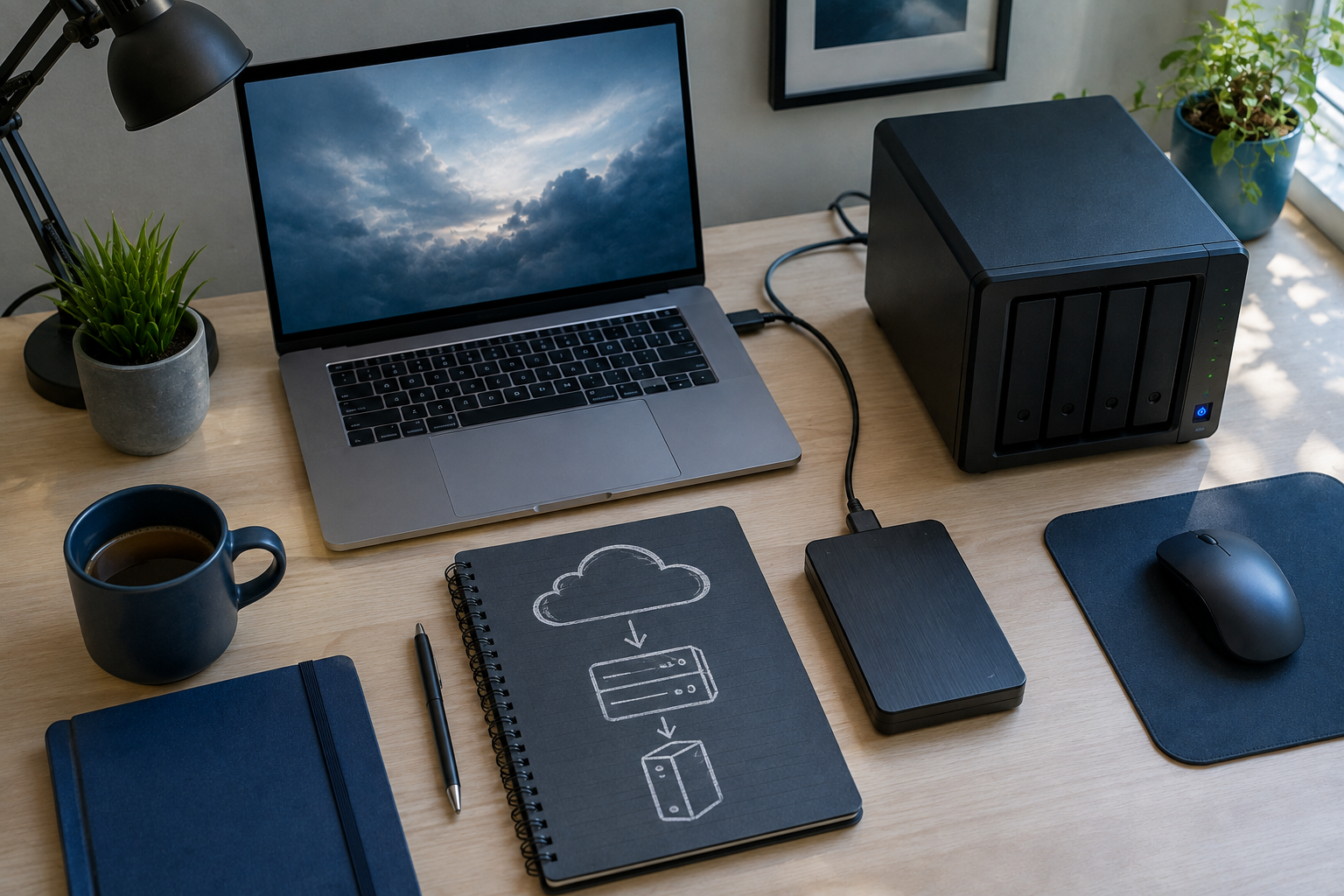
This includes the live, working copy of your files plus two backup copies. For a household, this might be the files on your laptop, a backup on an external drive, and a backup in the cloud. For a small business, this might be production data on a server, a local backup appliance, and an offsite or cloud repository.
Two Different Media Types
Storing all copies on the same type of media multiplies shared failure risk. A common combination is an internal SSD for live data, an external hard drive or network-attached storage device for a local backup, and cloud object storage for the second backup. Different media types also tend to fail for different reasons, so a firmware bug or manufacturing defect affecting one brand or model is less likely to take out every copy at once.
One Offsite Copy
An offsite copy protects against fire, flood, theft, and other physical events at the primary location. Cloud backup services are the simplest way most households and small businesses satisfy this requirement, but a drive rotated to a relative’s house, a safe deposit box, or a second office location also counts.
One Immutable or Offline Copy
This is the layer most home and small-business backup plans were missing before ransomware made it mandatory. An immutable copy uses object lock or write-once-read-many technology so that, even if a backup account’s credentials are compromised, the attacker cannot delete or encrypt the retained data during its lock period. An offline copy achieves a similar result differently: a drive that is disconnected from any network and computer except during a scheduled backup window cannot be reached by malware at all outside that window.
Zero Errors, Confirmed by Testing
A backup that has never been test-restored is a hope, not a guarantee. Corrupted files, incomplete jobs, expired credentials, and silent failures are common, and they are usually only discovered during an actual disaster, which is the worst possible time to find out. Scheduling a quarterly or monthly test restore of a sample of files, and at minimum an annual full restore drill, confirms the “zero errors” component of the rule.
A Practical 3-2-1-1-0 Layout for a Small Business
Copy 1: the live file server or workstation data. Copy 2: a local NAS backup with nightly snapshots and versioning. Copy 3: a cloud backup with object lock enabled for a fixed retention period. The NAS snapshots satisfy the second media type and provide fast local recovery, the cloud copy satisfies the offsite and immutable requirements simultaneously, and a monthly automated test restore of a random file sample satisfies the zero-errors requirement.
Real Tooling for Each Layer, Consumer and Small Business
The right tool depends on whether you are protecting a single household’s photos and documents or a small business with a file server, several workstations, and compliance obligations. The table below maps common real-world tools to each layer of the strategy.
| Layer | Consumer-friendly tools | Small-business-friendly tools |
|---|---|---|
| Local backup and imaging | Macrium Reflect Free, Apple Time Machine, File History on Windows | Macrium Reflect, Veeam Agent, Acronis Cyber Protect |
| Local NAS with snapshots | Synology DiskStation with Hyper Backup, QNAP with Hybrid Backup Sync | Synology or QNAP business-tier NAS, TrueNAS with ZFS snapshots |
| Cloud backup, general purpose | Backblaze Personal Backup, iCloud, Google One | Acronis Cyber Protect Cloud, Veeam Backup for Microsoft 365, Datto |
| Cloud object storage with immutability | Backblaze B2 with Object Lock (technical users) | Backblaze B2, Wasabi, AWS S3, or Azure Blob, all with Object Lock enabled |
| Offline or air-gapped rotation | A second external drive rotated manually and stored elsewhere | Removable drive or tape rotation scheme, disconnected between backup windows |
| Backup verification and monitoring | Manual quarterly test restore of sample files | Automated restore testing built into Veeam, Acronis, or Datto dashboards |
Setting Up 3-2-1-1-0 at Home
- Identify what actually needs protecting. Photos, documents, financial records, and irreplaceable files matter more than reinstallable applications or media you can redownload.
- Set up automatic local backup. Time Machine on macOS or File History plus a scheduled Macrium Reflect image on Windows covers the local copy with minimal ongoing effort.
- Add a cloud backup service. Backblaze Personal Backup, iCloud, or Google One provide the offsite copy automatically once configured, without requiring you to remember to plug anything in.
- Rotate an offline drive periodically. Even a simple habit of backing up to a second external drive monthly and storing it at a different location, such as a workplace or a relative’s home, satisfies the immutable and offline requirement for most households.
- Test a restore twice a year. Pick a handful of files, restore them to a different folder, and confirm they open correctly. This single habit catches most silent backup failures before they matter.
Setting Up 3-2-1-1-0 for a Small Business
- Map your data sources. Include the file server, individual workstations, Microsoft 365 or Google Workspace data, and any line-of-business application databases, since cloud productivity suites are often mistakenly assumed to be automatically backed up by the vendor.
- Deploy a local backup appliance with versioning. A NAS or dedicated backup server with snapshot support gives fast recovery for accidental deletions and localized ransomware without needing a full restore from the cloud.
- Enable object lock on your cloud repository. Wasabi, Backblaze B2, and AWS S3 all support object lock, which enforces the immutable layer even if an attacker obtains valid backup credentials.
- Separate backup credentials from everyday admin accounts. Use a distinct account with multi-factor authentication for backup software, so a compromised domain administrator account cannot also delete the backups.
- Schedule and document test restores. Build a recurring calendar item for a partial restore test monthly and a full disaster-recovery drill at least annually, and keep a written record for compliance and insurance purposes.
Common mistake
The most common mistake is treating a permanently connected external drive or a continuously synced cloud folder as the “offsite” or “immutable” copy. If a backup destination is reachable over the network at all times, ransomware that has already compromised the primary system can reach and destroy it too. A true 3-2-1-1-0 setup requires at least one copy that is genuinely disconnected, air-gapped, or protected by object-lock immutability that even an administrator account cannot override during the retention period.
What worked
Small businesses that paired a local NAS with nightly snapshots and a cloud tier using object lock reported the fastest recovery times after ransomware incidents, because most restores came from the fast local snapshot layer, while the immutable cloud copy served only as a last-resort guarantee. This two-tier approach avoided the common trap of relying on a single, slow cloud restore for every recovery scenario.
How Often to Back Up and Test
| Data type | Recommended backup frequency | Recommended test-restore frequency |
|---|---|---|
| Personal photos and documents | Daily automatic, continuous cloud sync acceptable as one of the copies | Twice a year |
| Small-business file server | Nightly incremental, weekly full | Monthly partial, annual full drill |
| Line-of-business databases | Hourly or continuous transaction log backup | Quarterly full restore to a test environment |
| Microsoft 365 or Google Workspace data | Daily via a dedicated SaaS backup tool | Quarterly |
- SaaS backup gapMany businesses assume Microsoft 365 or Google Workspace is automatically backed up by the vendor, but both providers primarily guarantee uptime, not long-term data recovery, leaving the business responsible for its own backups.
- Object lock retention periodImmutability is only as strong as the retention window configured, so a one-day lock offers far less protection than a 30 or 90-day lock against slow-moving ransomware that waits before triggering.
- Backup credential separationUsing the same administrator login for backups and daily operations means a single compromised password can disable both production systems and their recovery path simultaneously.
- Version retention depthKeeping only the most recent backup version means a ransomware infection discovered days after encryption may have already overwritten the last clean copy, so multiple historical versions should be retained.
- Restore time objectiveBusinesses rarely calculate how long a full restore actually takes until they need it, and cloud-only restores over a slow internet connection can take days for large datasets.
- Physical media degradationOffline drives and tapes stored for years without being checked can suffer bit rot or mechanical failure, so even the offline copy needs periodic verification, not just creation.
Glossary
- Immutability
- A storage property that prevents data from being modified or deleted for a defined retention period, even by an account with administrative privileges.
- Object lock
- A cloud storage feature, available on services such as AWS S3, Backblaze B2, and Wasabi, that enforces immutability at the object level for a set duration.
- Air-gapped backup
- A backup copy that is physically or logically disconnected from any network, making it unreachable by malware operating over that network.
- Snapshot
- A point-in-time copy of data on a storage system, often used for fast local recovery from accidental deletion or corruption without a full restore.
- Restore testing
- The practice of periodically recovering sample or full data from a backup to confirm it is complete, uncorrupted, and usable, rather than assuming a backup job succeeded.
- Recovery time objective
- The target maximum amount of time a business allows for restoring systems and data after a disruption before the delay becomes unacceptable.
Key Takeaways
- 3-2-1-1-0 extends the classic 3-2-1 rule with one immutable or offline copy and a zero-errors verification requirement.
- The extra layers exist specifically to defeat ransomware that targets connected backup drives and cloud sync folders.
- Consumer tools like Backblaze Personal Backup, Time Machine, and Macrium Reflect can implement most of the rule with minimal ongoing effort.
- Small businesses should combine a local NAS with snapshots and a cloud tier using object lock for the fastest, most resilient recovery.
- Backup credentials should be separate from everyday administrator accounts to prevent a single compromise from disabling both production and recovery.
- A backup that has never been test-restored should be treated as unverified, regardless of how long it has been running successfully.
- Microsoft 365 and Google Workspace data generally require a dedicated third-party backup tool, since the vendors do not guarantee long-term data recovery by default.
FAQs
What does 3-2-1-1-0 stand for in backup strategy?
It means three total copies of data, on two different media types, with one copy offsite, one copy immutable or offline, and zero errors confirmed through regular test restores. It extends the older 3-2-1 rule to specifically counter ransomware.
Is the 3-2-1-1-0 rule only for businesses?
No, households benefit too. A home setup using Time Machine or File History for local backup, a cloud service like Backblaze for the offsite copy, and a periodically rotated external drive for the offline layer satisfies the rule with minimal daily effort.
What is the difference between immutable and offline backups?
An immutable backup uses technology like object lock so data cannot be altered or deleted for a set period even with valid credentials. An offline backup achieves protection by being physically disconnected from any network most of the time, so malware simply cannot reach it.
Which cloud services support object lock for immutable backups?
Backblaze B2, Wasabi, AWS S3, and Azure Blob Storage all support object lock or equivalent immutability features, and most modern backup software including Veeam and Acronis can enable it automatically when configuring these destinations.
How often should I test restore my backups?
Households should test restore a sample of files at least twice a year. Small businesses should test a partial restore monthly and run a full disaster-recovery drill at least annually to confirm the zero-errors requirement is genuinely met.
Does Microsoft 365 or Google Workspace already back up my data?
Both providers focus primarily on uptime and infrastructure resilience, not long-term data recovery from accidental deletion, ransomware, or retention gaps. Most organizations need a dedicated third-party SaaS backup tool such as Veeam Backup for Microsoft 365 to fully satisfy the 3-2-1-1-0 rule.
Can ransomware still destroy all my backups under this strategy?
It is far less likely, because the immutable or offline copy is specifically designed to be unreachable or unmodifiable by an attacker, even one who has obtained administrator credentials elsewhere on the network. This is the main reason the rule was extended beyond the original 3-2-1 model.
What is a reasonable backup tool budget for a small business?
Many small businesses can implement a solid 3-2-1-1-0 setup for a modest monthly cost using a NAS device purchased once, combined with cloud object storage priced per gigabyte, such as Backblaze B2 or Wasabi, plus a backup software license like Veeam Agent or Acronis Cyber Protect.
References
- NinjaOne, The 3-2-1 Backup Rule Explained, ninjaone.com
- AvePoint, What Is the 3-2-1 Backup Rule, A Complete Guide, avepoint.com
- 2BrightSparks, Understanding the 3-2-1-1-0 Backup Strategy, 2brightsparks.com
- SentinelOne, What Is the 3-2-1 Backup Strategy, sentinelone.com
- iFeeltech, 3-2-1 Backup Rule Explained, Implementation Guide, ifeeltech.com
For the cloud-security fundamentals that underpin any offsite backup destination, see our guide on securing your data in the cloud step by step. If ransomware does get past your defenses despite a solid backup strategy, review our ransomware recovery plan. Backup strategy is only one piece of a broader security posture, so also check our roundup of cybersecurity tools for small businesses, our small business cybersecurity checklist, and how a solid backup strategy fits into a secure home office network setup.