Augmented reality (AR) and virtual reality (VR) are no longer fringe demos; they are practical tools that change how stories are told, how people learn, and how teams work. The most exciting action comes from startups that move faster than incumbents and stitch hardware, software, and content into focused solutions. In simple terms, AR/VR transformations are durable shifts in how audiences consume entertainment and how workers acquire skills, driven by spatial interfaces and immersive content. These shifts matter because they compress learning cycles, unlock new revenue models, and make complex processes feel intuitive. If you’re evaluating solutions, you want repeatable wins, not novelty. Below is a clear, people-first guide to the transformations that actually stick.
Quick path to value: Evaluate AR/VR options using this skim-friendly sequence:
- Define one painful workflow or engagement gap.
- Choose the lowest-risk use case with a measurable outcome.
- Run a tightly scoped pilot with a control group and clear KPIs.
- Validate safety, ergonomics, and device management early.
- Standardize content and processes before you scale.
By the end, you’ll know which levers to pull—content formats, device fleets, analytics, and guardrails—to turn prototypes into programs that pay for themselves.
1. Spatial Storytelling Reimagines Narrative Entertainment
Spatial storytelling uses volumetric characters, real-time engines, and room-scale staging to make viewers participants rather than passive observers. The transformation is that startups remove the “fourth wall,” letting you move around scenes, choose perspectives, and interact with props and characters. This reconfiguration changes production economics: scenes are designed as explorable spaces, branching paths are authored like decision trees, and performances are captured volumetrically instead of with flat cameras. For audiences, the payoff is agency—standing next to a performer, peeking behind scenery, or replaying a moment from another angle. For producers, the payoff is asset reuse: a single spatial set can support multiple storylines, live events, or branded activations. The creative risk is higher, but so is engagement: when viewers can nudge outcomes, they return to explore alternate paths. Startups thrive here because they can prototype quickly, negotiate flexible rights, and ship updates like software.
How to do it
- Choose a core mechanic: Branching choices, physics interactions, or proximity-triggered reveals.
- Capture assets smartly: Mix photogrammetry for environments with volumetric capture for people.
- Design for locomotion comfort: Prefer teleport and short dashes; avoid forced movement when possible.
- Author replayability: Hide optional interactions and perspective-only discoveries to reward replays.
- Instrument analytics: Track dwell time by zone, interaction frequency, branch completion.
Numbers & guardrails
- Scene budget: Aim for scenes that comfortably render at the device’s native refresh rate with headroom for spikes; prioritize GPU budgets on characters’ faces and hands.
- Session length: Keep narrative “chapters” under 20–25 minutes to reduce fatigue before a planned intermission.
In short, spatial storytelling turns content into a place. When you build a place that responds to the audience, engagement and monetization possibilities multiply.
2. Virtual Venues Unlock New Live Event Models
Virtual venues blend live streams, volumetric performers, and synchronized audience interactions into purpose-built spaces. The transformation here is that “attendance” no longer requires co-location; startups can sell premium access tiers, behind-the-scenes passes, and interactive merchandise that only exists in-world. The big win is reach: fans who would never travel can stand by the stage virtually, switch camera positions, or sing alongside avatars without disturbing others. For artists and leagues, this means multiple performances from the same capture, regionalized venue skins, and dynamic ad inventory that changes by locale. The technical stack spans low-latency delivery, digital rights management, anti-cheat moderation, and avatar expression systems. Startups excel at stitching these together with creator tools that make rehearsals and lighting cues editable without code.
Formats that work
- Hybrid shows: Physical concert plus mirrored virtual venue, with synchronized crowd cues.
- Interactive watch parties: Friends co-watch broadcasts in a shared suite with mini-games.
- Fan quests: Complete challenges mid-show to unlock backstage spaces or exclusive cosmetic items.
- Localized reskins: Stadium signage, commentary tracks, and merch bundles tailored to region.
Mini case (hypothetical math)
- A mid-tier artist runs a virtual encore for 50,000 fans at an average of $8 per ticket, plus $3 average in cosmetic sales. Gross digital revenue: $550,000 for an event that reuses capture assets and scales globally.
Virtual venues don’t replace in-person magic; they extend it, spreading fixed production costs across far larger audiences with new, margin-friendly digital SKUs.
3. Location-Based Entertainment Scales Throughput with Smart Ops
Free-roam VR arcades and mixed-reality attractions regain importance when they run like logistics machines. The transformation is not just flashier content—it’s throughput and reliability. Startups differentiate with wearable-safe props, modular arenas, and processes that move groups in waves. If you can turn a party of eight every 15 minutes with minimal staff intervention, your unit economics shine. Content needs to remain delightful even when replayed; leaderboards, seasonal narratives, and role variants keep regulars coming back. Operations handle the messy bits: sanitization, battery swaps, calibration, and session timing.
Ops blueprint
- Wave scheduling: Overlap briefings with active play so stations are never idle.
- Smart staging: Color-coded floor decals and ceiling markers speed on-boarding.
- Prop durability: Use magnetized couplers and foam-over-molds to reduce repair time.
- Quick reset: Pre-packaged spare devices and auto-calibration routines between rounds.
Numbers & guardrails
- Throughput math: Two arenas, each turning 8 players every 15 minutes, yield 64 players/hour. At $22 average spend, that’s $1,408/hour gross when fully utilized.
- Comfort window: Keep active play under 25 minutes with a 5-minute cooldown to minimize fatigue spikes.
When the experience thrills and the line moves, location-based hubs become profitable showcases that feed at-home subscriptions and merchandise.
4. Creator Tools and UGC Supercharge Content Velocity
A huge bottleneck in AR/VR is asset creation: environments, characters, props, and effects. Startups that build creator tools—mobile photogrammetry, AI-assisted rigging, procedural worlds, no-code logic—transform production cycles from weeks to hours. The magic isn’t just speed; it’s inclusivity. When non-technical teams can polish lighting, tweak physics, and ship updates, iteration loops tighten. User-generated content (UGC) ecosystems thrive with robust moderation, remix permissions, and revenue sharing that rewards refinement rather than raw volume. The most durable platforms treat creators like partners: clear style guides, template libraries, and metrics that highlight what to improve.
Tools/Examples
- Mobile capture: Scan a prop with a phone and auto-generate a game-ready material set.
- Rigging helpers: Upload a mesh; get an optimized skeleton, hand poses, and blendshapes.
- No-code logic: Drag-and-drop triggers, timers, and scorekeepers with visual state machines.
- Procedural kits: Parametric buildings and terrain to fill worlds consistently.
Mini case (hypothetical math)
- A studio needed 40 interactive props. Traditional pipeline: 5 hours/prop → 200 hours. With a capture-and-auto-rig tool, 1.5 hours/prop → 60 hours. At $60/hour blended cost, that’s $8,400 saved on one sprint—plus weeks off the schedule.
When creators move faster, the entire ecosystem benefits: more experiments, richer libraries, and a better chance your experience earns a loyal audience.
5. High-Risk Task Training Becomes Safer and Measurably Better
VR gives teams a place to practice dangerous or expensive tasks without real-world consequences. The transformation is risk-free repetition aligned to clear outcomes such as fewer incidents, faster time-to-proficiency, and better adherence to procedures. Startups package scenarios for confined spaces, electrical lockout/tagout, hazardous materials, and emergency response. Each module maps to the Kirkpatrick model (reaction, learning, behavior, results), with rubrics that score steps, timing, and error recovery. The best solutions include after-action reviews that auto-compile mistakes into micro-lessons you can replay immediately. Results often show higher retention and better transfer to the job because learners actively do the task.
How to implement
- Task analysis: Break the job into steps, decision points, and common errors.
- Scaffolded difficulty: Start guided, then remove hints, then add stressors.
- Objective scoring: Time to complete, number of deviations, safety-critical flags.
- Debrief loops: Instant replay with overlayed instructor notes and corrective tips.
- Credentialing: Tie completion to LMS records and site access permissions.
Evidence snapshot
Studies in industrial safety training report improved performance using immersive scenarios evaluated with the Kirkpatrick model, indicating systematic ways to validate skills beyond subjective impressions.
When practice is plentiful and consequences are virtual, teams learn faster, remember longer, and show up safer on real sites.
6. Soft-Skills and Customer-Care Training Accelerates Confidence
Role-play has always trained leadership, sales, and service teams. VR modernizes it by surrounding learners with expressive avatars, voice analysis, and branching dialogue that responds to tone and timing. The transformation is psychological safety at scale: you can rehearse a tough conversation or de-escalate an angry customer privately, as many times as needed, with precise feedback on eye contact, pacing, and empathy cues. Startups combine natural-language understanding with scenario design so trainers can adjust scripts without writing code. The business case is resilient: when frontline staff defuse issues earlier, refund costs and churn fall.
Why it matters
- Confidence through repetition: Learners can practice until they master a scenario without embarrassing missteps in front of peers.
- Targeted feedback: Heat maps of gaze, replay of filler words, and prompts to paraphrase or ask open questions.
- Manager leverage: One facilitator oversees many concurrent sessions with standardized scoring.
Numbers & guardrails
Independent research has reported large confidence gains and faster training cycles when VR is applied to soft-skills modules, with cost crossover favoring VR at meaningful scale and strong gains in learner self-efficacy.
When you replace awkward mock role-plays with believable practice, learners show up to real conversations prepared, present, and persuasive.
7. AR Work Instructions and Remote Assist Reduce Downtime
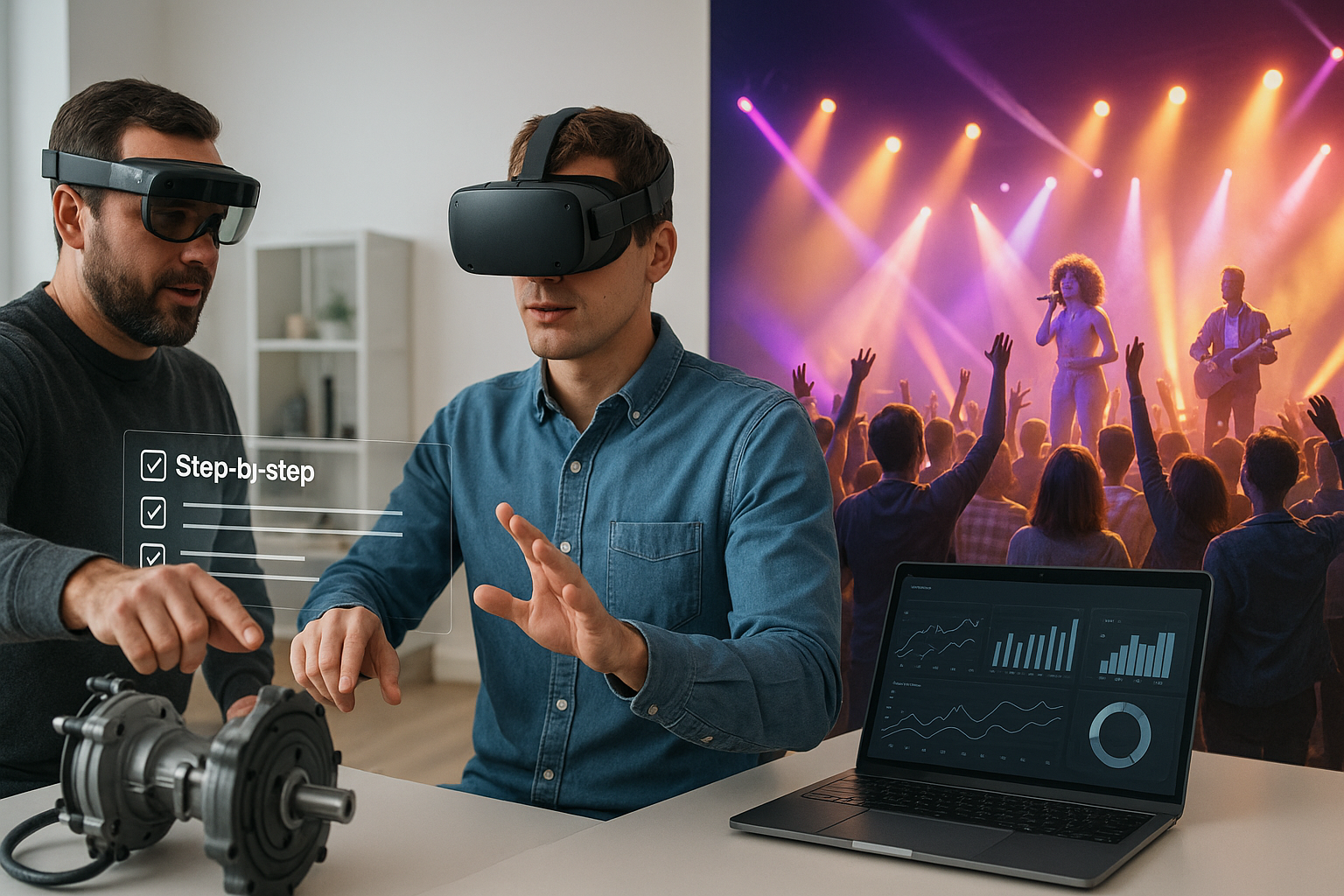
AR overlays place step-by-step instructions directly on machines, and remote experts can see what a technician sees to guide hands in real time. The transformation is that complex maintenance, assembly, or inspection tasks become self-service for more workers, shrinking reliance on scarce specialists. Startups pair sticky, high-contrast annotations with object recognition so instructions snap to the right part, even if lighting or angles change. Remote assist adds voice, drawing, and pointer tools that stick to 3D surfaces rather than floating loosely in view. The biggest gains show up in multi-site operations where travel delays are costly.
Implementation checklist
- Content capture: Record an expert doing the task; turn steps into short, visual micro-procedures.
- Anchor reliability: Use multiple anchors and fallback markers to maintain registration.
- Hands-free control: Voice commands and simple gestures prevent mid-task fumbling.
- Offline mode: Pre-cache procedures and sync results later for low-connectivity sites.
- Audit trail: Log steps and timestamps for quality and compliance.
Mini case (hypothetical math)
- Average time-to-fix drops from 180 minutes to 110 minutes after AR is introduced, and first-time-fix rate rises from 68% to 82%. Across 1,200 tickets, that’s 1,400+ hours saved and fewer repeat truck rolls.
When instructions live in your field of view—and experts can help instantly—downtime shrinks and frontline teams gain independence.
8. Digital Twins and Spatial Analytics Tighten Operations
A digital twin is a live, spatial model tied to the real world by sensors and data. In AR/VR, twins become decision theaters where teams run “what-if” simulations, train on new layouts, and test safety scenarios before moving a bolt. Startups build tooling that syncs building information models (BIM), IoT telemetry, and process flows so you can rehearse maintenance, measure line-of-sight, or optimize picker routes. Analytics inside the twin reveal hotspots—congestion points, heat build-up, or blind intersections. For training, the win is transfer: learners practice in a faithful replica before stepping on site. For entertainment, twins power interactive museum exhibits or stadium wayfinding that adapts to crowd patterns.
How to do it
- Model fusion: Merge CAD/BIM with point clouds and texture atlases; decimate for headset performance.
- Data plumbing: Bind sensor topics (MQTT/REST) to in-scene indicators and dashboards.
- Scenario authoring: Script failure modes, evacuation drills, or maintenance shutdowns.
Numbers & guardrails
- Cycle time: A warehouse pilot that reduces average pick path by 12% at scale translates to thousands of avoided steps per shift and measurable labor savings.
- Fidelity trade-offs: Keep frame-critical meshes under budget; stream less-critical detail as needed.
When a twin becomes your shared space for planning, training, and review, teams make better decisions with fewer surprises.
9. Accessibility and Inclusive Design Broaden Participation
AR/VR can expand accessibility when built thoughtfully. The transformation is to move from a one-size-fits-all headset experience to interfaces that adapt—captions that pin near the speaker, configurable contrast, haptic cues for alerts, and adjustable locomotion. Startups that prioritize inclusive defaults reach more users, avoid costly retrofits, and discover new interaction patterns that help everyone. Consider cognitive load: simplify menus, chunk instructions, and maintain clear wayfinding. Provide alternatives for motion, like thumbstick locomotion plus teleport, and choices for interaction, like pinch, tap, or controller. Inclusive design isn’t just ethical; it’s commercial sense.
Inclusive patterns
- Caption zones: Speech-to-text captions anchored to a speaker’s shoulder line for readability.
- High-contrast UI: Darkened backdrops for text, color-blind-safe palettes, scalable font sizes.
- Comfort options: Snap turns, vignette during motion, seated/standing presets.
- Input diversity: Hands, controllers, voice, and external switches for motor accessibility.
- Cognitive clarity: Progressive disclosure, consistent iconography, clear undo.
Mini checklist
- Test with diverse users (vision, hearing, mobility, neurodiversity).
- Offer per-user preferences that persist across sessions.
- Keep emergency exits and pause functions universally reachable.
- Provide alternatives to color-only feedback and to time-limited tasks.
If everyone can use your experience comfortably and confidently, your market grows and your brand earns trust.
10. Device Management and Fleet Ops Make Scale Possible
Exciting content fails without reliable device operations. The transformation is enterprise-grade lifecycle management: provisioning, updates, compliance, and support. Startups ship device management portals that enroll headsets, push apps, manage permissions, and measure usage. With the right setup, a small IT team can keep hundreds of devices updated and healthy across sites. Look for integration with identity providers, kiosk modes for public use, and privacy controls for session recordings. Also plan basics such as labeling, storage, charging carts, and spare pools.
What to lock in early
- Enrollment & MDM: Zero-touch enrollment, remote wipe, app version pins.
- Role-based access: Trainers, learners, performers, or guests see only what they need.
- Kiosk & launcher: Lockdown shells for single-app stations in venues.
- Health monitoring: Battery, temperature, and crash reporting dashboards.
Mini case (hypothetical math)
- A team provisions 150 headsets. Manual setup takes 25 minutes each (~62.5 hours). Automated enrollment at 7 minutes each (~17.5 hours) saves 45 hours—about a week of one technician’s time—every refresh cycle.
When devices are as manageable as laptops, your pilots graduate to programs without drowning IT.
11. Safety, Ergonomics, and Compliance Protect People and Programs
Sustained success in AR/VR rests on safety. The transformation is to treat immersive experiences like any other work system, with ergonomic standards, documented breaks, and risk assessments. You’ll design for comfort (field-of-view, refresh rate, locomotion), schedule rest (especially for new users), and screen for contraindications. Research-backed guidance recommends adapting session duration and incorporating frequent breaks; safety agencies outline additional considerations for visual strain, technostress, and situational awareness. Standards organizations now publish ergonomic guidance specific to immersive environments.
Numbers & guardrails
- Session lengths: Many practitioners limit continuous immersion to 20–30 minutes with breaks, especially early in training programs.
- Risk framing: Safety notes from workplace agencies emphasize balancing benefits with risks such as cybersickness and reduced awareness; build mitigations into SOPs. healthy-workplaces.osha.europa.eu
- Standards: Follow ergonomic guidance tailored to immersive systems to align with recognized best practices.
Practical checklist
- Pre-session briefing and opt-out language for discomfort.
- Multiple comfort locomotion modes and seated options.
- Sanitization and fit adjustments for shared headsets.
- Clear space boundaries, chaperones, and cable management.
- Incident logging and review for continuous improvement.
Treating safety as a design requirement—not a bolt-on—keeps people healthy and programs credible.
12. ROI and the Pilot-to-Scale Playbook
The most durable transformation is financial: moving from one-off demos to repeatable ROI. Startups that win here make value measurable and portable. The playbook begins with a pilot that compares outcomes with a control group, measures adherence to guardrails, and captures qualitative feedback. Then it shifts to standardization: content templates, assessment rubrics, and device baselines. Finally, it leans into automation—LMS integrations, auto-provisioning, and analytics that flag where coaching helps most. Cost models include content licensing, device amortization, support, and facilities; benefits include time saved, errors avoided, revenue uplift, and reduced travel.
Small KPI table (example)
| KPI | What it means | Typical target/guardrail |
|---|---|---|
| Time-to-proficiency | Hours from first session to passing assessment | −20% vs. control before scaling |
| First-time-fix rate | Jobs solved without a callback | +10–15 percentage points |
| Incident rate | Safety or quality failures per 1,000 tasks | Downward trend for three cycles |
| Utilization | Productive headset hours per week | 15–25 hours in training programs |
Numbers & guardrails
Independent analyses of VR training have reported faster learning and stronger confidence gains, with cost parity improving as learner counts rise, reinforcing why pilots should model scale rather than only small cohorts.
When you define ROI as a team sport—ops, IT, trainers, and finance—you build momentum that makes immersive programs part of core operations instead of an annual novelty.
Conclusion
AR/VR transformations are real when they survive contact with everyday users, hectic schedules, and budget reviews. Startups win by narrowing the problem, designing for comfort and accessibility, and proving value with data that operations leaders recognize. In entertainment, the strongest plays turn audiences into co-creators and expand venues beyond geography. In training, the winners rehearse high-value tasks, reduce downtime, and measure what matters. When you pair ergonomic guardrails with clean device operations and practical analytics, immersive tools become another dependable layer in your stack, not a special-occasion experiment. Pick one use case, pilot with rigor, and scale deliberately—your future teams and audiences will thank you. Ready to shortlist use cases? Choose one from the twelve above and run a two-week pilot plan today.
FAQs
1) What’s the difference between AR, VR, MR, and “spatial computing”?
AR overlays digital content on the real world, VR replaces your surroundings with a virtual environment, and mixed reality (MR) blends them so digital objects appear anchored in your space. “Spatial computing” is an umbrella term for interfaces that understand and respond to 3D environments. For buyers, the practical question is which mode best fits your task: hands-free guidance (AR), full-focus practice (VR), or flexible blending (MR). Reference your content pipeline and device fleet before committing.
2) How do I choose the first AR/VR use case to pilot?
Pick a high-friction workflow or audience moment with measurable outcomes, like time-to-proficiency, first-time-fix rate, or paid engagement. Ensure the scenario is frequent enough to generate data in weeks, not months. Favor tasks where errors are costly or experiences where deeper presence changes behavior. Finally, confirm device availability and stakeholder buy-in so your pilot’s schedule does not slip.
3) How should I budget for devices, content, and support?
Separate capital (headsets, charging carts, spare parts) from operational (content licenses, updates, support, cleaning). Plan for enrollment and app updates, and include a spare device ratio—commonly one spare for every eight to ten in service—so maintenance doesn’t halt training. Don’t forget facilities costs for safe play areas and storage. Treat content refresh as a recurring line item to keep material current and engaging.
4) What metrics prove ROI to leaders outside the innovation team?
Operations leaders want outcomes they already track. Tie immersive efforts to unit metrics like time-to-proficiency, defect rates, rework, incident rates, and utilization. In entertainment, highlight revenue per attendee, retention, and digital merchandise attach rates. Use control groups where possible, and ensure data collection is automatic to avoid bias. Share both the median and the spread to show consistency.
5) How do we keep users comfortable and safe?
Set comfort defaults: snap turns, vignette during motion, seated options, and anti-flicker refresh. Educate users on boundaries, provide breaks, and encourage opt-outs without penalty. Use room-scale chaperones and cable management, and sanitize between uses. For training, brief learners on how to pause or seek help mid-scenario. Document incidents and continuously refine your scenarios and settings.
6) Do we need specialized IT support for headsets?
Treat headsets as managed endpoints. Use enrollment and device-management tools to push apps, set permissions, and lock kiosks. Integrate with identity providers so users authenticate once. Establish a swap procedure for failures and maintain a charging and battery rotation plan. When devices slot into your existing IT workflows, support tickets stay manageable and uptime rises.
7) What content formats are easiest to maintain over time?
Favor modular scenes and reusable components: swap characters, reskin environments, and update logic without re-authoring everything. Use no-code triggers for branching and maintain separate content, logic, and assets layers so different team members can update their parts safely. Build templates for common interactions and keep a style guide that aligns lighting, audio, and interaction cues across experiences.
8) How do we validate that training in VR transfers to the job?
Use a recognized evaluation framework such as the Kirkpatrick model and set clear pass criteria that mirror real-world tasks. Score step accuracy, timing, and decision quality. Compare a trained cohort to a control group on real tasks for a defined period, and watch for behavior changes like fewer errors or faster completion. A structured validation prevents over-reliance on “wow” moments.
9) What about motion sickness and discomfort?
Plan for adaptation periods and include multiple comfort modes. Avoid forced locomotion where possible, reduce acceleration spikes, and maintain stable frame rates. Set default session lengths conservatively and include regular breaks, especially for newcomers. Provide seated options and screen for contraindications. Document your protocols and improve them with user feedback over time.
10) Are virtual venues a fad or a durable revenue stream?
They’re durable when they deliver unique value rather than being clones of flat streams. Features like perspective switching, avatar interactions, and interactive merchandise create reasons to attend beyond a replay on a screen. Revenue comes from tickets, tiers, digital items, and sponsorships. Treat them as a complement to live events, not a replacement, and design for replayability and community.
11) Which design guidelines should my team study first?
Start with platform human-interface guidelines for spatial systems. They explain layout, input models, depth, lighting, and accessibility for head-mounted displays. They also include examples of how windows, panels, and 3D objects should behave in space to feel natural and comfortable. When your patterns match platform guidance, onboarding is smoother and your content feels native.
12) Do standards exist for ergonomics in immersive systems?
Yes. Ergonomic standards tailored to AR/VR cover interaction principles, comfort considerations, and human-system issues in immersive environments. While product choices evolve, aligning to published ergonomic guidance shows due diligence and helps unify design, training, and safety teams around shared baselines. Reference them in your safety and design documentation.
References
- Study into the effectiveness of VR for soft skills training — PwC UK, publication date listed on page. https://www.pwc.co.uk/services/technology/immersive-technologies/study-into-vr-training-effectiveness.html
- How virtual reality is redefining soft skills training — PwC US, Sep 15. https://www.pwc.com/us/en/tech-effect/emerging-tech/virtual-reality-study.html
- Designing for visionOS (Human Interface Guidelines) — Apple Developer Documentation, continuously updated. https://developer.apple.com/design/human-interface-guidelines/designing-for-visionos
- Human Interface Guidelines — Apple Developer Documentation, continuously updated. https://developer.apple.com/design/human-interface-guidelines
- Meta Quest for Business — Meta for Developers, documentation hub. https://developers.meta.com/horizon/qfb
- Getting started with Quest for Business — Meta for Work Help Center. https://forwork.meta.com/getting-started-with-quest/
- ISO 9241-820: Ergonomics of human-system interaction — immersive environments guidance — International Organization for Standardization. https://www.iso.org/obp/ui/en/
- Design guidelines for limiting and eliminating virtual reality–induced symptoms and effects (VRISE) — BMJ Open Sport & Exercise Medicine (PMC article), 2023. https://pmc.ncbi.nlm.nih.gov/articles/PMC10288216/
- The metaverse: how to safely integrate new visualisation technologies in the workplace — European Agency for Safety and Health at Work (EU-OSHA), Jan 23. https://healthy-workplaces.osha.europa.eu/en/highlights/metaverse-how-safely-integrate-new-visualisation-technologies-workplace
- Assessing the effectiveness of immersive virtual reality training for confined space procedures (Kirkpatrick validation) — Safety Science, 2025. https://www.sciencedirect.com/science/article/pii/S0925753524002832
- Empathy and Perspective Taking — Stanford Virtual Human Interaction Lab, overview page. https://vhil.stanford.edu/projects/2020/empathy-and-perspective-taking
- OSHA Standard Interpretation: Virtual Reality Safety Training — Occupational Safety and Health Administration, Aug 10. https://www.osha.gov/laws-regs/standardinterpretations/2020-08-10