| Dimension | Flutter | React Native | Kotlin Multiplatform |
|---|---|---|---|
| What gets shared | UI and business logic, both compiled from Dart | UI and business logic, both written in JavaScript/TypeScript | Business logic only; UI is written natively per platform |
| Rendering approach | Own rendering engine (Impeller/Skia) painting every pixel | Renders to real native UIKit/Android View or Fabric components | No shared rendering layer; each platform uses its own native UI framework directly |
| UI consistency across platforms | Pixel-identical by design | Native-looking, but composed through a JS-to-native bridge/Fabric | Fully native per platform; UI can differ intentionally between iOS and Android |
| Migration risk for existing native apps | High — typically a rewrite | High — typically a rewrite, though can be embedded incrementally | Low — can be adopted incrementally inside an existing native codebase |
Why this needs its own comparison, not another top-10 roundup
Most cross-platform mobile content on the web, including some of our own earlier coverage, treats Flutter, React Native, and native-adjacent options as items in a longer list to survey at a glance. Our own roundup of the top 10 cross-platform mobile development frameworks and our pros-and-cons breakdown of native vs. hybrid vs. cross-platform development are both useful as broad surveys, but neither is built to answer the specific question modern engineering leaders are actually asking in 2027: given that Flutter, React Native, and Kotlin Multiplatform have all reached genuine production maturity, which of these three fundamentally different architectures should a team standardize on, and why? This article stays narrowly focused on that three-way technical comparison rather than re-covering the broader landscape.
The reason this comparison is worth a dedicated, technical treatment is that Flutter and React Native solve cross-platform development one way, and Kotlin Multiplatform solves it in a fundamentally different way — and that difference is frequently misunderstood or flattened in generic “cross-platform” content.
The key conceptual difference: shared UI versus shared logic only
This is the single most important distinction in the entire comparison, and it’s the one most listicles gloss over. Flutter and React Native are both “write the UI once, run it everywhere” frameworks — the interface itself, not just the logic behind it, is defined in a single codebase (Dart for Flutter, JavaScript or TypeScript for React Native) and rendered across iOS and Android. Kotlin Multiplatform takes the opposite position: it shares only the business logic — networking, data models, validation rules, caching, state machines — and requires each platform to have its own, fully native UI written in Jetpack Compose or a native View system on Android and SwiftUI or UIKit on iOS.
This is not a minor implementation detail; it changes the entire risk profile of the decision. With Flutter or React Native, a single team can, in principle, own the whole cross-platform product, including its UI. With KMP, you still need platform-specific UI expertise (Android and iOS specialists), and the value proposition is narrower but deeper: eliminate duplicate business logic, testing, and bug-fixing across platforms while preserving 100% native UI fidelity, native performance characteristics for animations and gestures, and the ability to adopt platform-specific design idioms without fighting a shared abstraction.
Figure 1: Where the shared-code boundary sits in each architecture
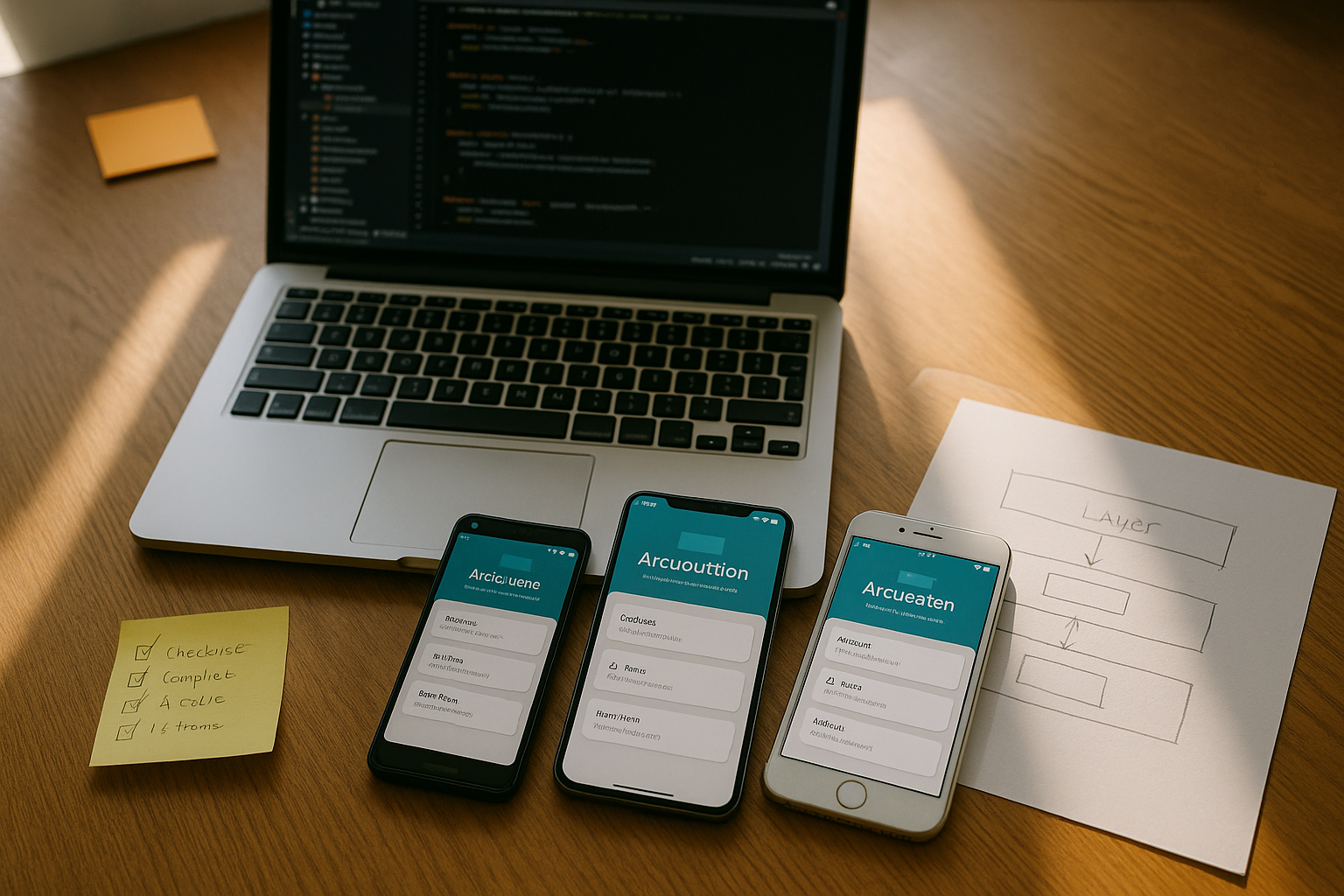
A layered diagram would show, for Flutter and React Native, a single shared box spanning both “UI Layer” and “Business Logic Layer,” sitting on top of a platform abstraction that talks to iOS and Android separately underneath. For Kotlin Multiplatform, the diagram would show two entirely separate “UI Layer” boxes — one native iOS UI, one native Android UI — both sitting on top of a single shared “Business Logic Layer” box that contains networking, data, and domain logic compiled to each platform’s native binary format.
Rendering architecture: Skia/Impeller vs. the JS bridge and New Architecture vs. native compilation
Flutter: an entire rendering engine shipped with the app
Flutter does not use the platform’s native UI toolkit at all for rendering. Instead, it ships its own rendering engine and draws every pixel of the interface itself, historically via Skia and, since Impeller became the default rendering engine for iOS and modern Android (API 29+), via Impeller. Impeller’s key architectural change is precompiling shaders at build time rather than compiling them the first time a widget appears on screen, which eliminates the shader-compilation jank that was Flutter’s most persistent, hard-to-diagnose performance complaint for years. Because Flutter owns the entire rendering pipeline, its UI is pixel-identical across platforms — a genuine advantage for design consistency, and a genuine limitation when an app needs to feel authentically platform-native.
React Native: from a JavaScript bridge to a bridgeless New Architecture
React Native’s original architecture routed all communication between JavaScript and native code through an asynchronous “bridge” that serialized messages as JSON — a design that was simple but became a real performance bottleneck for complex, highly interactive UIs. React Native’s New Architecture replaces that bridge with JSI (a direct JavaScript-to-native interface), Fabric (a revamped, synchronous-capable rendering layer), TurboModules, and Codegen. As of recent React Native releases, the legacy bridge has been fully removed and the framework runs bridgeless by default, meaning JavaScript and native code communicate directly rather than through serialized async message passing. Unlike Flutter, React Native still renders to real native UI components (UIView on iOS, native Android views via Fabric), which is why React Native apps have historically felt closer to “native” out of the box, at the cost of more moving parts in the rendering pipeline.
Kotlin Multiplatform: no shared rendering layer at all
KMP sidesteps the rendering-architecture question entirely for its core value proposition, because it doesn’t render UI across platforms in the first place. The shared Kotlin module compiles to a native binary on each target (a JVM-based binary on Android, native machine code via Kotlin/Native on iOS), and that shared logic is called from fully native UI code on each platform. Teams that also want to share UI code can layer Compose Multiplatform on top, which does let Kotlin describe UI across Android, iOS, and desktop — but this is an additive, optional layer, not the default KMP value proposition, and most production teams describe their adoption specifically as “share logic only, keep native UI.”
| Aspect | Flutter | React Native (New Architecture) | Kotlin Multiplatform |
|---|---|---|---|
| Rendering engine | Impeller (default on iOS and Android API 29+), Skia fallback | Fabric, rendering to real native platform views | None shared; each platform’s native rendering (Compose/UIKit/SwiftUI) |
| JS/logic-to-native communication | Not applicable; Dart compiles to native ARM/x86 code directly | JSI direct interface, bridgeless by default in current releases | Not applicable; Kotlin compiles natively per target, no bridge needed |
| Historical bottleneck | Shader compilation jank (largely solved by Impeller) | Async JSON-serialized bridge overhead (removed in New Architecture) | None inherent to the architecture; UI performance is fully native |
Performance benchmarks: where each architecture actually wins
Raw UI thread performance for Kotlin Multiplatform apps is, unsurprisingly, indistinguishable from a fully native app, because the UI genuinely is fully native — KMP’s performance story is entirely about the shared business-logic layer executing efficiently on each platform’s native runtime, which it does since Kotlin/Native and Kotlin/JVM both compile to platform-appropriate machine code rather than running through any interpreter. Flutter, since Impeller became the default renderer, now regularly benchmarks close to native for animation smoothness and scroll performance, having eliminated the jank spikes that used to appear on a widget’s first paint. React Native’s New Architecture closed much of its historical performance gap versus Flutter by removing the async bridge, but React Native still carries more architectural layers between a user gesture and a native UI update than either Flutter’s direct-to-canvas rendering or KMP’s fully native UI, which can matter for extremely animation-heavy or gesture-driven interfaces.
The practical takeaway is that for the large majority of business apps — forms, lists, navigation, moderate animation — all three architectures now perform acceptably well in 2027, and the performance conversation has shifted from “which one is fast enough” to “which one is fast in the specific way your app’s heaviest screens need.” Apps with extremely custom, animation-dense UI (custom charting, complex gesture-driven interactions, game-like interfaces) still tend to favor Flutter’s direct rendering control or fully native UI via KMP over React Native’s additional native-bridging layers.
Figure 2: Performance by scenario, not by framework alone
A scenario-based comparison would show four rows — standard CRUD-style business app, list-heavy scrolling UI, custom animation-dense interface, and startup/cold-launch time — with all three frameworks landing in a similar “good” band for the first two rows, Flutter and KMP’s native UI both landing ahead of React Native for the animation-dense row, and KMP typically showing the fastest cold-launch time since its UI layer has zero cross-platform abstraction overhead to initialize.
Ecosystem and hiring maturity in 2027
React Native still has the largest hiring pool of the three by a wide margin, because it draws directly from the enormous JavaScript and TypeScript talent pool and lets teams share engineers, patterns, and even some code with a web React codebase — a genuine advantage covered in more depth in our review of popular mobile app libraries and SDKs, where React-based tooling dominates the landscape. Flutter has built a large, dedicated hiring pool of its own over the past several years, with strong first-party tooling from Google and a mature package ecosystem (pub.dev), though Dart itself remains a smaller standalone skill than JavaScript. Kotlin Multiplatform’s hiring story is the most nuanced: you are not hiring “KMP engineers” in the way you’d hire “Flutter engineers” — you’re hiring Android engineers who already know Kotlin (a very large, well-established pool, especially since Kotlin is Android’s primary recommended language) and pairing them with iOS engineers who write native Swift UI, with the shared Kotlin logic layer being a comparatively small additional skill to pick up for an Android-focused team, and a slightly larger lift for iOS-focused engineers who need to learn enough Kotlin to consume the shared module.
Google’s official backing of Kotlin Multiplatform for sharing business logic between Android and iOS has meaningfully accelerated enterprise confidence in the approach since it removes the “is this a fringe, risky choice” objection that dogged KMP in its earlier years. Flutter and React Native both remain the more common defaults for greenfield, all-new-code cross-platform apps, while KMP has found its strongest adoption footing specifically among teams that already have a mature native Android app and want to extend shared logic to a new or existing iOS app without a full rewrite.
Decision matrix: which one fits your situation
| Your situation | Best fit | Why |
|---|---|---|
| Greenfield app, need pixel-consistent custom design across platforms | Flutter | Full rendering control produces identical UI on both platforms without fighting native widget quirks |
| Existing JavaScript/React web team, need to ship mobile fast | React Native | Maximizes code and skill reuse from an existing React codebase and JS talent pool |
| Mature native Android app, expanding to iOS, want to avoid duplicating business logic | Kotlin Multiplatform | Shares only the logic layer, preserving full native UI and letting existing native teams keep their tools |
| App is UI-light but logic-heavy (e.g., fintech, sync-heavy offline apps) | Kotlin Multiplatform | Most of the complexity and bug risk lives in the logic layer KMP shares; UI stays simple and native |
| Need to hire quickly and cheaply at scale | React Native | Largest available hiring pool of the three, drawing on the broader JavaScript ecosystem |
| Animation-dense, custom-gesture-heavy interface (games, creative tools) | Flutter or native UI via KMP | Fewer abstraction layers between input and rendering than React Native’s native-bridging approach |
- Step 1 — Decide whether you want to share UI at all. If yes, you’re choosing between Flutter and React Native. If no — if native UI fidelity per platform matters more than a single UI codebase — Kotlin Multiplatform is your starting point.
- Step 2 — Check your existing team’s language. Strong JavaScript/TypeScript team: lean React Native. Strong Android/Kotlin team expanding to iOS: lean KMP. Neither, starting fresh: Flutter’s Dart has a shallow learning curve for either background.
- Step 3 — Audit your existing codebase. A mature native Android app makes KMP’s incremental adoption path far cheaper than a full Flutter or React Native rewrite would be.
- Step 4 — Identify your heaviest UI screen. Prototype your most animation-dense or gesture-heavy screen in your top two candidates before committing company-wide — this is where architectural differences actually surface.
- Step 5 — Confirm your hiring plan matches your timeline. If you need to staff up fast, weight React Native’s larger hiring pool heavily; if you’re optimizing for a small, long-term team, Flutter or KMP’s deeper but narrower pools are less of a constraint.
Common mistakes
- Choosing Kotlin Multiplatform expecting it to share UI the way Flutter or React Native do, then being surprised that two full native UI teams are still required.
- Assuming React Native’s New Architecture and bridgeless mode make it performance-equivalent to Flutter in every scenario, when animation-dense, highly custom interfaces still tend to favor Flutter’s direct rendering.
- Evaluating Flutter, React Native, and KMP purely against generic top-10 framework roundups rather than against your team’s actual existing codebase, hiring plan, and heaviest UI screens.
- Rewriting a stable native Android app into Flutter or React Native purely for “one codebase” when Kotlin Multiplatform could have shared the actual duplicated logic while preserving the native Android UI investment already made.
- Underestimating the iOS-side learning curve for Kotlin Multiplatform — iOS engineers still need enough Kotlin fluency to consume the shared module comfortably, which is a real (if usually modest) ramp-up cost.
Several of these mistakes overlap with broader, framework-agnostic pitfalls covered in our list of common mobile app development mistakes, particularly around underestimating platform-specific testing and release overhead regardless of which architecture you choose.
In practice
Teams that navigate this decision well in 2027 typically start by being honest about which of the two goals matters more: “one team, one UI codebase” or “native UI fidelity with shared logic.” A consumer fintech startup building from scratch, with a small team and no existing native investment, usually picks Flutter or React Native and accepts the UI-sharing tradeoff because the team-size efficiency outweighs the marginal native-feel loss — the same efficiency logic covered in our guide to building an MVP for a mobile app idea, where speed to a testable product usually outranks architectural purity. A larger organization with an established, well-reviewed native Android app that’s now expanding to iOS more often picks Kotlin Multiplatform specifically because it protects the existing native UI investment and lets the Android and iOS teams keep working in the tools they already know, while eliminating the costliest source of cross-platform bugs — logic that was implemented twice, slightly differently, on each platform. Neither answer is universally “more modern” than the other; they optimize for genuinely different constraints, which is precisely the nuance that gets lost in framework roundups covering ten options at once.
Glossary
- Impeller
- Flutter’s rendering engine, now the default on iOS and Android API 29+, which precompiles shaders at build time to eliminate runtime shader-compilation jank.
- JSI (JavaScript Interface)
- The direct communication layer in React Native’s New Architecture that replaces the legacy asynchronous bridge, enabling faster JavaScript-to-native calls.
- Fabric
- React Native’s revamped rendering layer, part of the New Architecture, that renders JavaScript-described UI to real native platform views more efficiently than the legacy renderer.
- Bridgeless mode
- A React Native configuration, now default in current releases, that removes the legacy JavaScript-to-native bridge entirely in favor of direct JSI communication.
- Kotlin Multiplatform (KMP)
- A JetBrains technology that compiles shared Kotlin business logic to native binaries on each target platform, while UI is typically written natively per platform.
- Compose Multiplatform
- An optional, additive layer on top of Kotlin Multiplatform that lets teams also share UI code across platforms using Compose, distinct from KMP’s default logic-only sharing model.
- Shared logic layer
- The portion of an app’s codebase — networking, data models, validation, state management — that Kotlin Multiplatform shares across platforms, deliberately excluding UI.
Key Takeaways
- The defining architectural difference is what gets shared: Flutter and React Native share UI and logic together, while Kotlin Multiplatform shares only business logic and leaves UI fully native per platform.
- Flutter renders every pixel itself via Impeller, giving pixel-identical cross-platform UI at the cost of not using native platform widgets directly.
- React Native’s New Architecture (JSI, Fabric, bridgeless mode) closed much of its historical performance gap by removing the legacy async bridge, while still rendering to real native views.
- Kotlin Multiplatform’s UI performance is indistinguishable from fully native apps because the UI genuinely is native; its value is eliminating duplicated business logic across platforms.
- React Native has the largest hiring pool via the JavaScript ecosystem; Flutter has a large dedicated pool; KMP hiring means pairing Kotlin-fluent Android engineers with native iOS engineers.
- KMP is the lowest-risk incremental option for teams with an existing mature native app; Flutter and React Native are more commonly chosen for greenfield, all-new-code projects.
- The right choice depends on whether shared UI or native UI fidelity with shared logic matters more for your specific product and existing codebase — not on a generic “best framework” ranking.
FAQs
What is the single biggest difference between Kotlin Multiplatform and Flutter/React Native?
KMP shares only business logic across platforms and requires fully native UI per platform, while Flutter and React Native share both UI and logic from a single codebase. This changes the entire team structure and risk profile of adopting each approach.
Is Flutter or React Native faster in 2027?
Both have closed most of their historical performance gaps — Flutter via the Impeller rendering engine eliminating shader jank, React Native via its bridgeless New Architecture. For typical business apps the difference is marginal; for animation-dense, highly custom interfaces, Flutter’s direct rendering control still tends to have an edge.
Do I need separate iOS and Android UI teams if I choose Kotlin Multiplatform?
Yes, by default. KMP’s core model shares only the logic layer, so you still need native UI expertise on both Android (Compose or Views) and iOS (SwiftUI or UIKit), unless you additionally adopt the optional Compose Multiplatform layer to also share UI code.
Can I adopt Kotlin Multiplatform incrementally in an existing native app?
Yes, and this is one of its main practical advantages. Because KMP shares only logic, teams can extract existing business logic from a mature native Android app into a shared module and reuse it in a new or existing iOS app without rewriting either app’s UI.
Which framework has the largest hiring pool in 2027?
React Native, because it draws on the much larger JavaScript and TypeScript talent pool and lets teams share engineers and some code with web React projects. Flutter has a smaller but still substantial dedicated hiring pool; KMP hiring works by pairing existing Kotlin-fluent Android engineers with native iOS engineers.
Does React Native’s New Architecture make the JavaScript bridge irrelevant now?
Yes. Current React Native releases have fully removed the legacy asynchronous bridge in favor of JSI-based direct communication and run bridgeless by default, which was one of the most significant architectural changes in the framework’s history.
Why would a team choose Kotlin Multiplatform over Flutter if it means maintaining two UI codebases?
Teams choose KMP when native UI fidelity, platform-specific design idioms, and preserving existing native engineering investment matter more than the convenience of a single shared UI codebase, particularly when the app’s complexity lives mostly in business logic rather than UI.
Are the existing “top 10 cross-platform framework” articles on this site still useful alongside this comparison?
Yes, but for a different purpose. Broader roundups are useful for surveying the full landscape of options at a glance; this article is intended for teams that have already narrowed their choice to these three specific architectures and need a deeper technical basis for deciding between them.
References
- Flutter Team, “Impeller rendering engine,” Flutter Documentation, docs.flutter.dev/perf/impeller
- React Native Working Group, “React Native’s New Architecture,” github.com/reactwg/react-native-new-architecture
- Expo Team, “React Native’s New Architecture,” Expo Documentation, docs.expo.dev/guides/new-architecture
- JetBrains, “What is Kotlin Multiplatform,” Kotlin Multiplatform Documentation, kotlinlang.org/docs/multiplatform/kmp-overview.html
- Android Developers, “Kotlin Multiplatform,” developer.android.com/kotlin/multiplatform
- JetBrains, “iOS and Android app development: how cross-platform technologies can help,” Kotlin Multiplatform Documentation, kotlinlang.org/docs/multiplatform/ios-android-app-development.html