Using Git and version control in collaborative app projects means establishing shared rules, automation, and review practices so contributors can change code independently without breaking the main product. At its core, you’re agreeing on how work is isolated, integrated, tested, and released. In practice, that translates to a small set of team decisions executed consistently: what to branch, when to merge, how to review, and how to tag and ship. Below you’ll find a concise path that takes you from “we have a repo” to “we can reliably ship.” Follow these steps in order, and you’ll reduce integration friction while increasing speed and confidence.
Quick path, at a glance:
- Pick a branching model that matches your release rhythm.
- Set up repository structure and clear naming rules.
- Lock down permissions, CODEOWNERS, and protected branches.
- Standardize commit messages and tagging.
- Define a pull request workflow with quality gates.
- Automate CI/CD with required checks.
- Manage dependencies and avoid binary bloat.
- Choose the right merge strategy and resolve conflicts cleanly.
- Plan releases with tags, changelogs, and backports.
- Prepare a hotfix and rollback routine.
- Secure your repo: ignore, LFS, and secret scanning.
- Govern the process with metrics and lightweight rituals.
1. Choose a Branching Model That Fits Your Release Rhythm
Start by choosing a branching model that mirrors how often you release and how many people contribute. This decision sets expectations for how work flows from idea to production, how large changes are sliced, and where fixes land. If you release frequently and value short feedback cycles, trunk-based development (short-lived branches, fast merges) is often simpler. If you run multiple parallel releases or have long-lived features with staged hardening, a release-branch model or a lighter version of Git Flow may fit better. The right model minimizes coordination overhead and reduces merge pain—because the rules are known before the first line of code is written.
Compact comparison
| Model | Typical use | Pros | Cons |
|---|---|---|---|
| Trunk-based | Frequent small releases | Simple, fewer branches | Requires strong CI and feature flags |
| Release branches | Multiple supported versions | Easy hotfixing old versions | More branch bookkeeping |
| Git Flow (light) | Complex products with staged QA | Clear roles for branches | Can encourage long-lived branches |
How to decide
- Release cadence: Daily or on-demand favors trunk; slower, staged releases may suit release branches.
- Team size: Larger teams benefit from simpler models to limit coordination costs.
- Risk tolerance: If you need strict stabilization phases, plan explicit release branches.
Numbers & guardrails
- Aim for feature branches under 3–5 days of work before merging.
- Keep release branches limited to stabilization and hotfixes; avoid feature development there.
- Target one primary long-lived branch (often main) to reduce confusion.
Close with a commitment: once your model is set, document it in CONTRIBUTING.md and keep it stable; changing mid-project causes avoidable churn.
2. Establish Repository Structure and Naming Conventions
Define a repo structure that makes discovery effortless. A predictable layout shortens onboarding and reduces “where does this go?” debates. For app projects, separate concerns by domain—/api, /web, /mobile, /infra, /docs—and make testing visible with /tests mirroring the source tree. If you’re considering a monorepo, do it for clear reasons: shared libraries, atomic changes across services, and unified tooling. For multi-repos, keep interfaces versioned and automate compatibility checks. Whatever you choose, back it with naming conventions for branches, tags, and environments so patterns are self-explanatory to new teammates.
Practical structure guidelines
- Top-level clarity: Keep the root readable; avoid more than 8–10 top folders.
- App–test symmetry: For every module, a mirrored test path.
- Environment separation: Store deploy configs in /deploy or /infra with clear environments.
- Docs in repo: A /docs folder with architecture diagrams and runbooks.
- Scripts: Put helper scripts under /scripts with shebangs and usage notes.
Branch and tag naming
- Branches: feat/<scope>-<short-desc>, fix/<issue-id>-<short-desc>, release/<version>.
- Tags: Use semantic versioning like v1.4.0 for release tags; use lightweight tags for internal milestones.
- Short scopes: Keep scopes concise, e.g., auth, billing, ui-kit.
Finish by adding these rules to a CONTRIBUTING.md and a PR template; consistency across repos matters more than the “perfect” structure in isolation.
3. Configure Access, Protected Branches, and CODEOWNERS
Protect the places where mistakes are most costly. Your main (or release/*) branches should be protected with required status checks, linear history rules (if you use rebase/squash), and required reviews. Use CODEOWNERS to auto-request the right reviewers by file path—so UI changes pull in UI maintainers and database migrations notify database owners. Enforce least privilege: write access only for maintainers, and require pull requests for everyone else. Enable signed commits if your platform supports it, and require PR approvals from owners on sensitive paths like infrastructure and security modules.
Minimum protections to enable
- Required checks: Unit tests, lints, static analysis, and build must pass before merge.
- Review policy: At least one owner review for critical paths; two reviews for risky areas.
- Push rules: Disallow force pushes to protected branches.
- CODEOWNERS: Map folders to teams; review requests become automatic.
- Commit signing: Require signed commits to reduce spoofing risk.
Numbers & guardrails
- Set a max PR size guideline (e.g., ≤ 400 lines changed) to encourage small, reviewable changes.
- Require 1–2 approvals depending on criticality; avoid endless review chains.
- Keep CI feedback time under 10 minutes for developer flow; longer pipelines encourage context switches.
Wrap by auditing these settings quarterly; it’s easy for exceptions to accumulate and quietly weaken your guardrails.
4. Standardize Commit Messages and Versioning
Clear commit messages preserve the “why,” not just the “what.” Adopting Conventional Commits (feat:, fix:, docs:) enforces an easy-to-scan history and unlocks automation: changelog generation, release notes, and semantic version bumps. Pair this with Semantic Versioning for tags (MAJOR.MINOR.PATCH) so consumers can reason about compatibility. Teach contributors to write the subject line in the imperative mood and keep the body focused on motivation and context, including links to issues or design docs.
How to implement
- Adopt a spec: Conventional Commits for structure; document examples in CONTRIBUTING.md.
- Lint messages: Use commitlint or similar to enforce format in CI.
- Automate releases: Use tools that infer the next version from commit types and generate changelogs.
Good message anatomy
- Subject: fix(auth): correct token refresh on logout
- Body: What changed, why, side effects, and references (#123).
- Footer: Breaking-change notes or co-authors.
Strong commit hygiene compounds over time: it accelerates reviews today and makes auditing and debugging far easier in the future.
5. Design a Pull Request Workflow That Scales With Your Team
Treat the PR as the unit of collaboration. Your workflow should make expected quality explicit and review time predictable. Define a PR template with a problem statement, solution summary, test evidence (screenshots, logs), risk/rollback plan, and checklist for reviewers. Encourage small, single-purpose PRs; large, multi-topic changes slow everything down and are harder to revert. Decide which checks are blocking (tests, lints) and which are advisory (non-critical coverage thresholds). Finally, set service-level expectations for review turnaround so work doesn’t stall.
PR quality checklist
- Purpose is clear and limited in scope.
- Tests updated; screenshots or logs attached when relevant.
- Backward compatibility considered and documented.
- Rollback steps included.
- Linked issues or epics present.
Numbers & guardrails
- Target < 24 hours to first review response during active workdays.
- Prefer PRs ≤ 400–600 lines changed with focused scope.
- Keep CI feedback on PRs within 10–15 minutes; beyond that, split pipelines into faster pre-merge checks and slower post-merge jobs.
Close by reinforcing that predictable PRs make review a habit rather than a heroic effort.
6. Automate CI/CD With Clear, Enforced Gates
Automation is the backbone that makes collaboration safe. Build a pipeline that compiles, tests, analyzes, packages, and deploys with minimal manual steps. Pre-merge checks should verify code style, unit tests, type checks, and basic security scans. Post-merge jobs can handle heavier tasks like full integration tests, container builds, and environment deployments. Mark specific checks as required for merging on protected branches, and surface failures clearly. Publishing artifacts (e.g., app bundles, Docker images) makes rollbacks and diffs deterministic.
CI/CD essentials
- Static checks: Lint, format, type, and SAST.
- Unit & component tests: Fast feedback, deterministic results.
- Integration smoke tests: Basic end-to-end confidence.
- Artifact build & store: Reproducible releases.
- Deployment steps: Automated, parameterized by environment.
Numbers & guardrails
- Keep pre-merge pipeline under 10–15 minutes; move slower tests to post-merge.
- Aim for test flakiness < 1%; flaky tests erode trust.
- Maintain ≥ 80% critical-path coverage rather than chasing a single global percentage.
The payoff is simple: automation turns “Did we break something?” into a reliable green check you can trust.
7. Manage Dependencies, Binaries, and Submodules Wisely
Dependencies and large files can quietly sabotage repo health. Commit only source code and text-based assets; route large, frequently changing binaries through Git LFS (Large File Storage) to keep the history lean. Prefer language-native package managers for third-party libraries; pin versions to avoid accidental upgrades. If you must bring in a subproject, evaluate submodules (exact external repo commit) versus subtree (vendor a copy into your repo). Submodules keep clean boundaries but add setup complexity; subtrees simplify cloning at the cost of duplicated history.
Practical guidance
- Package managers: Lock files (package-lock.json, Pipfile.lock) checked in.
- Binary policy: Use LFS for assets over an agreed threshold (e.g., 10–50 MB).
- Submodules vs subtree: Choose submodules for shared ownership; subtree for vendor-like dependencies.
- Build outputs: Never commit compiled artifacts; publish them to a registry.
Mini case
A mobile app team moved images and test media to LFS and reduced clone time from about 12 minutes to 3 minutes, while pushing releases stopped timing out because only diffs were transferred. Developers noticed fewer merge conflicts in asset files and faster PR reviews.
Treat repository weight as a performance budget; once it bloats, every daily task gets more expensive.
8. Choose Merge Strategies and Resolve Conflicts Cleanly
Pick a merge strategy that reflects how you want history to read. Squash merges keep history tidy by condensing a feature branch into one commit; this is great for small, focused work. Merge commits preserve the full branch history and can be useful for auditing complex changes. Rebase and merge creates a linear history that some teams find easier to bisect. Whatever you pick, apply it consistently on protected branches and teach contributors how to refresh their branches to minimize conflicts.
Conflict avoidance and resolution
- Rebase small, merge big: Rebase short-lived feature branches before opening a PR; use merge commits for large, collaborative branches.
- Sync early: Regularly pull and rebase/merge from main to reduce drift.
- Resolve locally: Use three-way merge tools; re-run tests before pushing.
- Document patterns: Show examples of resolving common conflicts (lockfiles, generated files, and migrations).
Numbers & guardrails
- Keep feature branches within 3–5 days of divergence from main.
- If a conflict affects > 5 files, consider splitting the PR or coordinating a pairing session.
- Require a green pipeline after conflict resolution; never merge “red.”
End goal: a history that tells a coherent story and a team that treats conflicts as routine, not emergencies.
9. Plan Releases With Tags, Changelogs, and Backports
Releases should be boring and traceable. Tag each production release with a semantic version (vX.Y.Z) and generate a changelog from commits so users and teammates know what changed. Maintain a release branch during stabilization; only fixes and polish should land there. For apps supporting multiple live versions, backport fixes from main to older release branches with cherry-picks, keeping tags and changelogs in sync.
Release checklist
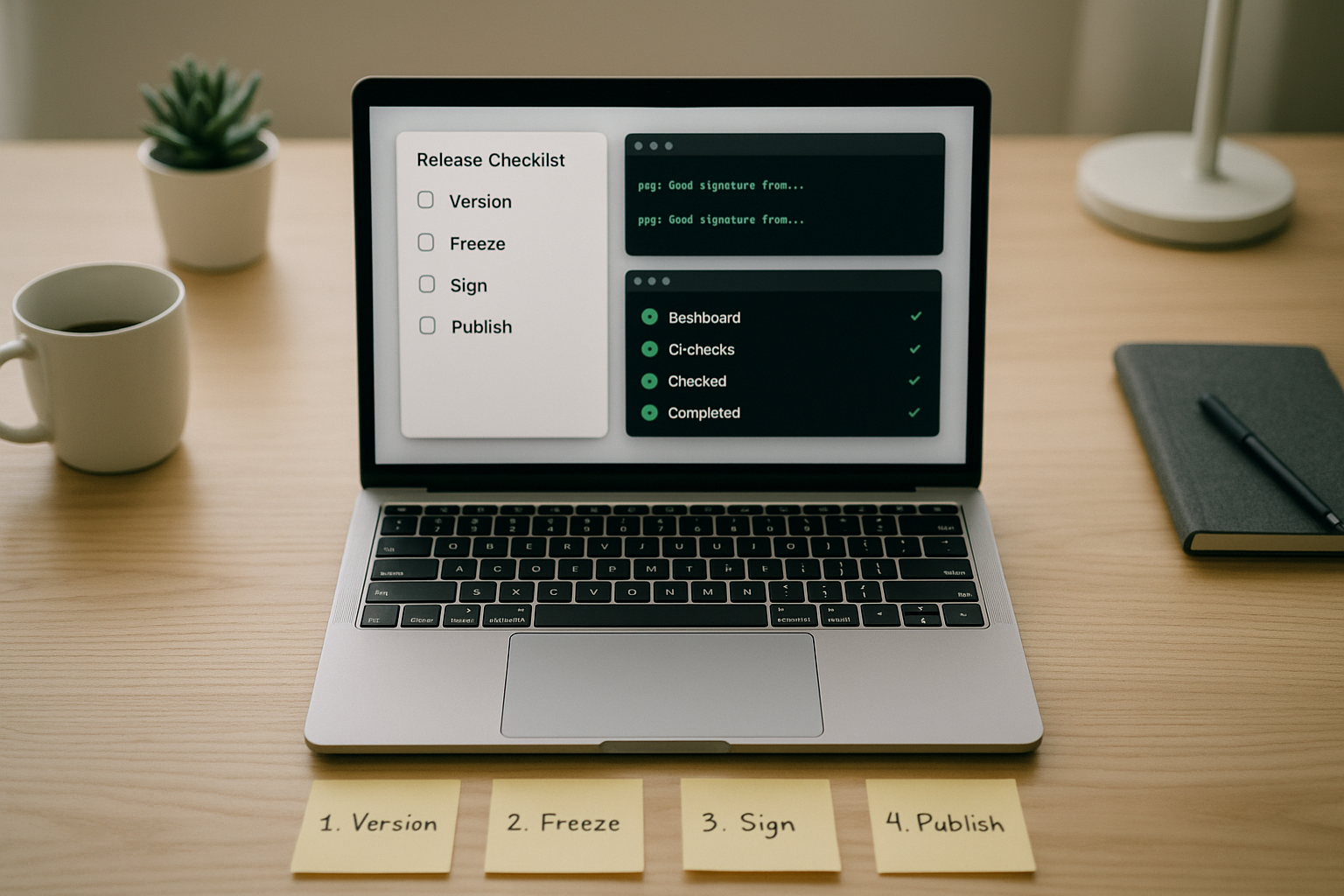
- Tag: Create an annotated tag with notes linking the PRs included.
- Changelog: Auto-generate from Conventional Commits; review and polish wording.
- Artifacts: Publish immutable artifacts to a registry or store.
- Backports: Label PRs that must be cherry-picked to maintained branches.
Numbers & guardrails
- Keep stabilization windows short and explicit; avoid open-ended “code freezes.”
- Reserve MAJOR bumps for breaking API or data changes; use MINOR for new features and PATCH for fixes.
- Aim for one changelog entry per PR merged since the last release; empty entries signal process drift.
With this in place, anyone can answer “what’s in prod?” by reading a tag and a single document.
10. Handle Hotfixes, Rollbacks, and Incident Patches
When production is broken, you need a fast path that doesn’t undermine your process. Keep a hotfix branch pattern: branch from the tag currently deployed, apply the minimal fix, run the same CI gates, and tag a patch release. Then immediately forward-merge or cherry-pick the fix back to main (and other maintained branches) so the history remains consistent. Prepare a rollback step for each deployment method—container rollback to the previous image, app store phased release pause, or feature flag disable.
Incident playbook
- Triage: Confirm impact and identify the earliest safe fix.
- Branch: Create hotfix/<short-desc> from the production tag.
- Validate: Run smoke tests and targeted regression tests.
- Tag & deploy: Use a PATCH tag; monitor closely.
- Normalize: Back-merge to main and update the changelog.
Numbers & guardrails
- Keep mean time to restore low by pre-writing playbooks and automating rollbacks.
- Limit hotfix diffs to the smallest viable change; if more than ~100 lines, reconsider slicing.
- Require post-incident PRs within one working day to remove temporary switches or logging.
Emergency work shouldn’t bypass quality; it should follow a streamlined, well-rehearsed version of it.
11. Secure the Repo: Ignore Files, LFS, and Secret Scanning
Security is a daily habit embedded in version control. Start with a strict .gitignore to avoid committing credentials, local caches, and build outputs. Add secret scanning to PRs and mainline branches to catch tokens and keys before they land. Use environment variables and a secret manager for runtime credentials, never plain-text files in the repo. For large or proprietary assets, use Git LFS and restrict access to LFS objects as you would the repo itself. Turn on branch restrictions so only CI or a release bot can push tags to production releases.
Secure-by-default practices
- .gitignore: Include IDE files, caches, build outputs, and OS-specific junk.
- Pre-commit hooks: Run format, lint, and secret scans locally before commits.
- Rotate on leak: If a secret leaks, rotate it and invalidate prior credentials.
- Least privilege: Limit who can create or delete tags and protected branches.
- Audit logs: Review unusual cloning, forking, or force-push attempts.
Mini checklist
- Secrets never in repo history; if they appear, treat as compromised.
- Public repos: scrub PR titles and descriptions for accidental sensitive info.
- Private repos: verify external collaborator policies and offboarding steps.
Security succeeds when it’s mostly invisible—automated checks that save you from yourself.
12. Govern the Process With Lightweight Rituals and Metrics
Sustainable collaboration needs shared norms and a small set of numbers. Publish a CONTRIBUTING.md, a CODE_OF_CONDUCT, and review Definition of Done criteria that tie back to your CI gates. Track a few outcome metrics—lead time for changes, deployment frequency, change failure rate, and time to restore—to spot bottlenecks. Hold short retros focused on one or two improvements at a time (e.g., flaky tests, slow reviews). Encourage newcomers by labeling “good first issues” and documenting setup scripts; the smoother onboarding is, the healthier your flow remains.
Rituals that work
- Weekly review sync: 10–15 minutes to unblock PRs and clarify priorities.
- Monthly retrofit: Pick one improvement to automate or delete.
- Docs as code: Treat docs like code—PRs, reviews, and versioned changes.
- Ownership maps: Keep CODEOWNERS in sync with the org chart.
Numbers & guardrails
- Keep mean PR review wait trending downward; if it spikes, reallocate reviewers.
- Target small, frequent merges rather than occasional big ones.
- Avoid expanding required checks beyond what truly prevents defects; every added minute must earn its keep.
A little governance goes a long way when your process is simple, visible, and measured.
Conclusion
Version control is more than a history of edits; it is your team’s shared operating system for changing software safely. By selecting a branching model that mirrors how you ship, structuring your repository for discovery, protecting critical branches, and automating CI/CD, you transform collaboration from coordination-heavy to flow-based. Standards like Conventional Commits, semantic versioning, and clear PR templates give you a low-friction way to communicate intent and constraints. Managing dependencies carefully, choosing sane merge strategies, and planning releases with tags and changelogs keep the codebase fast, traceable, and reversible. The security layer—ignores, secret scanning, and permissions—makes good hygiene the default, not an afterthought. Finally, light governance with a few outcome metrics helps you tune the system without bogging it down. Put these steps in place and your team will ship smaller changes more often, with fewer surprises. Ready to improve your flow? Pick one step from this guide and implement it in your main repo today.
FAQs
How do I choose between trunk-based development and Git Flow?
Pick the model that fits your release cadence and risk profile. If you ship frequently and can rely on robust CI and feature flags, trunk-based keeps things simple with short-lived branches. If you maintain multiple live versions or require explicit stabilization phases, a release-branch model or a light Git Flow variant may help. Write down the choice and stick to it; changing models mid-project is costly.
What should go in a good pull request template?
Include a problem statement, solution summary, test evidence, risk/rollback plan, and a reviewer checklist. This makes quality expectations explicit and speeds up reviews. Add links to related issues, UI screenshots when applicable, and notes about backward compatibility. Keep it short enough to fill quickly, but thorough enough that reviewers can approve with confidence.
How big should a PR be?
Prefer small, single-purpose PRs—hundreds of lines rather than thousands. Smaller diffs review faster, produce fewer conflicts, and are easier to revert if needed. Set a soft cap (for example, around a few hundred changed lines) and encourage contributors to split work when they exceed it. The aim is predictable, steady flow rather than batchy, risky merges.
When should I use Git LFS?
Use Git LFS for large, frequently changing binary assets like images, media, and compiled artifacts. LFS stores file pointers in the repo and moves the heavy bits to a specialized store, keeping clones and fetches fast. Establish a threshold (for example, tens of megabytes) and route anything above it to LFS so your history doesn’t bloat.
Are merge commits bad compared to squash merges or rebasing?
None is inherently “right” or “wrong.” Squash merges keep history tidy and are great for focused features. Merge commits preserve complete branch history, which is useful for auditing complex work. Rebase creates a linear timeline that’s easy to bisect. Pick one strategy for protected branches and use it consistently to avoid confusion.
How do I write better commit messages?
Adopt a format like Conventional Commits. Start with a clear, imperative subject line (feat:, fix:), add a body that explains why you made the change, and reference issues or design docs. Lint messages in CI so habits stick. Good messages make release notes, debugging, and code archaeology much easier.
What’s the safest way to hotfix production?
Branch from the tag currently in production, apply the smallest viable change, run your usual CI gates, tag a patch release, and deploy. Then forward-merge or cherry-pick the fix back to main and other maintained branches. Never bypass tests; emergency work deserves the same rigor, just faster.
How do I manage secrets in Git?
Don’t commit them. Use environment variables and a secret manager. Turn on secret scanning in PRs and protected branches. If a secret leaks, rotate it immediately and treat prior credentials as compromised. Add pre-commit hooks to catch common patterns locally before they hit the remote.
What metrics should we track for Git process health?
Track lead time for changes, deployment frequency, change failure rate, and time to restore. These outcome metrics correlate with delivery performance and guide improvements. Use them to spot bottlenecks like slow reviews or flaky tests and to celebrate progress when the numbers move in the right direction.
Do I need a monorepo?
Only if it solves real problems you have: shared libraries, atomic changes across services, unified tooling, or discoverability. Monorepos add scale advantages but require strong tooling and permissions. If teams are largely independent with clean interfaces, a multi-repo setup with versioned contracts might remain simpler.
References
- Pro Git (Book) — Git-scm; https://git-scm.com/book/en/v2
- Git Basics — Branching and Merging — Git-scm; https://git-scm.com/docs/git-branch
- About Protected Branches — GitHub Docs; https://docs.github.com/en/repositories/configuring-branches-and-merges-in-your-repository/managing-protected-branches/about-protected-branches
- Conventional Commits Specification — conventionalcommits.org; https://www.conventionalcommits.org/en/v1.0.0/
- Semantic Versioning Specification — semver.org; https://semver.org/
- Git LFS Overview — git-lfs.com; https://git-lfs.com/
- About Secret Scanning — GitHub Docs; https://docs.github.com/en/code-security/secret-scanning/about-secret-scanning
- Feature Flags Overview — LaunchDarkly Docs; https://docs.launchdarkly.com/home/flags
- Change Management Metrics (DORA) — dora.dev; https://dora.dev/
- Generating Release Notes — GitHub Docs; https://docs.github.com/en/repositories/releasing-projects-on-github/automatically-generated-release-notes