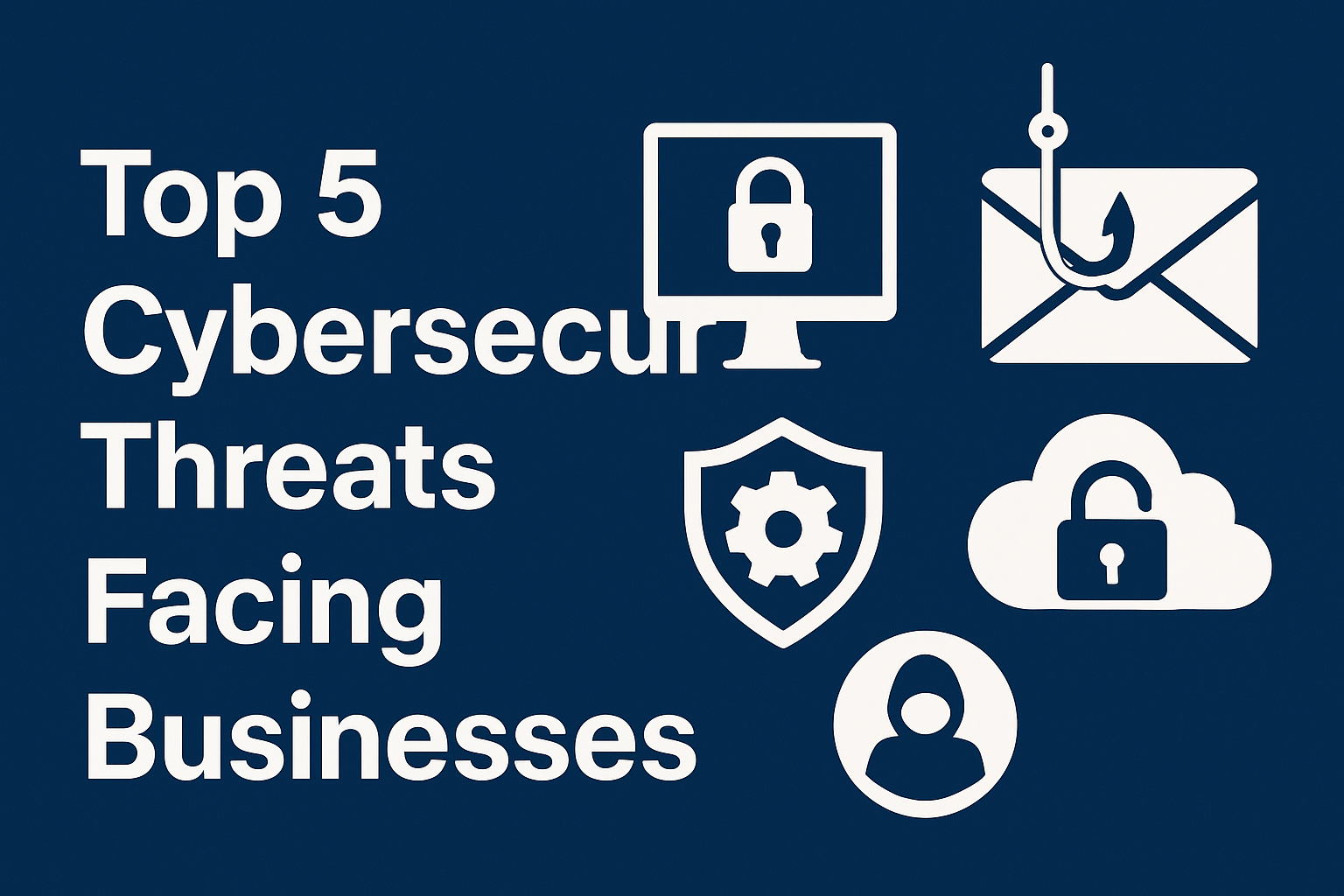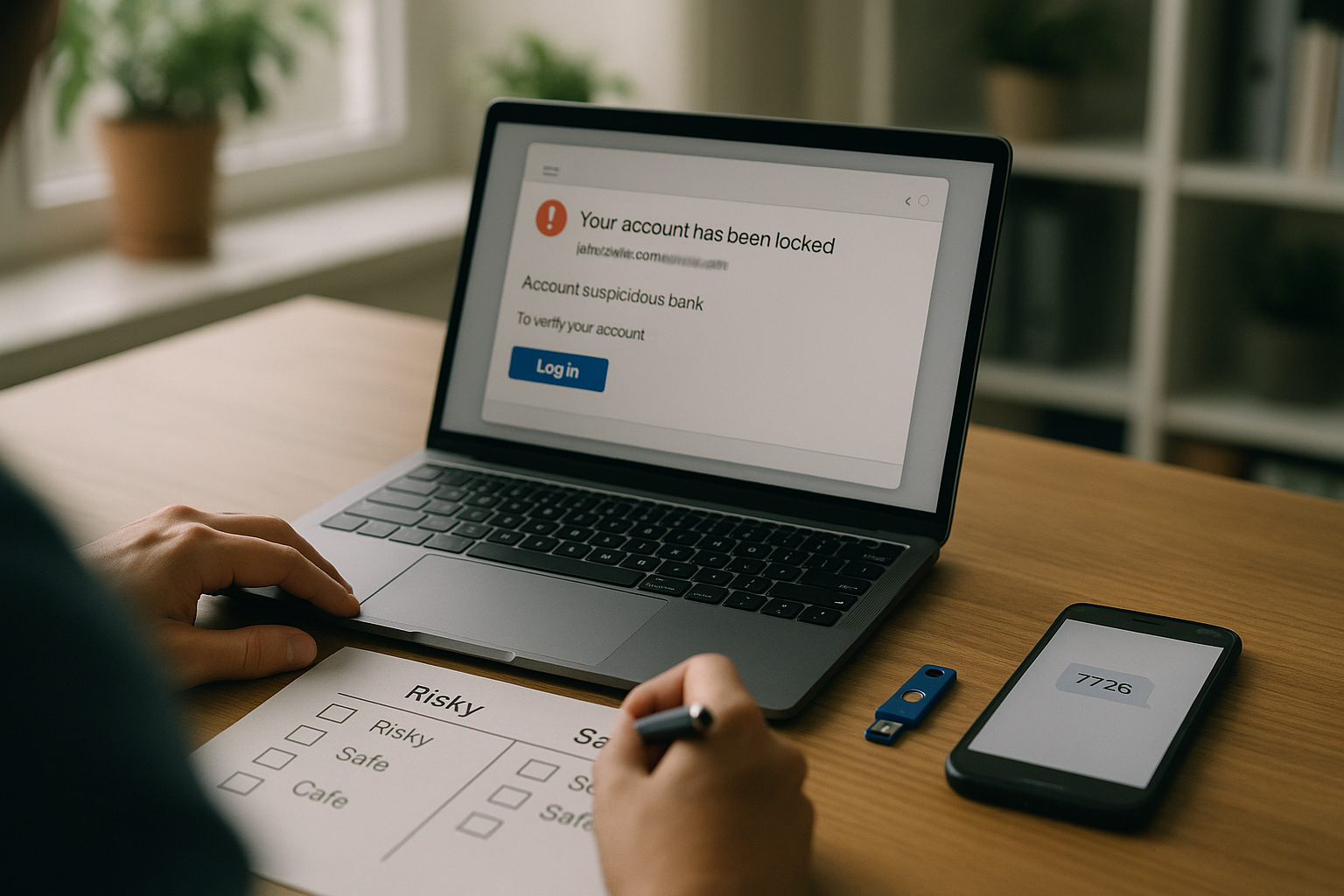
Phishing techniques evolve, but the attacks almost always boil down to tricking you into trusting a message you shouldn’t or authorizing access you didn’t intend. Below are the five phishing techniques you’re most likely to face and how to prevent them with practical, layered defenses. This guide is informational, not legal advice; for high-risk decisions or incidents, consult qualified security professionals.
Quick definition: Phishing is a social-engineering attack that impersonates a trusted source to steal credentials, money, or data via links, attachments, calls, texts, or app consent prompts.
At-a-glance steps you’ll implement as you read:
- Lock down email authentication (SPF, DKIM, DMARC).
- Use phishing-resistant MFA (passkeys/FIDO2) and harden weaker methods with number matching.
- Enforce out-of-band verification for payments and sensitive changes; monitor inbox rules and sign-in risk.
- Train for mobile-first threats (SMS, QR codes) and publish clear reporting paths (e.g., 7726 for spam texts).
- Restrict OAuth app consent; review and revoke risky grants.
One small table to keep by your desk
| Signal to check | What “good” looks like | Fast action if wrong |
|---|---|---|
| From: domain | Authenticated and aligned with brand (DMARC pass) | Quarantine or reject; report to security |
| URL | Exact domain you expect; no look-alikes/IDNs | Don’t click; type the site manually |
| Request | Matches normal process; no urgency to bypass controls | Pause; verify via a known channel |
| Auth | Passkeys or security key prompt; no repeated push spam | Stop; re-authenticate, report fatigue attempt |
| App consent | Verified publisher; minimal scopes | Deny; notify admin; review tenant logs |
1. Deceptive Email Phishing with Spoofed Senders and Look-Alike Links
The most common phishing technique sends a convincing email—from a brand you recognize—that urges you to click a link or “verify” something urgently. The trick: a spoofed sender and a look-alike domain that passes a quick glance. Preventing this starts with hardening your mail ecosystem so recipients can tell authentic messages from fakes and your gateways can enforce policy. You’ll combine SPF, DKIM, and DMARC to authenticate your domain, and you’ll teach people to recognize domain mismatches—while giving them safe tools like password managers that only fill credentials on exact matching sites. Together, these make accidental clicks less likely and render spoofing far less effective.
Why it works
- Spoofed “From” addresses exploit gaps where recipients assume a logo or name equals trust.
- Look-alike domains (e.g., “paypaI.com” with a capital I) prey on fast scanning; even TLS padlocks don’t help since attackers can get certificates for fake domains.
- If your domain lacks DMARC with an enforcement policy, providers can’t reject spoofed mail on your behalf.
How to prevent it
- Publish and enforce DMARC with aligned SPF/DKIM; aim for p=reject once you’ve monitored reports. Use vendor or cloud docs to validate syntax and rollout safely.
- Monitor DMARC reports and fix legitimate senders that fail alignment; avoid “none” forever.
- Add BIMI after DMARC enforcement to display a verified logo in supporting inboxes; it’s not a security control, but it reinforces trust when the cryptographic checks pass.
- Train and equip users: teach “hover + read the domain”, and encourage password managers, which refuse to fill on non-matching domains.
- URL protection: use safe-link rewriting or browser isolation for untrusted destinations, especially for high-risk roles. (Vendor-neutral best practice.)
Numbers & guardrails
- DMARC record example: v=DMARC1; p=reject; rua=mailto:postmaster@example.com; pct=100; adkim=s; aspf=s. Start at p=none, monitor for a few weeks, then move to quarantine, then reject as alignment issues are resolved. Google Help
Mini-checklist
- SPF includes all legitimate senders
- DKIM signing is on for every route
- DMARC at p=reject (after monitored rollout)
- BIMI configured (optional, trust-reinforcing)
- Gateway blocks or rewrites unknown shorteners
Synthesis: If you authenticate your domain and teach users to slow down at the URL bar, you take away the easiest win phishers count on—fake “From” lines and look-alike links.
2. Spear Phishing and Whaling (Targeted Pretexting)
Spear phishing targets a specific person or team using details scraped from public sources or prior leaks; whaling goes after executives. The email or message often references real projects, vendors, or travel, making it feel legitimate. Your defense is part technical—identity protections, inbox monitoring, and hardened authentication—and part procedural: verification rituals that no one can bypass with urgency. Treat any request to share files, change bank details, or grant access as suspicious unless it follows your standard process and is verified through a known, separate channel.
Common mistakes
- Approving access or sending files because the sender “sounds right.”
- Relying only on weak MFA or SMS codes that can be socially engineered.
- Not flagging external senders visibly in the email client.
- Over-permissive mailbox rules that hide or auto-forward key emails.
How to prevent it
- Phishing-resistant MFA for privileged and finance roles (passkeys/FIDO2). This neutralizes credential theft and reduces relay/fatigue attacks.
- Number matching and location context if you still use push MFA; it prevents “push bombing” approvals.
- External sender banners and display-name normalization to cut impersonation wins. (Vendor-neutral best practice.)
- Verification playbook: for any payment, data share, or access escalation, require an out-of-band check (phone number from your directory, not the email signature). The FBI and FTC explicitly recommend out-of-band verification for business imposters.
- Mailbox hygiene: alert on new inbox rules, forwarding, or sign-ins from unusual locations/devices; investigate quickly. (Aligned with BEC defenses below.)
Mini case (illustrative)
A project manager receives a “shared file” from a vendor domain with one letter swapped. Because the org requires a directory-verified callback before opening external purchase orders, the manager calls the known contact; the vendor confirms no file was sent. The SOC finds the domain is a newly registered look-alike and blocks it at the DNS and email gateway. The process—not just the technology—prevented the breach.
Synthesis: Make “verify through a known channel” a reflex and pair it with phishing-resistant authentication. Targeted pretexts go stale when your culture treats urgency as a red flag, not a command.
3. Business Email Compromise (BEC) and Invoice Fraud
In BEC, attackers either take over a real mailbox (often via stolen credentials or legacy protocols) or convincingly impersonate one to redirect payments, change banking details, or gather sensitive data. Because the emails can originate from legitimate accounts, pure content filters won’t save you. You need layered controls: strong authentication, vigilant finance processes, and telemetry to spot mailbox changes, impossible travel, and suspicious forwarding. Regulatory and law-enforcement bodies emphasize reporting and rapid bank engagement if funds move.
How to prevent it
- Out-of-band vendor/bank verification for any change to remittance, routing, or invoice amounts. Document who verifies and how. FBI/FTC guidance is clear: verify independently and report BEC attempts.
- Enforce phishing-resistant MFA and disable legacy auth (IMAP/POP/SMTP AUTH) where possible. (Best practice consistent with identity guidance.)
- Alerting: new forwarding rules, OAuth grants, or login risk signals should page someone. (Vendor-neutral best practice.)
- Segregation of duties: require two people to approve payments above a threshold; separate vendor master updates from payment approval. (Finance control best practice.)
- Bank allowlists and callbacks: maintain verified contacts at each bank and use recorded confirmation calls before first-time or high-value wires. (Finance control best practice.)
Numbers & guardrails
- FinCEN and FBI materials enumerate red flags (e.g., sudden banking changes, last-minute rush, domain anomalies). Train AP teams to stop and verify whenever two or more flags appear. FinCEN.gov
Mini-checklist for Accounts Payable
- First-time or changed banking details verified via known phone number
- Dual approval for payments above your set limit
- Vendor changes logged, with ticket numbers
- Mailbox forwarding/new rules reviewed weekly
- Invoice domain and reply-to match the known vendor domain
Synthesis: BEC succeeds when process gaps meet weak identity. Close both: verify changes out-of-band, enforce phishing-resistant MFA, and watch for mailbox or OAuth anomalies that indicate takeover.
4. Smishing and Vishing (Text and Voice Phishing)
Phishing doesn’t stop at email. Smishing rides SMS and messaging apps with delivery, payroll, or MFA lures; vishing abuses calls or voicemail to impersonate banks, IT, or leadership—sometimes with AI-cloned voices. Because phones feel personal and fast, people react before they verify. Your response is part user habit (don’t tap links from unknown senders), part carrier tooling (reporting short codes), and part identity hardening (resist OTP/voice handoffs whenever possible). Federal Bureau of Investigation
How to prevent it
- Report and block: in the US and many other regions, forward spam texts to 7726 (SPAM) to help carriers shut them down; similar schemes exist in the UK and elsewhere.
- Caller ID skepticism: caller ID can be spoofed; when in doubt, hang up and call back using a number from the official website or your directory.
- Helpdesk scripts: require ticket numbers and callback to the user’s HR or manager on a known number before resetting MFA or passwords over the phone. (Operational best practice.)
- Prefer phishing-resistant MFA so OTPs and push approvals can’t be harvested in real time over SMS or a phone call.
- Mobile browser hygiene: keep mobile OS and browsers updated; use built-in safe browsing features and consider DNS filtering for managed devices. (General security guidance.)
Numbers & guardrails
- Many carriers and regulators formalize the 7726 reporting path; add it to your security awareness slides and internal wiki so people remember it. api.ctia.org
Mini case (illustrative)
A payroll clerk receives a text claiming to be an employee asking to “update direct deposit today.” The clerk replies with the policy line: “For pay changes we can’t use text; please open a ticket and we’ll call you on your HR number.” The attacker drops. Later, the number is forwarded to 7726, and IT blocks the domain in the link the text included.
Synthesis: Phones are fast; your policies must be faster. Teach people to switch channels (hang up and call back) and to use the 7726 path. Backstop with phishing-resistant MFA so even a smooth talker can’t turn one rushed moment into an account breach. ctia.org
5. OAuth Consent Phishing, QR “Quishing,” and MFA Bypass
Modern phishers don’t always want your password—they want your permission. In consent phishing, a malicious app asks for OAuth scopes like read mail or files.readwrite; if you click “Allow,” the attacker gets a persistent token without touching your password or OTP. Meanwhile, QR phishing (“quishing”) sticks malicious QR codes on posters, emails, or desks—often bypassing email link checks and landing you on fake login pages on your phone. The strongest defense is policy (restrict consent), phishing-resistant MFA (passkeys/security keys), and URL discipline (type the site manually or use a known app).
How to prevent it
- Restrict user consent in your identity provider; require admin approval or verified publishers for new apps; monitor and revoke risky grants. Microsoft documents specific steps and playbooks for investigation.
- Phishing-resistant MFA (FIDO2/WebAuthn passkeys) binds authentication to the real site via cryptographic origin binding—tokens can’t be replayed on a fake domain.
- QR hygiene: don’t scan unsolicited codes. For payments/parking, type the official URL or use the official app; regulators and security agencies warn of stickered QR codes in public places.
- Short-lived sessions and conditional access reduce token value; review refresh token policies for high-risk apps. (Best practice reflected in multiple advisories.)
Numbers & guardrails
- Treat any app asking for broad scopes (e.g., Mail.ReadWrite, Files.Read.All, offline_access) as high-risk unless verified and business-justified. Microsoft and industry advisories describe consent phishing patterns and recommend verified publishers and admin approval workflows.
Mini case (illustrative)
Your sales lead gets an “AI-meeting notes” app prompt from a link in a shared doc. It requests read mail and offline_access. Because your tenant requires admin approval for non-verified publishers, the request is routed to IT. They reject it, note the risky scopes, and block the domain. The user is nudged to install the verified alternative already approved by procurement. No password was stolen; the consent wall did the work.
Synthesis: Consent phishing and QR lures sidestep old defenses. Close both doors: lock down app consent and move to phishing-resistant MFA so an attacker can’t turn a single click into durable access.
Conclusion
Phishing wins when it compresses your decision time and exploits gaps in identity and process. The counter isn’t one magic product; it’s three layers working together: (1) authenticated email and clear sender signals (SPF, DKIM, DMARC), (2) phishing-resistant MFA and identity hardening, and (3) process guardrails that force out-of-band verification when money or access is on the line. Add mobile-first habits—7726 reporting, caller skepticism, and QR discipline—and you’ll prevent most real-world phishing attempts from turning into real incidents. Start with DMARC and MFA hardening this week, formalize your verification playbooks, and schedule a 30-minute drill where your team practices saying, “Pause—we verify first.” Copy-ready CTA: Adopt passkeys for high-risk roles and set DMARC to enforcement, then run a tabletop on your payment-change verification process.
FAQs
1) Are passkeys really “phishing-resistant,” or is that just marketing?
Passkeys (FIDO2/WebAuthn) use public-key cryptography bound to the legitimate site’s origin. There’s no shared secret to steal, and the authenticator signs only for the real domain it sees—so a fake site can’t replay your credential. That’s why standards bodies call them phishing-resistant. NIST Publications
2) If we turn on DMARC, will phishing stop?
No single control ends phishing. DMARC blocks spoofing of your domain and helps receivers reject non-aligned messages, but attackers can still register look-alike domains or compromised accounts. Pair DMARC with user training, URL discipline, and identity hardening.
3) Should we disable password-manager autofill because of security concerns?
Password managers aren’t perfect, but a major benefit is domain matching—they won’t fill on the wrong site, which helps avoid credential capture on look-alike pages. For many users, this reduces phishing risk compared with manual typing, especially alongside passkeys. Sophos News
4) What’s the fastest way to verify a payment-change request?
Use out-of-band verification: call a known contact number from your directory (or vendor master), not the one in the email. Require dual approval and ticketing for changes to banking details. FBI and FTC guidance both stress verification and rapid reporting.
5) We still get spam texts—what should staff do?
In the US, forward spam texts to 7726 (SPAM); in the UK and several other regions, 7726 also routes reports to carriers/regulators. Teach people to avoid tapping links and to switch channels (call the company using the number on the official site).
6) Is number matching worth it if we’re moving to passkeys anyway?
Yes. If any users still rely on push notifications, number matching is a low-friction improvement that defeats most “MFA fatigue” attacks while you migrate to passkeys.
7) Does BIMI stop phishing?
BIMI is a trust signal, not a wall. It displays a verified logo when DMARC passes, which aids recognition and brand trust. It won’t block look-alike domains or compromised accounts by itself. Google Help
8) Are QR codes safe if they’re in our office?
Not automatically. Attackers can sticker over legitimate codes. For payments or sign-ins, type the URL manually or use the official app. Teach staff to treat unsolicited QR codes like links from strangers.
9) How do we spot risky OAuth app consent?
Look for broad scopes (Mail.ReadWrite, Files.Read.All, offline_access) and unknown publishers. Require admin approval for non-verified publishers and review grants regularly; use provider tools and incident playbooks to investigate and revoke.
10) Where should employees report suspicious emails?
Set a single “report phishing” button to your SOC. Externally, many regions accept reports via national services (e.g., APWG inbox, FTC/IC3 in the US; NCSC SERS in the UK). Choose what fits your region and put it in your training. Federal Trade Commission
References
- Phishing attacks: defending your organisation — UK National Cyber Security Centre (NCSC). https://www.ncsc.gov.uk/guidance/phishing
- Implement SPF, DKIM, and DMARC Email Authentication — Cybersecurity and Infrastructure Security Agency (CISA). https://www.cisa.gov/eviction-strategies-tool/info-countermeasures/CM0055
- Overview & Specification: DMARC (RFC 7489) — dmarc.org / IETF RFC 7489. https://dmarc.org/overview/ and https://datatracker.ietf.org/doc/html/rfc7489
- Set up DMARC (example record and actions) — Google Workspace Admin Help. https://support.google.com/a/answer/2466580
- Protect against consent phishing — Microsoft Entra ID docs. https://learn.microsoft.com/en-us/entra/identity/enterprise-apps/protect-against-consent-phishing
- App consent grant investigation (playbook) — Microsoft Security. https://learn.microsoft.com/en-us/security/operations/incident-response-playbook-app-consent
- Phishing-Resistant Authenticator Playbook — IDManagement.gov. https://www.idmanagement.gov/playbooks/altauthn/
- NIST SP 800-63B (Digital Identity Guidelines, draft/series landing) — NIST. https://pages.nist.gov/800-63-4/sp800-63b.html
- Business Email Compromise — FBI. https://www.fbi.gov/how-we-can-help-you/scams-and-safety/common-frauds-and-scams/business-email-compromise
- How to Recognize and Report Spam Text Messages (7726) — FTC. https://consumer.ftc.gov/articles/how-recognize-report-spam-text-messages
- Report a scam text message (7726) — NCSC (UK). https://www.ncsc.gov.uk/collection/phishing-scams/report-scam-text-message
- Caller ID Spoofing — FCC Consumer Guide. https://www.fcc.gov/consumers/guides/spoofing
- FINRA Cybersecurity Alert: Quishing — FINRA. https://www.finra.org/rules-guidance/guidance/cybersecurity-alert-onnx-store-purportedly-targeting-firms-quishing-attacks
- QR Codes and Phishing (Quishing) White Paper — U.S. HHS. https://www.hhs.gov/sites/default/files/qr-codes-and-phishing-as-a-threat-to-the-hph-white-paper.pdf
- Protect yourself from phishing — Microsoft Support. https://support.microsoft.com/en-us/windows/protect-yourself-from-phishing-0c7ea947-ba98-3bd9-7184-430e1f860a44
- How number matching improves MFA — Microsoft Entra ID docs. https://learn.microsoft.com/en-us/entra/identity/authentication/how-to-mfa-number-match