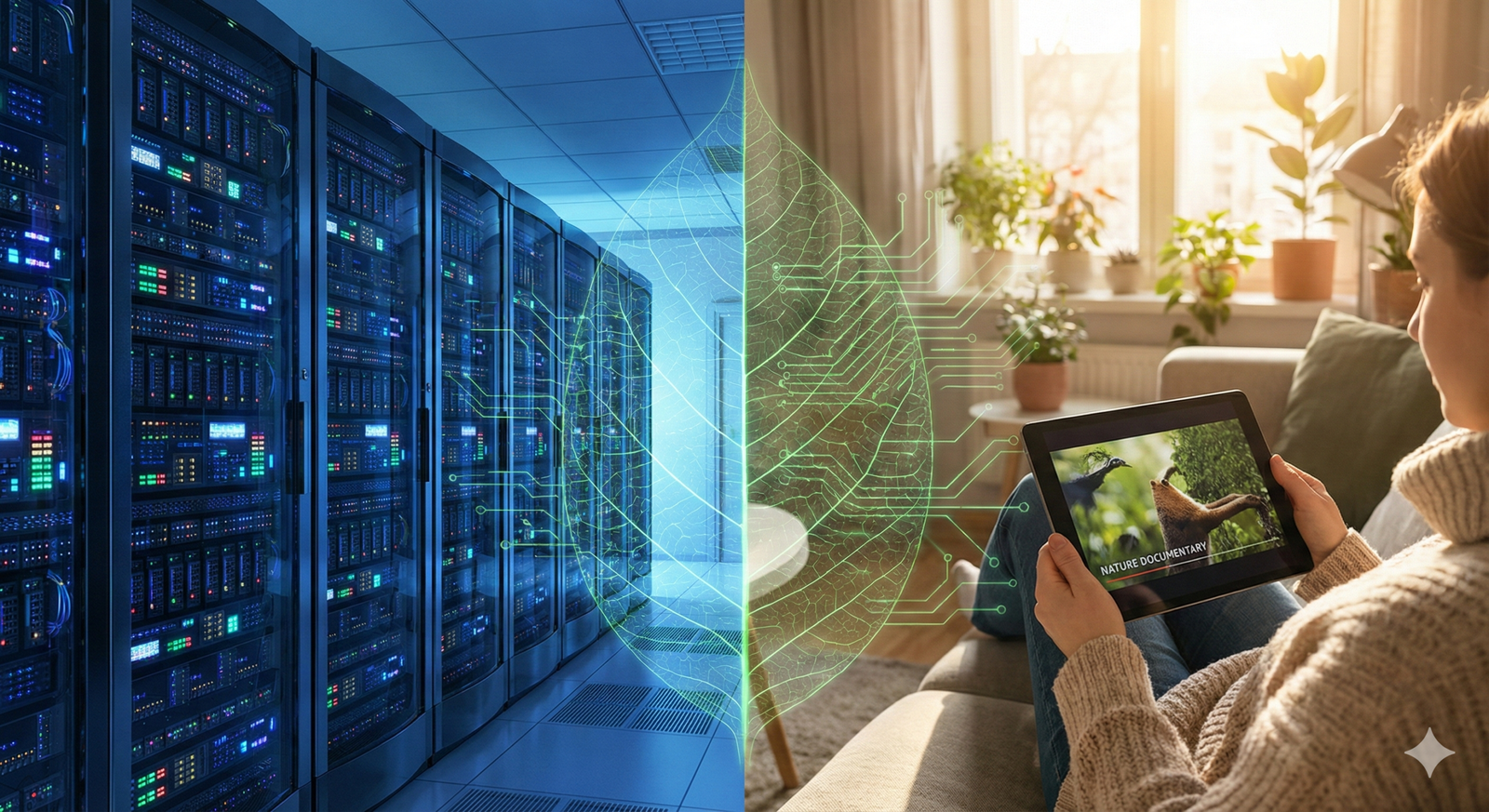
We often think of the internet as a cloud—an ethereal, invisible entity that exists everywhere and nowhere simultaneously. It feels weightless. When we press play on a movie, listen to a song, or jump on a video call, the environmental impact isn’t immediately visible in the way a car’s exhaust or a pile of plastic waste is. However, the digital world is supported by a massive, energy-hungry physical infrastructure. From the hyperscale data centers storing our favorite shows to the subsea cables transmitting signals across oceans, every byte of data has a carbon cost.
As of 2026, video streaming reportedly accounts for a significant majority of all internet traffic. As resolutions climb from 4K to 8K and immersive technologies like VR gain traction, the energy demand of our digital lives is skyrocketing. “Sustainable digital practices” is no longer just a buzzword for tech companies; it is a necessary framework for consumers, creators, and businesses to ensure that our increasing connectivity doesn’t come at the cost of the planet.
This guide explores the mechanics of digital emissions, dissects the carbon footprint of streaming, and provides actionable, high-impact strategies to reduce it.
Key Takeaways
- Invisible Infrastructure: The internet consumes electricity at three main stages: data storage (data centers), transmission (networks), and consumption (user devices).
- Resolution Matters: Streaming in 4K uses significantly more energy than HD or SD due to the massive increase in data density.
- Network Efficiency: Wi-Fi is generally more energy-efficient than mobile data networks (4G/5G) for streaming content.
- Device Impact: The device you watch on plays a huge role; streaming on a 65-inch television consumes far more electricity than a laptop or smartphone.
- Hardware Lifespan: The “embedded carbon” involved in manufacturing devices often outweighs the electricity used to power them; keeping devices longer is a critical sustainable practice.
- Systemic vs. Individual: While individual habits help, significant change requires systemic shifts toward renewable energy in data centers and greener coding practices by platforms.
Who this is for (and who it isn’t)
This guide is for:
- Conscious Consumers: Individuals looking to understand and mitigate their personal environmental impact without giving up digital entertainment.
- Content Creators & Streamers: YouTubers, Twitch streamers, and podcasters who want to run more sustainable channels and educate their audiences.
- Business Leaders & IT Managers: Professionals seeking to implement green IT policies and sustainable web design within their organizations.
- Educators: Teachers and lecturers looking for up-to-date resources on digital citizenship and environmental sustainability.
This guide is not for:
- Off-Grid Purists: Those seeking advice on completely disconnecting from the internet or technology.
- Hardware Engineers: While we touch on hardware efficiency, this is not a technical manual for designing low-power semiconductors.
The Hidden Cost of Digital Consumption
To understand how to reduce the carbon footprint of streaming, we first need to understand where the energy goes. The internet is essentially the world’s largest machine, and like any machine, it requires fuel. The International Energy Agency (IEA) and various research bodies break down the energy consumption of digital services into three primary categories.
1. Data Centers: The Digital Brain
Every movie on Netflix, every song on Spotify, and every email in your inbox lives on a server. Data centers are facilities housing thousands of these servers. They run 24/7 to ensure content is available instantly.
- Operational Energy: Servers generate immense heat. Roughly 40% of the energy consumed by a data center goes strictly to cooling systems to prevent hardware from overheating.
- Redundancy: To prevent downtime, data centers often run backup servers and storage, meaning energy is consumed even when data isn’t being actively accessed.
2. Network Transmission: The Nervous System
Once data leaves the center, it travels through the network. This involves switches, routers, base stations, and thousands of miles of fiber optic or copper cables.
- The Distance Factor: generally, the further data travels, the more energy is required to push it through the network infrastructure, though Content Delivery Networks (CDNs) help mitigate this by caching content closer to users.
- Mobile vs. Fixed: Transmitting data wirelessly (via cellular towers) is historically more energy-intensive than transmitting it via fixed-line cables (fiber/copper to Wi-Fi).
3. User Devices: The End Point
This is the energy you see on your electricity bill. It powers your router, modem, TV, laptop, or smartphone.
- Screen Size and Technology: Large screens require more power. OLED screens can be more efficient than LED/LCD depending on the content (darker pixels use less power), but size is the primary driver of consumption here.
- Processing Power: Decoding high-definition video requires the device’s processor to work harder, draining the battery faster or drawing more current from the wall.
Quantifying the Impact: How Much Carbon Does Streaming Emit?
Determining the exact carbon footprint of one hour of streaming is complex and subject to debate among researchers. Early sensationalist studies claimed that one hour of streaming emitted as much carbon as driving a car for several kilometers. These figures have since been debunked and revised downwards significantly, but the impact remains non-trivial when scaled across billions of users.
The Numbers (Estimates as of 2026)
Current reputable estimates suggest that one hour of streaming video generates anywhere from 30 grams to 150 grams of CO2e (carbon dioxide equivalent), depending heavily on the device and network used.
- Low End (Smartphone on Wi-Fi): Minimal impact. The device uses very little power, and Wi-Fi is efficient.
- High End (50-inch TV on 4G/5G): High impact. The display is energy-hungry, and cellular data transmission is energy-intensive.
While 50 grams might seem negligible compared to a flight, consider the scale: Netflix alone has hundreds of millions of subscribers streaming billions of hours monthly. When aggregated, streaming rivals the aviation industry in terms of emissions.
The Jevons Paradox in Streaming
Efficiency improvements often lead to increased consumption. This is known as the Jevons Paradox. As video compression algorithms (codecs) become more efficient—allowing us to stream high-quality video with less data—we don’t simply save energy. Instead, we use that efficiency to stream at higher resolutions (4K, 8K) and on more devices simultaneously, effectively negating the energy savings.
Sustainable Digital Practices for Consumers
As a user, you have significant control over the “User Device” and “Network Transmission” portions of the energy equation. Here are practical steps to lower your digital carbon footprint.
1. Right-Size Your Resolution
The default setting on many platforms is “Auto,” which pushes the highest resolution your connection can handle. However, streaming in 4K on a smartphone is environmentally wasteful; the human eye cannot distinguish 4K pixels on a 6-inch screen.
- Action: Manually set video quality to 720p or 1080p for laptops and 480p or 720p for phones. Save 4K for the large living room TV where the difference is visible.
- Impact: A reduction in data transfer of up to 75%, significantly lowering energy use in network transmission.
2. Prioritize Wi-Fi Over Mobile Data
Cellular networks (4G and 5G) require significantly more energy to transmit data than Wi-Fi networks.
- Action: Whenever possible, download content (movies, playlists, podcasts) while on Wi-Fi to listen or watch offline later.
- Impact: Offline playback consumes zero network energy during consumption, and downloading via Wi-Fi is the most efficient transfer method.
3. Combat “Zombie” Streaming
“Zombie” streaming refers to content that plays while no one is watching. This includes auto-play videos on social media feeds or falling asleep while a streaming service continues to auto-play the next episodes.
- Action: Disable “Auto-play next episode” in your settings on Netflix, YouTube, and other platforms. Turn off “Auto-play videos” in social media app settings.
- Impact: Prevents gigabytes of data from being wasted on empty rooms.
4. Extend Hardware Lifespan
The most significant carbon cost of a digital device is often its manufacture (extraction of rare earth metals, manufacturing, shipping). This is known as embedded carbon.
- Action: Resist the urge to upgrade your phone or laptop every two years. Repair screens and replace batteries to keep devices running longer. Buy refurbished electronics.
- Impact: Using a smartphone for four years instead of two effectively halves its annual manufacturing carbon footprint.
5. Audio-Only for Background Noise
Many people stream video playlists on YouTube for background music while working.
- Action: If you are not watching the screen, use an audio-only streaming service (like Spotify or Apple Music) or a browser extension that disables video tracks on YouTube.
- Impact: Audio streaming uses roughly 5-10% of the data bandwidth of video streaming.
Strategies for Content Creators and Platforms
If you create content or manage a digital platform, your decisions influence the carbon footprint of your entire audience. Sustainable web design and content delivery are emerging fields that balance user experience with environmental responsibility.
1. Optimize Assets and Codecs
Creators should prioritize efficient file formats. Modern video codecs like AV1 or H.265 (HEVC) offer superior compression compared to older standards like H.264. They deliver the same visual quality at much lower bitrates.
- In Practice: A video encoded in H.265 might be 50% smaller than one in H.264. This reduces storage needs and transmission energy for every single view.
2. Green Hosting
Not all clouds are created equal. Some data center providers rely heavily on coal and natural gas, while others are committed to 100% renewable energy.
- In Practice: Choose hosting providers (like Google Cloud regions with low carbon intensity, or specialized green hosts) that are transparent about their PUE (Power Usage Effectiveness) and energy sources. Tools like the Green Web Foundation directory can help verify these claims.
3. Sustainable Web Design
Websites specifically designed to be lightweight load faster and use less energy.
- Dark Mode: On OLED screens, dark pixels are essentially “off,” using significantly less power than white pixels. Offering a dark mode is a functional energy-saving feature.
- Lazy Loading: Ensure images and videos only load when the user scrolls down to them. This prevents the browser from fetching data that the user never sees.
- SVG over PNG/JPG: For logos and icons, Scalable Vector Graphics (SVG) are code-based and infinitely scalable, usually taking up a fraction of the space of raster images.
4. Audit Your Analytics
Many sites run dozens of tracking scripts and analytics tools that bloat the site and require extra processing power on the user’s device.
- In Practice: Regularly audit your tracking tags. Remove unused scripts. This not only speeds up your site (good for SEO) but reduces the CPU load on every visitor’s computer.
The Role of Policy and Corporate Responsibility
Individual actions are vital, but the scale of the climate crisis demands corporate and legislative intervention. The shift toward Green IT is being driven by both internal corporate goals and external regulations.
Corporate Renewable Energy Commitments
Major tech giants—Google, Microsoft, Amazon, Apple—are among the world’s largest corporate buyers of renewable energy.
- 24/7 Carbon-Free Energy: The new gold standard is not just “matching” energy use with renewable credits (offsets), but running on carbon-free energy every hour of every day, everywhere. Google, for instance, has set a goal to achieve this by 2030. This requires massive advancements in battery storage and grid intelligence to handle the intermittency of wind and solar.
The “Right to Repair” Movement
Legislation in the EU and parts of the US is forcing manufacturers to make devices easier to repair.
- Impact: If batteries are user-replaceable and parts are available, consumers can keep devices longer. This directly reduces the demand for new manufacturing, lowering the industry’s overall carbon footprint.
Data Center Efficiency Standards
Governments are beginning to scrutinize the PUE of data centers. Singapore, for example, placed a moratorium on new data centers to ensure they met strict sustainability criteria before lifting it with new regulations. Similar scrutiny is expected in Europe under the EU Green Deal.
Common Mistakes and Myths
When discussing digital sustainability, it is easy to fall into traps of performative action or misunderstanding.
Myth 1: “Digital is always greener than physical.”
Reality: Not always. While streaming a song is generally better than manufacturing a CD, the equation changes with scale. If you stream the same album every day for a year, the cumulative energy of the network transmission and data center storage might eventually exceed the embodied energy of a physical CD or vinyl record that you play locally.
- Correction: For content you consume repeatedly, local storage (downloading) is the greenest option.
Myth 2: “Deleting emails saves the planet.”
Reality: You may have heard that deleting emails reduces server load. While technically true, emails are text-based and incredibly small. The energy required to store thousands of old emails is negligible compared to streaming a single hour of HD video.
- Correction: Focus your energy on high-impact behaviors (video streaming, hardware lifespan) rather than stressing over an inbox full of text.
Myth 3: “Buying a new ‘Eco-Friendly’ phone is sustainable.”
Reality: Buying a new device is almost never the sustainable choice, even if the new device is marketed as “green” or made of recycled plastic. The manufacturing energy is simply too high.
- Correction: The most sustainable device is the one you already own.
The Future of Green Streaming
As we look toward the latter half of the 2020s, several technologies promise to decouple data growth from emissions growth.
Edge Computing
By processing data closer to the user (at the “edge” of the network), we reduce the distance data must travel. This lowers latency and reduces transmission energy.
AI-Optimized Compression
Artificial Intelligence is being used to optimize video compression in real-time. AI can identify parts of a frame that the human eye focuses on and compress the background more heavily, reducing file sizes without perceived quality loss.
Photon-Based Computing
Experimental chips that use light (photons) instead of electricity (electrons) for processing data promise drastic reductions in heat generation and energy consumption, potentially revolutionizing data center efficiency.
Conclusion
Reducing the carbon footprint of streaming does not mean we must return to a pre-digital age. It means evolving from a mindset of infinite, consequence-free consumption to one of conscious usage. The internet is a physical infrastructure, and like our roads and utilities, it must be managed efficiently.
For individuals, this means small but consistent changes: extending the life of our gadgets, downloading instead of streaming over 4G, and right-sizing video quality. For creators and corporations, it means building an internet that is lightweight by design and powered by renewables by default.
Digital inclusion and digital sustainability must go hand in hand. As we connect the next billion users to the internet, we must ensure that the digital world they enter is built on a foundation that the physical world can support.
Next Steps
- Check your settings: Go to your primary streaming apps right now and turn off “Auto-play.”
- Audit your hardware: Identify one device you were planning to upgrade and research how to repair or optimize it instead.
- Download to save: Before your next commute, download your playlist via Wi-Fi rather than streaming it on the go.
FAQs
1. Does using “Dark Mode” actually save battery and energy?
Yes, but primarily on devices with OLED or AMOLED screens. On these displays, black pixels are completely turned off, consuming zero power. On traditional LCD screens, the backlight is always on regardless of the pixel color, so the savings are negligible. However, Dark Mode can still reduce eye strain for many users.
2. Is streaming music as bad for the environment as streaming video?
No. Video contains vastly more data than audio. Streaming a video in HD consumes roughly 3GB of data per hour, whereas high-quality audio consumes about 100-150MB per hour. However, streaming music videos (on platforms like YouTube) just to listen to the song is wasteful; use audio-only platforms instead.
3. Which is better for the environment: reading a physical book or an eBook?
It depends on volume. The “break-even” point is typically estimated around 20-30 books. If you read fewer than 20 books a year, physical books (especially library books or second-hand) have a lower footprint than manufacturing an e-reader. If you are a voracious reader, an e-reader becomes the more sustainable choice over time.
4. How does 5G compare to 4G in terms of energy efficiency?
Per gigabyte of data, 5G is significantly more efficient than 4G (some estimates say up to 90% more efficient). However, 5G enables much higher data consumption speeds, which may encourage users to consume far more data (Jevons Paradox), potentially increasing overall absolute energy usage despite the efficiency gains.
5. What is “Green Web Hosting”?
Green web hosting refers to internet service providers that actively offset their carbon emissions or, ideally, power their data centers directly with renewable energy sources like wind, solar, or hydro. They usually provide certification or badges to prove their energy sourcing.
6. Do video calls create a large carbon footprint?
Video calls do consume significant bandwidth. You can reduce the footprint of a call by up to 96% by turning off your camera and using audio only. For large meetings where visual cues aren’t necessary, audio-only is the sustainable choice.
7. What is “embedded carbon” in devices?
Embedded (or embodied) carbon refers to the greenhouse gas emissions arising from the extracting, refining, processing, transporting, and manufacturing of a product. For smartphones and laptops, 70-80% of their lifetime carbon footprint comes from production, not usage.
8. Does clearing my cloud storage help the environment?
Yes. Data stored in the cloud lives on physical servers that run 24/7. Deleting old, large files (like duplicate photos, old videos, or massive backups you no longer need) frees up storage space, reducing the need for additional servers and the energy required to power and cool them.
9. Are DVDs or Blu-rays better than streaming?
If you watch a movie only once, streaming is generally more efficient than producing and shipping a plastic disc. However, if you plan to watch a movie repeatedly (e.g., a child’s favorite cartoon), a physical disc creates fewer emissions over time compared to streaming the same file dozens of times.
10. How can I measure my website’s carbon footprint?
There are several free tools available online, such as Website Carbon Calculator or Ecograder. These tools analyze the amount of data transferred when a page loads, the energy intensity of the web data, and the source of energy at the data center to provide an estimated CO2 figure per page view.
References
- International Energy Agency (IEA). (2025). Data Centres and Data Transmission Networks. Retrieved from
- The Shift Project. (2019). Climate Crisis: The Unsustainable Use of Online Video. Retrieved from https://theshiftproject.org
- Carbon Trust. (2021). Carbon impact of video streaming. Retrieved from https://www.carbontrust.com
- Green Web Foundation. (n.d.). The Green Web Dataset. Retrieved from https://www.thegreenwebfoundation.org
- Netflix. (2024). Environmental Social Governance Report. Retrieved from https://ir.netflix.net
- Google. (2025). 24/7 Carbon-Free Energy Compact. Retrieved from https://sustainability.google
- Mozilla Foundation. (2024). Internet Health Report: Environmental Impact. Retrieved from https://foundation.mozilla.org
- Kamiya, G. (2020). The carbon footprint of streaming video: fact-checking the headlines. IEA Commentary. Retrieved from https://www.iea.org