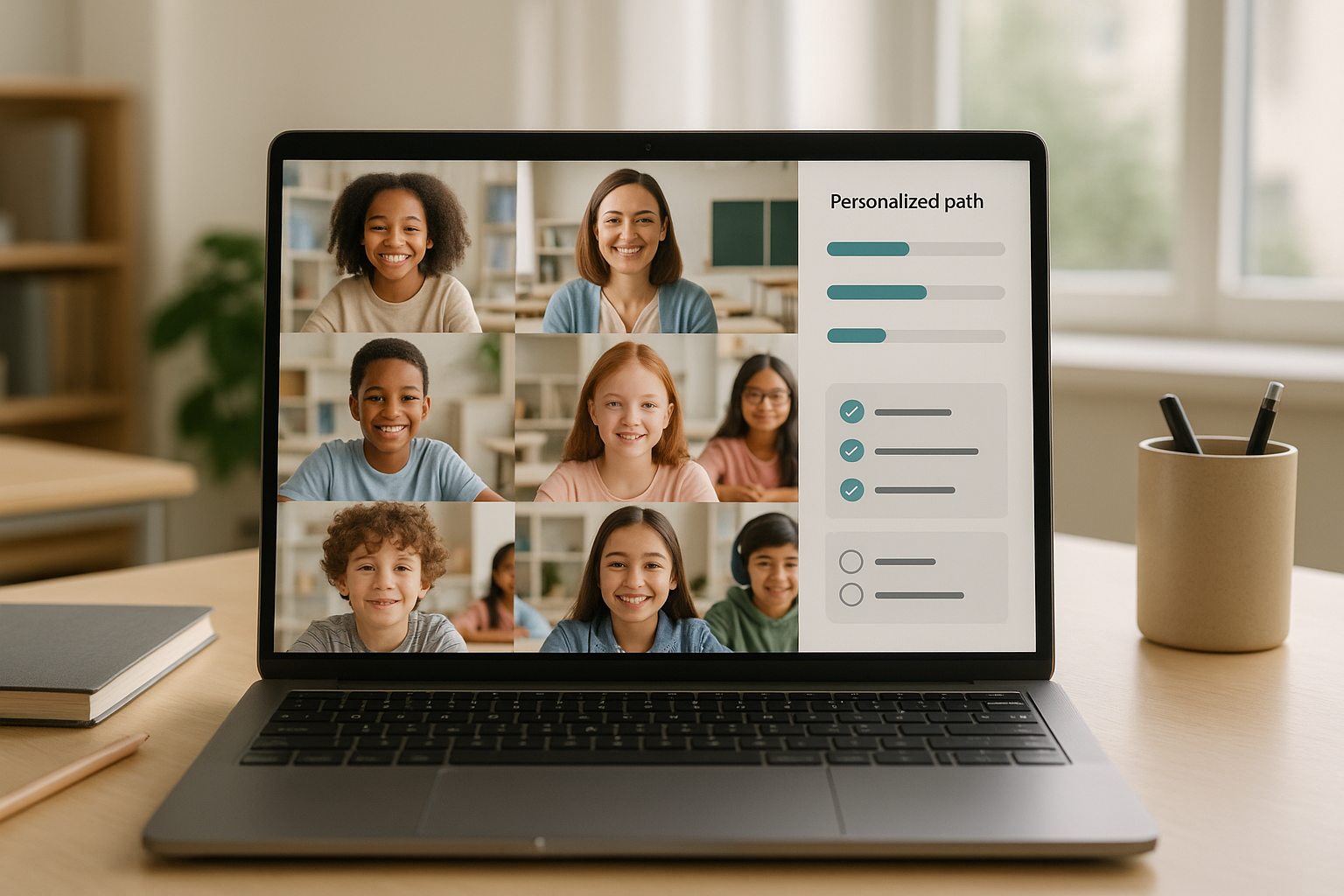
Personalized learning and virtual classrooms work best when they are treated as complementary systems: one adapts to each learner’s needs and pace, the other provides a flexible, social place to practice, discuss, and demonstrate. In plain terms, personalized learning tailors goals, content, and support; a virtual classroom orchestrates live and on-demand moments that make progress visible and collaborative. Here’s the quick path: define the outcomes you want, select interoperable tools, pilot with a small cohort, measure what changes for learners and teachers, then scale deliberately. In the sections below you’ll get specific steps, guardrails, and realistic numbers to plan bandwidth, pacing, and feedback cycles. The outcome you can expect is a learning model that is both humane and rigorous, with data you can actually act on—and a classroom that remains vibrant whether you meet live, asynchronously, or in a blended rhythm.
Fast-start steps: set mastery objectives → map your platform stack (LMS/LXP + video + assessment) → choose 1–2 pilot courses → run a 4–6 week sprint → review analytics and student feedback → iterate and scale.
Disclaimer: This guide is informational and not legal advice; always verify compliance requirements (e.g., FERPA, GDPR, COPPA) with qualified counsel in your region.
1. Build an adaptive learning spine that personalizes pathways
A strong adaptive spine gives each learner a route through content based on their readiness, performance, and preferences. Start by defining what “mastery” means for each outcome and the evidence that proves it. Then configure your LMS or LXP to release activities conditionally—if a quiz flags gaps in prior knowledge, automatically branch to a short remediation loop; if a student masters a skill early, unlock enrichment problems or applications. Adaptive tools don’t replace teaching; they surface who needs what, when, so your time goes where it matters. For learners, the promise is clarity and momentum: they see where they are, what’s next, and how to move faster or slower without stigma.
How to do it
- Create mastery-aligned modules with entry checks and exit evidence.
- Use conditional release rules (a.k.a. mastery paths) in your LMS/LXP.
- Keep remediation short (5–12 minutes) and specific to the misconception.
- Pair every adaptive detour with a return-to-path checkpoint.
- Show learners a progress map so pacing feels transparent, not mysterious.
Tools/Examples
- LMS/LXP mastery paths; item banks with skill tagging; low-stakes gateway quizzes.
- For interoperability between your LMS and external tools, prefer LTI integrations to avoid fragile custom connections.
Synthesis: Treat adaptivity as the routing layer, not the whole course—your live sessions, projects, and discussions are easier to differentiate when the spine already personalizes study time.
2. Turn learning analytics into weekly decisions—not annual reports
Learning analytics should answer one question every week: “What should we teach or practice differently next week for these learners?” Start with a minimal dashboard: mastery by outcome, time-on-task, submission timeliness, and a risk alert that flags combinations (e.g., low activity + missed check-ins). Train faculty to look for direction more than precision—are we trending up for the hardest outcomes, or do we need targeted reteach groups? Use analytics to plan office hours, personalize feedback, and inform pacing shifts. Keep data ethics explicit: explain what you collect, why, and how decisions are made, and give opt-in transparency where the law permits.
Numbers & guardrails
- Aim for one page of indicators per course: 6–10 tiles max to reduce noise.
- A simple risk rule that often works: 2 missed activities in 7 days or <30 minutes weekly activity triggers a coach message.
- Document your policy using a learning analytics code of practice and publish it to students and staff.
Mini-checklist
- Define 3–5 priority outcomes with thresholds
- Agree on a weekly review cadence
- Pre-write playbook responses (reteach, outreach, enrichment)
- Communicate data use clearly to learners
Synthesis: Treat analytics as a planning meeting, not a surveillance system—one page of honest signals that change what you do next week. EDUCAUSE Review
3. Design every course with Universal Design for Learning (UDL) principles
UDL is a framework that builds access and challenge into the design from day one. If your course offers multiple ways to engage (why), represent information (what), and act/express learning (how), you remove avoidable barriers without lowering expectations. In practice, that means captioned videos, transcripts, alternative text for images, assignable readings at varied Lexile levels, and flexible demonstration options like a recorded explanation, a diagram, or a short write-up. Pair UDL with accessible platforms that meet WCAG success criteria (target at least Level AA) so common friction points—contrast, keyboard navigation, captions—are solved systematically.
Why it matters
- Students can choose the path that fits their context (bandwidth, device, or preference) without asking for exceptions.
- Faculty grading becomes about evidence of mastery, not conformity to a single mode.
- Accessibility compliance risk is reduced when UDL and WCAG are standard practice. W3C
Mini-checklist
- Provide captions + transcripts for media
- Offer at least two submission modes per major task
- Ensure color contrast meets WCAG AA
- Publish an access statement with assistive tech guidance
Synthesis: UDL is not extra work—it’s the blueprint that makes personalized learning humane and virtual classrooms workable for everyone. CAST
4. Balance synchronous and asynchronous time with intention
A virtual classroom thrives when you reserve live time for interaction, coaching, and feedback, and push lectures and instructions to on-demand formats. Synchronous learning is real-time: everyone meets live for discussion, practice, or labs. Asynchronous learning is self-paced: students watch mini-lectures, complete readings, and reflect in forums on their own schedule. Blend them deliberately: use live sessions for things only humans can do together quickly—challenge problems, debates, demos—and keep self-paced work short, clear, and check-pointed. This balance reduces cognitive overload and works better across time zones, jobs, and family schedules.
Compact table: when to choose each
| Goal | Synchronous (live) | Asynchronous (self-paced) |
|---|---|---|
| Clarify misconceptions quickly | Breakout coaching, Q&A | Short micro-lessons with auto-checks |
| Build community & norms | Icebreakers, debates | Welcome videos, peer intros |
| Complex skills practice | Live modeling, think-alouds | Step-by-step walkthroughs, deliberate practice |
| Deep reflection | Live seminars | Journals, long-form discussion threads |
Numbers & guardrails
- Keep live sessions at 45–60 minutes with every 10 minutes of interaction to reset attention.
- For bandwidth planning, target ~2.6 Mbps down / 1.8 Mbps up for HD group calls; offer audio-only and slides for low-bandwidth learners.
Synthesis: Don’t ask, “Should we be live or not?” Ask, “Which parts must be live to add value, and which parts are kinder and clearer when self-paced?” University of Cincinnati
5. Use microlearning and spacing to beat forgetting
Microlearning breaks skills into tight, purposeful chunks you can learn and apply quickly. In virtual classrooms, short pre-work videos or interactives prepare students for live practice; after class, brief retrieval quizzes and reflections reinforce memory. Spaced practice—reviewing key ideas days apart—counteracts the forgetting curve and suits busy schedules. Keep chunks meaningful (not trivial) and cumulative, with visible progress markers. This helps learners who juggle work or caregiving and supports equity by reducing large, sink-or-swim deadlines.
Numbers & guardrails
- Aim for 5–9 minute content chunks and 3–5 retrieval items per chunk.
- Space reviews 1–2–4–7 days after first exposure; auto-schedule nudges in your LMS.
- Expect modest but real retention gains with well-designed microlearning; systematic reviews report positive effects on outcomes. ScienceDirect
Mini case
Suppose a unit covers 6 core concepts. You publish six 7-minute micro-lessons with a 4-item check after each. Over two weeks, students receive three spaced nudges per concept. In your dashboard, average correct on first-try rises from 58% to 74% by the third nudge, and live sessions shift from re-teaching basics to applying ideas.
Synthesis: Microlearning isn’t about shrinking everything; it’s about targeting the right moments for retrieval and feedback so live time moves to higher-order work. PMC
6. Shift to competency-based progression and transparent mastery
Competency-based education (CBE) advances students upon evidence of mastery, not seat time. In practice, you define explicit competencies, align assessments to those competencies, and allow multiple pathways and attempts to show mastery. Grades become signals about what’s learned, not just when it was due. For virtual classrooms, CBE pairs well with adaptive routes and clear rubrics; students know exactly what mastery looks like and how to reach it, while teachers track growth per competency. Start with a small set of high-leverage competencies and expand once your workflow is stable.
How to do it
- Draft competency statements with observable verbs and performance conditions.
- Create mastery rubrics with examples at each level.
- Allow reassessments with targeted relearning tasks.
- Report progress by competency bands, not just overall scores.
Numbers & guardrails
- Limit to 5–8 competencies per course to keep feedback actionable.
- Require two independent pieces of evidence for mastery on capstone competencies (e.g., performance + reflection).
- Align with recognized CBE definitions to ensure shared language across programs. Aurora Institute
Synthesis: CBE makes personalized learning visible and fair—students progress because they can, not because the calendar flipped.
7. Make formative assessment the engine of momentum
Formative assessment is the continuous use of evidence—exit tickets, hinge questions, quick checks—to adjust teaching now, not later. In virtual settings, it’s the heartbeat of your course: polls in live sessions, instant feedback quizzes in micro-modules, and annotated examples that show what “good” looks like. The goal isn’t grading; it’s steering. When done well, the impact on learning is among the largest of any classroom intervention, particularly when feedback is specific and actionable. EEF
How to do it
- Use hinge questions mid-lesson to decide whether to move on or reteach.
- Replace “points off” with actionable next steps (“Add a counterexample and label each step”).
- Build student self-assessment with checklists aligned to competencies.
- Close the loop: require a brief re-attempt after feedback to lock gains.
Numbers & guardrails
- Target one formative event per 10–15 minutes in live sessions (polls, chat prompts, mini-whiteboards).
- Keep feedback within 48 hours for small tasks; use whole-class summaries to scale.
Synthesis: Think of formative assessment as the steering wheel in your virtual classroom—small, frequent corrections that keep everyone headed to mastery. EEF
8. Build social presence with purposeful collaboration
Students learn more—and persist longer—when they feel seen by peers and instructors. Social presence isn’t just chatter; it’s structured collaboration that advances the learning goal. Use discussion prompts that require evidence, peer review checklists that focus on specific criteria, and rotating roles in project teams so contributions are equitable. In live sessions, breakout rooms work best with clear tasks and timeboxes; between sessions, asynchronous threads and collaborative documents let quieter students shine. Keep norms explicit: reply windows, tone, and expectations for citing sources.
Tools/Examples
- Discussion boards with evidence tags (“claim,” “counter,” “source”).
- Peer review using focused rubrics (two strengths, one next step).
- Team contracts with role rotation: facilitator, skeptic, scribe, presenter.
Mini case
In a 5-week project, teams meet live for 15 minutes each class to plan and asynchronously co-author in a shared doc. A simple rubric drives peer review at weeks 2 and 4. Completion rates rise from 72% to 90%, and average rubric scores on “uses evidence to support claims” move from 2.1/4 to 3.2/4.
Synthesis: Collaboration is not “group work”—it’s a designed path to better thinking, where social presence sustains effort and sharpens ideas.
9. Use AI—carefully—as a tutor, feedback co-pilot, and creation assistant
AI can personalize practice, generate varied examples, and draft starter feedback so teachers focus on nuance. Use it to create additional problem sets at different difficulty levels, to propose hints rather than answers, and to summarize discussion threads. Keep humans firmly in the loop: require students to annotate AI-aided work with “what I kept, what I changed, why,” and teach citation and verification habits. Establish policies on when AI is allowed, what data it can see, and how outputs are checked for accuracy and bias. International guidance emphasizes a human-centered approach and cautions about privacy, reliability, and safety.
Numbers & guardrails
- Limit AI exposure to non-sensitive prompts; avoid uploading personally identifiable student data unless your institution has approved terms.
- Require source-check steps for AI-generated content (e.g., two credible sources for every claim).
- Publish a course AI policy in plain language aligned to institutional guidance.
Mini-checklist
- Allowed uses and boundaries are explicit
- Student reflection on AI changes is required
- Teacher spot-checks 10–20% of AI-assisted work
- Bias and accuracy are discussed openly
Synthesis: AI can extend personalization and feedback, but only within a clear, human-centered framework that protects students and learning integrity. Teacher Task Force
10. Bake in privacy, safety, and compliance from day one
Personalized learning and virtual classrooms rely on data. Protecting that data is non-negotiable—legally and ethically. Align your stack and practices with applicable frameworks: FERPA in the U.S., GDPR/UK GDPR in Europe and the UK, and COPPA for services directed to children under 13. Make data maps of what you collect, where it’s stored, who can access it, and how long you retain it. Prefer vendors with clear privacy notices, data-processing agreements, and independent security attestations. Train staff on minimal data collection and safe sharing; publish understandable privacy summaries for families and students.
Numbers & guardrails
- Keep student PII in approved systems only; never in personal drives.
- Conduct annual privacy training and vendor reviews with a standard checklist.
- For live sessions, default to waiting rooms, host-only recording, and captions on.
Region-specific notes
- U.S.: Review FERPA/PPRA guidance and your district’s directory information policy.
- UK/EU: Clarify lawful bases, data subject rights, and DPIAs for new tools; consult ICO guidance for education. studentprivacy.ed.gov
Synthesis: Privacy by design sustains trust and keeps innovation moving—your program scales faster when families and regulators see strong protections. Federal Trade Commission
11. Choose interoperable tools (LTI, SCORM, xAPI) to future-proof your ecosystem
Integration choices determine whether your virtual classroom feels seamless or stitched together. Favor standards-based connections: LTI to plug external tools into your LMS; SCORM if you must run legacy packages; xAPI when you want to capture learning beyond the LMS (simulations, mobile, offline) into a Learning Record Store. Standards reduce custom development, single-sign-on headaches, and vendor lock-in, and they make data more portable for analytics. Document your “reference architecture” and require vendors to support the standards you use—ideally at current versions.
Numbers & guardrails
- Before purchase, require an LTI launch demo into your LMS with role mapping (student/teacher).
- If you track beyond the LMS, pilot xAPI statements into a sandbox LRS; verify verb and activity profiles.
- Keep a system inventory with owners and integration notes; review twice per year.
Mini-checklist
- LTI for tool launch and grade return
- SCORM only for legacy must-haves
- xAPI + LRS for rich, cross-tool tracking
- Written data schema & retention plan
Synthesis: Interoperability saves money and time—and makes personalized learning coherent across all the places learning actually happens. imsglobal.org
Conclusion
Personalized learning and virtual classrooms become powerful when you weave them into a single, humane workflow: adaptive pathways route study time; analytics guide next week’s plan; UDL and accessibility ensure everyone can engage; live time is used for coaching and collaboration; microlearning and spacing cement memory; competency-based progression clarifies what mastery means; formative assessment keeps steering you in real time; AI lends a careful hand; privacy stays at the center; and standards knit everything together. If you start small—one course, one team—you’ll get the benefits fast: clearer evidence of learning, better use of teacher time, and a classroom experience that feels connected whether you’re together on camera or working quietly at midnight.
Choose one course, apply two sections from this guide, and set a review meeting in three weeks—then iterate and scale.
CTA: Ready to pilot? Pick a course, set your outcomes, and build your adaptive spine this week.
FAQs
1) What’s the simplest way to start personalized learning without buying new tools?
Begin by clarifying three to five mastery outcomes and building short prerequisite checks for each module. Use your current LMS to set conditional release (unlock remediation or enrichment based on results) and add quick exit tickets to close the loop. In live sessions, spend the first 10 minutes on hinge questions from those checks so the class time targets what students actually need. This alone personalizes pacing and support without new subscriptions.
2) How do I prevent virtual classes from feeling flat?
Design for interaction every 10–15 minutes: polls, annotated examples, think-pair-share in breakout rooms, or a quick whiteboard sketch. Move direct instruction to short, clear, self-paced videos with embedded checks so live time can focus on questions, debate, or application. Publish norms—cameras optional, captions on, chat etiquette—and rotate roles (facilitator, skeptic, scribe) so everyone participates meaningfully.
3) Are adaptive platforms fair to students with limited bandwidth or older devices?
They can be, if you plan for equity. Provide low-bandwidth alternatives (audio-only, slide decks, transcripts), allow offline reading packages where feasible, and avoid making camera-on mandatory. Keep assessments short and frequent rather than long and bandwidth-heavy. When bandwidth is tight, encourage students to join by audio and use chat for responses; ensure your policies don’t penalize them for connectivity limits.
4) How does competency-based grading fit with transcripts or accreditation?
Many programs run CBE internally but translate mastery levels to conventional grades for transcripts. What matters is that your internal system gives precise feedback—what competencies are mastered and what’s next—while your external report remains compatible with transfer or admissions needs. Start by mapping each competency to weighting bands and explaining the conversion clearly in your syllabus. Aurora Institute
5) What’s a practical learning analytics dashboard for teachers?
Keep it simple: one page with (a) mastery by outcome, (b) a risk panel combining inactivity and missed checks, (c) a timeline of submissions, and (d) notes from interventions. Review it weekly with a short playbook: who needs reteach, who’s ready for extension, what needs clearer instructions. Resist adding “nice to have” metrics that don’t change action. Publish your data-use policy to build trust.
6) How do I handle AI in coursework?
Publish an AI policy that states where AI is permitted (e.g., brainstorming, editing), where it is not (e.g., generating full answers), and how to disclose use. Require students to annotate what AI produced, what they changed, and why; spot-check a sample of work for source support. Emphasize verification habits (trace claims to credible sources) and align your policy with institutional guidance.
7) Which standards should my tools support to integrate smoothly?
For tool launch and grade return, require LTI; for legacy e-learning packages, use SCORM; for tracking beyond the LMS, consider xAPI with a Learning Record Store. Using standards reduces custom development, simplifies single sign-on, and prevents lock-in. Include these requirements in your procurement checklists and test before rollout.
8) How much internet speed do students really need?
It depends on live video quality. Roughly, aim for ~2.6 Mbps down / 1.8 Mbps up for group HD calls. Always provide audio-only and slides when bandwidth dips, and consider asynchronous alternatives if live attendance is unreliable in your context. Encourage learners to close other high-bandwidth apps during sessions.
9) What privacy rules apply to student data in virtual classrooms?
In the U.S., FERPA governs education records; for services directed to children under 13, COPPA imposes additional requirements. In the UK and EU, GDPR/UK GDPR stipulate lawful bases, rights, and impact assessments. Work with legal counsel to map data flows, sign data-processing agreements with vendors, and publish clear notices to students and families.
10) How do I ensure accessibility across content and tools?
Build to UDL principles and verify conformance with WCAG success criteria (target Level AA). Caption videos, provide transcripts and alt text, ensure color contrast, and support keyboard navigation. Choose platforms with strong accessibility statements and test with real assistive technologies whenever possible.
11) What’s the best mix of synchronous and asynchronous time?
Let purpose drive the mix. Reserve live time for interaction and coaching; put instructions and explanations in short self-paced modules with checks for understanding. For many courses, a steady rhythm—one 50-minute live session plus two micro-modules per week—keeps momentum without overload. Revisit the balance each unit using engagement and mastery data. IT Teaching Resources
References
- AI and education: guidance for policy-makers, UNESCO. Publication date on page. UNESCO
- Guidance for generative AI in education and research, UNESCO. Publication date on page. UNESCO
- ISTE Standards: For Students, ISTE. (Page lists standards overview). ISTE
- CAST Universal Design for Learning Guidelines, CAST. (Latest guidelines announced on page). udlguidelines.cast.org
- WCAG 2 Overview, W3C Web Accessibility Initiative. Publication info on page. W3C
- Learning Tools Interoperability (LTI), 1EdTech. (Standard overview). 1EdTech
- Zoom bandwidth requirements (HD video), Zoom Support. (System requirements page). Zoom
- Learning Analytics—Topic Hub, EDUCAUSE. (Resource hub with definitions and reports). EDUCAUSE Library
- Code of practice for learning analytics, Jisc. (Guidance page). Jisc
- FERPA—Protecting Student Privacy, U.S. Department of Education. studentprivacy.ed.gov
- Children’s Online Privacy Protection Rule (COPPA), U.S. Federal Trade Commission. Federal Trade Commission
- What Is Competency-Based Education? An Updated Definition, Aurora Institute. Publication date on page. Aurora Institute