Choosing between local and cloud data storage in mobile apps shapes how fast your screens feel, how well features work offline, how safely user data is protected, and how much your team spends to build and operate. In short, local storage keeps data on the device (for example, SQLite, Core Data, Realm), while cloud storage persists data on managed servers or platforms (for example, Firebase, AWS Amplify, Supabase) that sync to and from devices. The right answer is often a blend, but the balance you strike has clear trade-offs across latency, reliability, privacy, compliance, and cost. This article is informational only; for regulated use cases, consult legal and security professionals about your specific obligations. If you need a quick snapshot: choose mostly local when you need instant response and robust offline, lean cloud when you need multi-device continuity, centralized analytics, and simplified backups. You’ll find a practical checklist and numeric guardrails throughout so you can decide with confidence and design your sync model without surprises.
Fast chooser (scan and decide):
- Prioritize local for sub-100 ms UI actions, offline-first UX, or when bandwidth is constrained.
- Favor cloud for multi-device continuity, centralized rules/analytics, and simplified backups.
- Pick hybrid when you need both: cache locally, sync in the background, resolve conflicts predictably.
- Lock security early: device keychain + at-rest encryption + server-side access rules + least privilege.
- Measure success with RPO/RTO, conflict rate, cold-start latency, battery impact, and error budgets.
1. Latency & Perceived Performance
Local storage minimizes round trips and delivers consistently low latency for reads and writes, which keeps critical UI flows snappy and trustworthy. When a tap leads to a database lookup directly on the device, you avoid radio wake-ups, DNS, TLS handshakes, and server processing time, so list rendering, form validation, and micro-interactions feel instant. Cloud-only flows can still be fast on good networks, but the long tail of latency—caused by congestion, packet loss, and server spikes—creates spikes that users absolutely notice in scrolling and submission flows. A useful mental model: time to first meaningful interaction should be short and stable, and local reads are the easiest path to that outcome because they cap worst-case delay to storage and CPU scheduling on the device. Writes behave similarly; batching and journaling on-device make frequent saves cheap, whereas chatty network writes compound overhead. The main caveat is freshness: locally cached data can go stale, so your architecture must reconcile speed with correctness through background sync and reconciliation. If performance is your headline KPI, consider local as the default and push only those calls that truly need server authority to the network.
Numbers & guardrails
- Local read: commonly <10–30 ms for indexed queries on device databases; cloud read: ~80–400 ms median on good 4G/Wi-Fi, with higher tail latency.
- Cold network call: radio wake + handshake adds ~100–300 ms before app code runs server logic.
- Set an interaction budget: aim for <100 ms for tap-to-feedback flows and <200 ms for list item expansion; exceed this only when server authority is essential.
How to do it
- Cache hot paths (profile, settings, recent items) locally; hydrate on first launch, then refresh in the background.
- Use write-behind for user actions that don’t need server acknowledgment immediately; show optimistic UI and reconcile later.
- Index local tables for common filters/sorts; compress payloads to shrink on-the-wire time when you must hit the network.
Close the loop by measuring tail latency (p95/p99) in production; if the tail dominates complaints, push more reads local and treat cloud calls as refreshes rather than gatekeepers.
2. Offline Availability & Resilience
Local storage is the cornerstone of offline-first experiences where users can browse, edit, and even submit critical data without a signal. If your users ride subways, work on factory floors, or travel across patchy coverage, relying on cloud round trips for basics will break trust. Offline functionality is not just about caching screens; it’s about deciding what operations must work without network and designing a mutation log that persists until sync. Cloud platforms can help here if they offer offline SDKs, yet their capabilities vary, and you remain responsible for what your app does with conflicts and partial failures. When the app boots in airplane mode, local data lets you render immediately, queue changes, and avoid a “spinner wall.” The tricky part is reconciling queued writes and showing the user which items are “pending,” “synced,” or “error.” If your value proposition includes field work, sales demos, journaling, or productivity tasks, an offline-capable local layer is not optional—it is the backbone of reliability and trust.
Mini case
- A note app caches 1,000 notes (~10 MB) locally. A user edits 20 notes on a flight; the app records 20 mutations in a local log. Landing triggers background sync; 19 merge cleanly, 1 collides and needs user choice. The user saw zero blockers mid-flight.
Checklist
- Define your must-work offline flows (read, create, edit, search).
- Log mutations locally with unique IDs; include timestamps and bases (pre-edit hash/version).
- Label items in the UI with subtle sync status; never hide errors.
- Retry with exponential backoff; persist the queue across app restarts.
- Offer a manual “Sync now” control for power users and support engineers.
In short, offline is a product decision first and a storage decision second; a robust local layer is the cleanest way to make your promises hold when the network doesn’t.
3. Sync Complexity & Conflict Resolution
Cloud synchronization is where most architectures either shine or accumulate sharp edges. It’s easy to say “we sync,” but the moment two devices edit the same record, you need a durable policy. Last-writer-wins (LWW) is simple but can silently lose intent; operational transforms (OT) or conflict-free replicated data types (CRDTs) preserve user intent at the cost of complexity. Local-first designs record mutations on device, then the sync engine applies, orders, and merges them server-side, broadcasting deltas to peers. Pure cloud designs often rely on server authority for all writes, which reduces divergence but can block the user during bad connectivity. The more fields and relationships you track, the more valuable explicit versioning and per-field merges become. A good rule is to front-load complexity in the sync model so everyday UX stays simple and reliable.
Numbers & guardrails
- Track a per-record version (integer or vector) and reject writes that don’t include the current base; conflict rate in collaborative apps commonly sits <1–3% of writes when UX discourages concurrent edits.
- Budget <500 ms for merging a batch of 10–50 mutations per sync cycle on mid-range devices.
How to do it
- Choose a merge policy per entity: LWW for logs, field-level merges for forms, CRDT for rich text.
- Store a mutation log with idempotent operations (upserts, patches); retries should be safe.
- Return merge results with per-field outcomes so the UI can show “kept yours,” “kept theirs,” or “combined.”
A predictable sync engine turns local speed and cloud reach into a coherent whole; invest here and your support tickets shrink dramatically.
4. Consistency, Freshness & CAP-Style Trade-offs
No mobile system can guarantee both instant local responses and globally consistent data without sometimes waiting. Local storage favors availability and partition tolerance—your app keeps working even when disconnected—while cloud-gated flows favor stronger consistency at the expense of responsiveness under poor networks. The product question is which entities truly require server authority (payments, quota-controlled actions) and which can be eventually consistent (likes, drafts, cached catalogs). You’ll often design a spectrum: some reads are served from the local cache with freshness hints, others require a quick round trip and a loading state. Users tolerate slightly stale counts and lists when interactions are fluid; they do not tolerate blocked forms that could be queued.
Numbers & guardrails
- Decide an acceptable staleness window per entity (for example, 30–120 seconds for a feed, 0 seconds for balances).
- For cached views, include an “Updated X seconds ago” hint; refresh in background if the app is active.
Common mistakes
- Treating every read as hard authoritative when a cached view plus a silent refresh would suffice.
- Hiding merge outcomes; users need clarity when remote updates overrode local edits.
- Letting background refreshes hammer the API; respect backoff and network type.
Make consistency a product choice rather than a default setting; design the few truly consistent flows, and let the rest benefit from local speed with transparent freshness signals.
5. Storage Limits, Footprint & Ongoing Cost
Local storage is effectively free per user in direct cash terms but bounded by device capacity and OS quotas; cloud storage incurs ongoing costs but scales elastically and centralizes retention policy. Devices comfortably hold tens to hundreds of megabytes for app data, but large media caches can stress low-end phones. Cloud costs are a mix of storage, reads/writes, and egress; they’re modest at small scale but meaningful at millions of users. Hybrid designs cache locally to reduce network chatter and push compact deltas to the cloud. You also need a retention plan: prune old logs on device, archive server-side, and avoid indefinite growth. The true total cost of ownership includes developer time for schema evolution, migration tooling, and observability—local changes ship with app updates; cloud schema shifts require backward compatibility.
Quick comparison table (illustrative ranges)
| Storage location | Typical per-user cost | Typical limits | Notes |
|---|---|---|---|
| Local (device) | $0 cash, battery/space cost | 50–500 MB comfortable | Cache eviction policies matter |
| Cloud (managed DB) | Fractions of $/GB-month | Elastic | Also pay for reads/writes |
| Cloud (object store) | Fractions of $/GB-month | Elastic | Egress billed separately |
Mini checklist
- Cap local caches; evict least-recently-used items and large media first.
- Batch writes to reduce billed operations; compress payloads.
- Track cost per active user; aim for predictable spend bands at scale.
Treat cost as a design input. A slim local cache plus judicious cloud writes usually beats brute-force chattiness without compromising user experience.
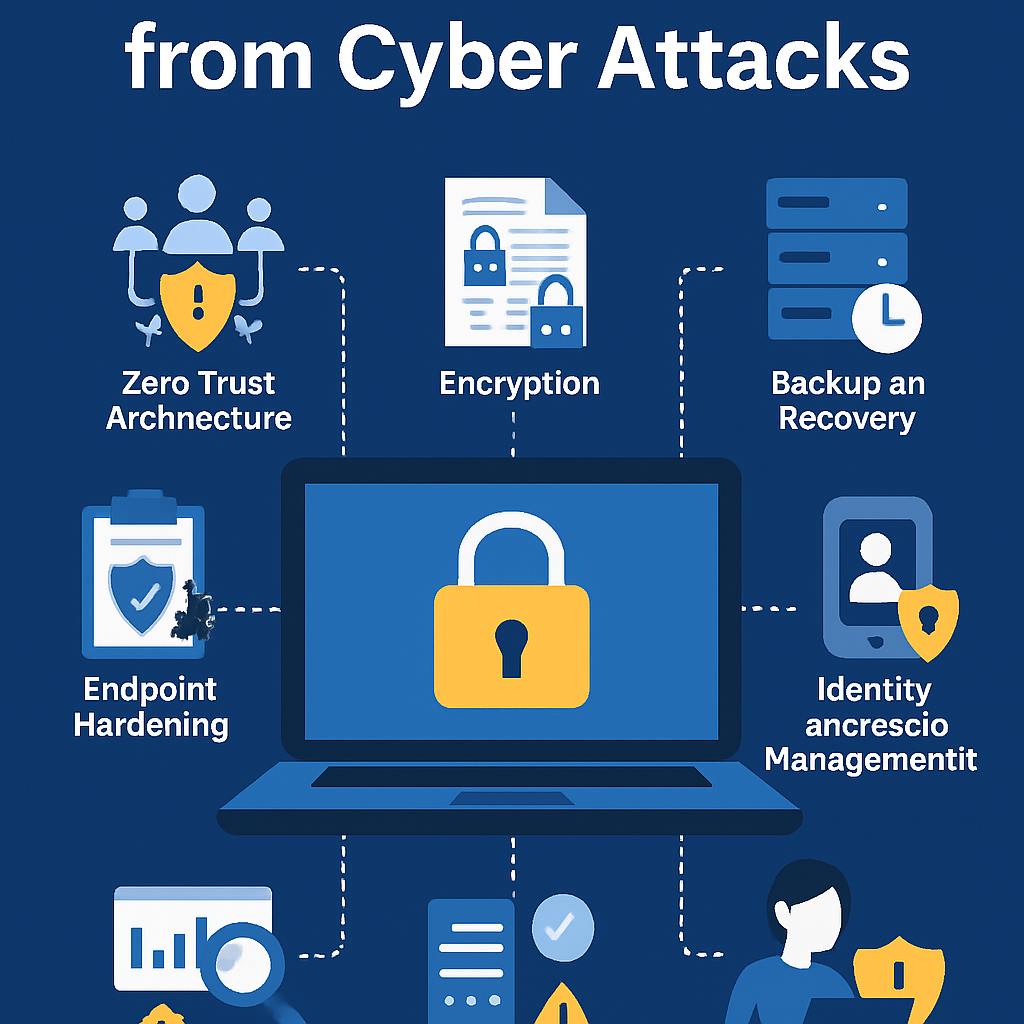
6. Security, Encryption & Threat Model
Local and cloud storage face different threats, so your controls must complement each other. On device, the main risks are lost/stolen devices, malware, and reverse engineering; at rest encryption using OS keystores and database/file encryption mitigates casual data disclosure. In the cloud, the dominant concerns are credential compromise, misconfigured access rules, and over-privileged services; server-side encryption, strict IAM, and network isolation are table stakes. End-to-end encryption can raise guarantees for sensitive domains, but complicates search and analytics. Across both, minimize the data you store, rotate tokens, and log access for forensics. Crucially, never treat the device as a trusted enclave; assume an attacker can read app storage on a rooted phone and harden accordingly.
Numbers & guardrails
- Use modern AEAD ciphers and OS-backed keys; encrypt all sensitive fields at rest.
- Limit tokens to short lifetimes; refresh silently; scope permissions to the minimal set.
How to do it
- On device: protect secrets with Keychain/Keystore, encrypt databases or sensitive columns, obfuscate code paths that handle keys.
- In cloud: enforce row/document-level access rules, use environment-segregated secrets, and enable audit logging.
- For especially sensitive data: consider client-side encryption with searchable prefixes or encrypted indexes, acknowledging the UX and analytics trade-offs.
A layered defense acknowledges that both sides can fail; your job is to reduce blast radius and make compromise difficult, detectable, and recoverable.
7. Compliance, Privacy & Data Residency
Cloud storage centralizes governance, logging, and deletion workflows, which often simplifies compliance with privacy regimes and sector rules, while local storage narrows exposure by keeping data on the device. If your app handles health, finance, or education data, you must decide where data physically resides, who can see it, and how deletions are executed and audited. Local caches still count as personal data, so they must be encrypted, expire appropriately, and respect user deletion. Cloud choices must align with data residency preferences, cross-border transfer limitations, and contractual controls with your provider. Privacy by design principles help on both sides: collect less, anonymize identifiers, and give users real control in-app.
Region notes
- Jurisdictions differ on cross-border transfers and breach notification thresholds; keep your legal counsel in the loop for app scopes that touch regulated data.
- Data subject deletion should cascade: device cache, local mutation log, and server records.
Mini checklist
- Map data flows: identify what leaves the device, where it lands, who can access it.
- Encrypt at rest on device; encrypt in transit; apply server-side encryption with keys you control when possible.
- Implement verified deletion that clears local caches and server data consistently.
Design for compliance from day one: it’s far cheaper to get residency, consent, and deletion right up front than to retrofit them after launch.
8. Developer Velocity, Tooling & Maintenance
Local storage offers mature, high-performance libraries (SQLite, Core Data, Realm, ObjectBox) and tight control over schema and indexes. You own migrations and must test upgrade paths across OS versions and devices. Cloud platforms provide SDKs that abstract auth, rules, and sync, which can accelerate MVPs, but you inherit provider conventions and upgrade cycles. Team skills matter: if your team knows SQL well, local schemas and a thin sync layer can be faster than adopting a heavy remote ORM. On the other hand, if you’re already deep in a vendor ecosystem, cloud-side tooling for auth, functions, and analytics can remove entire categories of yak-shaving. Maintenance is not free in either world; choose the stack you can observe and evolve confidently.
Tips
- Model domain entities once; generate both local tables and API contracts from the same source of truth to cut drift.
- Automate migrations; run canary rollouts; build fixtures for schema changes.
- Keep a compatibility window so an older app version can still sync safely while users update.
Velocity comes from boring reliability: pick tools your team can debug at 3 a.m., and your future self will thank you.
9. Backup, Recovery, RPO & RTO
Cloud storage shines at centralized backups, point-in-time recovery, and disaster scenarios; local-only designs must rely on OS backups or user exports to avoid permanent loss. If your domain can’t tolerate lost edits, you need a server-side source of truth that supports restoring data after accidental deletes or buggy clients. Two key acronyms guide the plan: RPO (Recovery Point Objective, how much data you can afford to lose) and RTO (Recovery Time Objective, how long you can afford to be down). A hybrid design that journals mutations locally but persists them promptly to the cloud typically minimizes both exposure and downtime.
Mini case
- Target RPO ≤60 seconds for critical writes by flushing the local mutation log on network availability; target RTO <15 minutes by enabling automated snapshots and tested restore runbooks.
- A user deletes a project accidentally; support restores from a snapshot and replays N mutations to reconstruct the last good state with minimal loss.
Checklist
- Enable automatic snapshots; verify restores in staging with anonymized data.
- Journal client mutations with durable IDs so server can replay if needed.
- Expose user-level undo where possible to reduce support load.
Backups you haven’t restored don’t exist; practice the full drill so your RPO/RTO numbers are promises, not hopes.
10. Battery, Data Usage & Radio Chattiness
Every network call wakes radios and consumes energy; local reads are cheap, so shifting non-essential traffic off the wire can extend battery life and reduce user data bills. Repeated polling, uncompressed payloads, and tiny writes add up on flaky networks, amplifying retries and tail latencies. Cloud platforms can’t fix chattiness by themselves; you control batching, compression, and when sync runs. A well-tuned hybrid approach minimizes active radio time by syncing opportunistically on Wi-Fi or while charging, and by combining multiple small mutations into single envelopes.
Numbers & guardrails
- Batch 10–50 small writes into one envelope to reduce radio wake-ups by an order of magnitude in chatty flows.
- Prefer background sync windows; avoid frequent foreground polls; set minimum intervals to ≥30–60 seconds unless real-time is essential.
How to do it
- Compress JSON; avoid bloated field names for high-volume entities; consider binary formats for very large lists.
- Use delta sync (only changed fields) rather than full payloads.
- Respect metered connections; defer non-urgent sync when on cellular and low battery.
Battery wins often come “for free” when you favor local reads and batch network writes; design with radio state in mind and you’ll save both energy and money.
11. UX Flow, Optimistic UI & Error Handling
Users judge your app by how it feels under stress. Local storage enables optimistic UI: show the result of an action immediately and reconcile with the server later, which maintains momentum and reduces abandonment. Cloud-first flows that block on the network must provide rich progress states, cancellation, and sensible fallbacks or users will churn. The UX also needs clear semantics around what is truly saved versus queued, and what will happen if a conflict appears. Instrumentation helps support: show subtle badges or banners indicating sync status and provide a screen that lists pending operations so advanced users and support staff can troubleshoot without guesswork.
Mini case
- A task manager marks items complete locally, moves them to a “Done” list instantly, and queues a PATCH. Network errors surface as a discreet banner with a Retry button; conflicts open a side-by-side compare dialog showing “yours vs theirs.”
Tips
- Use optimistic updates for non-authoritative actions; roll back quickly if the server rejects.
- Design failure states first: planes, tunnels, captive portals, and server hiccups.
- Keep a diagnostics view for pending operations with timestamps and last errors.
Good UX is predictability: local lets you keep promises in rough conditions; the cloud keeps everyone’s view aligned after the dust settles.
12. Analytics, Personalization & Edge Intelligence
Cloud storage centralizes analytics pipelines, making cohort analysis, funnels, and ML-powered personalization straightforward. Local storage, however, enables on-device personalization that respects privacy and works offline—think smart defaults, last-used filters, or lightweight recommendations that don’t need the cloud to be useful. The sweet spot is often edge inference with periodic cloud aggregation: compute immediate value on device, ship anonymized metrics later, and update models occasionally. This reduces latency for user-visible smarts while keeping your central view consistent and privacy-aware.
Numbers & guardrails
- Budget <50 ms for on-device preference lookups per view; defer heavy analytics sends to idle windows.
- Downsample high-volume events; send aggregates rather than raw streams where resolution isn’t needed.
How to do it
- Store per-user preferences locally; hydrate defaults from cloud once, then adapt on device.
- Use feature flags to switch algorithms server-side without shipping new binaries.
- Anonymize identifiers before upload; lean on k-anonymity or differential privacy for sensitive metrics.
Blend cloud scale with edge immediacy so you delight users without turning their phones into telemetry pumps.
13. Scaling, Multi-Device & Team Collaboration
Cloud storage enables multi-device continuity and collaboration—phones, tablets, and the web stay in sync so users can pick up where they left off. Local-only designs can’t deliver this reliably without a server mediator. The challenge is controlling data shape and update fan-out: chat systems, shared documents, and boards amplify change frequency, which strains naive polling and large payloads. Fine-grained documents with field-level deltas, change streams, and judicious pagination keep the experience smooth. Client performance still matters; maintaining indexes and pruning caches prevents slowdowns as datasets grow.
Mini case
- A collaborative board has 5,000 cards across 20 lists. With field-level deltas and change streams, a typical device sync pulls <200 KB per active minute rather than megabytes, and conflict prompts occur <2% of the time due to per-field merge rules.
Checklist
- Normalize document structure; avoid monolithic blobs that cause full rewrites.
- Implement change feeds or subscription channels; fall back to smart polling.
- Prune local caches by scope (workspace, project) to keep memory usage stable.
Scalability is as much about efficient diffs and smart clients as it is about cloud horsepower; shape data for change, not just storage.
14. Hybrid Patterns That Usually Win
Most real-world apps benefit from a hybrid approach: store active data locally for speed and offline, and sync to cloud for continuity, backup, and collaboration. This pattern standardizes on a few primitives—local cache, mutation log, background sync, conflict policy—and then tunes per entity. Add edge caching for heavy media, server-side rules for authorization, and observability to catch drift early. The result is a system that feels fast, works on trains and planes, and stays in lockstep across devices without surprising bills.
Patterns to consider
- Cache-then-network: render from local, refresh silently, reconcile in place.
- Write-behind: record local mutations, return success to the UI, and sync in batches.
- Selective pinning: user-pinned items never evict; everything else follows LRU with size caps.
Numbers & guardrails
- Set local cache caps by segment (for example, 150 MB total with 50 MB for media thumbnails).
- Target background sync intervals of 30–120 seconds when active; longer when idle; always respect battery and network type.
A principled hybrid gives you the best of both worlds: the feel of a native local app and the reach of the cloud, without forcing users—or your team—to live at either extreme.
Conclusion
Local vs cloud data storage in mobile apps isn’t a binary choice; it’s a set of trade-offs you can tune to match your product promises, risk tolerance, and budget. Local storage buys you instant interactions, robust offline behavior, and resilience when the network is uncooperative. Cloud storage gives you multi-device continuity, centralized governance, simplified backups, and a foundation for analytics and collaboration. The architecture that usually wins is hybrid: cache hot paths locally, log mutations, sync in the background, resolve conflicts predictably, and enforce security on both device and server. If you apply the guardrails above—clear staleness windows, per-entity merge policies, measured RPO/RTO, and cost-aware batching—you’ll build a system that feels great to use, behaves well in the wild, and scales with your user base. Pick one target success metric to start—such as p95 interaction latency or conflict rate—and iterate until it lands in your acceptable band. Ship with a hybrid baseline, measure real-world behavior, and tune your mix; your users will feel the difference.
Copy-ready CTA: Start with a local cache and mutation log today, then add background sync and conflict rules—your app will feel faster by the next release.
FAQs
1) What is the core difference between local and cloud storage in a mobile app?
Local storage keeps data on the device, enabling instant reads and offline behavior, while cloud storage keeps data on managed servers and syncs to devices for multi-device continuity and centralized governance. In practice, most apps combine both: local for responsiveness, cloud for source-of-truth and collaboration. Deciding what lives where is primarily about UX promises, risk, and cost.
2) When should I prefer a local-first approach?
Go local-first when your app must feel fast and remain useful without a connection—field tools, note taking, task managers, and catalog browsing are classic fits. A local cache plus a mutation log lets users keep working while your sync layer sorts out reconciliation later. You still need a cloud plan for backup and continuity, but local should drive the UI when latency and reliability matter most.
3) When does a cloud-first design make more sense?
Cloud-first is sensible when the app’s value depends on multi-device continuity, central moderation, shared workspaces, or heavy analytics. Messaging, collaborative boards, and streaming dashboards benefit from a server-authoritative core. You can still cache locally to smooth the UI, but the server keeps the source of truth and enforces access rules in one place.
4) How do I handle conflicts between devices?
Pick a clear merge policy per entity: last-writer-wins for append-only logs, field-level merges for forms, and CRDTs for rich text. Include a version or base hash on every mutation, detect divergence server-side, and return per-field outcomes so the UI can explain what happened. Keep a mutation log to make retries idempotent and to enable auditability.
5) What are the main security steps on device and in the cloud?
On device, use OS keystores, encrypt sensitive data at rest, and avoid storing long-lived secrets. In the cloud, enforce least-privilege IAM, apply row/document-level access rules, and enable audit logs. End-to-end encryption can raise guarantees but complicates search; weigh that trade-off against your product needs and threat model.
6) How can I keep costs under control as I scale?
Reduce chattiness by batching writes and using delta sync, compress payloads, and cap local caches to avoid bloating devices. Track cost per active user and set targets for read/write operations. A slim local cache that satisfies most reads plus compact cloud deltas usually provides a predictable spend curve.
7) What metrics should I monitor to know the design is working?
Focus on p95 latency for key interactions, conflict rate as a percentage of writes, sync success rate, average payload size, battery impact, and error budgets. For resilience, monitor RPO/RTO against your targets. These numbers translate architecture choices into user and business outcomes you can tune.
8) How do I support users who often have no connection?
Define must-work-offline flows, keep a persistent mutation log, and annotate UI elements with sync status. Offer a manual “Sync now” action and a diagnostics view for pending operations and last errors. With these in place, users can trust the app to keep moving and fix itself once the network returns.
9) Will local storage make my app heavier or slower over time?
It can if you never prune. Use size caps, least-recently-used eviction, and scoped caches (per workspace or project). Periodically vacuum or compact local databases and remove stale thumbnails or old logs. Index only the fields you actually query to keep reads fast and storage tidy.
10) How should I think about data residency and deletion?
Map where data travels and lives, encrypt at rest both on device and server, and design deletion to cascade from user intent to local caches and server records. Choose cloud regions that align with your user base and contractual constraints. Provide in-app controls so users can initiate deletion and see confirmation.
11) Can I start cloud-only and add local later?
Yes, but it’s smoother to plan for a local cache and a mutation log upfront, even if you stub them. Retrofitting sync, versioning, and optimistic UI into a cloud-only app is possible but often touches every screen. A minimal local-first scaffolding lets you grow offline and performance capabilities without rewriting flows.
12) Which libraries and platforms are good starting points?
On device: SQLite (with Room on Android), Core Data or Realm on iOS. In the cloud: Firebase for real-time sync and rules, AWS Amplify DataStore for opinionated sync, or Supabase for a Postgres-centric approach. Pick what your team can debug easily and what aligns with your language, tooling, and hosting constraints.
References
- Core Data Documentation — Apple Developer. https://developer.apple.com/documentation/coredata
- Room Persistence Library — Android Developers. https://developer.android.com/training/data-storage/room
- SQLite Documentation — SQLite. https://www.sqlite.org/docs.html
- Mobile Security Testing Guide — OWASP. https://owasp.org/www-project-mobile-security-testing-guide/
- Security Rules — Firebase Documentation. https://firebase.google.com/docs/rules
- DataStore (Sync) — AWS Amplify Docs. https://docs.amplify.aws/lib/datastore/getting-started/q/platform/js/
- Guides — Supabase Documentation. https://supabase.com/docs/guides
- HIPAA Security Rule — U.S. HHS. https://www.hhs.gov/hipaa/for-professionals/security/index.html
- GDPR Guide — GDPR.eu. https://gdpr.eu/what-is-gdpr/