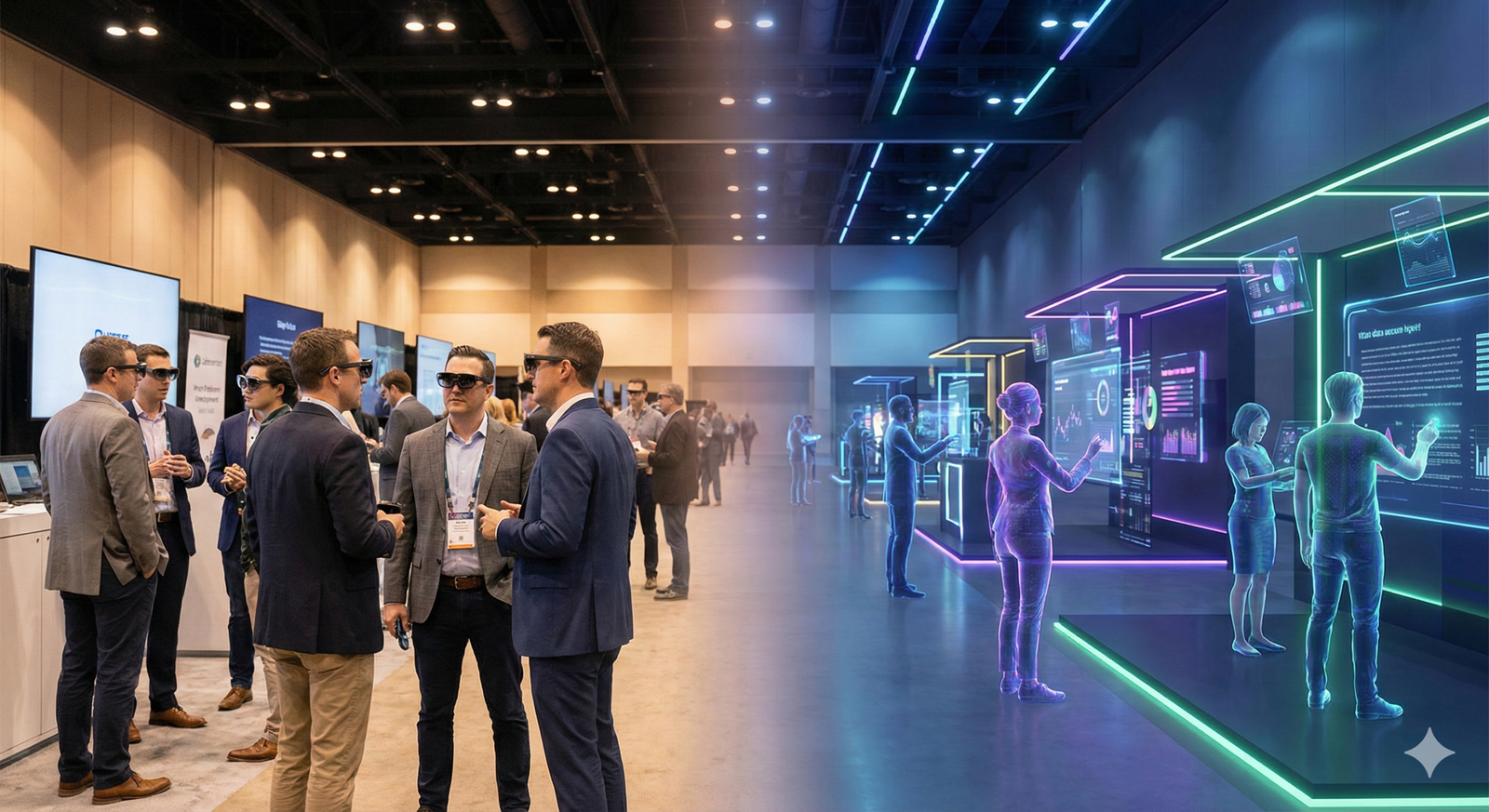
The concept of the “hybrid event” has undergone a radical transformation. In the early 2020s, “hybrid” often meant a lonely laptop in a hotel room streaming a low-resolution video of a stage, with a chat box ignored by the onsite moderator. Today, as of 2026, that model is obsolete. We have entered the era of spatial hybridity—a convergence where Augmented Reality (AR) and Virtual Reality (VR) dismantle the walls between the physical attendee and the digital participant.
For event organizers, community managers, and tech professionals, the stakes have changed. It is no longer about simply broadcasting content; it is about engineering presence. Whether an attendee is standing on the expo floor in San Francisco or logging in via a headset from Seoul, the goal is a shared, synchronous reality.
This guide explores the architectural shift in how tech events are delivered. We will move beyond the buzzwords to examine the practical implementation of AR and VR in networking, the technologies driving this change, and the strategies required to build communities that thrive in mixed realities.
Key Takeaways
- The “Second-Class Citizen” problem is solvable: New AR/VR tools eliminate the isolation of remote attendees by giving them a physical presence via holograms or robotic telepresence.
- Networking is the primary driver: Content is available on-demand; people attend live events (virtually or physically) for connections. AR overlays facilitate this by visualizing professional matches in real-time.
- Digital Twins are standard infrastructure: Creating a 1:1 virtual replica of the physical venue allows for precise, shared spatial experiences.
- Hardware is becoming invisible: The shift from bulky headsets to lightweight eyewear is accelerating adoption, making AR networking socially acceptable on the event floor.
- Data privacy is critical: With biometric data and eye-tracking involved in VR/AR, explicit consent and data security are non-negotiable.
Scope of this Guide
In Scope: This article covers B2B and B2C technology conferences, developer summits, and corporate town halls utilizing immersive tech (AR/VR/MR). It focuses on networking mechanics, attendee experience (AX), and strategic implementation. Out of Scope: We will not cover basic video streaming platforms (Zoom/Teams) unless they are integrated into a spatial environment. Purely gaming-focused esports events are also excluded unless they offer relevant business networking applications.
1. The Evolution of Hybrid: From Streaming to Spatial Computing
To understand where we are going, we must briefly acknowledge the friction of the past. The first generation of hybrid events failed because they treated the two audiences as separate entities consuming the same content. The physical audience had energy and serendipity; the virtual audience had a broadcast.
The current phase, driven by the maturation of spatial computing, treats the event as a single “world” that can be accessed through different portals.
The Death of “Remote vs. Onsite”
In a truly immersive hybrid event, the distinction between “remote” and “onsite” blurs.
- Onsite attendees use AR mobile apps or smart glasses to see digital layers of information (e.g., a floating LinkedIn profile above a speaker’s head).
- Remote attendees use VR headsets or desktop spatial browsers to navigate a Digital Twin of the venue, interacting with the same digital objects and, crucially, the same people.
The Rise of the “Meta-Layer”
Successful modern events build a “Meta-Layer”—a persistent digital state that exists on top of the physical event. If a virtual attendee leaves a digital sticky note on a virtual whiteboard, a physical attendee wearing AR glasses sees that note floating on the physical whiteboard. This synchronization creates a shared history and a shared context, which are the foundations of community.
2. Transforming the Attendee Journey with AR and VR
The attendee journey has traditionally been linear: register, attend sessions, network at the bar, go home. AR and VR fragment this line into a multi-dimensional web of interactions.
Pre-Event: The Virtual Lobby
Long before the physical doors open, the VR Lobby acts as an icebreaker.
- Avatar Customization: Attendees build digital representations. In tech events, these are moving away from cartoonish caricatures toward photorealistic avatars (using tools like codec avatars) that convey genuine facial expressions.
- Spatial Teasers: Organizers release 3D models of the products to be launched. A remote developer can manipulate a 3D model of a new GPU in VR, while a physical attendee can view the same model in AR via their phone invitation.
During Event: The Augmented Floor
For the physical attendee, AR is the superpower.
- Wayfinding: Instead of confusedly looking at paper maps, attendees see arrows projected onto the floor (via phone or glasses) guiding them to their next session.
- Interest Heatmaps: AR can visualize real-time data. If a specific booth is trending on social media, it might glow or have a visible “buzz” aura in the AR view, drawing physical foot traffic.
Post-Event: The Persistent Community
The event doesn’t end; the “world” just goes dormant or changes modes. The Digital Twin remains accessible for networking, accessing recorded spatial presentations (where you can walk around the speaker), and continuing conversations started in the hallway.
3. Deep Dive: Networking in a Mixed Reality World
The primary criticism of virtual events was the lack of “hallway tracks”—those serendipitous moments where you bump into a future co-founder or client. Technology is now engineering serendipity.
AR Overlays for Physical Networking
Imagine walking into a networking mixer. Usually, you scan badges, looking for names. With AR glasses or a “magic window” phone mode:
- The “Match” Beacon: You entered your interests (e.g., “Python,” “Seed Funding,” “Green Tech”) into the event app. As you scan the room, the system highlights people with matching interests with a subtle visual cue above their heads.
- Conversation Starters: Floating proximity bubbles can display a user’s “Ask” (what they need) and “Give” (what they offer). You might see “Hiring UX Designers” floating above someone, eliminating the awkward “So, what do you do?” phase.
VR Serendipity for Remote Users
Virtual networking used to mean awkward breakout rooms. Now, it utilizes spatial audio and proximity logic.
- The Cocktail Party Effect: In a VR space, as you move your avatar closer to a group, their voices get louder. As you move away, they fade. This allows for natural group formation and fluid movement between conversations, mimicking real life dynamics.
- Holographic Presence: High-end hybrid events are deploying “Holo-Pods” in the physical venue. A remote attendee stands in front of a camera at home, and their life-size hologram appears in a booth at the physical venue. Physical attendees can walk up and talk to the remote person as if they were standing there.
Bridging the Gap: The “Buddy” System
A popular trend in 2025/2026 is the Hybrid Buddy System.
- The Concept: An onsite attendee acts as an avatar for a remote attendee.
- The Tech: The onsite buddy wears a camera or smart glasses. The remote buddy sees what they see and can whisper in their ear (via bone conduction audio) or display text on their heads-up display.
- The Outcome: They navigate the expo floor together. The remote user directs the physical user: “Hey, can we look at that robot over there?” It turns networking into a co-op game.
4. Key Technologies Powering the Experience
To execute this vision, organizers rely on a specific stack of technologies. Understanding these tools is essential for planning.
Digital Twins and Volumetric Capture
- Digital Twins: This is a physics-compliant 3D replica of the venue. LIDAR scanners map the convention center to the inch. This ensures that if a remote user navigates to “Booth 404,” they are spatially in the exact same location as the physical booth.
- Volumetric Video: For keynotes, standard 2D video is flat. Volumetric capture records the speaker from 360 degrees. Remote viewers can walk around the speaker on their virtual stage, viewing the presentation from any angle.
Spatial Audio
Sound is the most underrated immersion tool. Spatial audio processes sound so it appears to come from a specific location in 3D space.
- In VR: If an avatar is to your left, you hear them in your left ear.
- In AR: If a virtual panelist is projected onto an empty chair on stage, their voice is projected from that specific chair speakers or processed through headphones to sound anchored to that spot.
Haptics and Wearables
- Haptic Vests/Gloves: While still niche, some high-end tech events provide haptic feedback devices. When a remote attendee “shakes hands” with a virtual counterpart, the glove provides pressure feedback.
- Smart Badges: E-ink or LED badges that interact with the event app. They can flash specific colors to signal networking availability or alignment with specific tracks (e.g., flashing blue for “Developers,” red for “Investors”).
5. Designing for “Presence”: Psychological Considerations
Technology is the vehicle, but psychology is the driver. The feeling of “presence”—the sense of actually being there—is fragile.
The Uncanny Valley of Networking
If avatars look almost human but move unnaturally, it repels connection.
- Solution: Stylized realism. It is often better to have a highly expressive, slightly stylized avatar than a low-quality photorealistic one.
- Eye Contact: Advanced headsets now track eye movement. When a VR user looks at an avatar, the avatar maintains eye contact. This small detail dramatically increases trust and engagement during negotiations or networking.
Avoiding Cognitive Overload
AR networking can easily become dystopian if not managed. Imagine walking into a room and seeing hundreds of popping notifications and floating bios.
- Filter Logic: Good design limits AR overlays to the top 3-5 most relevant matches in a room.
- Opt-in Privacy: Attendees must be able to toggle “Invisible Mode.” Just because technology can identify everyone in the room doesn’t mean it should without their active consent.
6. Practical Use Cases: Hybridity in Action
What does this actually look like on the ground? Here are three synthesized examples of how organizations are deploying this tech.
Scenario A: The Global Hackathon
- Setup: A central hub in Berlin, with satellite nodes in Tokyo and San Francisco, plus 5,000 solo remote participants.
- Hybrid Element: A persistent “Virtual Lab.”
- Experience: Physical teams build hardware; remote teams code software. They meet in a VR “War Room” where the physical hardware is rendered as a 3D digital twin. The remote coder can highlight a circuit on the virtual board, and via AR, the physical engineer sees the highlight on the real board.
- Networking: “Speed Coding” rounds where algorithms pair random remote and physical participants for 5-minute brainstorming sessions in a virtual lounge.
Scenario B: The Product Launch Keynote
- Setup: 500 VIPs in an auditorium; 1 million viewers online.
- Hybrid Element: AR Product Explosion.
- Experience: The CEO holds a new device.
- Physical Audience: Looks at the large screens or their phones to see the device “explode” into its components floating over the stage.
- Virtual Audience: The device appears on their coffee table at home (via MR passthrough). They can reach out, grab it, scale it up, and inspect the components while the CEO speaks.
- Networking: Live sentiment analysis groups people who reacted positively to specific features, inviting them to a specialized breakout discussion room post-keynote.
Scenario C: The Medical Tech Summit
- Setup: Doctors and device manufacturers networking.
- Hybrid Element: Simulated Surgery.
- Experience: A surgeon performs a procedure on a dummy.
- Physical Audience: Watches live.
- Virtual Audience: In VR, they are “inside” the patient, viewing the procedure from a microscopic level.
- Networking: Post-op Q&A where remote doctors appear as avatars standing around the operating table alongside the physical surgeon to discuss techniques.
7. Common Mistakes and Pitfalls
Transitioning to this model is fraught with risk. Here are the most common failure modes.
1. The “Split Brain” Problem
This occurs when the physical MC tells a joke that the virtual audience hears 30 seconds later due to latency. By the time the chat reacts, the room has moved on.
- Fix: Ultra-low latency streaming (sub-second) is mandatory. Moderators must be trained to acknowledge the “digital room” first to bridge the gap.
2. Hardware Friction
Requiring attendees to download a 5GB app or wear a heavy headset for 8 hours is a non-starter.
- Fix: WebXR (browser-based AR/VR) reduces friction. For physical attendees, keep AR experiences “glanceable” via phones rather than requiring constant usage.
3. Ignoring the “Empty Room” Effect
If your virtual venue is too big, 500 remote attendees will feel like ghosts in a cathedral.
- Fix: Adaptive environments. Use procedural generation to scale the size of the virtual networking rooms based on the actual number of active users.
4. Accessibility Failures
Immersive tech can be exclusionary for people with visual or motion impairments.
- Fix: All VR environments must have “flat” accessible alternatives. Voice navigation and screen-reader compatibility for AR interfaces are essential legal and ethical requirements.
8. Costs, Resources, and Monetization
Hybrid events with deep AR/VR integration are expensive. They require a shift in budget from catering and travel to software development and bandwidth.
Budget Shifts
- Traditional: 40% Venue/Food, 30% AV, 20% Marketing, 10% Tech.
- Spatial Hybrid: 30% Venue, 20% AV, 10% Marketing, 40% Platform & Content Dev.
Monetization Models
How do you pay for this? The “Virtual Ticket” is no longer a discount option; it is a premium value proposition.
- Tiered Access:
- Free: 2D Stream.
- Standard: Interactive app access.
- VIP (Virtual): Full VR access, digital swag (NFTs/skins), exclusive “backstage” VR meet-and-greets with speakers.
- Sponsorship Assets: Instead of a logo on a banner, sponsors can buy “3D Real Estate” in the virtual world or branded AR filters that attendees use to take photos.
9. Who This Is For (And Who It Isn’t)
Adopting high-tech hybrid strategies is not for every event organizer.
This approach IS for:
- Tech Product Launches: Where the medium reinforces the message of innovation.
- Global Developer Conferences: Where the audience is tech-literate and distributed.
- Medical/Engineering Summits: Where 3D visualization adds educational value.
This approach IS NOT for:
- Small Local Meetups: The cost/complexity outweighs the benefit.
- Executive Retreats: Where intimacy and disconnect from tech are the goals.
- Low-Bandwidth Regions: If your audience lacks 5G or high-speed fiber, VR will fail.
10. Future Outlook: The Role of AI and Lightweight Glasses
As we look toward late 2026 and 2027, two factors will accelerate this trend.
Generative AI Agents
AI will populate hybrid events as concierges and connectors. An AI agent might approach a remote attendee in the lobby: “I noticed you’re a React developer. There is a group of three other React developers gathering in the North Hall. Would you like me to teleport you there?” This automates the social lubricant role that human hosts used to play.
The Hardware Slim-Down
We are currently in a transition period between “Face Computers” (bulky headsets) and “Smart Glasses” (normal-looking frames). As hardware like the next generations of Ray-Ban Meta or Snap Spectacles evolves, AR networking will become less intrusive. It will simply be a layer of data we access naturally, removing the physical barrier of holding up a phone.
Conclusion
The era of “hybrid” meaning “broadcast” is over. We are moving toward hybrid as a shared place.
For event organizers, the challenge is no longer logistical—it is creative. How do you design a world that is equally compelling for a person standing in a convention center and a person sitting in their home office? The answer lies in blending the strengths of both: the serendipity of the physical world with the data-rich, infinite possibilities of the virtual one.
By leveraging AR overlays for immediate context and VR environments for deep immersion, we can finally fulfill the promise of global connectivity: being together, even when we are apart.
Next Steps for Organizers
- Audit your audience: Do they have the hardware (VR headsets/modern phones) to support this?
- Start small: Introduce one AR element (like wayfinding or a digital scavenger hunt) at your next event.
- Invest in a Digital Twin: Start mapping your venues now to build assets for the future.
FAQs
1. What is the difference between a virtual event and a spatial hybrid event? A standard virtual event usually consists of 2D video streams and text chat. A spatial hybrid event uses 3D environments (VR or Digital Twins) where attendees have avatars, can move around freely, and interact with physical attendees via AR bridges or audio links, creating a sense of shared space.
2. Do attendees need VR headsets to participate in these events? Not necessarily. While headsets provide the most immersive experience, inclusive hybrid events use “WebXR,” allowing remote users to navigate the 3D world via a desktop browser or mobile phone, similar to playing a video game.
3. How does AR help with networking at in-person events? AR can overlay digital information onto the physical world. Using a phone camera or smart glasses, an attendee can see “tags” above other people (if they opted in) showing their name, job title, and shared interests, making it easier to identify the right people to talk to.
4. Is it expensive to implement AR/VR in conferences? Yes, it currently requires a higher budget than standard video streaming. Costs include 3D modeling, platform licensing, and high-bandwidth internet infrastructure. However, it opens new revenue streams through premium virtual tickets and immersive sponsorships.
5. How do you handle privacy with AR facial recognition at events? Privacy is paramount. Reputable events use an “opt-in” model. You are not searchable or visible in AR unless you actively consent. Facial recognition should generally be avoided in favor of proximity-based technologies (like Bluetooth beacons) that trigger data exchange only when permitted.
6. What happens if the internet connection fails at the venue? This is the single biggest point of failure. Hybrid events require redundant, enterprise-grade internet connections (primary line + backup line + 5G failover). Organizers must also have a “Lite” version of the app that works with lower bandwidth if the main pipeline struggles.
7. Can AI be used in hybrid networking? Yes. AI matchmaking algorithms analyze attendee profiles to suggest connections. In advanced setups, AI agents can act as facilitators, introducing two people (one remote, one physical) based on their shared business goals.
8. What is a “Digital Twin” in the context of events? A Digital Twin is a virtual replica of the physical event venue. It allows remote attendees to “walk” through the same halls as physical attendees. When networked correctly, a remote user standing at a specific virtual booth can talk to a physical user standing at the real booth.
References
- Meta Connect Keynotes & Documentation. (2024-2025). advances in Mixed Reality and Avatar presence. Meta. https://www.meta.com/
- Microsoft Mesh Overview. (n.d.). Holoportation and shared experiences for enterprise. Microsoft. https://www.microsoft.com/en-us/mesh
- Unity Industry. (2025). Digital Twins and Event Visualization Case Studies. Unity Technologies.
- Cvent. (2025). The State of Hybrid Events: Trends and Benchmarks Report. Cvent. https://www.cvent.com/
- Qualcomm. (2024). Snapdragon XR Platforms: Enabling the future of spatial computing. Qualcomm. https://www.qualcomm.com/products/application/xr-vr-ar
- Niantic Lightship. (n.d.). Building Real-World Metaverse Applications. Niantic. https://lightship.dev/
- The Event Manager Blog. (2025). ROI of Immersive Technology in B2B Events. Skift Meetings. https://meetings.skift.com/
- IEEE VR Conference Proceedings. (2024). Research on social presence in hybrid environments. IEEE Computer Society. https://www.computer.org/csdl/proceedings