The video game industry is currently undergoing a paradigm shift comparable to the introduction of 3D graphics or the advent of the internet. Generative AI for game content is moving rapidly from experimental curiosity to a fundamental pillar of production pipelines. For developers, artists, and designers, this technology offers a solution to the “content treadmill”—the insatiable demand for larger worlds, higher fidelity assets, and deeper narratives that often leads to industry crunch.
However, integrating artificial intelligence into creative workflows is not merely about pressing a button and getting a finished game. It requires a nuanced understanding of how these models work, where they fit into the development lifecycle, and how to maintain artistic integrity while leveraging automation.
In this guide, generative AI for game content refers to the use of machine learning models (such as diffusion models, Large Language Models, and transformers) to create or assist in creating digital assets like textures, 3D models, level layouts, voice acting, and narrative elements.
Key Takeaways
- From PCG to GenAI: While Procedural Content Generation (PCG) relies on predefined algorithms and rules, Generative AI relies on learned patterns from vast datasets, allowing for more organic and varied results.
- Asset Velocity: AI tools can reduce the time-to-first-draft for assets (concept art, textures, skyboxes) by up to 80%, allowing artists to focus on refinement and polish.
- Dynamic Levels: Modern AI goes beyond random dungeon generation; it can understand player flow and pacing to construct levels that feel hand-crafted.
- The “Human-in-the-Loop”: The most successful pipelines use AI as a force multiplier for human creativity, not a replacement. Directing the AI is a skill in itself.
- Legal Landscape: Copyright and platform compliance (e.g., Steam’s disclosure rules) are critical considerations for commercial release.
Who This Is For (and Who It Isn’t)
This guide is designed for:
- Game Developers (Indie to AAA): Professionals looking to integrate AI tools into Unity, Unreal, or custom engines to speed up production.
- Technical Artists and Level Designers: Creatives seeking to understand how to automate repetitive tasks like UV mapping, texturing, or greyboxing.
- Producers and Studio Leads: Decision-makers evaluating the ROI and ethical implications of adopting AI workflows.
This guide is not for:
- Gamers looking for cheat codes: This covers development methodologies, not gameplay exploits.
- Those seeking a “Make Game” button: We focus on professional workflows where AI assists production, not fully autonomous game creation software (which remains largely theoretical for high-fidelity titles).
The Evolution: Procedural Content Generation (PCG) vs. Generative AI
To understand the future, we must distinguish between the two primary methods of automation in gaming: Classical Procedural Content Generation (PCG) and modern Generative AI.
Classical PCG: The Rule-Based Architect
For decades, games like Elite, Diablo, Minecraft, and No Man’s Sky have used PCG. This method relies on noise functions (like Perlin noise) and strict logic sets created by programmers.
- How it works: The developer writes a rule: “If a tree spawns, ensure it is 5 meters from a rock.” The computer rolls dice based on these rules.
- Pros: Highly predictable, efficient at runtime, infinite variations within strict bounds.
- Cons: Can feel repetitive or “math-y.” If the rules don’t cover a specific edge case, the generation breaks or looks generic.
Generative AI: The Learned Artist
Generative AI, specifically Deep Learning (DL), does not follow explicit “if-then” rules for design. Instead, it learns the concept of a “forest” by analyzing thousands of images or 3D models of forests.
- How it works: You provide a prompt or a rough sketch. The model predicts the pixel or voxel arrangement that statistically matches that concept.
- Pros: Can produce novel, organic, and highly detailed results that rules might miss. It understands style and aesthetics.
- Cons: Harder to control (hallucinations), computationally expensive (often requires cloud inference), and legal complexities regarding training data.
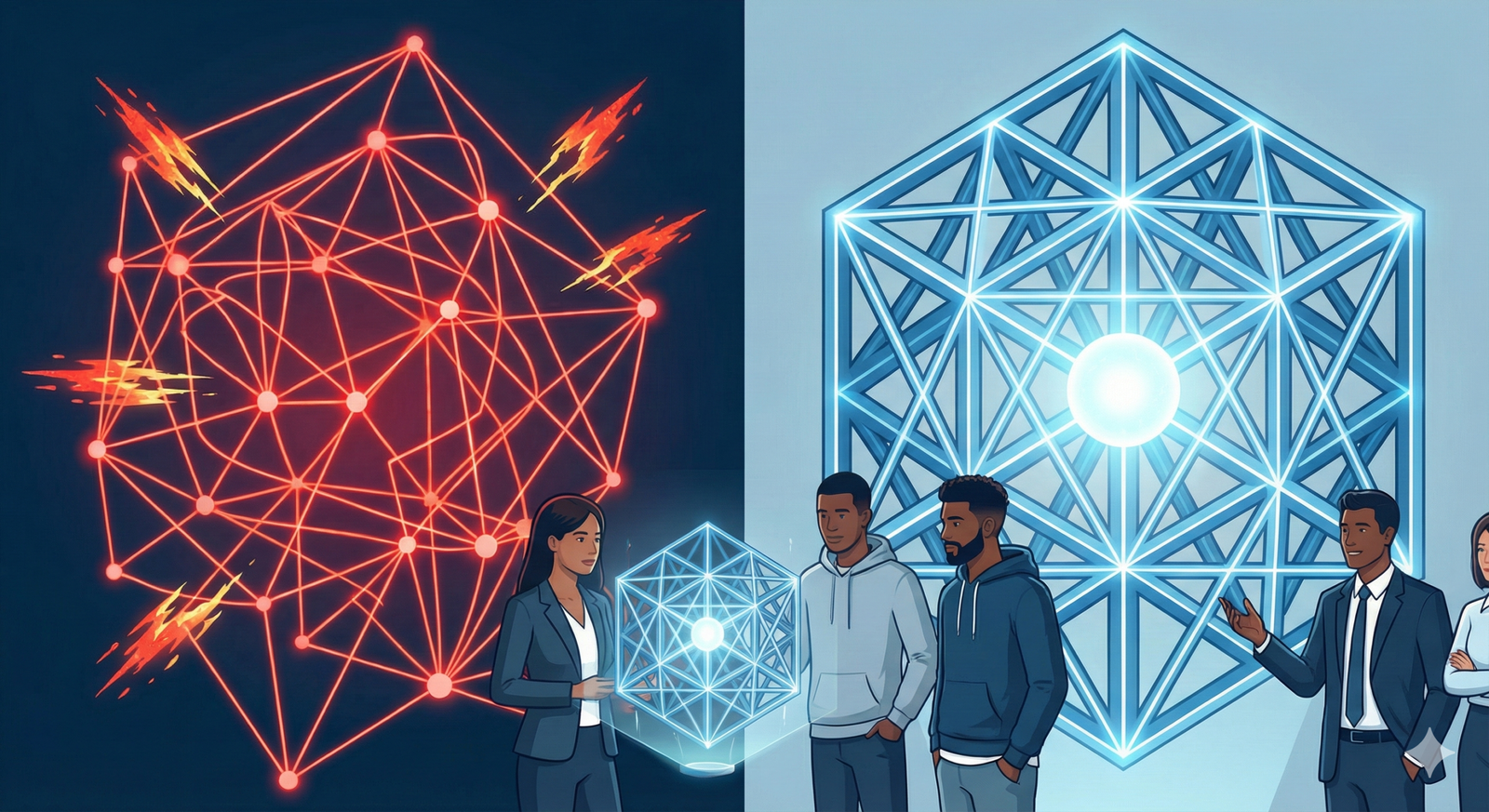
In practice, the modern “Smart” pipeline often combines both: using PCG to set the rigid structural constraints (so the player doesn’t fall through the floor) and Generative AI to “decorate” that structure with high-fidelity assets.
AI-Driven Level Design and Environment Generation
Level design is a delicate balance of aesthetics, guidance, and gameplay mechanics. Historically, “random level generation” often resulted in nonsensical layouts. Generative AI approaches this differently by learning flow and architectural logic.
1. Functional Layout Generation
Recent advancements utilize Graph Neural Networks (GNNs) and Reinforcement Learning (RL) to design layouts. Instead of placing random rooms, an AI agent plays through thousands of iterations of a level layout during the training phase.
- Objective-Driven Design: The AI optimizes for metrics like “time to complete,” “difficulty curve,” or “line of sight.”
- Greyboxing Automation: AI tools can generate the initial “greybox” (the untextured geometry used for testing) based on a simple prompt like “create a balanced multiplayer arena for close-quarters combat.”
- Navigability: Unlike simple noise generation, trained models ensure connectivity, ensuring that every room is accessible and that key items are reachable.
2. Style Transfer and Biome Blending
Once a layout exists, filling it with detail is time-consuming. Neural Style Transfer and in-painting technologies allow designers to “paint” biomes onto a map.
- Texture Synthesis: An artist can sketch a rough map—green for grass, grey for mountains. Generative models (like GauGAN or similar proprietary tools) convert these semantic maps into photorealistic terrain maps, handling the complex blending between mud, grass, and rock automatically.
- Asset Population: Instead of manually placing every bush, Generative Adversarial Networks (GANs) can learn the distribution patterns of vegetation in a real forest and populate a game world with density and variety that mimics nature, far better than random scatter algorithms.
3. Infinite Dungeon Generation
For roguelikes and exploration games, variety is key. Generative AI allows for “coherency” in infinite generation. A Large Language Model (LLM) acting as a “Dungeon Master” can generate the theme and lore of a dungeon wing on the fly, while an image-generation model creates the specific wall murals and textures to match that lore, ensuring the visuals align with the narrative context generated seconds prior.
2D and 3D Asset Creation Pipelines
The most immediate impact of generative AI for game content is in the creation of static assets. This reduces the “blank page” problem and accelerates the texturing pipeline.
2D Assets: Concepts, UI, and Skyboxes
- Concept Art: This is the most mature use case. Artists use tools like Midjourney or Stable Diffusion to iterate on dozens of mood boards and character silhouettes in minutes. This allows the art team to agree on a visual direction quickly before committing to expensive 3D modeling.
- UI Elements: Generating icons for inventory items (potions, swords, runes) is a perfect use case for image generators. Consistency can be maintained by training a small LoRA (Low-Rank Adaptation) model on the game’s specific art style.
- Skyboxes: Creating high-resolution, seamless 360-degree panoramic skyboxes used to take days of painting. Generative AI can synthesize HDR (High Dynamic Range) skyboxes in seconds, complete with complex lighting data for the game engine to use.
3D Asset Generation: The Next Frontier
Generating production-ready 3D meshes is significantly harder than 2D images due to topology (the wireframe structure). Bad topology causes rendering artifacts and animation issues. However, as of January 2026, significant strides have been made.
Text-to-3D and Image-to-3D
Tools now exist where a user inputs a text prompt or a single 2D image, and the AI generates a 3D model.
- NeRFs and Gaussian Splatting: Neural Radiance Fields (NeRFs) represent 3D scenes as neural networks. While great for visualization, they are often heavy for game engines. Gaussian Splatting has emerged as a faster alternative for rendering captured real-world scenes in real-time.
- Mesh Generation: Newer transformer-based models can output 3D meshes with “quad” topology (squares instead of messy triangles), which makes them usable in animation pipelines.
- Texture Generation: This is currently highly effective. AI tools can take a 3D mesh and “project” textures onto it based on text prompts, automatically generating the Albedo (color), Normal (bump), and Roughness maps required for modern rendering engines like Unreal Engine 5.
Animation and Motion
Generative AI creates animation data from video. “Video-to-Motion” tools allow a developer to record themselves performing a sword swing on a webcam, and the AI extracts the skeletal motion data to apply to a game character. This democratizes motion capture, removing the need for expensive suits and studio setups for indie developers.
Narrative and Dynamic NPCs
Generative AI transforms game scripts from static text trees into dynamic, responsive conversations.
The Rise of “Smart” NPCs
Integrating LLMs into Non-Player Characters (NPCs) allows them to:
- Understand Context: Remember previous interactions with the player.
- React Dynamically: Respond to player actions (e.g., if the player is holding a weapon, the NPC speaks fearfully).
- Generate Quests: Create small, procedural “fetch” or “kill” quests that fit the current narrative context.
Safety and Guardrails
The risk with LLM-driven NPCs is them breaking character or saying offensive things.
- System Prompts: Developers treat the NPC’s “personality” as a strict system prompt that defines their knowledge and tone.
- Vector Databases: To prevent hallucinations (making things up), NPCs are connected to a database of “world truths” (Lore Bible). When asked a question, the AI retrieves the correct lore before answering.
Practical Implementation: A Workflow Framework
How do you actually put this into a game engine? Here is a generalized workflow for integrating generative AI for game content.
Phase 1: Conceptualization (Pre-Production)
- Mood Boarding: Use text-to-image generators to establish the visual identity (color palette, lighting style).
- Style Training: Train a custom model (e.g., using Dreambooth or LoRA) on your studio’s existing art to ensure all subsequent AI generations match your unique style.
Phase 2: Asset Production
- 3D Prototyping: Use AI to generate base meshes for environmental props (barrels, crates, rocks).
- Texturing: Import grey meshes into AI texturing software to generate material maps.
- Refinement: Human artists clean up the topology and tweak the textures. Crucial Step: AI gets you 80% of the way; the human artist provides the final 20% polish.
Phase 3: Runtime Integration (The “Edge” Case)
For games that generate content while the player is playing:
- Inference Engine: Integrate a lightweight inference engine (like ONNX Runtime) into the game client.
- Asset Streaming: Generate assets on a server and stream them to the player to avoid heavy processing on the player’s device.
- Safety Layer: Run all generated text or images through a moderation filter API before displaying them to the player.
Common Mistakes and Pitfalls
Adopting generative AI is not without risks. Here are common failure modes in game development.
1. Inconsistent Art Style
The “shimmering” effect or varying styles between assets is a major issue. If one rock looks photorealistic and the next looks like an oil painting, immersion breaks.
- Fix: Use consistent “Seeds” and fine-tuned models trained strictly on your specific dataset.
2. Bloated Topology
AI-generated 3D models often have millions of unnecessary polygons.
- Fix: Always run AI meshes through a “decimation” or “re-topology” pass (automated or manual) to optimize them for real-time rendering.
3. Copyright Infringement
Using public models trained on copyrighted data without license can lead to legal trouble.
- Fix: Use “ethically trained” models (e.g., Adobe Firefly or similar enterprise-grade tools) where the training data is licensed or public domain.
4. Over-reliance on Automation
Games need “soul” and “intent.” A level completely designed by AI often feels soulless or disjointed.
- Fix: Use AI for the “boring” parts (filling a forest with trees) and humans for the “hero” parts (designing the boss arena).
Ethical Considerations and Industry Impact
The integration of generative AI for game content raises significant ethical questions that studios must address to maintain reputation and staff morale.
Job Displacement vs. Role Evolution
There is valid fear that AI will replace junior artists and writers.
- Reality: The role of the “Junior Asset Artist” is shifting toward “AI Technical Artist.” The skill set is moving from “painting every leaf” to “curating and directing the generation of the forest.”
- Recommendation: Studios should invest in upskilling staff to use these tools rather than replacing them.
Copyright and Ownership
As of January 2026, the copyright status of AI-generated assets remains complex. generally, in many jurisdictions like the US, purely AI-generated works cannot be copyrighted. However, games are complex composite works.
- Platform Rules: Platforms like Steam require developers to disclose if they use AI. They generally allow it if the developer confirms they have the rights to the training data or that the content is not illegal.
- Best Practice: Use AI for distinct elements but ensure significant human input is applied to the final composition to ensure copyrightability of the game as a whole.
Homogenization of Content
If everyone uses the same base models (e.g., base Stable Diffusion), games might start looking the same.
- Counter-strategy: Heavy fine-tuning and post-processing are essential to maintain a unique visual identity.
How We Evaluated: Tools for Game Content
When choosing tools for this guide, we evaluated them based on three criteria specific to game development:
- Integration: Does it plug into Unity, Unreal, or Blender? Standalone web tools are less useful for production pipelines.
- Control: Can you control the output (ControlNet, img2img)? Random generation is useless for specific game design needs.
- License: Can the assets be used commercially?
(Note: Specific tool names change rapidly; focus on the category of tool rather than just brand names.)
Future Outlook: Real-Time Generative Gaming
The horizon of generative AI for game content moves toward “Runtime Generation.”
Imagine a game where the map is not just procedurally arranged, but the textures, models, and sounds are generated in real-time based on the player’s psychology. If the game detects the player is bored, it generates a high-octane, fiery environment. If they are stressed, it generates a calming, misty glade.
This “Personalized Gaming” relies on the convergence of edge computing (running AI on the console/PC) and optimized small models (SLMs). We are moving from “Static Assets” created once by the developer, to “Fluid Assets” created uniquely for every player.
Conclusion
Generative AI for game content is not a magic wand that replaces game development; it is a power tool that accelerates it. By automating the creation of textures, expanding the scope of level layouts, and breathing dynamic life into NPCs, AI allows developers to focus on what matters most: the gameplay experience and the creative vision.
For studios, the path forward involves a cautious but active adoption: establishing ethical guidelines, securing legal data sources, and training teams to become directors of AI rather than just operators.
Next Steps: Start small. Do not try to build an entire AI game immediately. Identify one bottleneck in your current pipeline—perhaps texture tiling or icon generation—and integrate an AI tool to solve that specific problem.
FAQs
1. Can I copyright a game made with generative AI? In many regions (like the US), you cannot copyright the raw output of an AI. However, you can generally copyright the arrangement of those assets, the code, the story, and the game design. If you significantly modify AI assets, those modifications may be protectable. Always consult an IP lawyer for your specific jurisdiction.
2. Does Steam allow games with AI content? Yes, as of 2026, Valve allows games with AI content on Steam, provided developers disclose its use during the submission process and confirm the generated content does not violate existing laws (e.g., infringing on specific copyrighted characters).
3. Will generative AI replace level designers? Unlikely. AI is excellent at generating layouts and biomes, but it struggles with “intentionality”—understanding why a health pack should be placed exactly here to balance difficulty. Level designers will evolve to become “Level Directors,” using AI to generate the bulk geometry while they focus on pacing and flow.
4. What is the difference between Stable Diffusion and Midjourney for games? Midjourney is generally accessed via Discord/Web and is excellent for high-polish concept art but offers less control. Stable Diffusion (often run locally) allows for granular control (ControlNet, In-painting) and is better suited for integrating into specific texture or asset pipelines within a game engine.
5. How do I keep my game’s art style consistent using AI? You must train or fine-tune models on your specific art assets. Using a generic model will yield generic results. By training a LoRA (Low-Rank Adaptation) on your protagonist’s sketches, the AI learns to replicate that specific character across different poses and environments.
6. Is AI texturing better than photogrammetry? It is different. Photogrammetry (scanning real objects) provides ultimate realism but requires physical access to objects. AI texturing is faster and allows for the creation of stylized or fantasy materials that do not exist in the real world. Many pipelines use both.
7. Can AI generate 3D models ready for animation? Getting “rig-ready” models straight from AI is still a challenge. While AI can generate the mesh and texture, the “rigging” (skeleton) and “skinning” (how the mesh moves with the skeleton) usually require human intervention or specialized auto-rigging tools like Mixamo or AccuRIG.
8. What hardware do I need to run generative AI for game dev locally? To run models like Stable Diffusion or 3D mesh generators locally, you generally need a powerful GPU with significant VRAM (Video RAM). A card with at least 12GB of VRAM is recommended for efficient generation, though 24GB is preferred for training and 3D work.
References
- Unity Technologies. (2024). Unity Muse: AI for Game Development documentation. Unity. https://unity.com/products/muse
- Valve Corporation. (2024). Steamworks Documentation: AI Content Disclosure. Steamworks.
- Cao, Y., et al. (2023). A Comprehensive Survey of AI-Generated Content (AIGC): A History of Generative AI from GAN to ChatGPT. arXiv preprint. https://arxiv.org/abs/2303.04226
- Epic Games. (2024). Procedural Content Generation Framework in Unreal Engine 5. Unreal Engine Documentation. https://dev.epicgames.com/documentation/en-us/unreal-engine/procedural-content-generation-overview
- Game Developers Conference (GDC). (2023). State of the Game Industry Report 2023. GDC Vault. https://gdconf.com/news/state-game-industry-2023
- Poole, B., et al. (2022). DreamFusion: Text-to-3D using 2D Diffusion. Google Research. https://dreamfusion3d.github.io/
- Short, T.X. (2023). The Ethics of AI in Game Development. International Game Developers Association (IGDA). https://igda.org/resources/
- NVIDIA. (2024). NVIDIA ACE for Games: Generative AI for NPCs. NVIDIA Developer. https://developer.nvidia.com/ace