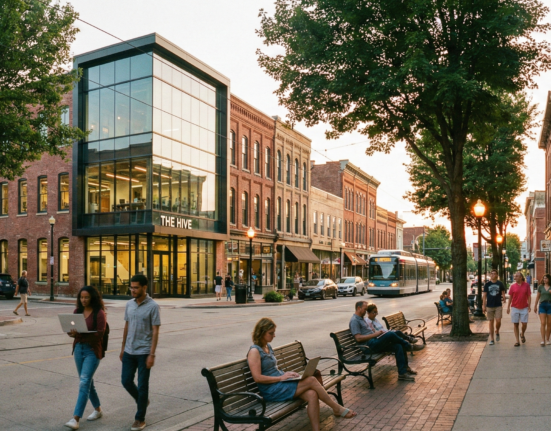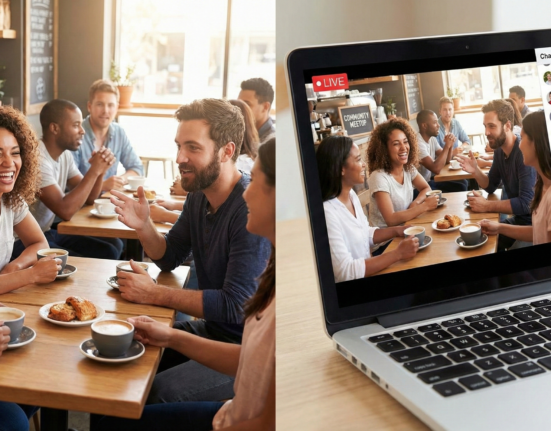
For the modern digital creator, an audience is no longer enough. An audience consumes; a community contributes. An audience is a metric; a community is a moat. The shift from “one-to-many” broadcasting to “many-to-many” networking is where sustainable creator businesses are built. But moving your following from a passive feed (like Instagram or YouTube) to an active, real-time environment requires a fundamental shift in strategy. It requires building a digital “third space”—a home away from home—where fans don’t just talk to you, but to each other.
This guide explores the architectural, psychological, and operational realities of building creator communities on Discord and Slack. We will move beyond the basics of “setting up a server” and delve into the nuance of culture design, conflict resolution, engagement loops, and the monetization infrastructure that keeps the lights on.
In this guide, “community” refers specifically to gated or semi-gated groups hosted on real-time messaging platforms, distinct from comment sections or social media replies.
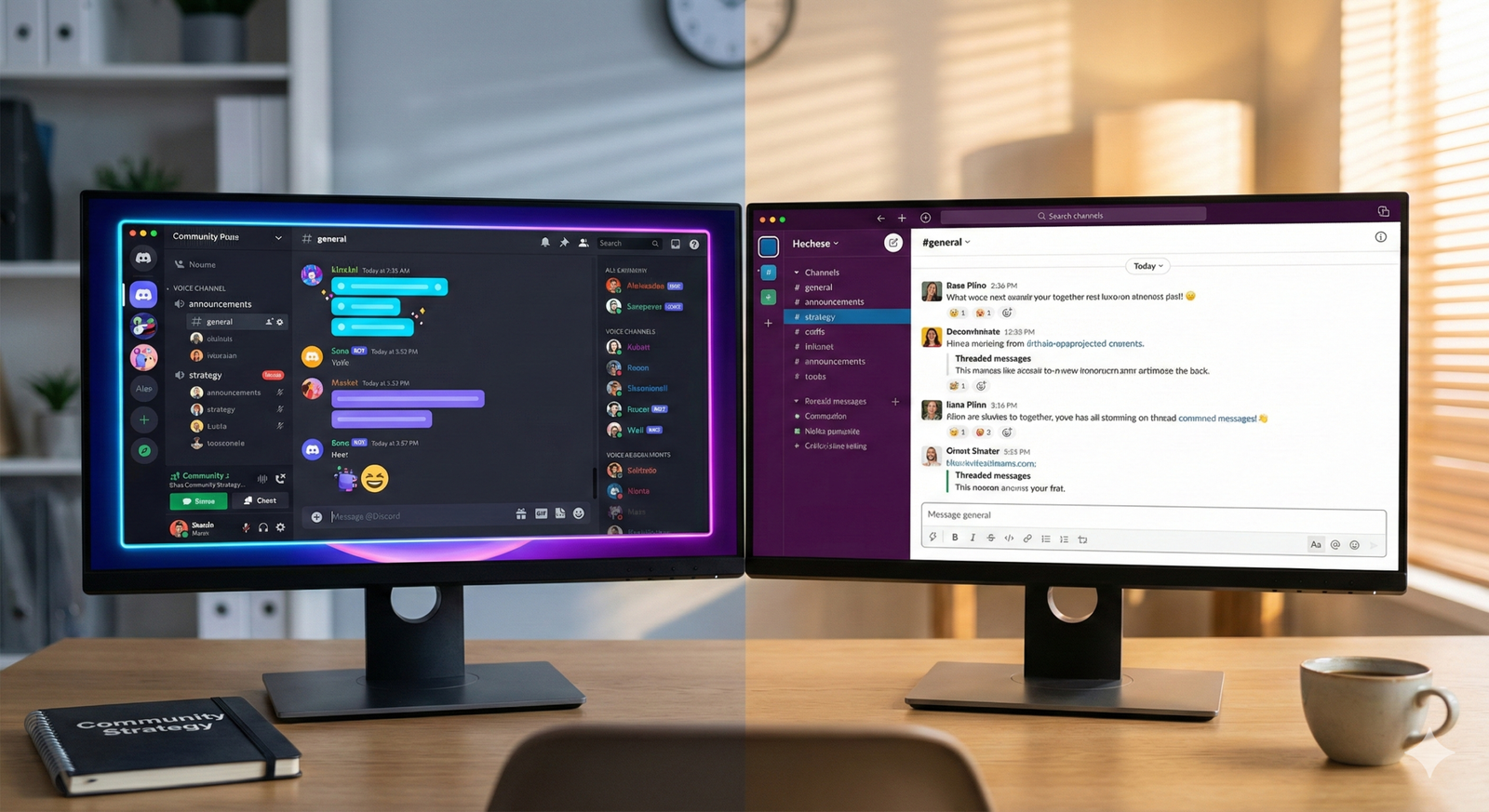
1. The Strategic Fork: Discord vs. Slack
Before you create a single channel, you must choose your vessel. While both platforms facilitate real-time communication, they possess distinct DNAs that influence user behavior, expectations, and culture. Choosing the wrong one for your specific audience demographic can kill a community before it breathes.
Discord: The “Vibe” Economy
Discord was born in gaming but has evolved into the internet’s living room. It thrives on synchronicity, voice, and a sense of “hanging out.”
- Best for: Streamers, YouTubers, artists, musicians, Web3 projects, and lifestyle brands.
- The Culture: Chaotic, high-energy, informal, and visual. It assumes the user is “online” and ready to engage in flow-state chatter.
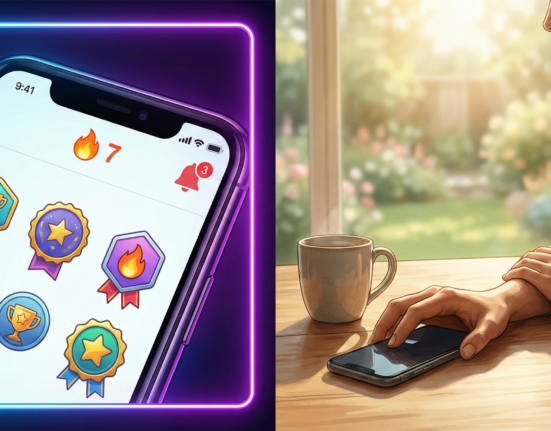
- Key Advantage: The voice and video “Stage” channels allow for intimate, radio-style broadcasting that feels incredibly personal. The bot ecosystem is also vast, allowing for high levels of gamification and aesthetic customization.
- The Friction: It can be overwhelming. The UI is dense, notifications can be aggressive, and for an older demographic (35+) or non-gamers, the learning curve is steep.
Slack: The “Utility” Economy
Slack is built for work, which means it is built for efficiency and asynchronous retrieval of information.
- Best for: Educators, B2B creators, writers, consultants, professional cohorts, and productivity experts.
- The Culture: Structured, threaded, professional, and goal-oriented. Users log in to get value, learn something, or network, not necessarily to “hang out” for hours.
- Key Advantage: Threading. Slack’s ability to organize conversations into neat threads keeps the main feed clean and makes knowledge retrievable. It feels “safer” and more familiar to professionals who use it for their day jobs.
- The Friction: It is expensive. The free plan deletes message history after 90 days (as of current pricing models), which destroys your community’s archive. To keep history, you pay per user, which is unscalable for large fan communities unless you charge a high membership fee.
Decision Matrix: Who fits where?
- If your value prop is “Identity and Belonging” (e.g., a fan club): Go Discord.
- If your value prop is “Knowledge and Networking” (e.g., a mastermind): Go Slack (or alternatives like Circle, though Slack remains the gold standard for text-chat UX).
- If your audience is under 30: Discord is almost mandatory.
- If your audience is corporate professionals: Slack reduces friction because they already have the app open.
2. Technical Architecture: Designing the Space
A physical architect decides where the walls go to prevent a crowd from becoming a mob. A community architect uses channels and permissions to do the same. A common mistake is “channel bloat”—creating too many channels too soon, resulting in a ghost town effect where activity is diluted.
The “Less is More” Principle
Launch with the minimum viable number of channels. You can always add more; deleting active channels upsets people.
A Starter Layout for Discord:
- 📢 Announcements (Read-only): The single source of truth. Only you and mods can post here.
- 👋 Start Here / Rules: The onboarding gateway.
- 💬 General Chat: The main town square.
- 🎨 Topic Specific A: (e.g., “Fan Art” or “Gear Talk”).
- 🍄 Topic Specific B: (e.g., “Off-topic” or “Memes”).
- 🔒 VIP Lounge: Locked to paying subscribers.
A Starter Layout for Slack:
- #announcements: Mandatory read-only channel.
- #introductions: Where new members land.
- #general: Discussion.
- #help-and-questions: Peer-to-peer support (high value).
- #wins: Celebrating member success (builds morale).
Permissions as Architecture
Permissions are your zoning laws. In Discord, “Roles” control everything. You need a hierarchy that separates the “Signal” from the “Noise.”
- @Everyone: Should not have permission to ping @everyone. Disable this immediately to prevent mass annoyance.
- @Verified: The role users get after they agree to rules. This separates bots from humans.
- @OGs / Regulars: A reward layer for active users, perhaps granting image-posting privileges or access to a specific channel.
- @Moderators: Your defense team.
In Slack, permissions are flatter, but you should restrict who can create new public channels (to prevent bloat) and who can use @channel mentions (to prevent notification fatigue).
3. Onboarding: The First 5 Minutes
The “churn cliff” is steepest in the first 24 hours. If a user joins your Discord or Slack and feels confused, ignored, or overwhelmed, they mute the server and never return. Effective onboarding automates belonging.
The Discord Onboarding Flow
Discord now offers native “Onboarding” features for large servers, allowing users to select their interests and be assigned roles automatically. If you don’t have access to that, use a bot like MEE6 or Dyno.
Step 1: The Gatekeeper User lands in a “Verify” channel. They see the rules. They must click a reaction emoji (like a checkmark) to agree. This action triggers a bot to assign the “Member” role, which unlocks the rest of the server. This filters out raid bots and ensures humans have at least glanced at the rules.
Step 2: The Introduction Direct users to an #introductions channel. Use a pinned message with a template:
“Welcome! Tell us: 1. Your name, 2. Where you’re from, and 3. Your favorite [Topic relevant to creator].”
Step 3: The Warm Welcome This is the human element. Your moderators (or a “Welcoming Committee” role) should engage with every new intro. A simple “Welcome, love that pizza topping choice!” validates the user’s presence.
The Slack Onboarding Flow
Slack onboarding is often manual or email-driven.
- Welcome Message: Set a customized welcome message that appears from Slackbot when a user joins. Link to the Community Guidelines and the “How to use this workspace” document.
- Profile Hygiene: Culturally enforce real names and photos. Anonymity works in Discord; Slack thrives on real identity. Ask members to fill out their “What I do” field.
- The “Lurker” Conversion: New users are often shy. Create a low-stakes ritual, like a “Question of the Week,” to encourage that first post.
4. Cultivating Culture and Engagement
Culture is what happens when you aren’t in the room. It is the accumulated habits, language, and rituals of the community. You cannot force culture, but you can seed it.
Rituals over Randomness
Consistency builds habit. If your engagement is random, users won’t know when to show up.
- Weekly Threads: “Monday Motivation,” “Feedback Friday,” or “Show Your Work Wednesday.” These prompts give lurkers permission to speak.
- Live Stages (Discord): Host a weekly “Office Hours” or “Town Hall” on a voice channel. This mimics a live podcast and drives massive concurrent usage.
- Co-working Sprints: In Slack, a “deep-work” channel where people post their goals for the next hour and report back.
The “Superuser” Strategy
The 90-9-1 rule states that 90% lurk, 9% contribute occasionally, and 1% contribute heavily. Your job is to identify and nurture that 1%.
- ** Recognition:** Give them a special color or badge.
- Access: Give them a private channel with you.
- Responsibility: Ask them to lead a discussion or welcome newbies. When the 1% feels valued, they generate the content that keeps the 99% entertained.
Avoiding the “Guru on a Mountaintop” Dynamic
If every conversation stops until you (the creator) answer, you have failed to build a community; you have built a help desk. You must encourage peer-to-peer connection.
- Tactic: When someone asks a question you’ve answered before, tag a community member who knows the answer: “@MemberName actually solved this last week, what do you think?” This elevates the member and relieves pressure on you.
5. Moderation and Safety: The Defense Layer
A community without moderation is a toxicity time bomb. It only takes one bad actor to ruin the psychological safety of a thousand members.
The Hierarchy of Defense
- Automated Bots: The first line of defense.
- Discord: Use tools like AutoMod (native), Dyno, or Wick to block slurs, spam links, and phishing attempts instantly. Set up “raiding” protection to lock the server if 50 users join in 1 minute.
- Slack: Native tools are limited, but you can set keyword alerts.
- The Mod Team: These are your lieutenants. They should be recruited from your most level-headed, active community members.
- Note: Never just pick your friends. Pick people who embody the rules.
- Compensation: For huge communities, paid moderation is becoming standard. For smaller ones, perks (free merch, access) usually suffice.
- Community Guidelines: These must be explicit. “Be nice” is too vague. Use specifics: “No unsolicited DMs,” “No self-promotion outside the #promo channel,” “Debate ideas, not people.”
Conflict Resolution
When a fight breaks out (and it will), move it to private channels immediately. Public shaming creates factions.
- The “Cool Down”: Use Discord’s “Timeout” feature to mute a user for 10 minutes.
- The Ticket System: Use a bot (like Ticket Tool) to allow users to open a private support chat with mods to report issues without alerting the whole server.
6. Monetization: The Value Exchange
Creator communities on Discord and Slack are rarely free-for-all public squares. They are usually value-adds for monetization.
The “Freemium” Model
This is common on Discord. The server is public, but the best channels are locked.
- Implementation: Connect Patreon, Ko-fi, or Whop to Discord. When a user subscribes, the bot automatically grants them a “VIP” role. This role makes the hidden channels visible.
- Value of VIP:
- Direct access to the creator.
- Early access to content/tickets.
- Merch discounts.
- “Behind the scenes” production logs.
The “Paid Cohort” Model
This is common on Slack. Access to the entire workspace is the product.
- Implementation: Users pay a one-time fee or monthly sub (via Stripe/Memberful) to get the invite link.
- Value Prop: High-level networking. Because everyone paid to be there, the quality of conversation is higher, and spam is non-existent. This works exceptionally well for B2B creators, course creators, and industry analysts.
Token-Gating (Web3 Context)
For crypto/NFT creators, access is granted by holding a specific asset in a digital wallet. Tools like Collab.Land verify the asset and assign the role. If the user sells the asset, they lose the role. This creates a literal “invested” community.
7. Metrics: Measuring Health, Not Just Heat
Vanity metrics (total members) are useless if your server is a ghost town. You need to track health.
Key Metrics to Watch
- DAU/MAU Ratio: Daily Active Users divided by Monthly Active Users. This measures “stickiness.” A ratio of 20% or higher is excellent for a community.
- Retention Rate: How many users who posted in their first week are still posting in month 3?
- Message Volume per Active User: Is the conversation dominating, or is it just one person spamming?
- Moderation Actions: A spike in bans/timeouts indicates a culture problem or a raid.
Tools for Analytics:
- Discord: Server Insights (native) provides great graphs on retention and activity.
- Third-party: Statbot or Orbit provide deeper granularity on specific member activity levels.
8. Common Pitfalls and How to Avoid Them
1. The “Empty Restaurant” Syndrome
Launching a community with 0 activity looks bad.
- Fix: Seed the community with 10-20 trusted friends or superfans before the public launch. Have them generate conversation so new users walk into a party, not an empty room.
2. Notification Fatigue
If users get pinged for everything, they mute the server. Once muted, they rarely unmute.
- Fix: Use @everyone only for emergencies or massive news (max once a month). Use specific role pings (e.g., @LiveStreamAlerts) for everything else, and let users opt-in to that role.
3. Burnout (Yours)
Real-time chat is 24/7. You are not.
- Fix: Set “Office Hours.” Tell the community you are only active M-F, 9-5. Rely on mods for the rest. Turn off mobile notifications for the app.
9. Future-Proofing: Next Steps for Creators
Building a community is not a one-time setup; it is a gardening practice. As of 2026, the trend is moving toward automation-assisted intimacy—using AI summaries to help users catch up on missed conversations and using smarter bots to facilitate introductions.
Where to go from here:
- Audit your audience: Are they gamers/casual (Discord) or professionals (Slack)?
- Draft your “Constitution”: Write the rules and the mission statement.
- ** recruit the “First 10”:** Find your founding members who will set the tone.
- Pick your launch day: Create hype, drop the link, and be present for the first 48 hours.
The platform is just the container. The content is just the spark. The community is the fire that keeps your creator business warm through the winters of algorithm changes and market shifts. Build it with intention.
Conclusion
Building creator communities on Discord and Slack is one of the highest-leverage activities a creator can undertake. It transforms passive consumption into active participation, creating a resilient ecosystem that is less dependent on social media algorithms. While Discord offers a vibrant, sensory-rich environment ideal for fandoms, Slack provides a focused, high-utility space for professional growth. Success in either requires a deliberate architectural setup, a relentless focus on safety and moderation, and a commitment to nurturing peer-to-peer connections. By moving beyond simple broadcasting and fostering a true “third space,” creators can secure financial stability through memberships and build a legacy that outlasts any single piece of content.
FAQs
1. Should I start a Discord server or a Slack workspace? Choose Discord if your community is based on fandom, gaming, art, or casual socializing, especially if your audience is younger (under 35). Choose Slack if your community is focused on professional development, B2B networking, or intense learning cohorts where text-based threading is essential for organization.
2. How do I get people to actually talk in my server? You must model the behavior you want to see. Ask open-ended questions, reply to every introduction, and create recurring rituals (like “wins of the week”). Tag specific people who might have insight on a topic to bridge connections. Avoid letting the chat stay silent for too long in the early days.
3. How many moderators do I need? A general rule of thumb is one active moderator for every 500-1,000 active members. However, in the beginning, you just need 1-2 trusted “superusers” to help you cover time zones you aren’t awake for.
4. Can I charge for access to my Discord or Slack? Yes. This is a very common monetization model. You can use tools like Patreon, Memberful, or Whop to gate access. Paying members are generally more behaved and invested in the community’s success than free members.
5. How do I deal with toxic members? Act swiftly. Refer to your community guidelines. For minor infractions, give a warning or a temporary timeout. For hate speech, harassment, or repeated violations, ban them immediately. Protecting the “safe container” of the community is more important than retaining one member.
6. What are the essential bots for a Discord server? For moderation, use Dyno or AutoMod. For leveling and engagement, use MEE6 or Arcane. For ticketing/support, use Ticket Tool. For music (if relevant), use a specialized music bot. Keep the bot count low to avoid clutter.
7. How do I prevent notification fatigue for my members? Strictly limit your use of @everyone and @here. Create opt-in roles (like “News Alerts” or “Stream Pings”) so users only get notified about things they care about. Encourage users to customize their own notification settings in your onboarding guide.
8. Is it better to have many channels or few channels? Start with few channels. “Channel bloat” spreads conversation too thin, making the server look dead. It is better to have three very active channels than twenty quiet ones. You can always split a channel later if the conversation volume gets too high.
9. How do I measure the success of my community? Don’t just look at total member count. Look at “Daily Active Users” (DAU) and retention. Are people coming back week after week? Are they talking to each other, or just to you? High peer-to-peer interaction is the best sign of a healthy community.
10. What is the biggest mistake creators make with communities? The biggest mistake is launching and then disappearing. A community requires daily nurturing, especially in the first 3-6 months. If the creator treats it like a “set it and forget it” asset, the community will likely become inactive or toxic.
References
- Discord Support. (n.d.). Server Setup and Management. Discord. https://support.discord.com/
- Slack Resources. (n.d.). Community Management Tips. Slack. https://slack.com/resources
- Patreon Blog. (2024). The Creator’s Guide to Discord. Patreon. https://blog.patreon.com/
- Influencer Marketing Hub. (2025). Discord Marketing Guide. Influencer Marketing Hub. https://influencermarketinghub.com/
- Orbit Model. (n.d.). The Orbit Model for Community Growth. Orbit. https://orbit.love/model
- FeverBee. (n.d.). The Science of Community. FeverBee. https://www.feverbee.com/
- CMX Hub. (2025). Industry Trends in Community Management. CMX. https://cmxhub.com/
- Memberful. (n.d.). Building a Membership Business. Memberful. https://memberful.com/blog/