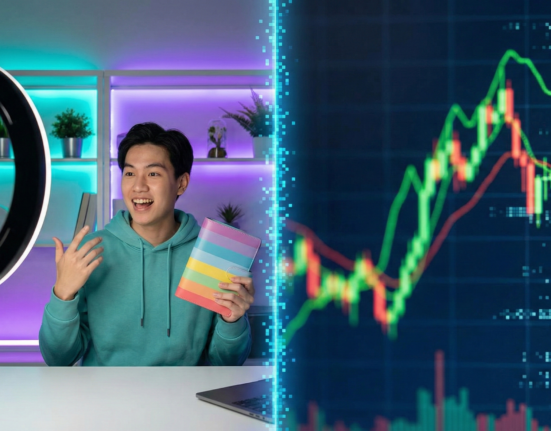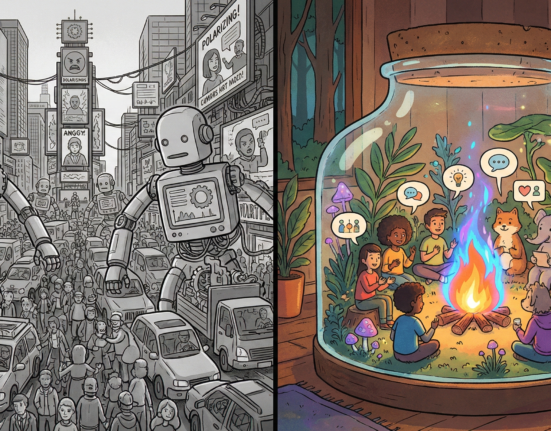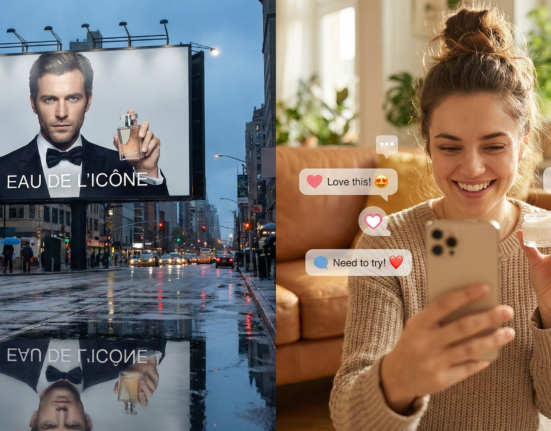
The creator economy is often romanticized as a dream job—getting paid to follow your passions and connect with a community. However, the reality for millions of YouTubers, writers, influencers, and digital artists is a grueling, non-stop treadmill of ideation, production, editing, and distribution. The pressure to feed the algorithm is relentless, and burnout is the industry’s most common occupational hazard. Enter Artificial Intelligence.
For many creators, AI represents a double-edged sword. On one side, it offers the promise of infinite leverage: the ability to write scripts in seconds, edit videos in minutes, and generate thumbnails instantly. On the other side lies the fear of obsolescence and the “uncanny valley” of content—a landscape filled with generic, soulless material that alienates the very audiences creators worked so hard to build.
The sweet spot lies in the middle. It is not about replacing the creator; it is about building a “centaur” workflow—half human, half machine—where AI handles the heavy lifting of structure and optimization, while the human retains the creative direction, emotional resonance, and final sign-off.
In this guide, “authenticity” refers to the distinct, human element of your content—your unique voice, personal experiences, and emotional connection with the audience—while “productivity” refers to the efficiency of your backend operations. We will explore how to merge these two seemingly opposing forces.
Key Takeaways
- AI is a Co-Pilot, Not an Autopilot: Successful creators use AI to iterate and refine, not to generate the final product from scratch.
- The “Human Sandwich” Workflow: Always start with a human idea, use AI for expansion/drafting, and finish with human editing and personality injection.
- Voice Training is Critical: Generic prompting leads to generic output; learning to train models on your previous work is the new essential skill.
- Transparency Builds Trust: Audiences are increasingly savvy; being open about your AI use can actually enhance credibility rather than diminish it.
- Efficiency in the Margins: The biggest productivity gains often come from administrative and repurposing tasks, not necessarily from the core creative act.
Who This Is For (And Who It Isn’t)
This guide is designed for active content creators, digital marketers, and freelancers who are already producing content but feel overwhelmed by the volume required to grow. It is for those who want to reclaim their time without sacrificing the quality or “soul” of their work.
This is not for those looking for a “get rich quick” scheme using fully automated, faceless channels to spam platforms with low-quality AI sludge. If your goal is to remove yourself entirely from the creative process, this guide will not serve you.
The Core Challenge: The “Uncanny Valley” of Content
Before diving into tools, we must address the elephant in the room: AI fatigue. As of early 2026, social media feeds are inundated with obviously AI-generated text and images. Audiences have developed a “sixth sense” for the flat, overly polished, and hallucination-prone style of raw Large Language Model (LLM) output.
The “Uncanny Valley”—a term originally used in robotics to describe the revulsion humans feel toward things that look almost human but aren’t quite right—now applies to content. A LinkedIn post that is grammatically perfect but devoid of specific examples, or a YouTube script that uses the word “delve” three times in the intro, signals to the reader: Nobody is home.
To use AI effectively, you must understand that AI models are prediction machines, not thinking machines. They predict the next most likely word based on the average of the internet. If you rely on the “average,” you cannot be exceptional. Therefore, the goal of using AI tools is not to let them drive, but to have them map the route while you steer.
Phase 1: Ideation and Research (The Spark)
The blank page is the enemy of productivity. AI excels here not by being creative in the human sense, but by being exhaustive. It can generate fifty bad ideas in ten seconds so you can find the one good idea in the pile.
Moving Beyond “Give Me 10 Ideas”
The mistake most creators make is treating the AI like a magic 8-ball. To retain authenticity, you must supply the “seed” of the idea.
The “Context Injection” Method: Instead of asking, “Give me video ideas about coffee,” try: “I am a coffee vlogger known for exploring obscure, high-acid roasts. My audience loves technical brewing details but appreciates my sarcastic, skeptical tone. Based on current trends in specialty coffee as of January 2026, give me 10 video concepts that challenge conventional wisdom, including a controversial hook for each.”
Tools for Enhanced Research
- Perplexity AI: Unlike standard chatbots, Perplexity browses the live web and cites sources. This is crucial for authenticity because it allows you to verify facts immediately. Creators can use it to find obscure studies, recent news events, or specific data points to back up their opinions.
- Claude (Anthropic): Known for its large context window and nuanced reasoning, Claude is often better than GPT-4 for brainstorming complex narratives or analyzing long documents (like summarizing a 50-page industry report so you can make a video about it).
- Consensus: An AI search engine specifically for academic papers. If your brand relies on expertise and authority, using Consensus ensures your “hot takes” are grounded in science, differentiating you from creators who just skim headlines.
Authenticity Guardrail
Never let the AI choose your opinion. Use AI to find the topics people are discussing, but the stance you take on those topics must be yours. If the AI suggests, “Write about why AI is good,” but you hate AI, write about why you hate it. That friction is where the engagement lives.
Phase 2: Writing and Scripting (The Skeleton)
This is where the battle for authenticity is most often lost. Using AI to write full blog posts or scripts usually results in bland, repetitive content. However, using it to structure your thoughts can double your writing speed.
The “Human Sandwich” Workflow
This framework ensures your voice remains dominant:
- Top Slice (Human): You provide the outline, the messy braindump, the specific anecdotes, and the “unpopular opinion.” You record a voice memo of your rant and transcribe it.
- Meat (AI): You feed that transcript into an LLM and ask it to organize the thoughts, fix the flow, and suggest transitions. You do not ask it to rewrite the personality.
- Bottom Slice (Human): You take the structured draft and rewrite the hook and the conclusion. You inject slang, inside jokes, and personal references that the AI stripped out.
Tools for Structured Writing
- Jasper / Copy.ai: These tools are built for marketers and have templates for specific frameworks (like AIDA or PAS). They are excellent for getting a structure in place quickly.
- Notion AI: Integrated directly into your workspace, Notion AI is fantastic for expanding bullet points into paragraphs. You can write: “Point 3: Talk about the time I spilled coffee on the server,” and ask Notion to “Expand this into a paragraph keeping a humorous tone.”
- ChatGPT (with Custom Instructions): You can configure ChatGPT’s “Custom Instructions” to know your style. Tell it: “Never use the words ‘unleash,’ ‘unlock,’ or ‘realm.’ Keep sentences short. Use analogies related to 90s pop culture.”
Practical Example: The Email Newsletter
Imagine you write a weekly newsletter.
- Without AI: You stare at the screen for 2 hours, write a draft, hate it, rewrite it, and publish 4 hours later.
- With AI: You spend 20 minutes dictating your thoughts on a walk. You upload the audio to an AI transcription tool (like Otter or Oasis). You paste the text into Claude with the prompt: “Format this into a newsletter. Keep my chaotic energy, but fix the grammar and separate into three distinct sections.” You get a draft in 30 seconds. You spend 30 minutes polishing the jokes and checking the links. Total time: 1 hour.
Phase 3: Visuals and Thumbnails (The Skin)
Visual authenticity is tricky. While AI art generators are powerful, audiences are beginning to view AI-generated thumbnails as “clickbait” or low-effort. The goal is to use AI to enhance your vision, not replace reality.
Generative Fill vs. Generative Creation
The most authentic use of AI in visuals is Generative Fill (found in Adobe Photoshop and similar tools). Instead of generating a fake person, you take a photo of yourself. Then, you use AI to expand the background, change the color of your shirt, or add a specific prop into your hand.
- Why this works: The subject (you) is real. The emotion on your face is real. The AI is simply acting as a set designer and lighting technician.
Tools for Visual Productivity
- Midjourney: Best for stylized, artistic backgrounds or abstract concepts. If you need a “neon cyberpunk city,” Midjourney is unbeatable. However, avoid using it for photorealistic humans if you want to build a personal connection.
- Canva Magic Studio: Canva has integrated AI across its suite. You can “Magic Edit” an object in a photo or “Magic Resize” a graphic for Instagram, LinkedIn, and Twitter simultaneously. This is a massive time-saver for cross-platform promotion.
- Adobe Firefly: Trained on Adobe Stock images, Firefly is “commercially safe,” meaning it helps avoid copyright issues—a major concern for professional creators.
The “Style Reference” Hack
To keep your visuals consistent (a key part of branding), use the “Style Reference” features in these tools. Upload 10 of your best-performing thumbnails or graphics and ask the AI to generate new backgrounds or elements that match that specific color palette and contrast ratio. This boosts productivity while strictly adhering to your established brand identity.
Phase 4: Audio and Video Production (The Heavy Lift)
Video editing is arguably the most time-consuming part of the creative process. This is where AI offers the highest ROI on time saved without necessarily compromising the “human” feel of the video.
Editing by Text
Descript changed the game by allowing creators to edit video by editing the transcript. If you delete a word in the text document, the software cuts that part of the video. It also identifies “umms” and “uhs” and removes them with one click.
- Authenticity Check: Don’t remove every breath and pause. Perfectly sanitized speech sounds robotic. Leave in a few stumbles or laughs to show you are human.
AI Dubbing and Translation
Tools like ElevenLabs and HeyGen allow for video translation. You can record a video in English, and the AI will generate a version of you speaking Spanish, French, or Japanese, lip-synced to the new language, using your own voice clone.
This is a controversial frontier. Is it authentic?
- Yes: If you explicitly state, “I used AI to dub this so I could reach my Spanish-speaking friends.”
- No: If you pretend you are fluent in 10 languages. Transparency is the bridge that keeps this productivity hack from becoming a deception.
Tools for B-Roll and Pacing
- Runway: High-end AI video tools. You can use it to rotoscope (cut the background out) instantly, saving hours of manual masking.
- Gling: An AI tool specifically for YouTubers that automatically cuts out silences and bad takes. You record for 60 minutes; Gling hands you a 15-minute rough cut of just the good takes. This saves the “slog” of watching your own raw footage.
Phase 5: Repurposing and Distribution (The Scale)
The “Create Once, Publish Everywhere” (COPE) strategy is essential for modern growth, but manually cutting a YouTube video into 10 TikToks is tedious.
The “Salami Slice” Technique
AI tools can watch your long-form content, identify the most viral/engaging moments based on pacing and keywords, and slice them into vertical clips with captions added automatically.
- Opus Clip: One of the leaders in this space. You drop a YouTube link, and it generates 10 shorts, ranked by “virality score.”
- Munch: Similar to Opus, but with a focus on trend analysis, matching your content to current trending keywords on TikTok and Instagram.
Retaining Authenticity in Repurposing
The danger here is context collapse. An AI might clip a sentence that sounds good but cuts off the nuance immediately following it.
- The Guardrail: Never auto-post. Use these tools to generate the draft clips. You must watch them. Often, you will need to adjust the start/end times by a few seconds to ensure the joke lands or the point is actually made. The AI finds the needle in the haystack; you thread it.
Building Your Own “Digital Twin” (Advanced)
For high-level creators, the ultimate productivity hack is training a model on yourself.
As of 2026, tools like Claude Projects or OpenAI’s GPTs allow you to upload a knowledge base. You can upload:
- Your last 50 blog posts.
- Your brand style guide.
- Transcripts of your best videos.
- A list of words you hate.
You can then name this “My Creator Bot.” When you ask this bot to write a draft, it doesn’t sound like the generic internet; it sounds like a statistically probable version of you.
Is this authentic? It is authentic production, but not authentic connection. You can use this for instructional content, SEO articles, or email blasts. You should be wary of using this for apology videos, deep emotional stories, or direct messages to fans. The more emotional the stakes, the more “unassisted” the human element needs to be.
Common Mistakes and Pitfalls
Even with the best tools, creators fall into traps that destroy trust.
1. The “Generic Voice” Trap
If you use the default settings on any AI tool, you sound like everyone else.
- Fix: Never use the first draft. Treat AI output as “Version 0.5,” not “Version 1.0.”
2. Fact Hallucination
AI creates plausible-sounding lies. If you use AI to research a script and it tells you “Elon Musk bought Mars in 2024,” and you repeat that in a video, your reputation takes a hit.
- Fix: Always verify numbers, dates, and names with a secondary search (or use grounded AI tools like Perplexity).
3. Over-Reliance on Polish
Perfect lighting, perfect grammar, perfect pacing. It gets boring.
- Fix: Intentionally leave “rough edges.” A handheld camera shot, a typo in a tweet, or a raw thought can signal humanity in a sea of AI perfection.
Ethical Considerations and Transparency
As AI tools become undetectable, the moral burden shifts to the creator.
Disclosure is the New Standard
Platforms like YouTube and TikTok have introduced mandatory labels for realistic AI-generated content. But beyond compliance, voluntary disclosure builds a bond with your audience.
- The “Assisted” Tag: You might add a note in your description: “Script researched with Perplexity, drafted by Claude, refined and voiced by me.”
- Why it matters: Audiences feel betrayed if they find out later. If you are upfront, they usually don’t care—they care about the value you provide.
Copyright and Ownership
Currently, US copyright law states that purely AI-generated works cannot be copyrighted. However, works with significant human input can be. By using the “Human Sandwich” method—where you do the outlining and the heavy editing—you are likely creating a protectable work. (Note: This is a rapidly evolving legal area; consult legal counsel for specific IP advice).
Practical Checklist: The “Monday Morning” AI Workflow
Here is what a productivity-boosted, authentic creator workflow looks like in practice:
09:00 AM – Research & Ideation
- Action: Use Perplexity to scan industry news from the weekend.
- Tool: Perplexity / Feedly AI.
- Outcome: 5 potential topics with sources cited.
10:00 AM – Drafting
- Action: Dictate thoughts on the chosen topic into a voice memo. Rant freely.
- Tool: Oasis / Otter.ai -> Claude.
- Outcome: A structured outline and rough draft that captures your messy, real opinion.
11:00 AM – Production
- Action: Record the video.
- Tool: Teleprompter app (with the AI script).
- Outcome: Raw footage.
01:00 PM – Editing
- Action: Upload to Descript. Remove silence. Fix eye contact (optional AI feature).
- Tool: Descript / Gling.
- Outcome: Rough cut.
03:00 PM – Packaging
- Action: Take a selfie. Use Adobe Firefly to expand the background. Use ChatGPT to generate 10 title variations.
- Tool: Photoshop / ChatGPT.
- Outcome: Thumbnail and Title.
04:00 PM – Distribution
- Action: Upload video. Use Opus Clip to generate 3 shorts for TikTok/Reels.
- Tool: Opus Clip.
- Outcome: Content scheduled for the whole week across platforms.
Total Time: ~6-7 Hours. Time Without AI: ~15-20 Hours.
Conclusion
The creators who win in the next decade will not be the ones who reject AI, nor the ones who let AI do everything. The winners will be the curators and directors.
AI allows you to move from being the “writer/editor/designer/intern” to being the “Editor-in-Chief” of your own media brand. It frees you from the drudgery of file management and rough drafting, giving you back the time to do the only thing the machine cannot do: live an interesting life and share your unique perspective on it.
Your authenticity is not defined by how hard you struggle with a blank page. It is defined by the honesty of your ideas and the connection you foster. Use AI to clear the clutter so that connection can shine brighter.
FAQs
1. Will using AI hurt my SEO rankings? Search engines like Google have stated they prioritize quality content, regardless of how it is produced. However, unedited, mass-produced AI content often lacks the “Experience, Expertise, Authoritativeness, and Trustworthiness” (E-E-A-T) signals. If you use AI to produce helpful, high-quality content that you review and refine, it should not negatively impact SEO.
2. Can I use AI to write my entire script? You can, but you probably shouldn’t. Fully AI-written scripts tend to lack emotional peaks and valleys, specific personal anecdotes, and unique stylistic flair. They result in higher drop-off rates because viewers get bored. Use AI for the outline or research, but write the actual dialogue yourself.
3. Do I need to tell my audience I use AI? It depends on the platform and the extent of use. If you use AI to generate a photorealistic image that looks like a real news event, you must disclose it on most platforms. If you use AI to help spellcheck or structure a blog post, disclosure is generally not expected or required. When in doubt, transparency is safer.
4. Which AI tool is best for beginners? For writing and brainstorming, ChatGPT (Plus version) or Claude are the most accessible. For video, Descript is the most user-friendly entry point because it works like a word processor. For images, Canva’s Magic Studio is much easier to learn than Midjourney or Photoshop.
5. How do I stop AI content from sounding robotic? The key is “few-shot prompting.” Don’t just ask for a script. Provide 3 examples of your previous scripts and say, “Write a new script about X, following the tone and sentence structure of these examples.” Additionally, manually insert personal stories and idioms during the editing phase.
6. Is AI art copyright free? In the United States (as of early 2026), you generally cannot copyright a work that was created entirely by AI with no human input. However, if you significantly modify the AI output or use it as one element in a larger human-created composition, you may have copyright protection over the human-created elements.
7. Can AI replace video editors? AI can replace the technical drudgery of editing (cutting silence, color correction, syncing audio), but it cannot yet replace the creative art of editing (comedic timing, emotional pacing, narrative structure). AI makes editors faster; it doesn’t make them obsolete.
8. What is the biggest risk of using AI for creators? The biggest risk is the erosion of trust. If an audience feels you are phoning it in or that they are forming a parasocial relationship with a chatbot, they will leave. Authenticity is the currency of the creator economy; do not spend it to save a few minutes of time.
References
- Anthropic. (n.d.). Claude 3 Model Family. Anthropic. https://www.anthropic.com/claude
- OpenAI. (2024). ChatGPT System Cards and Usage Policies. OpenAI. https://openai.com/policies
- YouTube Help. (2024). Altered or synthetic content disclosure. Google. https://support.google.com/youtube/answer/14328491
- Descript. (n.d.). The All-in-One Video & Podcast Editor. Descript. https://www.descript.com/
- Perplexity. (n.d.). Perplexity AI Search. Perplexity. https://www.perplexity.ai/
- U.S. Copyright Office. (2023). Copyright Registration Guidance: Works Containing Material Generated by Artificial Intelligence. Federal Register. https://www.copyright.gov/ai/
- Adobe. (n.d.). Adobe Firefly: Generative AI for Creators. Adobe. https://www.adobe.com/sensei/generative-ai/firefly.html
- Goldman Sachs. (2023). The Creator Economy. Goldman Sachs Research. https://www.goldmansachs.com/intelligence/pages/the-creator-economy.html