In an era where “busy” is often mistaken for “productive,” the cognitive load of managing our own lives has become a second job. We spend hours shuffling calendar blocks, copying data between apps, and drowning in email, leaving precious little energy for the deep work that actually matters. This is where artificial intelligence has shifted from a novelty to a necessity. AI assistants for personal productivity are no longer just about asking a chatbot to write a poem; they are functional, predictive engines designed to handle the logistics of your day so you can focus on the substance of your work.
This guide explores the practical landscape of AI-driven productivity, focusing specifically on scheduling and task automation. We will move beyond the hype to examine how these tools actually function, how to integrate them into a seamless workflow, and the realistic guardrails you need to maintain control over your digital life.
Key takeaways
- Dynamic scheduling: AI tools don’t just record appointments; they actively negotiate time, reshuffling low-priority tasks to protect deep work windows.
- Context awareness: Modern assistants understand the difference between “urgent” and “important,” filtering noise from your inbox and task lists.
- Automation is accessible: You no longer need to know code to build complex workflows; natural language prompts can now connect your apps.
- Reduction of decision fatigue: By offloading logistical micro-decisions to AI, you preserve mental energy for creative and strategic problem-solving.
- Privacy matters: connecting AI to your personal data requires a clear understanding of permissions and data usage policies.
Scope of this guide
In this guide, “AI assistants” refers to software agents and platforms that utilize machine learning, natural language processing (NLP), and predictive algorithms to manage personal and professional workflows. This includes intelligent calendars, task automation platforms (iPaaS), and smart email clients. It does not cover generative AI for content creation (like image generation) unless specifically applied to workflow automation.
Who this is for (and who it isn’t)
This guide is written for knowledge workers, freelancers, students, and executives who feel overwhelmed by administrative overhead. If you find yourself spending more time managing your work than doing it, this is for you. It is not intended for enterprise IT managers looking for server-side automation, nor is it a coding tutorial for developers building their own LLMs.
The evolution of productivity: from static lists to active agents
To understand the value of AI in productivity, we must recognize the limitations of traditional tools. A paper planner or a standard digital calendar is “passive.” It accepts whatever input you give it, even if that input creates a conflict or an impossible schedule. If you book three back-to-back meetings without travel time, a standard calendar will simply display them.
AI assistants for personal productivity introduce “agency.” They are active participants in your workflow.
The shift to predictive assistance
In practice, an AI assistant functions like a highly competent executive assistant. It analyzes your patterns—when you are most productive, how long tasks actually take versus how long you think they take—and adjusts your environment accordingly.
For example, if you consistently miss a deadline for a specific type of report, a predictive AI tool might suggest breaking that task down into smaller sub-tasks or scheduling it earlier in the week. This shift from “recording” to “optimizing” is the fundamental value proposition of AI in this space.
The three pillars of AI productivity
- Time Management: Algorithms that solve the “Tetris” problem of a weekly schedule.
- Task Automation: Connectors that move data between silos (e.g., email to to-do list) without human intervention.
- Information Triage: Filters that scan incoming communications and highlight only what requires immediate attention.
Intelligent scheduling: reclaiming your calendar
The most immediate impact of AI assistants for personal productivity is often felt in calendar management. The modern workday is fragmented by meetings, leaving “confetti time”—useless 15-minute gaps—in between. AI scheduling tools aim to defragment this time.
How AI scheduling works
Unlike a basic calendar, AI schedulers (such as Motion, Reclaim.ai, or Clockwise) view your day as a fluid set of variables. You input your constraints: “I need 2 hours for coding,” “I need to exercise between 4 PM and 6 PM,” and “I have a hard stop at 5:30 PM.”
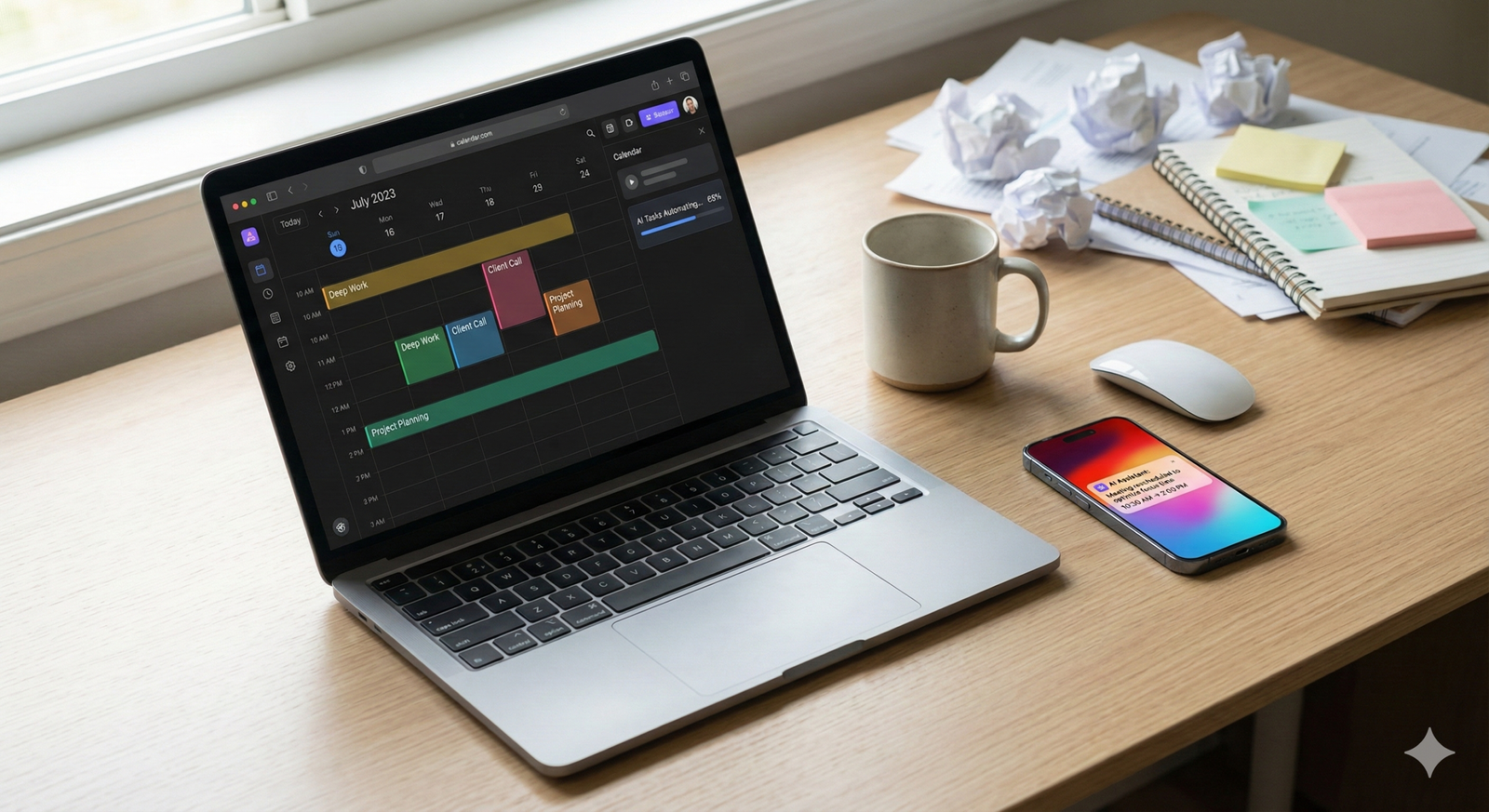
The AI then continuously calculates the optimal arrangement of these blocks. If a colleague books a meeting over your “coding” block, the AI automatically moves the coding session to the next available slot that fits your criteria, without you needing to manually drag and drop events.
The concept of “Focus Time”
One of the most powerful features of these tools is the protection of Focus Time. Deep work requires long, uninterrupted periods.
- Defensive scheduling: The AI will preemptively book solid blocks of time on your calendar to prevent others from scheduling over them.
- Dynamic availability: If your week is filling up, the AI might show you as “busy” to external schedulers to ensure you have enough time to complete your logged tasks.
Meeting negotiation and coordination
Scheduling a meeting with five people across three time zones is traditionally a nightmare of email threads. AI assistants handle this via:
- Polling availability: The AI scans the calendars of all internal team members to find a consensus time.
- External booking links: Smart booking pages allow outsiders to book time with you, but unlike static links, these pages adjust availability in real-time based on your workload, not just your empty slots.
Real-world example: The “Auto-Pilot” calendar
Imagine a Monday morning. You have 15 tasks due this week, 10 meetings, and a personal appointment.
- You dump the 15 tasks into your AI app, assigning priorities (High/Medium/Low) and estimated durations.
- The AI instantly populates your calendar, slotting tasks around your fixed meetings.
- On Tuesday, an emergency meeting is dropped into your afternoon.
- The AI instantly reshuffles the displaced tasks to Wednesday and Thursday, alerting you if any deadlines are now at risk. This turns the calendar from a source of anxiety into a dynamic plan of attack.
Task automation: the invisible workflow
While scheduling manages when you do things, task automation manages the doing of the logistical steps. This is often referred to as “robotic process automation” (RPA) for individuals.
The “Trigger-Action” model
Most automation relies on a logic framework: “If [Trigger], Then [Action].”
- Trigger: You star an email in Gmail.
- Action: The AI creates a task in Todoist with the email subject line and a link to the thread.
Historically, setting this up required rigid logic (using tools like IFTTT or early Zapier). Today, AI allows for “fuzzy” logic and natural language setup. You can simply tell an AI agent, “When I get an invoice in my email, save it to the ‘Financials’ folder in Drive and add a row to my budget spreadsheet.” The AI interprets the intent, identifies the invoice (even if the file name varies), and executes the task.
Removing data entry
Data entry is a productivity killer. AI assistants for personal productivity excel at parsing unstructured data.
- Receipt processing: You snap a photo of a lunch receipt. The AI extracts the date, vendor, and amount, categorizes it as “Meals,” and pushes it to your accounting software.
- Lead generation: You visit a LinkedIn profile. With one click, an AI browser extension scrapes the name, company, and role, finds the verified email address, and adds it to your CRM or contact list.
Connecting the silos
We often lose time switching contexts—moving from Slack to Trello to Email. AI automation acts as the glue between these disparate apps.
- Slack to Task: An AI bot in Slack can recognize when a message contains a request (e.g., “Can you send me that report?”). It can proactively ask, “Should I add this to your to-do list?” or do so automatically.
- Meeting to Action Items: After a Zoom call, an AI transcriber (like Otter.ai or Fireflies.ai) can generate a summary, extract action items, and assign them to the relevant people in your project management tool (Asana, Monday, etc.).
Taming the inbox: AI email assistants
Email is the original digital productivity sinkhole. We spend hours filtering spam, drafting replies, and searching for old threads. AI brings sanity back to the inbox.
Intelligent sorting and triage
Standard spam filters catch malicious mail, but they are bad at distinguishing between “important” and “noise.” AI assistants (like SaneBox or features within Superhuman) analyze your past behavior to understand your priorities.
- The VIP filter: If you always reply to your boss within 5 minutes but ignore newsletters for weeks, the AI learns to promote the boss and folder the newsletters.
- Summary views: Instead of reading a long thread, AI can provide a 3-bullet summary of the conversation so far, allowing you to decide if you need to intervene.
Drafting and tone adjustment
Generative AI plays a massive role here. It’s not just about writing an email from scratch; it’s about converting intent into prose.
- Shorthand to prose: You type: “Agree with John, but need to check budget first. Will confirm by Friday.” The AI expands this into a polite, professional 3-sentence email.
- Tone checking: You draft an angry email. The AI suggests, “This sounds aggressive. Would you like to soften the tone?”
- Reply suggestions: Predictive text has evolved into predictive paragraphs, offering context-aware responses based on the email content.
As of January 2026: The state of “On-Behalf” agents
As of early 2026, we are seeing the rise of autonomous agents that can reply to routine emails on your behalf. For example, if someone asks for a meeting, the agent can check your calendar, reply with options, and book the slot without you ever opening the email. This requires a high degree of trust and is usually restricted to specific trusted contacts or internal team members.
Personal Knowledge Management (PKM) and AI
Productivity is not just about tasks; it’s about ideas. Personal Knowledge Management (PKM) is the practice of capturing and organizing information. AI is revolutionizing this by turning static notes into a conversational database.
The “Chat with your Brain” interface
Tools like Notion AI, Obsidian (with plugins), and Evernote have integrated LLMs that allow you to query your own data.
- Retrieval: Instead of searching for “Project X meeting notes,” you can ask, “What did we decide about the budget for Project X last month?” The AI scans your notes and synthesizes an answer.
- Synthesis: You can ask the AI to “Combine my reading notes on Habit Formation and my journal entries from last year to summarize my progress.”
Automated organizing and tagging
One of the biggest friction points in PKM is tagging and filing. You write a note, but where does it go?
- Auto-tagging: AI analyzes the content of the note and suggests relevant tags or folders.
- Backlinking: The AI suggests connections to other notes you’ve written. “This note about ‘Time Blocking’ is related to your note on ‘Deep Work’ from 2024.” This creates a serendipitous web of knowledge that mimics human memory.
Developing your AI productivity strategy
Adopting AI assistants for personal productivity should be a strategic decision, not a shopping spree. Implementing too many tools at once leads to “tool fatigue” and broken workflows.
Phase 1: The Audit
Before downloading an app, track your time for three days. Identify the bottlenecks.
- Are you missing meetings? (Need: Scheduling AI)
- Are you drowning in email? (Need: Email Triage AI)
- Are you forgetting tasks? (Need: Task Management AI)
- Are you spending hours copying data? (Need: Automation)
Phase 2: The Core Stack
Start with one tool that addresses your biggest pain point.
- The Scheduler: If your calendar is your boss, start here. Look for tools that integrate bi-directionally with your main calendar (Google/Outlook).
- The Task Manager: If you are task-driven, look for a to-do app that offers “smart dates” (NLP parsing) and prioritization.
Phase 3: The Integration
Once the core tools are stable, look for automation opportunities. Use a tool like Zapier or Make to bridge them.
- Example: When a meeting is marked “Done” in the calendar → Create a task “Send follow-up email” in the task manager.
Cost vs. Benefit Analysis
Many AI productivity tools are subscription-based. Calculate the value of your time. If a tool costs $30/month but saves you 4 hours of admin work, and your hourly rate (or the value you place on your free time) is $50, the ROI is massive ($200 value for $30 cost).
Common mistakes and pitfalls
AI is powerful, but it is not magic. Misusing AI assistants for personal productivity can lead to new forms of chaos.
1. The “Set and Forget” Fallacy
AI requires supervision. If you set up an automation to auto-reply to emails, you must check it periodically to ensure it hasn’t sent an inappropriate response to a sensitive message. You cannot fully abdicate responsibility for your communications.
2. Over-optimization
There is a point of diminishing returns. Spending 5 hours to automate a task that takes 2 minutes to do once a month is not productive; it’s procrastination disguised as optimization. Follow the “Rule of 5”: If you do a task fewer than 5 times, just do it manually.
3. Context Blindness
AI doesn’t always understand political or emotional context. An AI scheduler might relentlessly move a meeting with a sensitive client because it fits “better” mathematically, unaware that moving the meeting might offend the client. Human intuition is still required for relationship management.
4. Privacy and Data Security
To function, these assistants need access to your most private data: your calendar, your contacts, your emails, and your notes.
- Read the fine print: Does the vendor use your data to train their public models?
- Enterprise constraints: If you are using these tools for work, ensure they comply with your company’s IT security policies. Shadow IT is a major security risk.
Security considerations in the age of AI agents
When we discuss AI assistants for personal productivity, we are discussing software that has “read/write” access to our lives. This introduces specific security vectors that users must understand.
Prompt Injection and Calendar Spam
As AI agents become able to read emails and add calendar invites automatically, bad actors are finding ways to exploit this. A malicious email could theoretically contain hidden text instructions that trick your AI assistant into forwarding sensitive data or booking a scam meeting.
- Defense: Use tools that have “human-in-the-loop” settings for high-stakes actions (like sending money or deleting files).
Data Retention
If you switch AI providers, what happens to your data? Can you export your “knowledge graph”? Vendor lock-in is a significant risk in the PKM space. Always prefer tools that store data in open formats (like Markdown or CSV) or offer robust export features.
The future: From assistants to agents
We are currently in a transition phase. Most tools today are “assistants”—they wait for you to ask or set a rule. The next generation of tools will be “agents.”
Proactive vs. Reactive
An assistant waits for you to say, “Schedule a dentist appointment.” An agent notices it has been 6 months since your last appointment, checks your calendar for openings, checks the dentist’s availability, and presents you with three options: “I can book your cleaning for Tuesday at 10 AM. Shall I confirm?”
Multi-modal interaction
Future AI assistants for personal productivity will be truly multi-modal. You will be able to speak to your watch, point your camera at a document, or type on your laptop, and the assistant will maintain a continuous, coherent context across all devices.
Best practices checklist for implementation
To successfully integrate AI assistants into your personal productivity workflow, follow this checklist:
- Define the Goal: What specific metric are you trying to improve? (e.g., “Reduce email time by 30 minutes/day”).
- Start with One: Implement one AI tool at a time. Master it for two weeks before adding another.
- Audit Permissions: Regularly review which apps have access to your Google/Outlook account. Revoke access for tools you no longer use.
- Create a “Sandbox”: Test complex automations with a personal email address or a dummy calendar before deploying them to your work account.
- Maintain a Human Touch: Never automate apologies, condolences, or high-stakes negotiations.
Conclusion
AI assistants for personal productivity offer a compelling promise: the ability to scale yourself. By offloading the logistical friction of scheduling, data entry, and sorting, you liberate your mind to focus on high-value work and, equally importantly, on rest.
However, these tools are servants, not masters. The goal is not to pack every second of the day with productivity, but to ensure that the time you spend working is effective and the time you spend living is protected. As you adopt these technologies, remain the architect of your own schedule. Use AI to build the scaffolding, but ensure that you are the one laying the bricks.
Start small. Pick the one friction point that frustrates you the most—whether it’s the back-and-forth of scheduling meetings or the clutter of your inbox—and apply an intelligent solution today. The future of work is not about working harder; it’s about working with better intelligence.
FAQs
Q: Can AI assistants for personal productivity work with paper planners? A: Directly, no. However, you can use AI to digitize your paper notes. Tools with OCR (Optical Character Recognition) can scan your handwritten planner pages and convert them into digital tasks or calendar events, bridging the analog and digital worlds.
Q: Are these tools expensive? A: It varies. Many basic features (like smart replies or simple calendar scheduling) are built into free versions of Google Workspace or Microsoft 365. Specialized, high-power tools (like Motion or Superhuman) can cost between $20 to $50 per month.
Q: Will AI scheduling tools offend my clients? A: They can if not used carefully. Sending a generic booking link can feel impersonal. The best practice is to write a personal email and include the AI link as a convenience option: “I’m happy to find a time that works for you—feel free to grab a slot here if that’s easier.”
Q: How secure is my data with these AI assistants? A: Reputable companies use encryption and comply with standards like SOC2 and GDPR. However, you should always check the privacy policy. specifically looking for clauses about whether your data is used to train third-party AI models.
Q: Can AI really understand my priorities? A: AI understands patterns, not “priorities” in the human sense. It learns that you prioritize email X because you always open it. It requires training and feedback. You often need to explicitly tell the AI what is important during the setup phase.
Q: What happens if the AI makes a mistake? A: Mistakes will happen. AI might misinterpret a timezone or categorize a bill as spam. This is why “human-in-the-loop” is vital. Always review critical actions (like sending invoices or finalizing contracts) before they are sent.
Q: Is it difficult to set up task automation? A: It has become much easier. Platforms like Zapier now offer “AI builders” where you type what you want (e.g., “When I get a lead on Facebook, email me”), and it builds the automation for you. No coding is required.
Q: Do I need a powerful computer to run these assistants? A: Generally, no. Most modern AI assistants for personal productivity are cloud-based (SaaS). They run on the provider’s servers, not your laptop. You just need a stable internet connection and a modern browser.
References
- Newport, C. (2016). Deep Work: Rules for Focused Success in a Distracted World. Grand Central Publishing. (Foundational concept for “Focus Time” and defensive scheduling).
- Microsoft WorkLab. (2023). Will AI Fix Work? Microsoft Corporation. Retrieved from https://www.microsoft.com/en-us/worklab/work-trend-index/will-ai-fix-work (Source on digital debt and AI productivity statistics).
- Zapier. (2024). State of Business Automation Report. Zapier Inc. Retrieved from https://zapier.com (Source on automation trends and adoption rates).
- Reclaim.ai. (2024). The State of Meetings Report. Reclaim.ai. Retrieved from https://reclaim.ai/blog/state-of-meetings (Data on meeting fragmentation and scheduling conflicts).
- Google. (2025). Google Workspace Security Whitepaper. Google Cloud. Retrieved from https://workspace.google.com/security/ (Reference for data security standards in cloud productivity).
- Motion. (n.d.). How Motion Works: The Algorithm. Motion App. Retrieved from https://www.usemotion.com (Technical documentation on dynamic scheduling algorithms).
- Notion. (n.d.). Notion AI Security Practices. Notion Labs, Inc. Retrieved from https://www.notion.so/help/security-and-privacy (Reference for PKM and AI data privacy).
- Clear, J. (2018). Atomic Habits: An Easy & Proven Way to Build Good Habits & Break Bad Ones. Avery. (Reference for habit stacking and system design in productivity).