If you’re weighing Trello vs Asana vs Monday, you’re choosing among three excellent but very different project management approaches. Here’s the short answer: Trello fits Kanban-first teams that want simplicity and fast adoption; Asana aligns with structured teams that need timelines, portfolios, and goal tracking; Monday excels when you want customizable boards, strong dashboards, and no-code automations across varied workflows. In practical terms, all three handle tasks, assignees, due dates, and basic reporting—but their strengths diverge in views, automation, and portfolio capabilities. To decide quickly, map your work style, visibility needs, and governance requirements to the 11 factors below.
Fast path to a decision (skim list): define work style → pick must-have views → check automation needs → verify portfolio/OKRs → confirm templates → assess collaboration flow → lock permissions/security → evaluate integrations → test reporting → estimate total cost → run a 2-week pilot.
A small preview of outcomes: by the end of this guide, you’ll know exactly when each tool wins, you’ll have guardrails for limits and scale, and you’ll walk away with a ready-to-run checklist to make your pick with confidence.
Quick-fit snapshot (compact table)
| Scenario | Likely Fit |
|---|---|
| Kanban-first, lightweight tasking | Trello |
| Timelines, dependencies, portfolio rollups | Asana |
| Highly customizable boards, dashboards, and no-code automations | Monday |
| Many external apps to connect with rules/triggers | Asana or Monday |
| Simple rollout for mixed-skill teams | Trello |
The table is a starting point; use the factors below to validate your choice with evidence.
1. Work Style & Methodology Fit
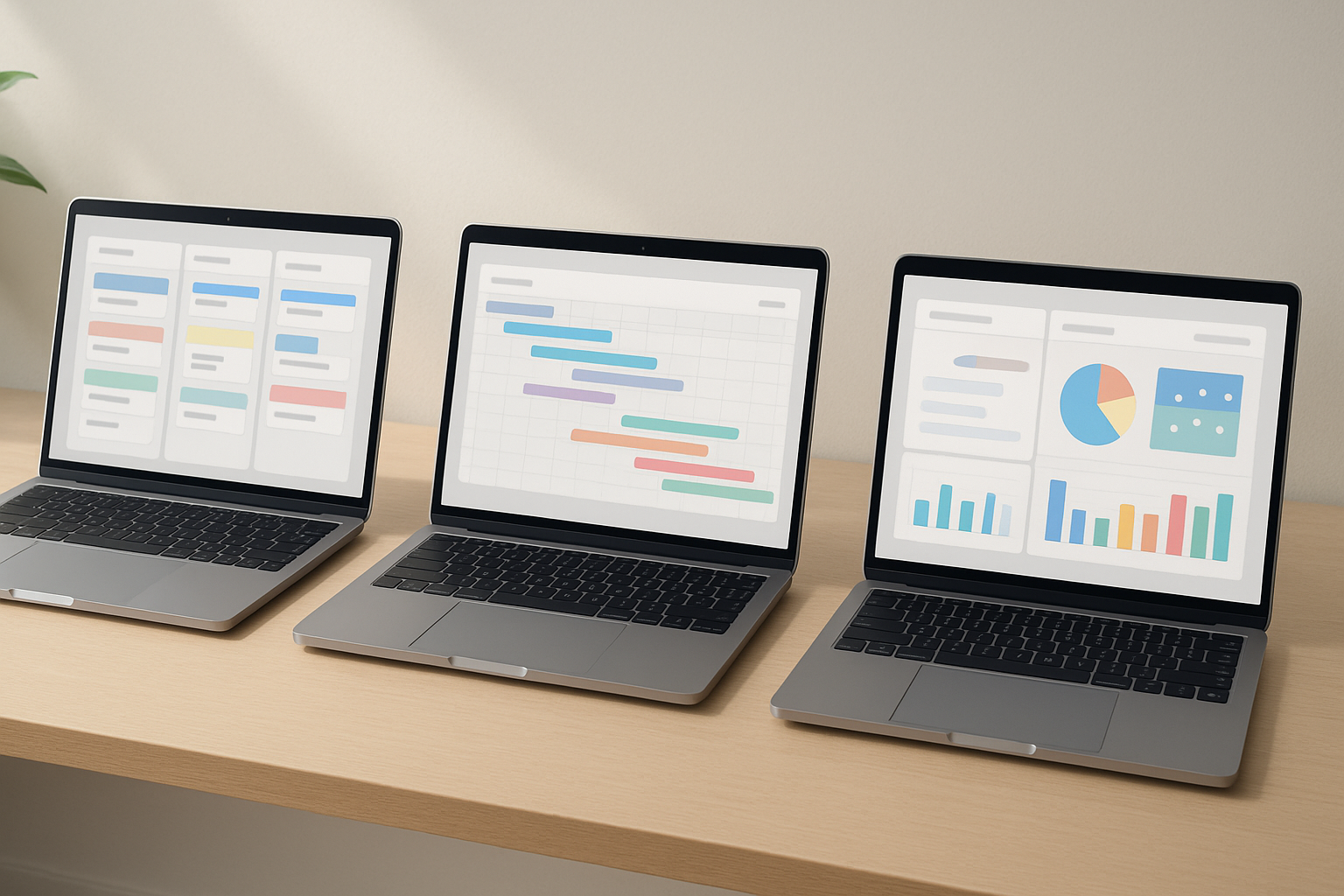
The right tool should feel native to the way you already work. If your team’s mental model revolves around visual flow—moving cards across columns (“To do → Doing → Done”)—then a Kanban-first interface is essential. Trello was built around this metaphor and remains one of the quickest ways to translate sticky-notes-on-a-wall into a shared digital board. In contrast, if you plan from dates and dependencies, you’ll want Gantt/Timeline views front and center so you can manage sequencing and handoffs. Asana’s Timeline is purpose-built for seeing how work pieces fit together across time, while Monday offers timeline and Gantt-style views inside its flexible board structure. The decision is less about “features” and more about the cognitive fit: do you think in columns and flow, dates and dependencies, or custom boards and dashboards? Trello nails the first. Asana specializes in disciplined planning. Monday’s boards adapt to mixed styles—great for orgs with diverse teams under one roof. When in doubt, run a micro-pilot: migrate a single project, and note whether teammates naturally reach for Kanban, Timeline, or customizable dashboards in daily stand-ups and reviews. Pick the tool that reduces translation—so the interface mirrors how your team already makes decisions. Kanban boards help visualize work and limit WIP to boost flow, which is why teams gravitate to that model when their bottleneck is throughput rather than plan complexity.
How to evaluate
- Interview 3–5 teammates: ask how they monitor progress—by stage, by date, or by metrics.
- Recreate one in-flight project in each tool using your real fields (owners, due dates, labels).
- Observe what people click first during stand-ups (board vs timeline vs dashboard).
Numbers & guardrails
- If >70% of updates are “move to next stage” without schedule edits, favor Kanban-first.
- If >30% of tasks have dependencies, a Timeline/Gantt-first tool reduces resequencing churn.
- If you need one workspace to serve very different teams (e.g., Ops + Marketing + IT), flexible board schemas and dashboards pay off.
Synthesis: Choose the tool that matches how your team thinks, not just what it can technically do. You’ll adopt faster and create less process debt.
2. Views That Drive Clarity (Board, Timeline/Gantt, Calendar, Table, Dashboards)
Views are how people understand the same data from different angles. Trello offers the classic Board view for everyone and additional views such as Timeline, Calendar, Dashboard, Table, and Map on higher plans, which broadens how you can visualize the same work. Asana provides List, Board, Calendar, and Timeline to help you plan, spot blockers, and adjust schedules with drag-and-drop. Monday centers everything on customizable boards and adds Dashboards that pull data from connected boards, plus Gantt/Timeline options for schedule visualization. If your execs ask, “Can I see a one-page status across initiatives?” dashboards and rollups become critical; Monday’s dashboard widgets and Asana’s Timeline/Calendar and reporting views directly address that need. Trello can contribute with Dashboard and Workspace views when you step beyond the basic board, but the fit is strongest when teams truly live on Kanban and only occasionally need time-based views. The big takeaway: decide which view is your home base, and confirm it’s easy to switch to secondary views without fiddly setup. Trello’s paid views expand perspective; Asana’s Timeline clarifies dependencies; Monday’s dashboards accelerate cross-board reporting.
Why it matters
- People scan differently: product leads use timelines; support leads use boards; execs need dashboards.
- Switching views should not require data duplication—only configuration.
Numbers & guardrails
- If you run weekly planning from a timeline and daily execution from a board, make sure both are 1-click away.
- Dashboards that pull from multiple boards prevent “status deck” fatigue. Monday dashboards aggregate across connected boards by design.
Mini-checklist
- Home view for the team?
- Secondary views enabled (Calendar/Timeline)?
- Dashboards spanning all critical boards/projects?
Synthesis: Anchor on the view your team uses daily; ensure timelines and dashboards are readily available to prevent siloed reporting.
3. Automation & Rules (Save Hours With Triggers and Actions)
Automation converts routine clicks into reliable triggers and actions. Trello’s built-in Butler lets you create rules like “when a card moves to Done, archive it,” or auto-assign labels and members without code. Asana’s Rules engine automates assignments, date shifts, field updates, and can interact with integrated apps (e.g., Slack, Gmail, Jira) so repetitive admin disappears. Monday’s Automations are also no-code, with readable recipes (“When status changes to Blocked, notify Owner”), and pair tightly with integrations. The meaningful difference is where your automations live and how deeply they touch cross-tool workflows: Trello’s rules excel on boards; Asana’s rules tie nicely to structured fields and dependencies; Monday’s recipes and integrations feel like glue across diverse teams. Before you decide, write your top 5 recurring automations on paper and check if each tool can do them natively. The less you rely on third-party bridges, the fewer failure points you’ll chase later.
How to do it
- List 5 automations: triage, SLA nudges, stage-based notifications, handoff rules, recurring tasks.
- Build each in a sandbox board/project with native rules.
- Confirm error handling (e.g., if a field is missing) and how to pause/debug rules.
Numbers & guardrails
- Aim to automate tasks that occur ≥10× per week or take >60 seconds each—these pay back fastest.
- Trello rules: great for card-level flow control on Kanban. Asana rules: strong when your process depends on custom fields and dependencies. Monday automations: effective for cross-board status changes and notifications. trello.com
Synthesis: Choose the tool that can express your top five automations in plain language with minimal maintenance—this is where real time savings accrue.
4. Portfolio & Multi-Project Rollups
If you juggle multiple initiatives, you need portfolio-level clarity—what’s on track, what’s at risk, and who’s over capacity. Asana’s Portfolios give you a dashboard overview of many projects and their status updates; it’s built to monitor health across programs and can nest portfolios for multi-layer oversight. Monday approaches rollups via Dashboards that can aggregate data from connected boards using widgets (charts, timelines, workload), which often satisfies managers who want a single page of KPIs. Trello can surface higher-level views through Workspace and paid views, but portfolio governance tends to be lighter and board-centric. If your reporting cadence includes program reviews and dependency mapping across projects, Asana’s dedicated portfolio object is compelling, including sensible size limits that hint at scale expectations. For lighter rollups (e.g., one leadership dashboard spanning teams), Monday’s dashboard-first pattern can be faster to assemble without changing how teams structure boards.
Numbers & guardrails
- Asana portfolios have documented limits (e.g., up to 1,500 items), which is ample for many orgs; if you’re nearing that, segment portfolios by product line or region.
- If you need weekly exec summaries across 10–30 projects, prefer a tool with prebuilt portfolio status surfaces.
Mini-checklist
- Do you need nested rollups (program → portfolio → project)?
- Is status reporting standardized (green/amber/red, risks, decisions)?
- Can you share read-only views with stakeholders safely?
Synthesis: For formal program management with layered oversight, Asana’s portfolios are purpose-built; for flexible dashboards that combine many boards, Monday is quick to stand up; Trello aligns best when governance is simple.
5. Goals, OKRs, and Outcome Alignment
If your leadership wants outcomes (not just tasks), linking work to goals or OKRs (Objectives and Key Results) is critical. Asana offers a Goals feature to define objectives, key results, and track progress—tying projects and portfolios directly to strategic targets. This makes it easier to connect roadmaps to measurable outcomes and monitor results as work moves. Monday and Trello can represent goals using boards, fields, and dashboards, but Asana’s dedicated goal object adds structure with permissions and templates for consistency. The right question to ask is, “Do we need a native place for objectives that updates automatically when work closes?” If yes, gravitate toward Asana’s Goals. If your team uses a separate OKR platform, confirm each tool’s integration pathway so you don’t double-enter data. Remember: goals only drive behavior when they’re visible in the same system where tasks live; otherwise, they become slides that nobody checks.
How to do it
- Define 3–5 objectives and 1–3 key results per objective.
- Link each KR to projects/tasks with automatic progress rolls.
- Set monthly reviews where KR status is part of the same screen as active work.
Numbers & guardrails
- Keep to ≤5 top-level goals per team to maintain focus.
- Use percentage or numeric KRs and avoid “binary” wording—tie to measurable fields.
- Consider permissions like comment-only on goals to maintain control while inviting feedback. help.asana.com
Synthesis: If outcome alignment is a first-class need, favor a tool with native goals to keep strategy and execution in one place.
6. Templates & Time-to-Value
Templates shrink onboarding time and create consistency. Trello’s Template Gallery (including community templates) accelerates setup for common flows like new-hire onboarding and content calendars. Asana ships numerous templates for project types and also lets you templatize workflows—useful when you want repeatable sections, fields, and rules. Monday’s prebuilt boards and industry templates jumpstart structured pipelines (marketing campaigns, product launches), and you can further tailor columns and views without code. Evaluate templates by how well they fit your fields, phases, and handoffs. A template that gets you 80% there—columns, sections, custom fields—will save hours every quarter. Additionally, check whether templates include automations so new projects inherit standard rules automatically (e.g., auto-assign on stage change). With Trello’s community ecosystem, you’ll also find specialized boards you can clone in minutes—great for scrappy teams. trello.com
Mini-checklist
- Do starter templates cover your common project types?
- Can you enforce or suggest templates for consistency?
- Do templates carry over fields, views, and rules?
Common mistakes
- Over-templating: every variance becomes a new template. Keep fewer, better templates.
- Not versioning templates: add a “v2” note rather than overwriting the original.
Synthesis: Pick the platform with templates that mirror your real process; the closer the fit, the faster your team reaches value.
7. Collaboration & Communication Flow
Work happens through conversations, not just checkboxes. In all three tools you’ll comment on tasks/cards, @mention teammates, attach files, and record decisions, but nuances matter. Trello keeps collaboration compact and card-centric—great for light processes and quick async updates. Asana threads tie naturally into structured fields, subtasks, and dependencies, helping context stick with plan details. Monday emphasizes status columns, updates, and board-level communication, plus dashboards that make it easy to narrate progress visually. Decide where you want collaboration to live: on the task, on the plan, or on the dashboard. If your team’s culture favors lightweight updates in motion, Trello’s ergonomics shine. If you need every conversation tied to a precise dependency or milestone, Asana’s structure wins. If you want a central place where multiple data points surface for an update post, Monday’s board updates plus dashboards feel natural. Bonus: ensure mobile apps support the way your team comments and uploads on the go.
Tools/Examples
- Attachments and previews from Google Drive, Dropbox, etc., are supported across tools (verify your provider’s integration).
- Consider email/Slack bridge behavior so you don’t fragment conversations.
Mini-checklist
- @mentions, file previews, and threaded updates tested?
- Decision logs discoverable without hunting?
- Mobile workflow: comment, attach, change status in <30 seconds?
Synthesis: Choose the collaboration model that matches your team’s rhythm so progress stays visible without extra meetings.
8. Permissions, Privacy & Admin Controls
Governance matters as you scale. Trello lets board admins set visibility and permissions (e.g., who can comment, who can invite), with more granular Workspace and Enterprise controls on higher tiers. Monday provides Private Boards (visible only to invitees) and clearer separation for confidential initiatives, plus advanced admin options on upper plans. Asana supports member roles, guest access, and admin controls to keep projects tidy and compliant. The real test is how easily you can share read-only status with stakeholders while protecting edit rights. If you deal with vendors or clients, confirm guest access flows don’t create license sprawl or confusion. Also validate audit needs—export logs, permission history, and user deactivation. Trello’s Enterprise Admin Dashboard, Monday’s private boards, and Asana’s organization structures are all workable; pick based on the complexity of your org chart and external collaboration volume.
Numbers & guardrails
- For >100 collaborators across many boards, standardize who can create boards/projects to avoid shadow workspaces.
- Use private or comment-only for sensitive projects; flip to open once risks drop.
Mini-checklist
- Are private spaces available when needed?
- Can admins right-size permissions without IT tickets?
- Is client/guest access simple and auditable?
Synthesis: Match the platform’s permission model to your risk profile and sharing needs; frictionless governance prevents messy sprawl later.
9. Integrations & Ecosystem
Your PM tool sits in a broader stack—chat, docs, code, CRM, helpdesk. Trello extends via Power-Ups and native integrations; Asana offers a wide app catalog and lets Rules interact with popular tools (Slack, Gmail, Calendar, Jira, Dropbox, and more); Monday provides 200+ integrations and an apps marketplace, plus an open API if you need to wire custom flows. The sweet spot is when integrations support your automations (e.g., create tasks from form submissions, sync due dates to calendars) and reduce swivel-chair work. Before you choose, write down the top five systems you must connect and confirm there’s a supported, maintained integration. Bonus if the integration is usable without admin keys, so teams can self-serve safely. If your org has a heavy automation culture, Asana Rules + integrations and Monday’s recipes are particularly attractive. Trello’s add-ons are perfect for majority-Kanban teams that want just the right extras without complexity.
Numbers & guardrails
- Fewer than 5 core integrations? Simpler ecosystems (Trello + a couple of Power-Ups) are easier to maintain.
- More than 8 mission-critical integrations? Prefer robust marketplaces and admin controls (Asana or Monday).
Mini case
- Example: auto-post a “Blocked” Slack alert when a task’s status flips, create a bug in Jira, and add an approver—build it in a rules engine that spans tools rather than custom scripts.
Synthesis: Pick the tool with an ecosystem that removes manual bridges in your stack; integrations are where efficiency compounds.
10. Reporting, Dashboards & Executive Visibility
Leaders want at-a-glance status without spelunking into task detail. Monday’s Dashboards aggregate data from connected boards into charts, workload views, and high-level summaries—excellent for one-pager exec briefs. Trello provides a Dashboard view that visualizes board data and, on higher tiers, workspace-level insights; it’s effective when you’re mostly board-centric and want a simple progress picture. Asana provides real-time dashboards and reporting across projects, and Timeline aids schedule risk reviews. The more your reporting spans multiple teams and projects, the more you’ll appreciate native cross-board/portfolio rollups. If leadership loves KPIs and trend graphs, verify that it takes minutes—not days—to assemble a dashboard that updates itself. Monday’s widget approach and Asana’s reporting features are standouts for recurring status.
Why it matters
- Manual status decks are a tax; live dashboards keep information honest.
- Rollups reveal stalled work and overloaded people early.
Numbers & guardrails
- If you spend >2 hours/week compiling updates, prioritize a dashboarding capability that pulls from many boards/projects automatically.
- Require filters by team, project, date range, and status to reduce ad-hoc asks.
Synthesis: Make reporting a live surface, not a side project; choose the platform that turns your real data into executive-grade views in minutes.
11. Pricing Strategy & Total Cost of Ownership (TCO)
Avoid decision traps by estimating the full cost of running the tool over time, not just per-seat price. All three vendors offer a free tier; advanced views, dashboards, automations, and portfolio features appear on paid plans. Trello typically gates extra views (Timeline, Calendar, Dashboard) above the free plan; Monday gates automations/integrations and advanced dashboards by plan; Asana reserves some portfolio and advanced reporting capabilities for higher tiers. Beyond licensing, include time spent on admin, training, integration maintenance, and governance. A cheaper plan that forces manual reporting or bolt-on tools often costs more in labor. Also consider growth: if your team scales from 10 to 60, will your current plan still include the features you rely on (e.g., automations per month, custom fields, admin controls)? Wrap all this into a 12–18-month TCO model with scenarios (steady state, +50% seats, new department onboarded). Finally, pilot on a real project and measure setup hours, training time, and rework avoided—your decision will be clearer than any spreadsheet.
Mini-checklist
- Must-have features mapped to plan tiers?
- Estimate admin hours per month (user provisioning, templates, audits).
- Forecast growth and plan migrations before you need them.
Mini case
- Team of 25 adds Marketing (+15 people) and Customer Success (+20). If dashboards and automations are essential, you may upgrade one tier to preserve velocity, which can be cheaper than maintaining manual processes at scale.
Synthesis: Don’t optimize for the cheapest invoice; optimize for the lowest effort to produce reliable outcomes as you grow.
Conclusion
Choosing among Trello vs Asana vs Monday is less about competing checklists and more about selecting the operating model that matches your team. If you thrive in Kanban, want immediate adoption, and prefer minimal setup, Trello is a great fit—especially when most of your work flows left-to-right with lightweight automation. If you orchestrate multi-dependency projects, need portfolio-level oversight, and value structured planning with rules tied to fields and timelines, Asana aligns well. If your world spans varied teams and you need customizable boards, cross-board dashboards, and approachable no-code automations, Monday provides a flexible canvas that scales. The decisive move now is to pilot a single real project in each tool, implement your top five automations, stand up one executive dashboard, and measure the friction your team feels. Whichever platform reduces translation and manual status work is the winner. Ready to lock your choice? Spin up a two-week pilot and pick the tool that your team reaches for without thinking.
FAQs
1) Which tool is best for Kanban?
Trello is Kanban-first by design and shines when you visualize work as cards moving across columns. Asana and Monday both offer board views, but their strengths sit in structured planning (Asana) and customizable boards plus dashboards (Monday). If your meetings revolve around “what’s blocked in Doing,” Trello will feel natural.
2) Which is better for timelines and dependencies?
Asana’s Timeline is excellent for mapping task relationships, adjusting schedules, and seeing how work fits together. Monday also supports Gantt/timeline views within its board model. Trello offers a Timeline view on higher plans, useful when you occasionally need a time-based perspective in a primarily Kanban flow.
3) How do automations compare?
All three tools support no-code automation. Trello’s Butler is great for card-level rules; Asana’s Rules integrate deeply with fields and external apps; Monday’s automations use readable recipes and connect across many tools. Base your choice on the five automations you’ll use weekly and pick the platform that implements them natively with minimal upkeep.
4) What about portfolio-level reporting?
Asana has a dedicated Portfolios object with status tracking and the ability to nest portfolios. Monday aggregates across connected boards via dashboards, which many leaders prefer for a one-pager. Trello’s higher-tier views can summarize across boards but are lighter for formal portfolio governance.
5) Can these tools handle OKRs natively?
Asana includes Goals to track objectives and results and link them directly to work. Monday and Trello can represent goals with boards/fields and dashboards, but if you want a first-class goal entity with progress rollups, Asana is the most direct option.
6) Which has the best dashboards?
Monday emphasizes live dashboards that pull from multiple boards through widgets. Asana offers robust reporting and real-time dashboards across projects; Trello provides a Dashboard view that’s effective for board-centric teams. Your best pick depends on whether you need cross-board rollups (Monday/Asana) or simple board-level visuals (Trello).
7) How do permissions and privacy compare?
All three provide admin controls and private spaces on certain tiers. Trello allows board and workspace permission management, Monday offers Private Boards for sensitive work, and Asana supports organizational roles and guests. If you collaborate with clients, test guest flows and comment-only modes before rollout. Atlassian Support
8) Do they integrate with my stack?
Likely yes. Trello has Power-Ups and native connectors; Asana and Monday both maintain extensive app directories. If you rely on automation rules that touch Slack, Gmail, Jira, or storage apps, confirm that triggers/actions exist without custom code. Asana
9) Which is fastest to roll out to a non-technical team?
Trello’s simplicity makes it very fast for new users, especially for task boards and lightweight flows. Monday and Asana require a bit more upfront modeling but then pay off with dashboards, rules, and structured planning. Start with a focused pilot to see adoption speed in your context.
10) How do I estimate total cost realistically?
List required features (views, automations, dashboards, portfolios), map them to plan tiers, add integration costs (if any), and include admin/training time. A slightly higher license that saves hours in manual reporting can be cheaper overall.
11) What’s a pragmatic selection workflow?
Define success criteria, import one real project into each tool, enable your must-have views, implement five automations, and build one exec dashboard. After two weeks, pick the platform where your team gets more done with fewer check-ins and fewer manual updates.
References
- Trello Views: Board, Timeline, Calendar, Dashboard, Table, Map — Trello (Atlassian). https://trello.com/views
- Timeline View (How to access) — Atlassian Trello Support. https://support.atlassian.com/trello/docs/timeline-view/
- Calendar View (availability by plan) — Atlassian Trello Support. https://support.atlassian.com/trello/docs/calendar-view/
- Create and manage automations (Butler rules) — Atlassian Trello Support. https://support.atlassian.com/trello/docs/create-and-manage-automations/
- All project views (List, Calendar, Board, Timeline) — Asana Project Views. https://asana.com/features/project-management/project-views
- Timeline (plan scheduling and dependencies) — Asana Help Center. https://help.asana.com/s/article/timeline
- Rules (workflow automation overview) — Asana Features. https://asana.com/features/workflow-automation/rules
- Portfolios (overview & usage) — Asana Features. https://asana.com/features/goals-reporting/portfolios
- Portfolios (API reference with size limits) — Asana Developers. https://developers.asana.com/reference/portfolios
- Goals (track objectives and key results) — Asana Features. https://asana.com/features/goals-reporting/goals
- Dashboards (aggregate multiple boards) — Monday.com Features. https://monday.com/features/dashboards
- The Dashboards (support article) — Monday Support. https://support.monday.com/hc/en-us/articles/360002187819-The-Dashboards
- Get started with Monday automations — Monday Support. https://support.monday.com/hc/en-us/articles/360001222900-Get-started-with-monday-automations
- Automations (features page) — Monday.com. https://monday.com/features/automations
- Private Boards (privacy controls) — Monday Support. https://support.monday.com/hc/en-us/articles/115005310185-Private-Boards
- What is a Kanban Board? — Atlassian Agile Coach. https://www.atlassian.com/agile/kanban/boards
- Gantt Charts Explained — Atlassian Agile Coach. https://www.atlassian.com/agile/project-management/gantt-chart