Deep learning has altered a lot of sectors, like healthcare diagnostics and self-driving cars, by helping computers learn how to spot complicated patterns from a lot of data. As deep learning becomes increasingly popular, researchers, engineers, and organizations who want to make strong, scalable, and efficient models need to pick the correct tools and frameworks. This large essay talks about the seven best deep learning tools and frameworks. It covers their features, advantages and cons, community support, performance benchmarks, and real-world examples of how they might be utilized.
Deep learning is growing more popular because there are more powerful tools and frameworks that make it easier to design models, execute arithmetic that is hard to understand, and make things operate better on GPUs and other specialized hardware. The framework you use for a project, whether it’s for prototyping, production deployment, or research, can have a major impact on how long it takes to go to market, how easy it is to scale, and how easy it is to keep up with.
Why This Matters:
Using the wrong tool can slow down development, raise setup costs, and make integration tougher.
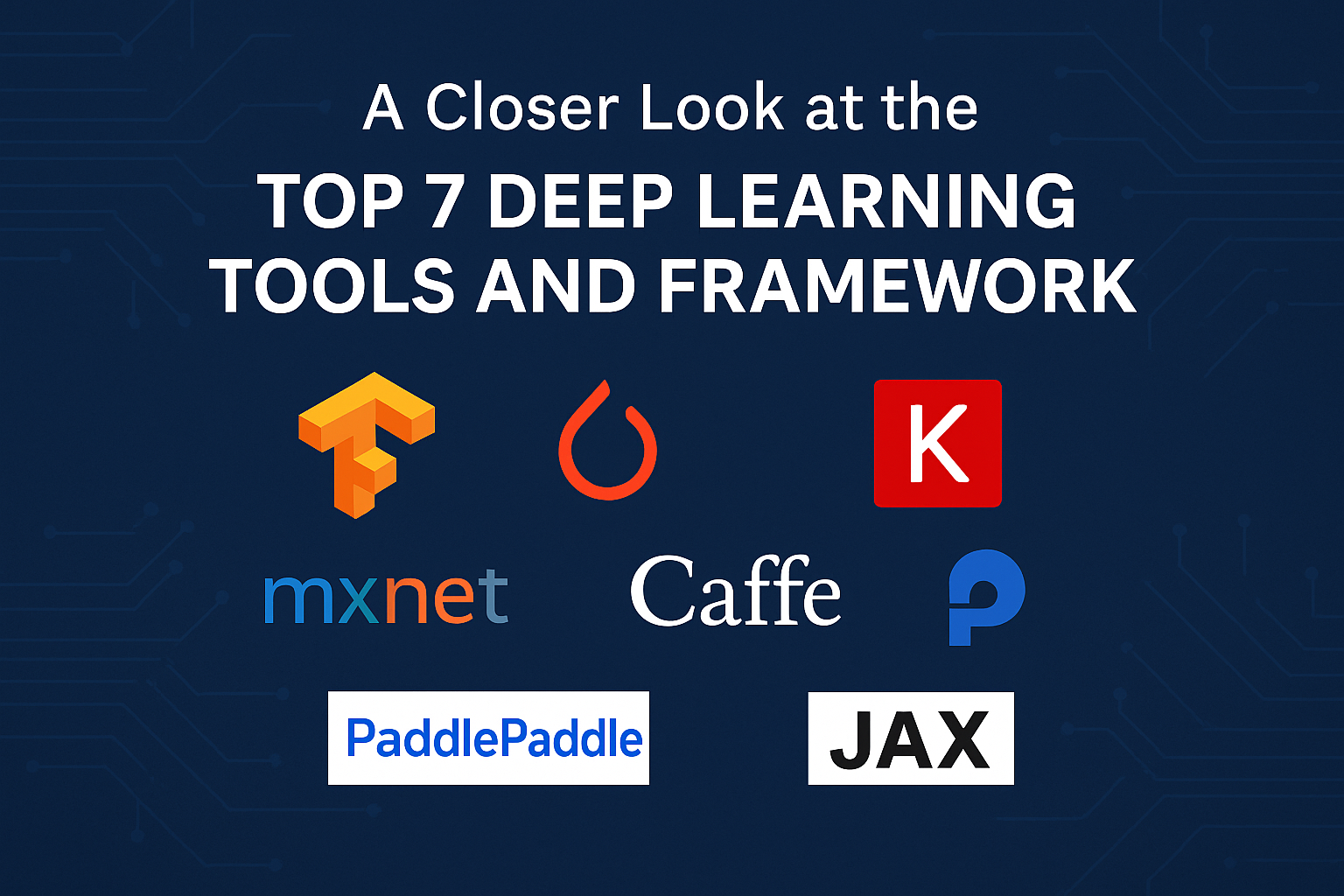
We talk about the seven most popular frameworks: JAX, Caffe, MXNet, Keras, PyTorch, TensorFlow, and PaddlePaddle. We examine each one in depth.
You’ll discover how to pick the best deep learning framework for your next project by looking at real-world examples, performance variables, and community support by the conclusion.
1. TensorFlow
TensorFlow is a very popular framework for deep learning. Google Brain built it. Since it became open source in 2015, TensorFlow has become a complete ecosystem for constructing, training, deploying, and visualizing models.
1.1 Key Features
- TensorFlow Core is a low-level API that lets you create your own layers and operations with the most freedom.
- Keras integration: The high-level API (tf.keras) makes it easier to build models by employing structures that are simple to grasp and utilize.
- TensorBoard is a group of interactive tools that lets you look at embeddings, training metrics, and computational graphs.
- TensorFlow Extended (TFX) is a set of tools for validating data, training models, assessing models, and serving pipelines that are ready to use in production.
- TensorFlow Lite is the best way to run models on mobile and IoT devices.
- You can run models in browsers and Node.js with TensorFlow.js, which makes it easier to use inference on the web.
1.2 Good things
- Tools that are ready for production, like TFX and TensorFlow Serving, can manage ML workflows from start to finish.
- Scalability: It works well when you train on more than one GPU or TPU.
- There are a variety of extras that can help with things like understanding speech, finding stuff, and more. TensorFlow Hub and TFLite Model Maker are two examples.
- Community and Documentation: There are a lot of users using the software, and there are a number of tutorials and code examples.
1.3 Things That Are Not Right
- Steep Learning Curve: People who are new to the subject may find it hard to understand low-level abstractions.
- Verbosity: Before version 2.x, TensorFlow’s graph-based execution necessitated a lot of extra code. But with TF 2.x, eager execution has made this a lot less of a concern.
- Performance Variability: For some jobs in some research conditions, PyTorch may operate better than TensorFlow.
1.4 Examples of How to Use
- Putting together huge visuals, like Inception models
- Using TensorFlow Text to deal with language that is natural
- Deployments to the Google Cloud AI Platform for use in real life
1.5 Getting Started and Getting Help
- Visit to see the official site.
- The GitHub project is located at https://github.com/tensorflow/tensorflow.
- At https://www.tensorflow.org/tutorials, you can discover tutorials.
2. PyTorch
FAIR, Facebook’s AI Research group, produced PyTorch, which has quickly become popular, especially among researchers, because it features a dynamic computing graph and a Pythonic interface that is easy to use.
2.1 Key Parts
- Dynamic Computation Graphs: The “define-by-run” methodology enables you update graphs while they are running.
- TorchScript changes PyTorch models into efficient, serializable graphs that may be utilized in the real world.
- It works nicely with NumPy, SciPy, and other Python libraries, so it fits right in with the rest of Python.
- You can train on more than one GPU or node at the same time with torch.distributed. This is known as “distributed training.”
- TorchVision, TorchText, and TorchAudio are libraries that are only usable in some areas and are great for fast making prototypes.
2.2 Good things
- Easy to use: There isn’t a lot of boilerplate code, and both researchers and beginners like how Python is written.
- Debugging: The built-in Python debugger and dynamic graphs make it easier to detect and repair errors.
- Performance: Uses GPUs in a way that is competitive and often has shorter model iteration cycles.
2.3 Weaknesses
- TorchServe and TorchElastic used to have less sophisticated production tools than TensorFlow, but this gap is getting narrower.
- The official TensorFlow ecosystem works better with some add-ons than others. This is what is known as fragmentation of the ecosystem.
2.4 Examples of How to Use
- Recent studies on GANs, reinforcement learning, and NLP literature.
- Quickly building models of new buildings.
- Deployment through TorchServe for inference that can grow.
2.5 How to Start and Get Help
- Go to the official webpage at .
- Check out the GitHub Repo at https://github.com/pytorch/pytorch.
- At https://pytorch.org/tutorials, you can discover tutorials.
3. Keras
The purpose of Keras was to make things easier and clearer, therefore it began off as a separate project. It is still a decent alternative for novices and quick prototyping, and it is now extremely similar to TensorFlow (tf.keras).
3.1 Important Parts
- Layer-based API: This helps you build models in a modular approach by putting layers on top of each other.
- Optimizers, callbacks, convolutional layers, and recurrent layers are some of the pre-made layers and tools.
- Minimalist Syntax: To make, compile, train, and test models, write concise code.
- Support for Multiple Backends (legacy): The first version of Keras could work with CNTK, TensorFlow, and Theano. The newest versions only operate with TensorFlow.
3.2 Nice things
- Easy: This book is great for people who are just starting to learn about neural networks.
- Rapid Prototyping lets you make and test models in just a few minutes.
- Community Resources: A lot of notebooks, blog posts, and examples.
3.3 Things that are incorrect
- Limited Customization: You can only make modest modifications by going to the API on the back end.
- Performance Ceiling: Users that are undertaking cutting-edge research and are very experienced may prefer native TensorFlow or PyTorch.
3.4 How to put it to use
- Classes and lessons at school.
- Quick MVPs and proof of concept.
- Keras Applications, like ResNet50 and MobileNet, can be used for transfer learning.
3.5 How to Get Started and Get Help
- Go to the official website at .
- To see the GitHub repository, go to https://github.com/keras-team/keras.
- To see some examples, go to https://keras.io/examples.
4. Apache’s MXNet
MXNet is the default deep learning framework that Amazon Web Services (AWS) employs. MXNet needs to be able to scale, be efficient, and have a programming model that can be updated.
4.1 Key Features
- Hybrid Frontend: It combines imperative and symbolic programming using the Gluon API.
- Many programming languages, such as Python, Scala, Julia, and R, have APIs.
- Training that can grow: built for GPU clusters that are spread out.
- AWS Integration: Amazon SageMaker works nicely with it for both training and deploying models.
4.2 Good things
- Performance in Production: Set up the AWS architecture.
- You can switch from imperative prototyping to symbolic graph execution, which provides you more possibilities.
- Language Diversity: This is helpful for groups who work with more than one programming language.
4.3 Weaknesses
- Less Community: There aren’t as many third-party add-ons and resources for it as there are for TensorFlow and PyTorch.
- You have to know how to use both programming styles to understand the hybrid model, which makes it harder.
4.4 Examples of How to Use
- AWS SageMaker for usage in business.
- Groups who need aid on different platforms and speak more than one language.
4.5 How to Get Started and Ask for Help
- The official website is .
- GitHub Repo: https://github.com/apache/incubator-mxnet
- You may find Gluon tutorials at https://mxnet.apache.org/versions/1.8.0/api/python/docs/tutorials/gluon/index.html.
5. Caffe
The first place to make Caffe was at UC Berkeley. It is noted for being quick at computer vision tasks and for letting users set up models declaratively using configuration files.
5.1 Important Parts
- Prototxt files show you how to create a model and what its hyperparameters are.
- Speed: A C++ core that is very highly optimized and can be used with both Python and MATLAB.
- Pre-trained Models: A big set of models for well-known vision architectures like VGG and AlexNet.
5.2 Good things
- Inference Performance: Very fast forward passes that operate well in real time.
- Vision’s Simplicity: It’s helpful for things like putting photographs in order and making groups.
5.3 Weaknesses
- Not very flexible: it’s tougher to add new features for tasks that don’t involve vision or new architectures.
- Less Activity: The community isn’t as active as it used to be with newer frameworks.
5.4 Examples of How to Use
- Processing pictures in real time on edge devices.
- People are still making antiquated vision systems.
5.5 How to Start and Get Help
- The official website is .
- You may find the GitHub repository at https://github.com/BVLC/caffe.
6. PaddlePaddle
Baidu made PaddlePaddle (PArallel Distributed Deep LEarning) for usage in industries that need high performance. It offers characteristics that make it easy to use Chinese.
6.1 Key Parts
- You only need to go here to train, process data, make decisions, and use models.
- PaddleSlim: Tools that make models run faster and take up less space.
- PaddleHub: Models that have already learned how to understand speech, see things with a computer, and comprehend natural language.
- Fluid API is a flexible way to write imperative code that allows you improve static graphs.
6.2 Good things
- Localization: Very helpful for Chinese NLP jobs.
- Enterprise-Ready: Used in Baidu’s large services.
- Model Compression: Software tools that make models smaller so they can be used.
6.3 Weak points
- Global Community: Not as big as TensorFlow or PyTorch in other areas of the world.
- Most of the documentation is in Chinese, however there are more and more English resources.
6.4 Examples of how to utilize
- There are a lot of big Chinese NLP apps, like chatbots and technologies that help you understand how people feel.
- Business uses that demand stronger logic.
6.5 How to Start and Get Help
- People who wish to learn how to paddle should check out paddlepaddle.org.cn.
- You may find the GitHub Repo at https://github.com/PaddlePaddle/Paddle.
7. JAX
JAX is a fast computing tool that has automatic differentiation and XLA (Accelerated Linear Algebra) compilation built in. It also has APIs that are similar to NumPy’s. Google Research made it.
7.1 Key Features
- XLA’s AutoGrad and Just-In-Time (JIT) compilation make numerical code run faster.
- Vectorization: vmap allows you put things together by axis without having to construct loops by hand.
- Parallelism: With pmap, you can run more than one device at the same time without having to do anything.
- Function Transformation: grad, jacfwd, and jacrev for higher-order derivatives.
7.2 Good things
- Performance: Very fast TPU and GPU backends.
- Based on research: Good for testing algorithms that need to be different from one another.
- Interoperability: It works well with various NumPy code basesMedical
7.3 Things that are wrong
- Steep Learning Curve: It can be challenging to understand complex API concepts like jit, pmap, and vmap.
- The ecosystem is more mature, which means there are fewer ready-made models and guides.
7.4 Examples of Use
- Recent research in computational science and physics-informed neural networks.
- TPUs are necessary for projects to work.
7.5 How to Get Started and What You Need
- Go to https://github.com/google/jax to see the official page.
- You can find lessons at https://jax.readthedocs.io/en/latest/notebooks/index.html.
Seeing the differences
| Framework | Major Strength | Ease of Use | Suitability for Production | Community & Ecosystem |
|---|---|---|---|---|
| TensorFlow | Moderate to high-end end-to-end pipeline tools | High | Very huge, diverse | |
| PyTorch | Research: Flexible, rapid iteration | High | Growing quickly | |
| Keras | Quick prototyping, educational | Very easy | Good for MVPs and teaching | |
| MXNet | AWS scalability | Medium | High on AWS, medium elsewhere | |
| Caffe | Real-time vision inference | Low to moderate | Moderate to declining | |
| Paddle | Chinese NLP & industrial use | Modest | High in China, growing globally | |
| JAX | Research & performance | Low to moderate | Experimental & niche |
These are questions that people regularly ask.
Q1. What is the best framework for deep learning for beginners?
Answer: Keras (via tf.keras) is the easiest for novices to learn because it lets you construct and train models with very little code. It offers a lot of large ideas and lessons, which makes it perfect for teaching.
Q2. In the real world, should I use TensorFlow or PyTorch?
Answer: It depends on what you want.
- TensorFlow is perfect for end-to-end pipelines because it has TFX to check data and TensorFlow Serving to deploy it on a big scale.
- PyTorch has caught up with TorchServe and TorchX by introducing dynamic graph functionality and making debugging easier. If your team loves to undertake research in stages, PyTorch might be better.
Q3. Can you switch frameworks when you’re working on a project?
Yes, it is doable, especially with TensorFlow and Keras, however it takes a lot of work. You might utilize ONNX (Open Neural Network Exchange) to help you move models from one framework to another.
Q4. How can I get models to work on mobile and edge devices?
Answer:
- TensorFlow Lite makes models run better on Android and iOS.
- For mobile inference, PyTorch Mobile provides a shorter runtime.
- Now that Caffe2 is part of PyTorch, you may use it on your phone.
Q5. What factors influence the effectiveness of a framework?
Answer:
- When you use hardware, you need to make sure that the GPU and TPU operate well together and that the kernels are set up to do their best work.
- Graph support for static and dynamic execution.
- Being able to break tasks down into smaller pieces and perform them all at once.
- XLA compilation for JAX/TensorFlow or cuDNN support for most frameworks.
Q6. What can I do to help with these plans?
Answer:
- Make a copy of the GitHub repo.
- Follow the rules for how to help and how the code should look.
- Send in complaints or requests for new features.
- Join email lists and community forums like TensorFlow Discussion and PyTorch Discuss.
To put it simply
It is very vital to pick the correct deep learning framework for your machine learning projects to be successful. You can use Keras to quickly make a prototype, PyTorch or JAX to do cutting-edge research, TensorFlow or MXNet to manage a business-level production, or Caffe or PaddlePaddle to work on a specific project. There are good and bad things about each instrument. You can choose wisely based on things like how easy it is to use, how mature the ecosystem is, how scalable it is, and how much help it gets from the community. This will help you meet your team’s abilities and project goals.
Read the official documentation, keep up with what’s going on in the community, and follow the best practices for model governance and reproducibility to get the most out of your deep learning projects.
References
- TensorFlow Official Documentation
https://www.tensorflow.org/ - PyTorch Official Website
https://pytorch.org/ - Keras Documentation
https://keras.io/ - Apache MXNet
https://mxnet.apache.org/ - Caffe at Berkeley Vision
http://caffe.berkeleyvision.org/ - PaddlePaddle by Baidu
https://www.paddlepaddle.org.cn/ - JAX Documentation
https://jax.readthedocs.io/ - ONNX (Open Neural Network Exchange)
https://onnx.ai/ - TensorFlow Extended (TFX)
https://www.tensorflow.org/tfx - TorchServe Model Serving
https://pytorch.org/serve/