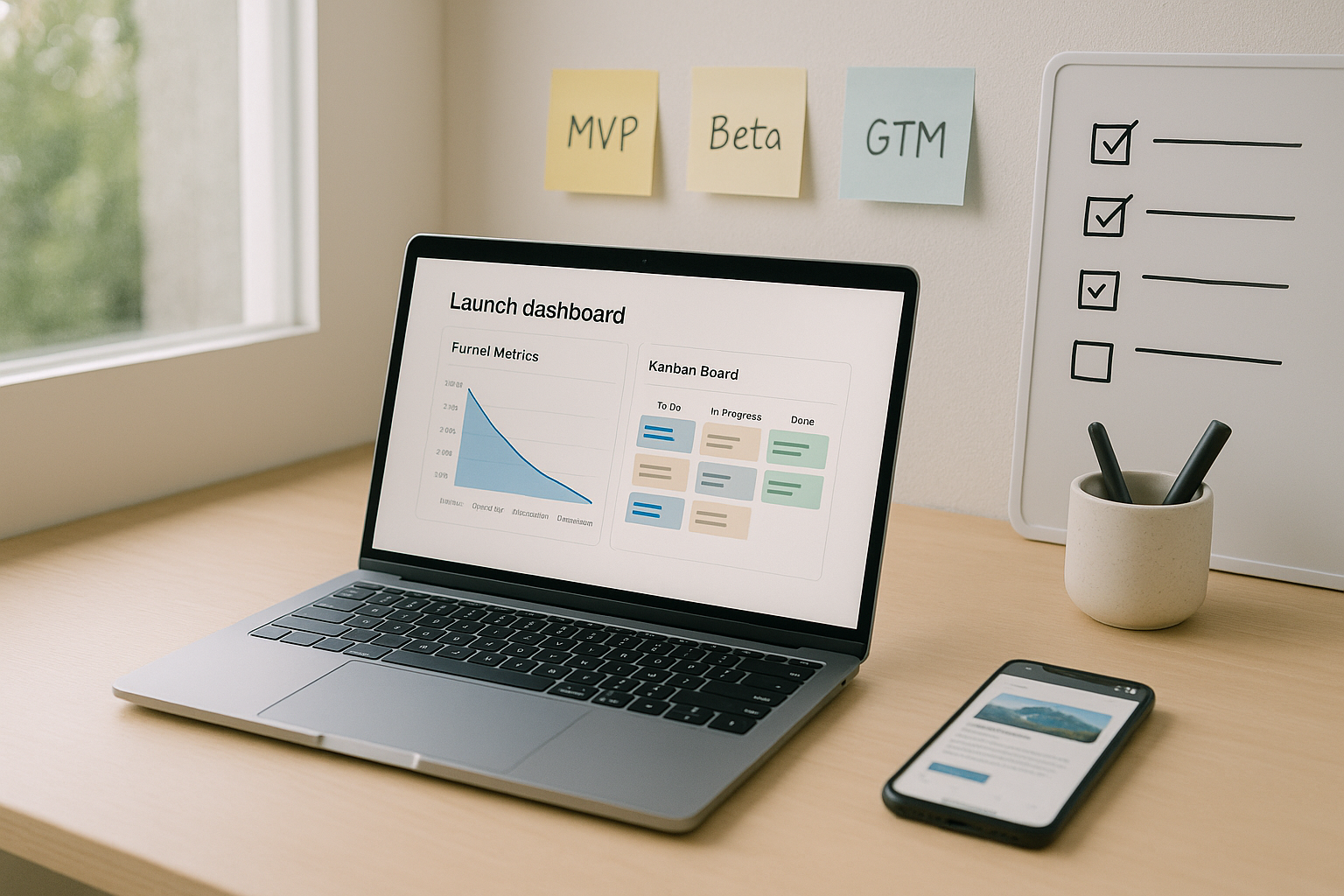
A SaaS product launch is the coordinated moment when your new product or major feature becomes available to customers with a plan that minimizes risk and maximizes adoption. In practice, it blends product management, engineering, marketing, sales, customer success, and support into one repeatable play. Done right, you reduce surprises, deliver value faster, and set a sustainable pace for iteration. Below you’ll find a complete path—what to do, why it matters, and how to execute—so you can ship with confidence.
At a glance, the flow looks like this: (1) Position the product precisely, (2) Validate demand with staged betas, (3) Craft a crisp narrative, (4) Pick the right rollout strategy, (5) Orchestrate with a cross-functional plan, (6) Test pricing and packaging, (7) Prove production readiness, (8) Design friction-free onboarding, (9) Enable sales and success, (10) Communicate clearly and often, (11) Instrument the right metrics, and (12) Iterate after launch with discipline. Follow these best practices to launch predictably, avoid rework, and create momentum with customers and your team.
1. Anchor Positioning on a Pain You Can Own
A strong positioning statement makes the rest of your launch decisions easier. Start by defining the ideal customer profile (ICP), the job they’re hiring your product to do, and the alternatives they use today. Two sentences are enough to lock scope: who you help and how your product uniquely solves their painful, expensive, or risky problem. This focus drives everything—copy, pricing, onboarding, enablement, and metrics. Without it, launch assets drift, and teams argue about features instead of value. Treat positioning as a product decision, not just a marketing headline; test it in customer calls and beta notes, and revise when objections repeat. Capture a crisp “problem–solution–proof” structure and ensure every screen, email, and demo reinforces it consistently across channels.
- Map your ICP by firmographics (size, industry), technographics (stack, data model), and roles (buyers, admins, end users).
- List the top 3 alternatives (including “do nothing”); name the trade-offs users accept today.
- Translate features to outcomes with verbs (reduce, prevent, accelerate), not adjectives.
- Write the elevator pitch (30 seconds), the 2-minute demo script, and a 1-pager; keep them aligned.
- Validate with 8–12 customer conversations; revise when the same confusion surfaces twice.
Why it matters
Positioning prevents scope creep, drives channel selection, and sets guardrails for pricing and packaging. It clarifies what to measure post-launch: adoption by the ICP, not vanity signups. Close this loop by sharing the positioning doc in your workspace so every function ships the same story. In short, clear positioning compresses time to value and reduces hand-offs gone wrong.
2. Validate Demand with Staged Betas (Alpha → Private → Public)
You don’t de-risk a launch in a single test. Use staged exposure: a hands-on alpha for rapid engineering feedback, a private beta for target customers under NDA, and a public beta that scales telemetry and support. Each stage has a go/no-go criterion; if you can’t write the criterion, you’re guessing. Instrument everything—activation tasks completed, time-to-value, drop-offs in onboarding, and support themes—and consolidate feedback in a shared triage board. Offer simple incentives (priority roadmap input, credits) to keep participation high. Most importantly, constrain scope and record what you chose not to change pre-launch; discipline beats endless tweaking.
- Define entry/exit: e.g., alpha requires daily active usage from 5 design partners; private beta requires 50 target users completing onboarding.
- Use feature flags to isolate exposure to cohorts and roll back fast.
- Standardize feedback: a 5-question form plus one free-text field after key tasks.
- Close the loop: publish beta release notes and decisions weekly.
- Thank testers: badges, shout-outs, or extended trials.
Numbers & guardrails
Aim for at least 3–5 design partners in alpha, 30–100 target users in private beta, and a public beta that represents 5–10% of your intended audience. Define “ready to exit beta” as ≥70% of users completing the primary activation task within the first session and support tickets per active user holding steady or trending down. These are typical ranges—adjust for enterprise complexity—and they give teams an objective way to say “go.”
3. Build a GTM Narrative and Messaging Architecture
A GTM (go-to-market) narrative binds positioning to the moments where buyers decide. Write it like a short story: protagonist (your ICP), conflict (their costly pain), resolution (your product), and proof (outcomes, numbers, logos, or demos). Under that, create a messaging architecture: the umbrella message, three supporting pillars, and page-level messages for home, product, pricing, and docs. Align claims with proof: demos, case snippets, and benchmarks close the loop. Avoid superlatives; concrete verbs and before/after visuals convert better. Make your “why now” explicit so prospects feel urgency without hype.
- Draft the “one slide story”: problem tension, your unique mechanism, and measurable outcome.
- Pair every claim with a reason to believe (RTB): telemetry, customer quotes, or live product tours.
- Adapt by persona: buyer (outcomes), admin (control, compliance), end user (speed, clarity).
- Use language a customer would say; strip insider jargon unless you define it.
- Stress test with customer success and sales: if they can’t repeat it, it’s not simple enough.
Tools/Examples
Reusable artifacts help: a 2-minute demo, a 1-pager, pricing one-sheet, talk track, and objection-handling guide. Store these where everyone can find the latest version to prevent drift. Your narrative is a living asset—iterate it when discovery, betas, and early pipeline say you’re off.
4. Choose the Right Rollout Strategy (Big-Bang, Phased, Canary, Flags)
Your rollout strategy should match risk tolerance, architecture, and customer expectations. Big-bang releases concentrate risk but simplify communications; phased rollouts sequence regions or plans; canary deployments expose a small cohort first and watch health; feature flags decouple deploy from release so you can ship code dark, then safely toggle exposure. Blending these is common—e.g., deploy behind a flag, canary to 5%, then phase across regions. Pick one primary strategy and document how you’ll monitor, roll back, and communicate. The goal is simple: protect user experience while gathering enough signal to move forward confidently.
Rollout comparison (compact):
| Strategy | What it is | When to use | Risk profile |
|---|---|---|---|
| Big-bang | All users get it at once | Small scope, low coupling | Highest |
| Phased | Regions/plans in sequence | Complex backends, support pacing | Medium |
| Canary | Small cohort first | Unknown perf/UX risk | Low–Medium |
| Feature flags | Deploy off, then toggle exposure | Frequent releases, fast rollback | Low |
- Define health gates: error rate, latency, crash-free sessions, and key user actions.
- Pre-write rollback steps and who executes them.
- Keep user exposure cohorts observable and reversible.
- Announce thoughtfully: early-access users first, then general notification.
Numbers & guardrails
Start canaries at 1–5% of traffic, watch at least one full usage cycle (e.g., 1–2 hours for high-volume apps, a day for low-volume), then progress 5% → 25% → 50% → 100% if health stays within thresholds (for example, error rate ≤ baseline + 0.2%, p95 latency ≤ baseline + 10%). Feature flags should be assigned owners and have an explicit expiry date; stale flags become technical debt.
5. Orchestrate with a Cross-Functional Plan and RACI
Launches succeed when responsibilities are unambiguous. Create a single plan of record that lists tasks, owners, and dates, and link assets (copy, creatives, demos, enablement) in one place. Use a RACI (Responsible, Accountable, Consulted, Informed) matrix for decisions that otherwise stall—pricing changes, timing, or channel selection. Nominate one directly responsible individual (DRI) for the launch, and a spokesperson for incidents. Keep a weekly launch review that turns red flags into specific actions and clears blockers across teams. Consistency beats heroics.
- One board, one checklist; duplicates cause drift.
- RACI the “hot potatoes”: pricing, packaging, support SLAs, and comms.
- Define SLAs for internal hand-offs: review times, QA windows, content approvals.
- Pre-record the demo; live is great, but risk should be optional.
- Capture decisions in writing; memory is not a system.
Mini-checklist
Planning (scope, ICP, goals), Readiness (QA, docs, enablement), Demand (campaigns, PR, social), Channels (email, in-app, partners), Support (playbooks, macros), Post-launch (triage, retrospective). Close the section by linking every task to a clear owner so coordination turns into momentum.
6. Test Pricing and Packaging Before You Announce
Pricing is positioning in numbers. Instead of guessing, test willingness to pay, value metrics, and bundling options early with interviews, surveys, and landing page tests. Keep the model simple enough to explain in one breath; the goal is clarity, not complexity. Tie tiers to value (e.g., records, seats, tracked events) and reserve advanced features for higher plans only when they materially increase value. Align monetization with product usage so customers feel progress, not punishment. Finally, plan your legacy/upgrade paths and promotions before you announce to avoid one-off exceptions that leak revenue.
- Choose a primary value metric (seats, projects, tracked units) that scales with value.
- Draft 3 tiers with clear fences (good/better/best) and one add-on if needed.
- Test with 10–20 target buyers using van Westendorp or Gabor-Granger methods.
- Pressure-test discount rules, contract lengths, and refund policy with finance and CS.
- Pre-write upgrade prompts and in-app nudges tied to thresholds.
Numbers & guardrails
Keep tier count to 3–4 for clarity. Typical discount guardrails: limit discretionary discounts to ≤15% outside formal promotions. For self-serve, favor monthly plans with an annual option at ~15–20% savings; in enterprise, define minimum deal sizes and approval paths. Use your activation metric as the first “paywall nudge”—for example, at 5 projects or 50,000 events, show a fair-use warning and clear upgrade path.
7. Prove Production Readiness with SLOs, Observability, and Rollback
A stable launch is one users don’t notice. Define service level objectives (SLOs) for availability and latency, instrument golden signals (latency, traffic, errors, saturation), and set alert thresholds that catch issues without waking the team unnecessarily. Run load tests that reflect real traffic shapes, not synthetic spikes, and practice failover. Make rollback safe and rehearsed: keep immutable builds, one-click deploys, and a known-good artifact ready. Pair technical readiness with operational readiness: on-call schedules, runbooks, and an escalation tree. The goal isn’t perfection; it’s controlled recovery.
- Instrument user-centric SLIs: task completion, time-to-first-value, and crash-free sessions.
- Run smoke tests in production with synthetic monitors on critical paths.
- Set dashboards for pre- and post-release; compare deltas, not absolutes.
- Keep a “kill switch” via feature flags; practice toggling in a canary project.
- Document rollback criteria and who presses the button.
Numbers & guardrails
Common SLOs: availability at “three nines” or better for core endpoints, p95 or p99 latency within agreed bounds, and error budgets that drive release pace. For load tests, target 1.5–2.0× your expected peak with realistic concurrency and think time. Keep mean time to recovery (MTTR) short by rehearsing: a tabletop exercise every cycle makes real incidents calmer.
8. Design Onboarding that Proves Value Fast
Onboarding is the first experience that either confirms your promise or creates churn. Focus on a single activation moment—the smallest set of actions that demonstrates core value—and make those steps obvious in product. Replace blank slates with helpful defaults and sample data. Guide with progressive disclosure: tooltips, checklists, and contextual nudges that appear when useful, not all at once. Offer a “fast path” for experts and a friendly tour for new users, and always provide escape hatches. Close the loop with lifecycle emails and in-app messages that align with what the user just did, not generic blasts.
- Define the activation task (e.g., connect a data source, invite a teammate, complete first workflow).
- Use in-product checklists; keep each item short and action-oriented.
- Insert strategic micro-surveys (2–3 questions) to tailor guidance.
- Celebrate completion with a clear next step (not confetti for its own sake).
- Keep docs discoverable from every empty state.
Numbers & guardrails
Track time-to-first-value (TTFV); strong onboarding often delivers value in minutes, not hours. Good activation baselines: ≥60–70% of new accounts complete the activation task within the first session, and early retention (e.g., day-7 or week-4) holds meaningfully higher for activated users. If you use a checklist, 4–7 items is a sweet spot—enough structure without fatigue.
9. Enable Sales and Success with the Right Tools and Proof
Revenue teams need more than a blog post to sell. Package the story into enablement that anticipates objections and offers proof. Start with a talk track keyed to pain → value → proof → next step. Add a quick demo, a battlecard with differentiators and traps to avoid, competitive notes, and a short ROI example. For customer success, create playbooks for implementation, adoption, and expansion triggers; include escalation points and how to loop product back in when patterns emerge. Keep a shared “known issues” page and update it daily during and after launch.
- Enablement kit: 1-pager, demo, talk track, battlecard, FAQ, objection handling.
- Training: 30–45-minute enablement session recorded and searchable.
- Proof: mini case snippets with before/after metrics and one quote.
- Success playbooks: implementation checklist, adoption checkpoints, upsell cues.
- Feedback loop: weekly “field signals” review with product owners.
Mini case
A mid-market team selling a new analytics module sets a simple ROI example: if the module helps a marketing team reallocate 10% of a $200,000 budget to higher-return channels, and the expected lift is 15%, the implied benefit is $3,000 per month. Keeping the math visible helps buyers connect price to value without hand-waving.
10. Communicate the Launch Clearly—Before, During, After
Communication turns internal readiness into customer confidence. Sequence your messages: design partners first, then private beta customers, then prospects and the wider audience. Use the right channel for each moment: email and in-app messages for users, docs and release notes for details, and a landing page for the narrative. Keep messages short, link to actions, and avoid jargon unless you define it plainly. During rollout, post timely updates to a status page, keep support macros fresh, and share known issues publicly when appropriate. After launch, close the loop with “what’s next” to maintain momentum.
- Pre-launch: “coming soon” notice for admins and champions, with opt-in.
- Launch day: home page hero, product page updates, docs, release notes, status page.
- In-product: contextual nudges tied to activation tasks.
- Support: updated macros, known issues page, escalation policy.
- Post-launch: recap email, short video demo, and roadmap hints (no promises).
Tools/Examples
A lightweight comms kit includes an editable timeline, channel plan, target segments, and message templates. Add a simple Q&A doc that support and success can paste from. Clarity and honesty build trust—especially if you need to pause or roll back.
11. Instrument Metrics that Show Customer Value, Not Vanity
Measure what tells you if users are succeeding. Tie metrics to the customer journey: awareness (visits, qualified traffic), acquisition (signups, demo requests), activation (the defined “aha” moment), adoption (feature depth/width), revenue (conversion, ARPU, expansion), and retention (logo and dollar). Layer leading indicators (activation rate, time-to-value) with guardrails (error rates, latency), and create dashboards per audience: execs, product, growth, and reliability. Define thresholds and decision rules so teams know when to accelerate, hold, or rollback. Keep metric names unambiguous and documented.
- Create one north-star metric plus 3–5 input metrics you can influence.
- Segment by ICP, plan, and cohort; averages hide signal.
- Add coverage metrics: % of customers touched by enablement, % of docs updated.
- Review weekly for the first cycle; turn findings into backlog items.
- Archive dashboards when the launch enters steady state.
Numbers & guardrails
A practical set: activation rate (target ≥60–70% in early cycles), week-4 retention, conversion to paid from trial, expansion revenue as a % of MRR, and support tickets per active account. For reliability, track p95 latency on key flows and error budgets. Document action thresholds: e.g., if activation falls below 50% for two weeks, run a root-cause sprint focused on onboarding.
12. Iterate After Launch with Fast, Visible Improvements
A launch is a beginning. Treat the first weeks as a learning window, not a victory lap. Stand up a daily triage for bugs, weekly prioritization for enhancements, and a monthly retrospective that turns lessons into playbook updates. Close the loop visibly with customers: small, frequent improvements boost trust more than one big patch. Keep deprecation and change policies clear to avoid surprises, and retire feature flags promptly to reduce complexity. Capture what worked—positioning, channels, enablement—and what you’d change so your next launch starts ahead.
- Daily: bug triage with severity definitions and owners.
- Weekly: top-3 enhancement priorities tied to activation/adoption.
- Monthly: retrospective with actions, owners, and due dates.
- Public: release notes and “what’s improved” highlights.
- Hygiene: remove stale flags, clean temporary config, and update runbooks.
Numbers & guardrails
Aim for a short mean time to acknowledge (MTTA) for critical issues (minutes, not hours), and a sensible MTTR target based on your architecture. Track the ratio of new work to fixes during the first cycle; 60/40 can keep momentum while paying down launch-specific debt. Publish at least one improvement per week in the early phase to keep the story moving.
Conclusion
A reliable SaaS product launch is a system: align on a pain you can own, de-risk with staged betas, tell a clear story, pick a rollout strategy that matches risk, and measure what matters. Pricing, onboarding, enablement, communications, and production readiness are not side quests; they are the launch. When every function shares the same positioning and metrics, decisions speed up and surprises shrink. Treat your launch plan as reusable infrastructure: one board, shared assets, and explicit gates. The payoff is compounding—each launch becomes smoother, faster, and more credible with customers and inside your organization. Start with the twelve practices above, adapt them to your context, and ship. Ready to make this launch the calmest one yet? Put your plan in writing and schedule your first readiness review today.
FAQs
How early should I start planning a SaaS product launch?
Begin as soon as you can define the ICP and problem with confidence. That gives you time to line up design partners, set up telemetry, and test onboarding. Many teams run a lightweight checklist alongside development so launch work doesn’t stack up at the end. The earlier you instrument activation and reliability, the easier it is to choose the right rollout strategy and avoid last-minute churn.
What’s the difference between deploy, release, and launch?
“Deploy” is moving code to production; “release” is making it available to users (often via feature flags); “launch” is the coordinated market moment when you announce and enable adoption. Separating these reduces risk: you can deploy dark, validate with a canary, then progressively expose and announce when ready. This separation is the backbone of calm launches.
Should I use a big-bang release or phased rollout?
Match the strategy to risk and observability. Big-bang is simple but risky. Phased and canary rollouts let you learn with smaller blast radius. If your architecture supports feature flags, deploy dark and toggle exposure by cohort. Define health gates and rollback steps in advance so the decision to proceed is objective, not emotional.
How do I pick a value metric for pricing?
Choose a metric that scales with customer value and is easy to understand—seats, tracked events, projects, or usage units. Avoid metrics that feel punitive (e.g., charging for admin actions). Test with buyer interviews and landing pages. Keep tiers limited and fences clear so customers can self-select without a sales call unless they want one.
What’s a good activation metric for onboarding?
Pick the smallest set of actions that demonstrates value, such as connecting a data source, inviting a teammate, or completing a first workflow. Track time-to-first-value and completion rate. A common target is ≥60–70% of new accounts completing the activation step quickly. If you’re far below that, simplify steps, improve defaults, and add contextual guidance.
How do I prepare support for launch day?
Provide updated macros, a known-issues page, and an escalation tree. Hold a short daily standup during launch week. Give support early access so they learn the product before customers do. Make it easy to capture patterns and route them to product triage. Clear, honest updates—especially when pausing or rolling back—build trust.
What telemetry should I monitor during rollout?
Watch both product and reliability signals: activation tasks, conversion steps, feature adoption, error rates, latency, and crash-free sessions. Compare to baseline, not absolute numbers. Use dashboards tuned to your rollout strategy (e.g., canary cohort vs. control) and set thresholds that trigger pause or rollback without debate.
How do I keep internal teams aligned?
Centralize the plan, assets, and decisions. Use a RACI for contentious calls (pricing, timing, channels). Hold a steady cadence: weekly launch reviews pre-launch and a short daily sync during rollout. Record sessions and capture decisions in writing. The simplest way to avoid drift is to reduce duplicated documents and have a visible “latest version.”
What if early feedback conflicts with the narrative we planned?
Trust the data and adapt quickly. If repeated objections surface, update messaging, onboarding, or the product—don’t argue with customers. Publish what changed and why so sales and success can reset expectations. Iteration after launch is a feature, not a flaw; it demonstrates responsiveness and builds credibility.
How do I know the launch worked?
Define success upfront: activation rate, early retention, conversion to paid, expansion signals, and reliability staying within SLOs. Add qualitative signals like fewer support tickets per active account and faster time-to-first-value. Review these metrics at the end of the launch window and turn learnings into your next playbook update.
References
- “Product Release Guide: Key Phases and Best Practices,” Atlassian — https://www.atlassian.com/agile/product-management/product-release
- “Feature Toggles (aka Feature Flags),” Martin Fowler — https://martinfowler.com/articles/feature-toggles.html
- “Service Level Objectives,” Google SRE Book — https://sre.google/sre-book/service-level-objectives/
- “Reliability Pillar — AWS Well-Architected Framework,” Amazon Web Services — https://docs.aws.amazon.com/wellarchitected/latest/reliability-pillar/reliability.html
- “What Are Canary Deployments?,” Codefresh — https://codefresh.io/learn/software-deployment/what-are-canary-deployments/
- “Release Process and Channels,” Chromium Project — https://www.chromium.org/developers/release-process/
- “Software Pricing: Models and Strategies for SaaS Businesses,” Stripe — https://stripe.com/resources/more/software-pricing-models-and-strategies-for-saas-businesses
- “Checklists (In-Product Guidance),” Intercom Help Center — https://www.intercom.com/help/en/articles/6612245-checklists-explained