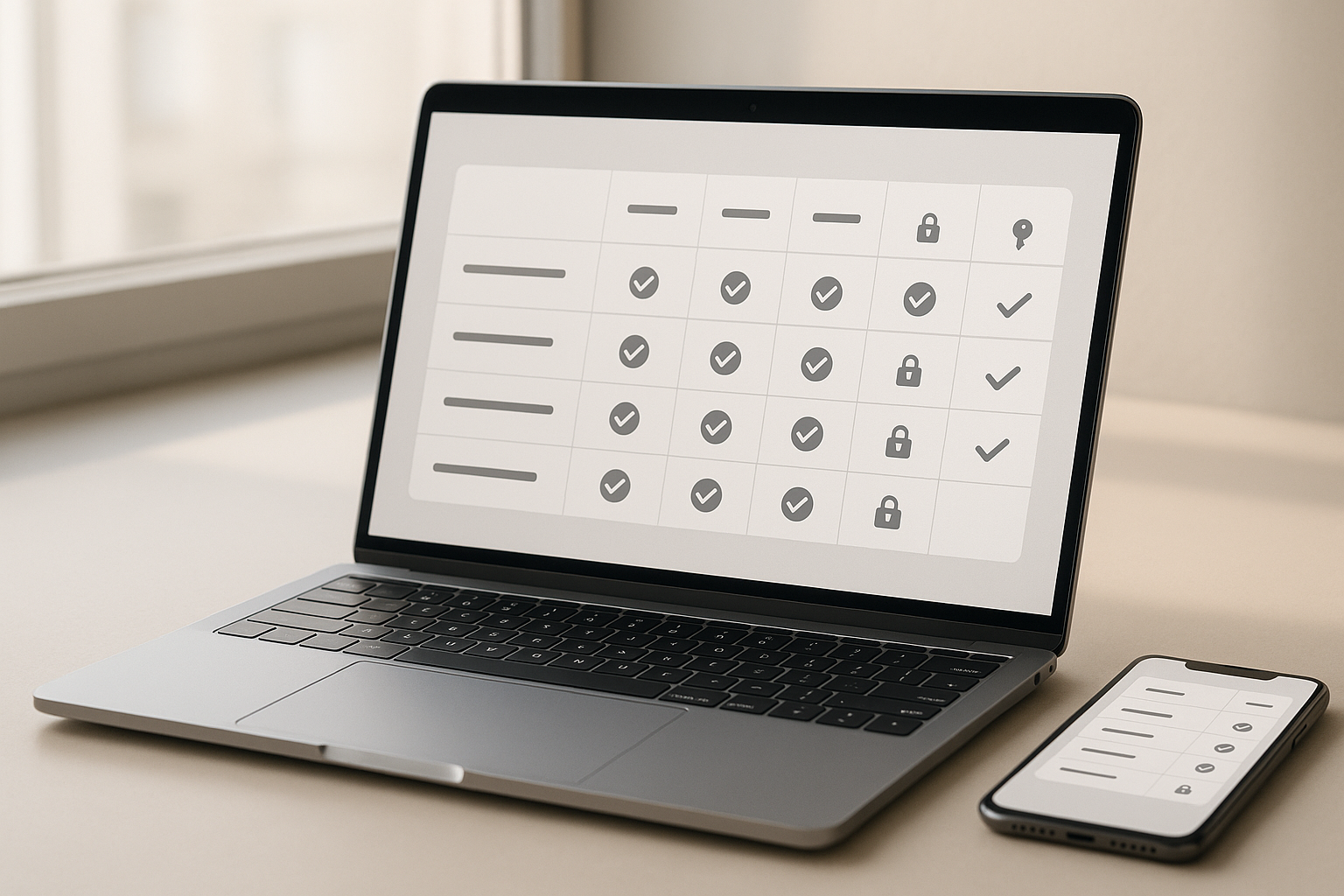
| Approach | What the user does | Primary weakness it removes | Rollout complexity |
|---|---|---|---|
| Traditional password | Types a memorized secret | None (shared secret remains phishable) | Low |
| Password plus SMS OTP | Types password, enters texted code | Reduces reuse risk slightly | Low to medium |
| Password plus authenticator app | Types password, enters TOTP code | Blocks basic credential stuffing | Medium |
| Passkey (FIDO2 or WebAuthn) | Unlocks a device-bound key with biometrics or PIN | Removes phishable shared secret entirely | Medium to high |
| Hardware security key (FIDO2 token) | Inserts or taps a physical key | Removes phishable secret and sync risk | High (procurement and loss handling) |
Why Passwordless Authentication Is Gaining Ground in 2026
Passwordless authentication has moved from a niche security experiment to a mainstream enterprise identity strategy. The driving idea is simple: instead of asking a person to remember and type a secret that can be phished, guessed, or stolen in a breach, a passkey uses public-key cryptography. A private key is generated on the user’s device and never leaves it; the corresponding public key is registered with the service. Signing in means proving possession of the private key, typically by unlocking it with a fingerprint, face scan, or device PIN. Because there is no shared secret transmitted over the network, classic phishing pages that ask a victim to type a password simply have nothing to steal.
FIDO2 is the umbrella standard that makes this possible, combining the WebAuthn browser API with the Client to Authenticator Protocol (CTAP) that lets a browser or operating system talk to a security key, a platform authenticator such as a phone’s secure enclave, or a roaming hardware token. Passkeys are the consumer-friendly implementation of FIDO2 credentials that can, depending on configuration, sync across a person’s devices through a platform’s cloud keychain or remain bound to a single piece of hardware for higher assurance.
The reason organizations are moving now, rather than waiting, is a mix of regulatory pressure, insurance requirements, and attacker behavior. Credential phishing and adversary-in-the-middle kits that steal session tokens after a password and one-time code are entered have become commodity crimeware. Passwordless authentication is one of the few controls that removes the underlying weakness rather than adding another layer on top of it.
How FIDO2 and Passkeys Actually Work
Understanding the rollout pitfalls requires a working grasp of the mechanics. A FIDO2 credential is created in three steps: registration, where the relying party (the application) asks the browser to generate a new key pair and stores the public key; assertion, where at each subsequent sign-in the relying party sends a random challenge that the private key signs; and verification, where the server checks the signature against the stored public key. None of this depends on the user memorizing anything beyond the local unlock gesture.
Two properties make this materially different from password-plus-second-factor schemes. First, origin binding: the browser cryptographically ties each credential to the exact web origin it was created for, so a lookalike phishing domain cannot trigger a valid signature even if a user is fooled into visiting it. Second, no shared secret ever crosses the network, which eliminates database breach exposure for the credential itself, since servers only ever store a public key.
Passkeys can be either device-bound (tied to one specific piece of hardware, such as a hardware security key or a device without cloud sync enabled) or synced (backed up to a cloud account and made available across a person’s devices through platform mechanisms). Synced passkeys dramatically improve usability and reduce lockout support tickets, but they also shift part of the trust boundary to the cloud account protecting the sync, which is exactly the kind of nuance that trips up enterprise security teams evaluating assurance levels.
The Real Enterprise Pitfalls
Account Recovery Becomes the New Weak Link
The single most consistently cited failure point in passwordless rollouts is account recovery. If a user loses their only enrolled device, an organization needs a way to re-establish trust and issue a new credential. Many programs quietly reintroduce the exact weaknesses passkeys were meant to remove: security questions, email-only recovery links, or a help desk agent who resets access after a phone call. Attackers have learned to target this exact seam, using social engineering against help desks to have a new passkey or MFA method enrolled on an attacker-controlled device.
Effective programs treat recovery as a first-class design problem, not an afterthought bolted on after the passkey rollout is finished. That means defining tiered recovery paths based on the sensitivity of the account, requiring in-person or video-verified identity proofing for privileged users, and instrumenting help desk resets so that any out-of-band credential change triggers a security review rather than a silent success.
Cross-Device Sync Confuses Assurance Levels
Consumer passkey ecosystems are built around convenience: a passkey created on one phone becomes usable on a laptop through the same cloud account. That is wonderful for retail logins but can be a governance headache for enterprises that need to know exactly which physical device or which named user session authenticated a given login. Security teams sometimes discover, only after rollout, that “phishing-resistant MFA” checkbox in their compliance framework assumed device-bound credentials, while their actual deployment allowed broad cloud sync.
The fix is not to ban syncing outright, since that reintroduces the friction passkeys were meant to remove, but to make a deliberate, documented choice per risk tier: allow synced passkeys for general workforce access, and require device-bound hardware security keys or platform authenticators with sync disabled for privileged, administrative, or regulated accounts.
Legacy Systems and Non-Browser Clients
WebAuthn is a browser standard, and much of the developer tooling around passkeys assumes a modern web login flow. Legacy applications built on older protocols, thick clients, VPN concentrators, mainframe terminals, and a long tail of vendor software frequently have no native path to FIDO2. Organizations that promise a “passwordless everywhere” timeline often discover, midway through, that a sizable share of their application estate simply cannot consume a passkey assertion without a broker or a federation layer in front of it.
Realistic programs inventory their application estate early, categorize each system by whether it can federate through a modern identity provider, and accept that some systems will keep a password behind the scenes, protected by a vault, while the human-facing sign-in becomes passwordless through single sign-on.
Guest, Contractor, and Cross-Tenant Gaps
Directory platforms frequently restrict how guest or external accounts can register hardware-bound credentials in a resource tenant, which breaks enforcement policies that assume every account type can enroll a passkey. Programs that mandate passkeys tenant-wide without first checking how guest, B2B, and service accounts behave under that policy tend to generate a wave of locked-out contractors in the first week.
Bring-Your-Own-Device and Platform Fragmentation
Not every operating system version, browser, or hardware chipset supports the same set of FIDO2 features at the same maturity level. Conditional UI flows, cross-device hybrid transport using Bluetooth, and passkey creation on older hardware can all behave inconsistently. Rollouts that test only on the latest flagship devices are routinely surprised by how much of the real device fleet needs a fallback path.
Figure: A phased passwordless rollout by risk tier
Rather than a single cutover date, mature programs move privileged and high-risk accounts to device-bound FIDO2 keys first, migrate general workforce accounts to synced passkeys next behind adaptive step-up checks, and keep a documented password-and-vault fallback for the smallest tail of legacy systems that cannot yet consume a passkey assertion, with each tier having its own recovery and monitoring rules.
What Actually Works: Lessons From Successful Rollouts
Programs that avoid the pitfalls above share a set of common practices rather than a single silver-bullet tool.
- Start with high-risk, high-value accounts. Administrators, finance approvers, and anyone with standing access to sensitive systems get device-bound FIDO2 keys first, both because they benefit most and because the smaller population makes support manageable.
- Keep password-and-passwordless coexistence explicit, not accidental. A multi-year coexistence period is normal. Programs that pretend passwords will vanish in a single quarter tend to under-invest in the fallback paths that inevitably get used.
- Treat recovery like an incident response plan. Document exactly who can re-enroll a credential, what proof of identity is required, and how the action is logged and reviewed.
- Pilot on a representative device and application sample, not just modern laptops. Include older browsers, VPN clients, and any thick-client software before committing to an organization-wide timeline.
- Pair passkeys with continuous risk signals. A phishing-resistant credential at login time does not protect a session that gets hijacked afterward, so pairing passwordless sign-in with ongoing session risk evaluation closes that gap.
- Communicate the “why” to end users. Passkeys look unfamiliar to people used to typing a password; short, plain-language explanations of the fingerprint or PIN prompt reduce help desk confusion dramatically.
| Rollout pitfall | Typical symptom | Practical mitigation |
|---|---|---|
| Weak recovery path | Help desk social engineering, account takeover after “lost device” calls | Tiered, verified recovery with mandatory review for privileged accounts |
| Sync assurance mismatch | Compliance checkbox assumes device-bound keys but deployment allows cloud sync | Explicit per-tier policy: synced for general staff, device-bound for privileged roles |
| Legacy application gaps | Thick clients or VPN concentrators cannot consume WebAuthn assertions | Federate through an identity provider, keep vaulted passwords behind the scenes |
| Guest and contractor lockouts | External accounts cannot register FIDO2 keys in resource tenant | Test guest and B2B flows before tenant-wide enforcement |
| Device and browser fragmentation | Passkey creation fails silently on older hardware or browsers | Pilot across a representative device fleet, not just flagship hardware |
Measuring Success: Metrics That Matter
Security and identity teams running passwordless programs should track more than enrollment percentage. Useful metrics include the ratio of sign-ins completed without a fallback to password, the number of help-desk-assisted credential resets per thousand users per month, the time to detect and revoke a credential after a reported lost device, and the percentage of privileged accounts on device-bound rather than synced credentials. A program can show a high enrollment number while still carrying significant risk if recovery paths or privileged-account assurance have not kept pace.
Common Mistake
Common mistake
Treating the passkey rollout as complete once users have enrolled a credential, while leaving the original password-based recovery and help-desk reset flow untouched. Attackers quickly learn to target the weakest authentication path in the system, not the strongest, so an unreviewed legacy recovery flow undoes most of the security benefit of the new credential.
What Worked
What worked
Organizations that succeeded moved in risk-based waves, starting with administrators and finance approvers on device-bound hardware keys, layered in adaptive step-up authentication for anomalous sessions, and budgeted real time and staff for rewriting the account recovery process before expanding to the broader workforce. They also accepted that some legacy systems would keep passwords behind a federation layer indefinitely rather than forcing an unrealistic full cutover date.
Frequently Overlooked Details
- Origin bindingThe browser ties each passkey to the exact domain it was created for, which is why lookalike phishing domains cannot reuse a stolen credential.
- Conditional UIA browser feature that lets a username field autofill with an available passkey, smoothing the sign-in experience but requiring specific browser and platform support.
- AttestationOptional cryptographic proof of what type of authenticator created a credential, useful for enforcing hardware-only policies on privileged accounts.
- Hybrid transportLets a phone act as a roaming authenticator for a nearby laptop over Bluetooth, useful for cross-platform sign-in but dependent on both devices supporting the flow.
- Step-up authenticationRequiring an additional verification for high-risk actions even after a passwordless sign-in, closing the gap between login assurance and session risk.
- Credential portabilityThe practical difficulty of moving enterprise-managed passkeys between employers or devices without a clear offboarding process, which many rollout plans underestimate.
Glossary
- Passkey
- A FIDO2 or WebAuthn credential consisting of a public-private key pair, unlocked by a biometric or PIN, that replaces a typed password for authentication.
- FIDO2
- An open authentication standard combining the WebAuthn browser API and the CTAP protocol, enabling passwordless, phishing-resistant sign-in using public-key cryptography.
- WebAuthn
- The World Wide Web Consortium browser API that lets web applications register and verify FIDO2 credentials directly in the browser.
- Device-bound credential
- A passkey or security key that cannot be copied or synced off the original hardware, offering higher assurance for privileged accounts.
- Relying party
- The application or service that requests authentication and verifies the signed challenge returned by a user’s authenticator.
- Adversary-in-the-middle phishing
- An attack technique that proxies a real login session to steal both credentials and session tokens in real time, defeated by passkeys because there is no reusable secret to intercept.
Key Takeaways
- Passwordless authentication using FIDO2 and passkeys removes the phishable shared secret at the center of most credential attacks.
- Account recovery, not enrollment, is the most common point of failure in enterprise rollouts.
- Synced passkeys improve usability but can undermine assurance assumptions for privileged accounts unless explicitly governed.
- Legacy applications and thick clients often cannot consume WebAuthn assertions directly and need a federation layer.
- Guest, contractor, and cross-tenant accounts frequently hit registration restrictions that tenant-wide mandates overlook.
- Phased rollout by risk tier, starting with privileged accounts, consistently outperforms a single big-bang cutover.
- Passwordless sign-in should be paired with continuous session risk monitoring, since a strong login does not guarantee a safe session afterward.
FAQs
What is the difference between a passkey and a FIDO2 security key?
A passkey is a FIDO2 credential typically stored on a phone, laptop, or other personal device and unlocked with a biometric or PIN, while a FIDO2 security key is a dedicated physical hardware token. Both use the same underlying cryptographic protocol, but security keys are device-bound by design and often preferred for the highest-assurance accounts.
Can passwordless authentication be phished?
Passkeys are highly phishing-resistant because the browser cryptographically binds each credential to its legitimate origin, so a fake login page cannot trigger a valid signature. Attackers instead shift toward attacking account recovery flows or compromising the device itself, which is why recovery hardening remains essential.
What happens if an employee loses the device holding their passkey?
A well-designed program has a documented recovery path matched to account risk: general staff may re-enroll through a verified self-service flow tied to a managed device, while privileged users require stronger proof of identity, such as a supervised video check, before a new credential is issued.
Do passkeys work with legacy on-premises applications?
Not directly in most cases, since WebAuthn is a browser standard. Organizations typically front legacy or thick-client applications with a modern identity provider that handles the passwordless sign-in and then passes a federated token or a vaulted password to the older system behind the scenes.
Are synced passkeys less secure than device-bound ones?
Synced passkeys trade some assurance for convenience, since their protection depends partly on the security of the cloud account backing the sync. For general workforce access this tradeoff is usually acceptable, but privileged and administrative accounts typically warrant device-bound hardware keys instead.
How long does a typical enterprise passwordless rollout take?
Full workforce migration commonly spans one to two years when done in risk-based phases, with privileged accounts moving in the first few months and long-tail legacy systems sometimes remaining on federated password fallback indefinitely rather than being force-migrated on an unrealistic timeline.
Can guest or contractor accounts use passkeys?
Support varies significantly by identity platform, and many directory services currently restrict external or guest accounts from registering hardware-bound credentials in a resource tenant. Programs should validate this behavior in a pilot before mandating passkeys across the entire user population.
Does passwordless authentication replace multi-factor authentication entirely?
A passkey inherently combines something the user has, the device holding the private key, with something the user is or knows, the biometric or PIN unlocking it, which satisfies multi-factor requirements on its own. Many organizations still layer adaptive step-up checks on top for particularly sensitive transactions.
References
- LoginRadius, “Enterprise Passwordless Authentication: Risks and Implementation Guide 2026”
- Corbado, “Enterprise Passkey Deployment Challenges and Solutions”
- Avatier Credential Governance Blog, “Passwordless Login Enterprise 2026: Passkeys, FIDO2, WebAuthn”
- IT Trip, “Microsoft Entra Passkeys (FIDO2): April 2026 Update and Admin Rollout Guide”
- NHIMG Community Forum, “Passkey Adoption in 2026: Are Passwords Finally Losing Ground”
- FIDO Alliance, FIDO2 and WebAuthn technical specifications
For related identity security reading, see how zero trust architecture treats every login as unverified by default, why device identity and hardware-rooted trust underpins high-assurance FIDO2 keys, how continuous authentication using behavioural signals protects sessions after a passwordless login, why biometric unlock quality matters in our guide to biometric security and liveness detection, and how identity threat detection and response catches the account-recovery abuse that passkeys alone cannot stop.