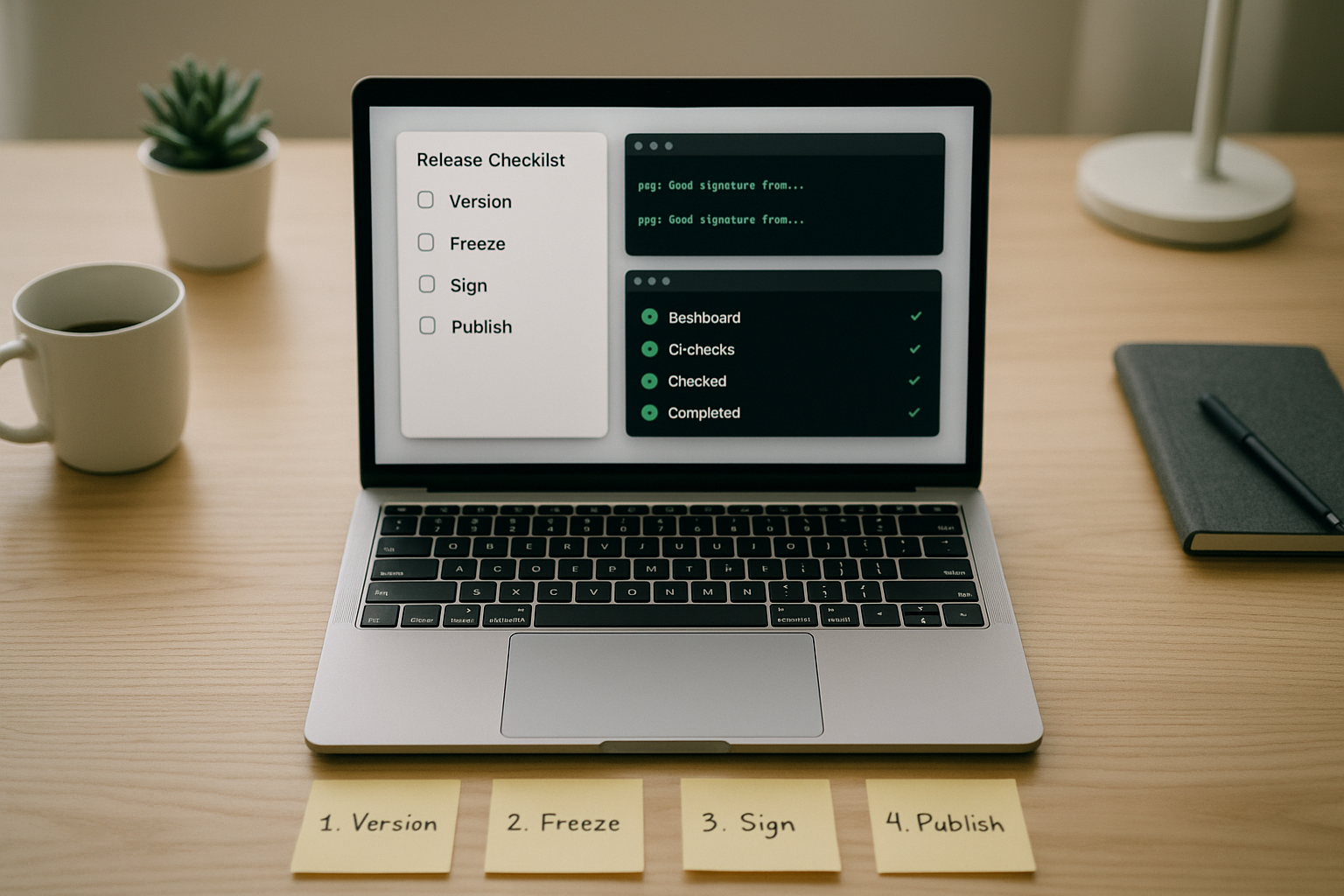
Shipping reliable open source isn’t luck—it’s a repeatable open source project release process that anyone on your team (or community) can run with confidence. Below you’ll find a complete, human-centered workflow that balances speed with safety, covers legal and security guardrails, and keeps your community informed. Quick note: this guide is general information for maintainers and contributors—it isn’t legal, compliance, or security advice.
What is it in one line? A practical, end-to-end sequence for planning, cutting, signing, publishing, and following up on releases so users upgrade smoothly and trust your project.
Skimmable steps (the map):
1) Define release criteria & governance → 2) Choose versioning rules → 3) Branching & freeze → 4) CI gates → 5) Security checks → 6) Build & package → 7) Sign & attest → 8) Changelog & notes → 9) Docs & migration → 10) Distribute & retain → 11) Monitor & roll back → 12) Communicate & set cadence.
1. Set Clear Release Criteria and Governance
Start by making release ownership, decision rules, and quality bars explicit. Your goal is to remove ambiguity so contributors know exactly how a version graduates from “merged” to “made.” Publish a short policy that names release maintainers, the approval process, and minimum standards (tests pass, docs updated, licensing headers present, security checks green). Good governance lets volunteers coordinate asynchronously and prevents “who can push the button?” delays. This is also the right place to declare what’s in-bounds (features, fixes) and out-of-bounds (breaking changes late in the cycle) for each release type. Many projects codify this in a GOVERNANCE.md or a section of CONTRIBUTING.md, inspired by established communities that document their release policy openly.
How to do it
- Appoint 2–3 release managers with backup coverage.
- Define “release readiness” signals: all required checks pass; changelog updated; docs updated; release notes drafted.
- Specify approval: e.g., 2 maintainer reviews for a final tag; 1 review for pre-releases.
- Clarify scope: what qualifies for patch vs. minor vs. major.
- Require sign-off on security & license compliance tasks (more in Steps 5 and 7).
Mini-checklist
- Owner named · Criteria listed · Approvals defined · Scope rules set · Blocking checks enumerated.
Wrap by linking this policy from your README so users and contributors see the bar you hold releases to. That transparency builds trust and reduces last-minute debates.
2. Lock a Versioning Strategy Users Can Predict
Pick and stick to a versioning scheme so users can infer risk from a number alone. For libraries and CLIs, Semantic Versioning (SemVer) is the default: MAJOR.MINOR.PATCH where breaking changes bump MAJOR, new features bump MINOR, and bug fixes bump PATCH. Pre-releases (e.g., -alpha.1, -rc.1) allow testing without implying stability. Document what counts as “breaking,” including behavior changes and public API removals, not just compiler breaks. Many ecosystems (npm, for example) align tooling and expectations around SemVer semantics, so adopting it makes your releases predictable for downstreams.
Numbers & guardrails
- Example: moving from 1.4.2 to 1.5.0 signals new features, no breaking changes; 2.0.0 signals breaks.
- Pre-release precedence: 1.0.0-rc.1 < 1.0.0. Don’t skip RCs if you expect integration testing by users.
How to do it
- Add a short VERSIONING.md explaining your rules.
- Use pre-release labels consistently: -alpha, -beta, -rc.
- Tie version bumps to PR labels or commit scopes so automation can propose the next version.
Common mistakes
- Treating “minor” as “maybe breaking.” That erodes trust fast.
- Publishing pre-releases to stable channels.
A predictable version strategy lets people upgrade with confidence and helps package managers reason about compatibility automatically.
3. Choose a Branching Model and Freeze Policy
A simple, documented branching strategy keeps releases moving even as new work lands. A common pattern is main (always releasable), release branches for stabilization (e.g., release-1.5), and short-lived feature branches via pull requests. Many projects add a short code freeze before tagging to catch regressions and finish docs. Your model should balance throughput with control: fewer long-lived branches mean less drift; a freeze window reduces last-minute fire drills. Communities with decades of practice often stabilize on a release branch while trunk remains open for the next cycle, which is a good default for most projects.
How to do it
- Create release-X.Y when you cut the first -rc.1.
- Allow only fixes and docs on the release branch; merge forward to main after tag.
- Define freeze length (e.g., 48–72 hours) and exceptions (critical fixes only).
- Automate backports with labels like backport-to-1.5.
Numbers & guardrails
- Keep the freeze short: ≤72 hours is typically enough if CI is strong.
- Limit cherry-picks to high-impact fixes; more than 3–5 backports per patch release is a smell that the branch is drifting.
End with a note in your governance docs so contributors know what happens when a branch freezes and how to get fixes in without derailments.
4. Build a CI Pipeline That Enforces Quality Gates
CI (continuous integration) is your always-on reviewer. Treat it as the gatekeeper that decides whether a commit can ride the release train. At minimum, run unit tests, integration tests (where feasible), static analysis, and license checks. Add smoke tests for the packaged artifacts you actually ship (e.g., install the wheel, run the CLI –version, start the container and hit /healthz). Modern platforms make it easy to manage releases and attach binaries directly from tags, so integrate CI tightly with those flows.
How to do it
- Require all checks to pass before tagging a release.
- Use a matrix to test OSes/architectures you distribute for.
- Cache dependencies but rebuild artifacts cleanly for the actual release job.
- Block on code scanning and secret scanning results.
Numbers & guardrails
- Aim for ≥80% line coverage on core modules; treat sudden drops of >5% as a release blocker.
- Keep the whole pipeline under 15–20 minutes; long feedback loops lead to risky “skip CI” behavior.
Common mistakes
- Testing source but not the built artifact.
- Not pinning tooling versions, which causes “works on CI this week” instability.
Quality gates aren’t bureaucracy—they’re how you make “it works on my machine” a project-wide promise.
5. Add Security Gating and Supply-Chain Checks
Security needs explicit steps, not optimism. Bake in dependency vulnerability scanning, static analysis (SAST), secret detection, and dependency freshness checks. For supply-chain integrity, align to SLSA (Supply-chain Levels for Software Artifacts): move from ad-hoc builds toward hermetic, reproducible builds with provenance. Augment with an SBOM (Software Bill of Materials) so users and downstreams can see what you ship. These practices aren’t just for enterprises; they let community users assess risk quickly and help you respond faster to issues.
How to do it
- Run vulnerability scanning on every PR and during release.
- Generate an SBOM (e.g., SPDX or CycloneDX) as part of the build.
- Publish SLSA provenance attestations alongside artifacts.
- Consider running OpenSSF Scorecard and displaying results in your README for transparency. undefined
Numbers & guardrails
- Block a release on critical vulnerabilities and on high-severity issues with known exploits.
- Require zero hard-coded secrets; maintainers should rotate credentials if any are found.
- Target at least SLSA Level 2 controls before calling your pipeline “ready,” then iterate upward.
Common mistakes
- Generating an SBOM but not publishing it where users download artifacts.
- Treating security checks as “advice” rather than “gates.”
Security posture is a feature. Make it visible and verifiable, not implied.
6. Standardize Builds and Packaging Across Targets
What you ship is what users install—not your source tree. Standardize how you build and package for each ecosystem you serve (PyPI wheel and sdist; npm tarball; container image; Homebrew formula; OS packages). Strive for reproducible builds: pin toolchains, set stable timestamps, and avoid embedding non-deterministic values. Consistency reduces “works for me” bugs and makes provenance meaningful. If you distribute multiple targets, ensure feature parity and equivalent tests for each. When in doubt, follow the ecosystem’s own packaging docs so your artifacts fit the norms users expect.
How to do it
- Build release artifacts in clean, isolated environments.
- Include license files and third-party attributions in each package.
- Smoke-test install/run for every produced artifact.
- For containers, publish multi-arch images (e.g., linux/amd64, linux/arm64) and a manifest list.
Numbers & guardrails
- Keep artifact count purposeful: shipping 3–6 well-tested artifacts beats 15 variants you can’t exercise.
- Limit image size growth: avoid regressions of >10% without a reason.
Common mistakes
- Different binaries across OS builds due to feature flags.
- Forgetting to ship the license and NOTICE files with binaries.
Standardization makes it easy for users to adopt your project in their environment without surprises.
7. Sign Artifacts and Publish Provenance
Users should be able to verify who built your release and that it hasn’t been tampered with. Sign your containers and binaries (e.g., with Sigstore Cosign) and publish provenance and attestations (e.g., SLSA) that show exactly how artifacts were produced. For package registries that support provenance or signatures, turn them on; for others, attach signatures to GitHub Releases and document how to verify. Transparent logs provide independent proof that the signature existed at release time, increasing trust.
How to do it
- Generate and store signatures in a transparency log (e.g., Rekor via cosign).
- Attach signatures, checksums (SHA-256), and provenance files to your release page.
- Document a verify.sh or cosign verify snippet in your README.
Numbers & guardrails
- Provide SHA-256 for each artifact; mismatches must block the release.
- Require signature verification in your install scripts; fail closed.
Common mistakes
- Signing source but not the compiled artifacts users actually run.
- Not rotating keys or relying on unprotected long-lived keys.
Signatures and provenance transform trust from “because we said so” into something users can check.
8. Write Human-Centric Release Notes and a Clean Changelog
Release notes explain what changed and why it matters; the changelog is the permanent record. Use a consistent, human-readable format—many projects adopt Keep a Changelog or a stricter subset like Common Changelog—so readers can scan for added, changed, fixed, and deprecated items. Link notable PRs and contributors, call out breaking changes upfront, and include upgrade pointers. Machine-generated notes are a starting point, not the finish line; you still need to write for humans.
How to do it
- Start notes with a one-paragraph summary of the release’s theme.
- Break down by category: Added, Changed, Fixed, Deprecated, Security.
- For breaking changes, include a 1–2 sentence migration hint and a link to docs.
- Keep the Unreleased section in your changelog to accumulate changes between tags.
Numbers & guardrails
- Limit the top summary to ≤120 words; aim for 5–12 bullets of notable changes.
- Include at least 1 example command or config snippet when you deprecate or change behavior.
Clear notes and a clean changelog reduce upgrade friction and lower support load.
9. Update Documentation and Provide Migration Guides
Docs turn releases into successful upgrades. After you tag, update installation instructions, examples, configuration references, and any tutorials impacted by changes. Add a migration guide for major versions that explains breaking changes, “old → new” mappings, and deprecation timelines. If you maintain multiple supported branches, label docs by version so readers land on the right instructions. Treat docs like code: review them, test snippets, and run link checks. Major projects make docs updates part of the release definition of done—not an optional afterthought. Open Source Guides
How to do it
- Add a page migrate-to-X.Y.md with side-by-side examples.
- Version your docs site or pin a default branch per supported major.
- Include a troubleshooting section with common upgrade errors.
- Provide sample diffs for config file changes.
Mini case
- Suppose you renamed a CLI flag and changed defaults. Show: “Before: tool build –fast; After: tool build –optimize=2.” Provide 3–5 common scenarios with exact commands so users succeed on the first try.
End by linking migration guides from your release notes; users shouldn’t have to hunt.
10. Choose Distribution Channels and Retention Policies
Meet users where they install. Distribute through your source hosting (e.g., GitHub Releases), ecosystem package registries (PyPI, npm, Maven Central, crates.io), and container registries (OCI). Keep channels consistent across versions and architectures. Define a retention policy for artifacts and images so older versions remain discoverable but don’t clutter mirrors or cost you money. Many foundations publish guidance for what “an official release” must include and how it’s distributed—study those norms and align with them.
Quick comparison table
| Artifact type | Primary channel | Secondary channel | Suggested retention |
|---|---|---|---|
| Source tarball + checksums | GitHub Releases | Project mirror | Keep latest 2 majors |
| Binary/installer | GitHub Releases | OS repo (e.g., Homebrew) | Keep latest 3 minors |
| Container image | OCI registry | GitHub Container Registry | Keep last 15–30 tags per major |
| Library package | Ecosystem registry | GitHub Releases (backup) | Don’t yank unless security issue |
How to do it
- Automate publish steps from tags (avoid manual uploads).
- Attach SBOM, provenance, and signatures in every channel.
- Provide a “checksums.txt” and a signature for that file too.
Document what “official” means in your project so downstream packagers know which artifacts to trust.
11. Monitor Issues, Measure Impact, and Plan Rollbacks
Release day isn’t the end; it’s the start of learning. Watch issues, discussions, and error telemetry (if your project has opt-in analytics) for early signals. Label and triage regressions quickly. Pre-decide a rollback policy: when you’ll yank or supersede a bad release, and what message users will see. Track adoption against a few simple metrics so you know when to deprecate old versions. The aim isn’t surveillance; it’s responsiveness and respect for your users’ time.
How to do it
- Use issue templates for “regression” with fields for version, OS/arch, and repro steps.
- Tag release-day issues regression, upgrade, or docs-gap to spot patterns.
- Publish a hotfix as X.Y.(Z+1) within 24–48 hours for critical bugs; otherwise schedule into the next patch batch.
- If you yank a release, clearly explain why and how to downgrade.
Numbers & guardrails
- If >5% of new issues within 72 hours mention the new version, investigate proactively.
- Keep rollback instructions under 10 lines of shell/PowerShell so they’re easy to run.
Closing the loop is how you prove reliability over time.
12. Communicate Clearly and Set a Sustainable Cadence
A good release is also good storytelling. Announce succinctly: what’s new, why it matters, and how to upgrade. Tailor channels to your community (release notes, blog, forums, social). Set a cadence you can actually sustain: for example, time-boxed minors on a steady rhythm and as-needed patches. Define a deprecation policy that gives people room to adapt, and consider labeling specific versions as LTS if your community relies on long-term stability. Many well-run projects publish their release policies and stick to them, which keeps surprises low and adoption high.
How to do it
- Announce via the release page first; link to docs and migration guide.
- Keep the main announcement under 200 words with 3–7 bullets.
- Promise the next window (e.g., “next minor planned after a short stabilization”) without hard dates.
- Clarify how long you’ll backport security fixes (e.g., latest 2 minors).
Common mistakes
- Over-promising cadence then skipping cycles.
- Mixing deprecation notices into random issues instead of official notes.
Clear, steady communication builds contributor confidence and user loyalty.
Conclusion
A scalable release process is less about ceremony and more about clarity: who decides, what quality bars matter, which artifacts are official, and how users can verify and upgrade safely. When you document governance, version predictably, and let CI enforce the basics, you shrink the cognitive load on maintainers and make releases boring—in the best way. Add security gates, SBOMs, signatures, and provenance to turn trust into something users can verify. Finally, close the loop with excellent notes, migration guides, and a cadence you can keep. Start small: implement the next two weak spots in your current flow, measure the relief they provide, and iterate from there. Ready to make your next release boringly great? Ship using the 12 steps above and link this guide in your CONTRIBUTING.md today.
FAQs
1) What’s the difference between release notes and a changelog?
Release notes are narrative and audience-focused: they summarize highlights, call out breaking changes, and link to docs. The changelog is the canonical, chronological record of changes formatted for both humans and tooling. Keep both: notes for consumption, changelog for history and automation. Style guides like Keep a Changelog and Common Changelog help you stay consistent across versions.
2) How do I decide between a minor and a major version bump?
If users must change their code, config, or workflows to upgrade, treat it as breaking and bump MAJOR. If you add functionality without breaking compatibility, bump MINOR. Patches are for bug fixes and tiny improvements. When in doubt, choose the more conservative bump and document why in your notes; SemVer exists to make risk obvious from the version string.
3) Should I block releases on known vulnerabilities in dependencies?
Yes for criticals, and usually for high-severity issues—especially those with known exploits. If a vulnerability can’t be fixed immediately, document the risk, mitigations, and timeline, and consider a pre-release so testers can validate the workaround. Supply-chain frameworks like SLSA and publishing an SBOM help you (and your users) track exposure and provenance.
4) Do I really need to sign artifacts if I already publish checksums?
Checksums detect corruption; signatures establish who produced the artifact. Use both. Tools like Sigstore Cosign let you sign and verify without managing long-lived private keys the old-fashioned way, and they record proofs in transparency logs, which boosts user trust during installation.
5) How should I manage licensing and third-party notices in releases?
Include your project’s license file and third-party attributions in every binary and source artifact. Use SPDX license identifiers in file headers and consider REUSE to make licensing unambiguous and machine-readable. This reduces downstream legal friction and helps package repositories accept your uploads smoothly.
6) What if my project supports multiple ecosystems (e.g., PyPI and Docker)?
Design your release pipeline so each target is built, tested, signed, and published consistently from the same tag. Keep features aligned across targets and don’t ship a container image that can’t run the same config as the library. Publish SBOMs for each artifact and maintain a simple matrix in your docs so users pick the right build.
7) How can small maintainer teams keep up with all this?
Automate the tedious parts: version bump PRs, changelog generation (then edit for humans), SBOM generation, signing, and publishing. Start with a subset of gates (tests + lint + license check + vulnerability scan), then add provenance and signatures as you go. Borrow policies from established projects and foundations; you don’t have to invent everything.
8) Where should I publish my release notes?
First on your release page (so people downloading see them), then cross-link from your docs and community channels. Avoid scattering critical upgrade information across random issues or social posts. Most platforms let you attach binaries and write notes in one place, which is ideal for discoverability.
9) What is an SBOM and who uses it?
A Software Bill of Materials lists the components in your software. It helps users, security teams, and regulators understand what’s inside, assess vulnerabilities, and meet procurement or compliance requirements. Publishing an SBOM alongside each release has become a practical baseline for trustworthy open source.
10) How do I handle release candidates (RCs) without confusing users?
Make pre-releases opt-in by default (e.g., separate tag or distribution channel), label them clearly (-rc.1), and describe what you want testers to validate. Don’t push RCs to stable package channels unless the ecosystem norms say otherwise. Pre-releases should be shorter-lived and lead to a final tag quickly.
11) Do I need foundation-style policies if I’m not part of one?
No, but reading and adapting them can save you time and mistakes. Foundations like Apache publish clear policies on what constitutes an official release and how to distribute it; their documents are a goldmine of pragmatic guidance even for independent projects.
12) What metrics help me decide deprecation timelines?
Track active installs (if opt-in), download trends per version, and support burden. If only <10% of users are on a version and it generates >30% of support issues, it’s time to deprecate. Pair metrics with community surveys; numbers tell you what, feedback tells you why.
References
- Semantic Versioning 2.0.0, semver.org, published specification. https://semver.org/
- Keep a Changelog 1.1.0, Keep a Changelog, published guide. https://keepachangelog.com/en/1.1.0/
- Common Changelog, common-changelog.org, published style guide. https://common-changelog.org/
- Managing releases in a repository, GitHub Docs, documentation page. https://docs.github.com/en/repositories/releasing-projects-on-github/managing-releases-in-a-repository
- Supply-chain Levels for Software Artifacts (SLSA), slsa.dev, framework overview. https://slsa.dev/
- 2025 Minimum Elements for a Software Bill of Materials (SBOM), Cybersecurity and Infrastructure Security Agency (CISA), publication. https://www.cisa.gov/resources-tools/resources/2025-minimum-elements-software-bill-materials-sbom
- SPDX License List, Software Package Data Exchange (SPDX), maintained list. https://spdx.org/licenses/
- Handling License Info (SPDX short identifiers), spdx.dev, documentation page. https://spdx.dev/learn/handling-license-info/
- REUSE Software, Free Software Foundation Europe (FSFE), project site. https://reuse.software/
- Sigstore Cosign Documentation & Quickstart, docs.sigstore.dev, documentation pages. https://docs.sigstore.dev/cosign/ and https://docs.sigstore.dev/quickstart/quickstart-cosign/
- Release Policy, The Apache Software Foundation, policy page. https://www.apache.org/legal/release-policy.html
- Release Distribution Policy, Apache Infrastructure, policy page. https://infra.apache.org/release-distribution.html