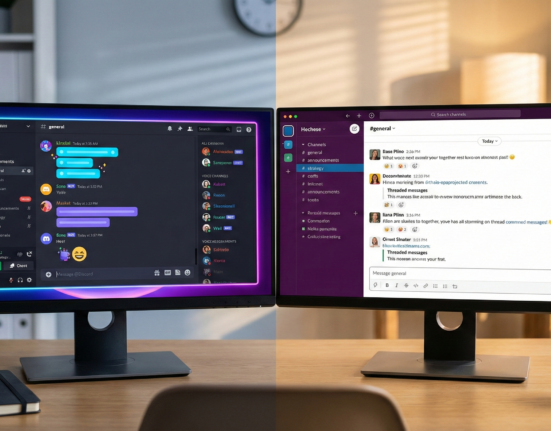
In the last decade, we have become experts at building relationships through screens. From Discord servers and Slack communities to Facebook groups and niche subreddits, digital communities have provided a vital sense of belonging for millions. However, even the most vibrant online chat room eventually hits a ceiling of intimacy. There is a tangible shift occurring in the community management landscape: a desire to move from URL to IRL (In Real Life).
Organizing offline meetups for digital communities is no longer just a “nice-to-have” for large brands; it is a critical retention strategy for creators, niche interest groups, and professional networks. The magic of shaking hands, sharing a meal, or simply existing in the same physical space can solidify loyalty in a way that emojis never will. Yet, the transition brings immense challenges. How do you gather a globally distributed audience into one room? How do you ensure those who can’t travel don’t feel excluded?
This guide explores the complex but rewarding world of offline meetups and hybrid events. We will move beyond the basics of “booking a venue” and dive deep into the logistics, the psychology of hybrid socialization, technical setups, and the safety protocols required when bringing internet strangers together.
Key Takeaways
- The Hybrid Imperative: Successfully combining offline energy with online accessibility is the new gold standard for community events.
- Safety First: Moving from digital anonymity to physical presence requires rigorous vetting, clear codes of conduct, and safety protocols.
- Audio is King: In hybrid setups, clear audio for remote participants is more important than crystal-clear video.
- The “Digital Ambassador”: You need a dedicated human moderator for the online chat; do not treat remote attendees as passive observers.
- Start Small: Hyper-local, low-stakes “micro-meetups” are often more effective than massive annual summits for building initial trust.
Who This Is For (And Who It Isn’t)
This guide is for:
- Community Managers running Discord servers, Slack groups, or membership sites who want to deepen member loyalty.
- Creators and Influencers looking to host meet-and-greets or workshops that are accessible to their global fanbase.
- Brand Marketers seeking to humanize their digital presence through field marketing and grassroots events.
- Event Organizers pivoting from virtual-only summits to hybrid models.
This is not for:
- Organizers of massive trade shows or festivals (e.g., CES or Coachella) where community intimacy is secondary to scale.
- Those looking for a quick, zero-effort way to monetize an audience; events are operationally heavy and often yield intangible rather than immediate financial ROI.
1. The Strategic Value of “In Real Life” (IRL) Connection
Why go through the trouble of organizing an offline event when a Zoom call is free and instant? The answer lies in the “fidelity” of the interaction. Digital communication is high-frequency but often low-fidelity. We type fast, we scroll past, and we multitask during webinars.
Physical presence commands attention. When members meet offline, the social contract changes. They are fully present. They are vulnerable. This environment fosters serendipity—the accidental conversations in the hallway that lead to business partnerships, lifelong friendships, or renewed passion for the community’s shared interest.
Deepening Trust and Retention
Data consistently shows that members who have met in person are less likely to churn. The psychological anchor of a physical memory makes the digital space feel more “real” when they return to it. A slack notification from “User123” is easy to ignore; a notification from “Sarah, who I had coffee with last week,” demands a response.
The Content Flywheel
Offline meetups are content goldmines. Photos, videos, testimonials, and recorded sessions from an event feed your social media channels for months. They serve as “social proof” to prospective members that your community is active, human, and thriving.
2. Assessing Community Readiness: Are You Ready to Go Offline?
Before you put down a deposit on a venue, you must validate that your digital community actually wants to meet offline. A common mistake is assuming that high online engagement translates to high event attendance. This is often false.
The “Rule of 10” in Event Conversion
In practice, a safe estimation for conversion is often lower than you expect. If 1,000 people see the announcement, 100 might express interest, 20 might buy a ticket, and perhaps 15 will show up. Distance, cost, and social anxiety are significant friction points.
Geographic Density Analysis
You need to know where your people are. Do not guess.
- Platform Analytics: Check the geo-data on your Instagram Insights, YouTube Studio, or newsletter platform (like ConvertKit or Substack). Look for city-level clusters, not just countries.
- The “Soft Launch” Poll: Run a low-stakes poll. “If we held a meetup in [City A], [City B], or [City C], would you realistically attend?”
- The Heatmap Strategy: Use tools that allow members to pin their approximate location on a shared map (ensure privacy settings hide exact addresses). If you see a cluster of 50 dots in London and only 3 in New York, your decision is made.
The “Champion” Model
If you have clusters in cities where you (the organizer) do not live, identify “Community Champions.” These are trusted, vetted power-users who can host a meetup on your behalf. This allows you to scale offline presence without cloning yourself.
3. Defining the Scope: Offline vs. Hybrid
Once you have identified the interest, you must decide on the format. This decision dictates your budget, venue choice, and stress levels.
Purely Offline (The “Unplugged” Approach)
- Definition: No streaming, no recording (except for recap content). You had to be there.
- Pros: Encourages total presence; lower technical failure rate; creates “FOMO” (Fear Of Missing Out) which drives future ticket sales; significantly cheaper to execute.
- Cons: Excludes community members who cannot travel; limits the reach of the content.
- Best For: Networking dinners, social happy hours, sensitive mastermind discussions, and intimate workshops.
The Hybrid Model (The Inclusive Approach)
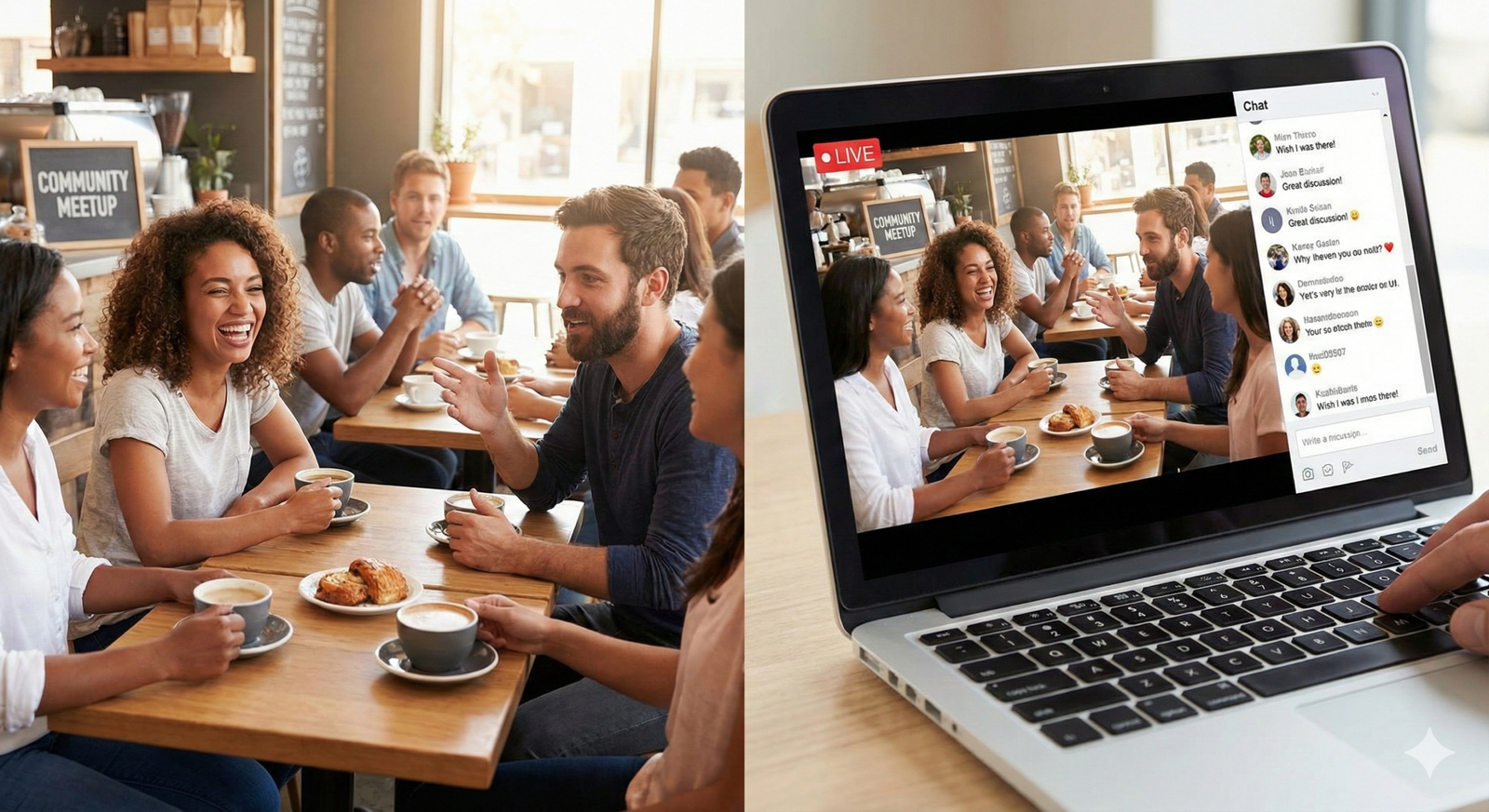
- Definition: A physical event that is simultaneously broadcast to a digital audience, with mechanisms for the digital audience to participate.
- Pros: Maximum inclusivity; creates a content archive; allows you to sell “digital tickets” at a lower price point.
- Cons: Exponentially higher complexity; requires specialized A/V gear; risk of alienating the online audience if they feel like “second-class citizens.”
- Best For: Educational seminars, panel discussions, town halls, and major community milestones.
Decision Framework: If your goal is deep interpersonal bonding, go Offline. If your goal is information dissemination and broad inclusion, go Hybrid.
4. Step-by-Step Planning Framework
Successful events are 20% vision and 80% logistics. Here is a framework to guide your planning process.
Phase 1: Budgeting and Scope (3–4 Months Out)
Define your “Minimum Viable Event.” What is the smallest version of this that would still be a success?
- Costs to estimate: Venue rental, food and beverage (F&B), A/V equipment rentals, insurance, marketing materials, staff/security, travel costs for speakers.
- Revenue sources: Ticket sales, sponsorships, merchandise, or subsidizing from the general community budget.
Phase 2: Venue Selection and Accessibility (2–3 Months Out)
When scouting venues for offline meetups for digital communities, you must look beyond aesthetics.
- Connectivity: For hybrid events, upload speed is more important than download speed. You need a dedicated, hardline ethernet connection with at least 20 Mbps upload speed for stable 1080p streaming. Do not rely on shared public Wi-Fi.
- Acoustics: High ceilings and concrete floors look cool but sound terrible on a live stream. Echo is the enemy of hybrid audio. Look for carpeted rooms or spaces with soft furnishings.
- Accessibility: Is the venue wheelchair accessible? Are there gender-neutral restrooms? Is it close to public transit? Inclusivity in the physical world is a legal and ethical requirement.
Phase 3: Content Programming (1–2 Months Out)
Design the run of show.
- The Hybrid Gap: Remember that physical attendees need bathroom breaks and coffee chats. Online attendees will click away if left staring at an empty stage for 20 minutes. Plan specific “digital-only” content for the breaks (e.g., interviews with speakers, pre-recorded videos, or guided networking in breakout rooms).
5. Technical Setup for Hybrid Events
This is where most community managers stumble. Connecting a laptop to a projector is not enough for a hybrid experience. You are effectively running a TV studio and a live event simultaneously.
The Golden Rule: Audio First
Viewers will forgive grainy video. They will not forgive bad audio. If they cannot hear the speaker or the questions from the audience, they will leave.
- The Speaker: Needs a lavalier mic or a handheld mic.
- The Audience: You must have a runner with a handheld microphone for Q&A. If a physical attendee asks a question without a mic, the online audience hears silence.
- The Room: For smaller hybrid roundtables, a conference speakerphone (like a Jabra or Polycom) might suffice, but for larger rooms, you need a direct line from the venue’s soundboard into your streaming computer (using an audio interface).
Visuals and Cameras
- Camera 1 (Wide): Captures the stage/speaker.
- Camera 2 (Audience): This is crucial for the “community” feel. Reverse the camera to show the physical crowd reacting. It makes the online viewers feel like they are “in the room.”
- Lighting: Ensure the speaker is lit from the front so they don’t look like a silhouette on the stream.
The “Digital Moderator”
You need a specific human being whose only job is to advocate for the online chat.
- They welcome online guests.
- They transcribe questions from the physical room into the chat.
- Crucially: They interrupt the physical speaker to ask questions on behalf of the online audience. “We have a question from Sarah in the chat…” This validates the remote attendees’ presence.
6. Safety, Inclusivity, and Code of Conduct
When you bring people from the internet into the physical world, safety is paramount. Digital communities often offer anonymity; physical events remove it.
Code of Conduct (CoC)
You likely have community guidelines for your Discord or forum. You need a specific Event CoC.
- Harassment Policy: Define it clearly. “No” means no.
- Reporting Mechanism: How does someone report an issue during the event? Is there a specific staff member wearing a clearly marked shirt? Is there an anonymous text line?
- Consequences: State clearly that you reserve the right to remove anyone violating the CoC without a refund.
Health and Safety
As of early 2026, many communities still prioritize health consciousness.
- Transparency: Be clear about your policies regarding illness. “If you feel sick, please stay home—we will refund your ticket.”
- Space: Avoid overcrowding. If a venue fits 100, cap tickets at 80 to allow for personal space.
Vetting and Privacy
For smaller, private meetups (e.g., a meetup at a member’s home or a private dinner), rigorous vetting is required. Do not publish the exact location publicly. Send the address only to ticket holders 24 hours prior. This prevents “gate-crashers” and enhances safety.
7. Marketing and Ticket Sales
Selling tickets to an event requires a different psychological trigger than getting likes on a post.
The “Commitment” Problem
Free events have a 50% no-show rate. People register because it is easy, then bail when it rains or they feel tired. Recommendation: Charge a nominal fee ($5–$15), even if you don’t need the money. The psychological act of pulling out a credit card creates a commitment. You can donate the proceeds to charity or use it to buy the first round of drinks, but the friction is necessary to ensure accurate headcount.
Ticketing Platforms
- Luma: Excellent for community-driven events. Handles newsletters, approvals, and looks beautiful.
- Eventbrite: Good for discoverability if you want strangers to find you.
- Meetup.com: Useful for recurring local groups, though less customizable.
Promotion Timeline
- Save the Date (8 weeks out): Gauge interest.
- Early Bird (6 weeks out): Reward loyal members.
- Speaker/Agenda Reveal (4 weeks out): Build hype.
- Logistics/FAQ (1 week out): Reduce anxiety.
8. Executing the Event: Day-of Logistics
The day of the event will be chaotic. Accept this now. Your goal is to manage the chaos so the attendees don’t feel it.
The “Awkward Start”
The first 20 minutes of any meetup are excruciatingly awkward. People stand near the walls, checking their phones.
- The Solution: Structured Icebreakers. Do not leave mingling to chance. Use color-coded nametags (e.g., “Green sticker = Looking for work,” “Red sticker = Hiring”).
- The “Docs” Strategy: If it’s a niche community, put up big sheets of paper with questions: “What’s your current project?” “What helps you relax?” Give people markers. It gives them something to do with their hands and a reason to talk to the person next to them.
Bridging the Gap
If running a hybrid event, create a moment where the two worlds collide.
- The “Wave”: Have the physical room turn around and wave at the camera for the digital attendees.
- The “Big Screen”: Project the Zoom gallery view onto a wall in the venue so physical attendees can see the faces of remote participants.
Crisis Management
Have a “Run of Show” document that lists every minute of the event. Also, have a “Plan B.”
- What if the internet cuts out? (Switch to local recording, upload later).
- What if the speaker is late? (Have a backup networking activity).
- What if the food doesn’t arrive? (Know the number of the nearest pizza place).
9. Common Pitfalls and How to Avoid Them
Pitfall 1: Over-Engineering the Tech
Many organizers try to produce a TV-quality broadcast with a team of one. They end up stressed, and the stream fails.
- Fix: Keep it simple. A single iPhone on a tripod with a good external microphone is often better than a complex multi-camera setup that you don’t know how to use.
Pitfall 2: The “Clique” Effect
Long-time members might cluster together, ignoring newcomers.
- Fix: Designate “Greeters.” Ask your most extroverted long-term members to actively look for people standing alone and introduce them to the group.
Pitfall 3: Ignoring the Online Audience
Treating the livestream as a surveillance camera rather than an interactive experience.
- Fix: As mentioned, use a Digital Moderator. Run exclusive digital polls. Acknowledge them constantly.
10. Post-Event Engagement and Retention
The event doesn’t end when the doors close. The 48 hours after an event are critical for cementing the connections made.
The Content Recap
Within 24 hours, post photos and a summary. Tag attendees. This rewards those who came and builds “FOMO” for those who didn’t. For hybrid events, upload the recording of the talks immediately with timestamps.
The Feedback Loop
Send a survey. Ask hard questions: “Did you feel welcome?” “Was the audio clear?” “What would you change?” This data is invaluable for the next iteration.
The “Next Step”
Give attendees a call to action (CTA). “Join the #meetup-recap channel in Discord,” “Sign up for the next one,” or “Connect with three people you met today.”
Conclusion
Offline meetups and hybrid events represent the next frontier of community building. They require more effort, more budget, and more risk than digital-only engagement. However, the payoff is a resilient, deeply connected community that cannot be replicated by algorithms or features.
By prioritizing safety, focusing on audio quality for hybrid participants, and intentionally designing for human connection rather than just content consumption, you can build a bridge between the digital and physical worlds. Whether you are gathering ten people in a coffee shop or a thousand people in a convention center, the goal remains the same: making your members feel seen, heard, and part of something real.
Frequently Asked Questions (FAQs)
Q: How much does it cost to host a hybrid meetup? A: It varies wildly. A DIY setup using a smartphone and free venue (like a park or coffee shop) can cost under $100. A professional hybrid event with venue rental, catering, and A/V crews typically starts at $2,000–$5,000 for small events and scales up from there.
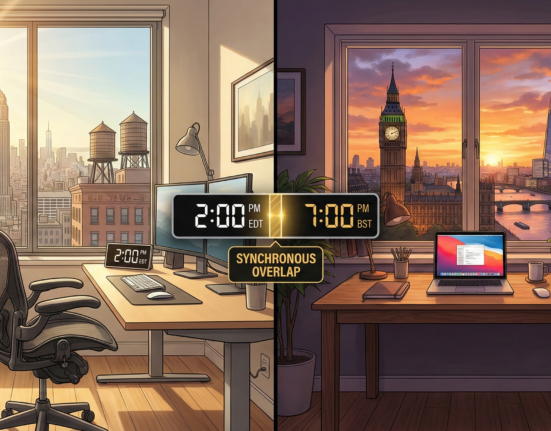
Q: How do I handle time zones for hybrid events? A: You cannot please everyone. Pick a time that works for your largest density of users and the physical venue. For the rest of the world, emphasize that the “Replay” will be available immediately. Alternatively, host “Watch Parties” of the recording for different time zones later.
Q: What is the best platform for streaming hybrid community events? A: For interactivity, Zoom or Google Meet are best because attendees can speak. For broadcast quality where attendees mostly watch and chat, YouTube Live or Twitch are superior. Discord Stages is a great middle ground for audio-centric communities.
Q: How do I make sure people actually show up? A: Charge for tickets (even a small amount), send reminder emails 48 hours and 4 hours before the event, and tease who else is attending. Social proof (“Look who’s coming!”) is a powerful motivator.
Q: Can I host a meetup if my community is anonymous? A: Yes, but it requires strict privacy protocols. Allow members to use their usernames on nametags rather than real names. Ban photography or strictly enforce a “red lanyard = no photos” policy. Ensure the venue is private and not open to the general public.
Q: Do I need insurance for a small meetup? A: If you are renting a venue, they will likely require you to have General Liability Insurance. For casual hangouts in public spaces, it is usually not required, but as an organizer, you should always check local regulations and consider one-day event insurance for peace of mind.
Q: How do I handle a hybrid event if the internet goes down? A: Always record locally. If the stream cuts, continue the event for the physical room and upload the high-quality recording for the online audience later. Communicate the technical difficulty immediately via your community chat app (using cellular data).
Q: What is the ideal length for a hybrid event? A: Keep the “broadcast” portion short—usually 60 to 90 minutes max. The physical event can go longer (2–3 hours) for mingling, but asking online viewers to stay engaged for more than 90 minutes often leads to drop-off.
References
- PCMA (Professional Convention Management Association). (2024). Hybrid Event Best Practices and Trends.
- Discord Community Resources. (n.d.). Modding & Community Safety Guidelines. Official Discord Safety Center.
- Eventbrite. (2025). The State of In-Person Events: Consumer Trends Report.
- CMX Hub. (2023). The Guide to Community Metrics and Measurement.
- Meeting Professionals International (MPI). (2024). Essential Guide to Event Safety and Security.
- Luma. (n.d.). Host Guides and Best Practices for Community Events. (Official Documentation).
- Restream. (2024). Ultimate Guide to Hybrid Event Streaming Setup.