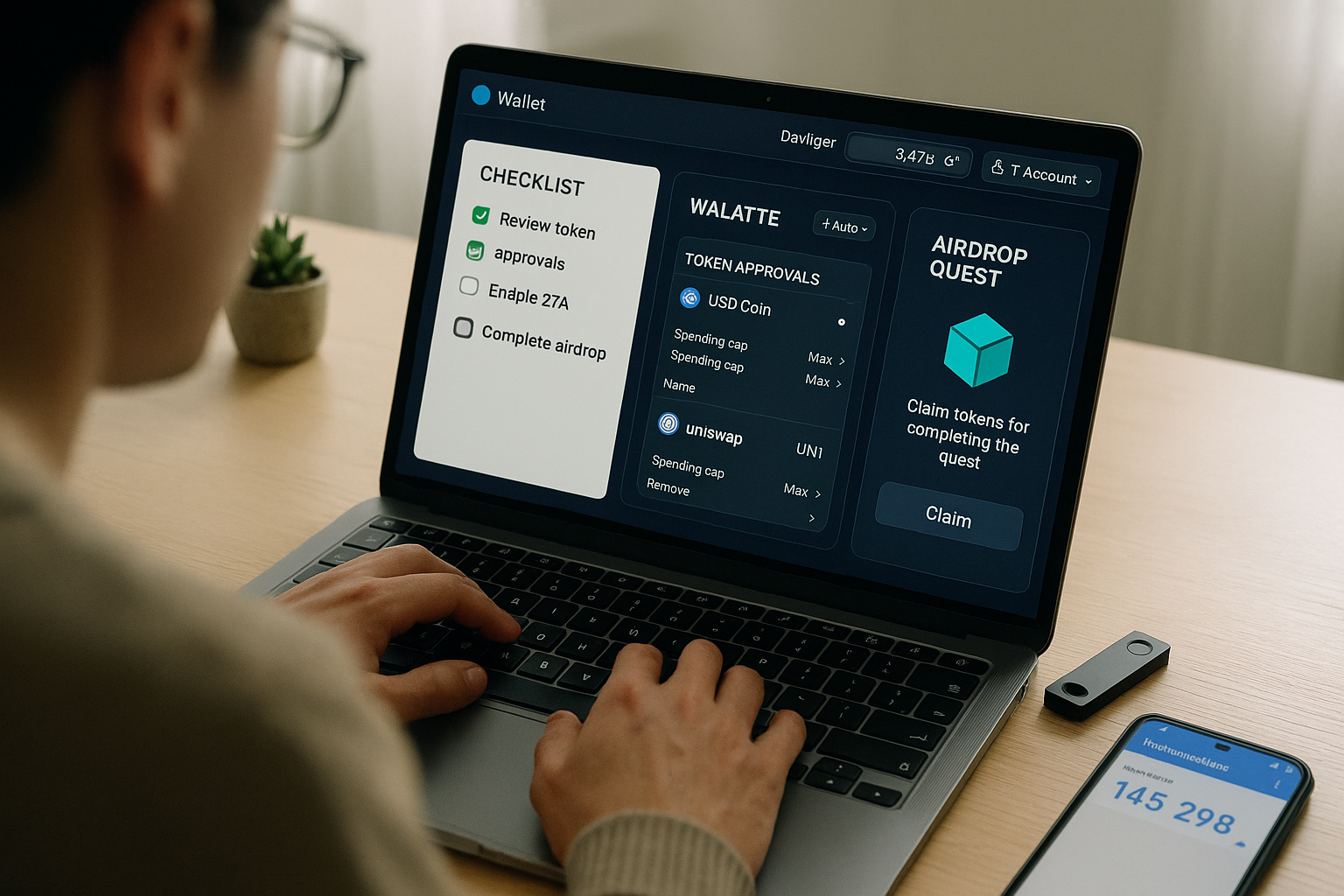
If you want to join NFT airdrops and free mint opportunities with confidence—not luck—this guide gives you a clear, repeatable process. In short, an NFT airdrop is when a project distributes tokens or collectibles to qualified wallets, while a free mint lets you mint an NFT without a sale price (you still pay network fees). The fastest path to safe participation is a tight routine: prepare a wallet, find opportunities, verify legitimacy, control approvals, mint/claim, and organize follow-ups. Do this consistently and you’ll reduce risk, save on fees, and capture more legitimate drops.
Skimmable step list:
1) Set up your wallet stack. 2) Learn airdrop vs. free mint basics. 3) Find opportunities. 4) Verify before connecting. 5) Qualify correctly. 6) Cut gas costs. 7) Mint/claim safely. 8) Revoke risky approvals. 9) Treat unknown airdrops with caution. 10) Avoid Sybil pitfalls. 11) Track claims and windows. 12) Store, organize, and plan next moves.
Neutral note (not financial advice): Airdrops and mints carry real risk. This guide is educational; verify details, consider your circumstances, and consult a qualified professional for tax or legal questions.
1. Build the right wallet stack (hot, cold, and burner)
Start by answering the most important question: which wallet touches what? A practical, low-stress setup uses three roles. Your cold (hardware) wallet protects long-term assets and only signs high-trust transactions. Your hot wallet handles everyday activity on marketplaces and apps. Your burner wallet is a disposable address for new mints, claims, and unfamiliar sites. Keeping these roles separate drastically reduces the chance that a single mistake drains your best assets. Store your seed phrase offline, enable biometric/OS security on your devices, and switch networks only when necessary. Many scams rely on rushed clicks; a clean setup gives you built-in friction to slow down and think.
How to do it
- Create a hardware wallet for storage and delegate minting to a separate hot wallet; keep seed phrases offline in two locations.
- Generate a fresh burner wallet for every unfamiliar mint or claim; fund it with just enough ETH (or the chain’s gas token) to complete the action.
- Turn on wallet notifications; review each signature’s purpose and contract address before approving. See MetaMask’s explanation of token approvals to understand what you’re granting.
Mini-checklist
- Cold wallet: store; never connect to random mint sites.
- Hot wallet: trade; use on known marketplaces.
- Burner wallet: experiment; keep low balances only.
Close the loop by practicing one mock interaction on a trusted test site, then revoke any approvals (you’ll learn that in Step 8). Thoughtful separation makes future steps safer and less stressful.
2. Know the difference: airdrops vs. free mints (and common variants)
You’ll see these terms everywhere, and clarity prevents mistakes. Airdrops distribute tokens or NFTs to many wallets based on eligibility rules: holding a token, completing quests, or using a protocol. Free mints let you create (“mint”) an NFT with no purchase price; you still pay gas, the network fee required to process transactions. Most drops fall into familiar patterns: retroactive (rewarding past use), bounty/quest (tasks earn points toward allocations), holder drops (own X, get Y), and POAP (Proof of Attendance Protocol) badges for event participation. OpenSea’s primer is a good quick read on what minting is; Binance Academy’s glossaries and articles explain airdrops in plain terms.
Compact table — common drop types
| Type | Typical requirement | What you receive | Risk notes |
|---|---|---|---|
| Retroactive airdrop | Past on-chain usage | Fungible tokens or NFTs | Fake claim sites impersonate real ones |
| Quest/bounty | Off-chain + on-chain tasks | Points -> token allocation | Beware of over-sharing socials/API keys |
| Holder drop | Hold specific NFT/token | New NFT or perks | Wash-traded “eligibility” collections |
| Free mint | Open or allowlisted | NFT (gas only) | Contract can request risky approvals |
| POAP | Event attendance | Badge NFT | Fake QR codes/claim links |
Numbers & guardrails
- Expect gas for “free” mints. On mainnet, a basic mint can cost the equivalent of a few dollars during quiet periods but can spike much higher when congested; Layer-2 networks are typically far cheaper.
Once you know which pattern you’re engaging with, you can search smarter, budget gas, and anticipate eligibility rules.
3. Find legitimate opportunities without drowning in noise
The hardest part is filtering signal from hype. Stick to official sources first: project websites and announcements, verified social profiles, and established marketplaces’ learning hubs. For discovery, quest platforms aggregate campaigns where projects reward useful actions. Three widely used venues are Galxe, Layer3, and Zealy—each hosts tasks, verifiable on-chain steps, and raffles or points that can translate into airdrops or allowlist spots. Start from their official sites and help centers to avoid look-alikes.
How to do it
- Follow project announcements, Discords, and official blog posts; cross-check any claim page with the project’s domain and documentation.
- Use Galxe, Layer3, and Zealy to browse verified quests; prioritize campaigns by reputable ecosystems (e.g., well-known Layer-2 networks).
- Save each campaign’s rules and wallet you’ll use in a simple tracker (spreadsheet or notes app).
Mini-checklist (stay safe while browsing)
- Domain match: URL exactly matches what the project posts.
- HTTPS & certificate: no warnings.
- No forced approvals: a claim should rarely need unlimited token approvals.
Consistently checking only official links and recognized hubs vastly reduces your exposure to phishing and rug-pulls.
4. Verify before you connect: contracts, permissions, and sites
Before you connect a wallet, slow down and check three things: domain, contract, and permission. First, confirm the link from the project’s official channels. Second, inspect the contract address on a reputable block explorer; look for verification, recent activity, and whether the mint function requires approvals beyond what’s expected. Third, understand token approvals—what they are and why they matter. If a site asks for a broad or unlimited approval (sometimes called an allowance or spending cap) for a token you’re not even using, stop. MetaMask’s help center and Ledger’s security academy both explain how approvals work and how malicious approvals drain wallets; OpenSea and Etherscan host guides for viewing and revoking them.
Common mistakes
- Approving a token you don’t intend to use “just to proceed.”
- Blindly signing messages that could list NFTs or grant trading permissions.
- Confusing “disconnecting a site” with “revoking approvals” (disconnecting hides your address but does not remove allowances). vibraniumaudits.com
Numbers & guardrails
- Treat any unlimited approval as high risk unless necessary; prefer setting a minimal cap when the UI allows. Review approvals after every claim/mint session using a checker (details in Step 8).
A one-minute pre-flight check can prevent hours of damage control later.
5. Qualify the right way: allowlists, quests, and snapshots
Eligibility is rarely random. Many free mints require allowlist (a.k.a. whitelist) spots—preapproved wallet addresses allowed to mint early or at a better price. Projects publish rules and sometimes run social or on-chain tasks to earn a spot. Similarly, airdrops may use snapshots (an off-chain record of balances or participation) or quests (structured tasks) to determine allocations. OpenSea explains allowlists; Snapshot’s documentation outlines how communities calculate voting power; Galxe and Layer3 describe quest formats and point systems.
How to do it
- Read the criteria carefully—minimum holdings, tasks, or form submissions.
- Complete verifiable tasks on quest platforms; keep proof (TX hashes, screenshots) in your notes.
- Avoid “engagement spam.” Quality participation often beats raw volume.
Region-specific notes
- Some campaigns restrict participants by jurisdiction or require KYC on a partner platform; check the fine print before spending time on tasks.
Numbers & guardrails
- If a quest assigns points that later convert to allocations, craft a weekly routine (e.g., 30–60 minutes) to complete high-value tasks first; Galxe’s “bounty airdrop” model explicitly ties points to rewards.
Meeting eligibility early removes last-minute scrambling and improves your odds across many drops.
6. Cut gas costs without missing the mint
Gas is the cost of writing to the blockchain; you pay it whether a transaction succeeds or fails. You can significantly reduce spend by transacting at low-traffic times and by using Layer-2 (L2) networks when supported. Ethereum’s own guides explain gas and highlight L2s for cheaper execution. Base and other L2s use rollups to batch transactions, lowering per-user fees while settling securely on Ethereum. If a project offers a mint on an L2, consider doing it there.
How to do it
- Check a gas tracker before minting; if fees are high, wait if the window is long enough.
- Prefer L2 deployments for compatible drops; bridge only what you need for gas + mint.
- Keep a small buffer in your burner wallet to avoid failed TXs due to underfunding.
Numbers & guardrails
- As a rough planning range, an uncomplicated mainnet interaction might cost a few dollars in quiet periods, while the same action on an L2 is often a fraction of that; always verify current rates in your wallet. Ethereum’s documentation explains why fees fluctuate and why L2s usually help.
Optimizing gas doesn’t just save money—it increases your ability to participate across more opportunities per month.
7. Mint or claim safely (click-by-click)
When it’s mint/claim time, move deliberately. Connect your burner wallet to the official site, confirm the contract address via the project’s channels, and read every prompt before signing. If the UI asks for token approvals, question why—most free mints only need a mint transaction and perhaps a minimal native-token spend for gas. If the dapp supports spending caps, set the smallest amount necessary. Keep the transaction preview open, note the method (e.g., mint()), and confirm that the destination address is the expected contract.
Mini-checklist
- Right wallet: burner connected; cold wallet unplugged.
- Right site: link confirmed from official domain/Docs/Discord.
- Right contract: verified address on explorer; method looks right.
- Right approval: avoid unlimited allowances; use caps where available.
Why it matters
- Many wallet drainers rely on disguised approvals or rushed signatures; Ledger and MetaMask both emphasize verifying what you sign.
Finish by saving TX links in your tracker. If anything looked odd (unexpected approvals), jump to Step 8 immediately.
8. Review and revoke risky approvals
After a session of claims or mints, audit your approvals. Use a token approval checker (Etherscan or Revoke.cash) to list contract allowances for ERC-20, ERC-721, and ERC-1155 tokens. Revoke anything you no longer need; it costs a small gas fee, but it removes a contract’s ability to move assets. OpenSea’s guide walks through Etherscan’s tool; Revoke.cash offers a multi-chain dashboard and education hub explaining approvals in more depth.
Step-by-step
- Open a checker and connect your wallet or paste your address.
- Filter by token type; sort by spender or amount.
- Click Revoke on unnecessary approvals and confirm in your wallet. Revoke.cash
Numbers & guardrails
- Build a habit: review approvals weekly if you’re active, and immediately after any unfamiliar mint/claim. MetaMask’s Portfolio also supports viewing and revoking spending caps on several networks. MetaMask Help Center
Regular audits turn “I hope I’m safe” into “I know I’m safe.”
9. Treat unknown airdropped NFTs with extreme caution
Finding a random NFT in your wallet can be exciting—and dangerous. Scammers airdrop malicious NFTs that tempt you to scan a QR code, visit a link, or sign a transaction that drains funds. Best practice: do not interact with unknown NFTs. Don’t scan codes, don’t “claim prizes,” and don’t try to transfer them if your wallet warns you. Hardware-wallet makers and security teams repeatedly flag this pattern and advise against touching suspicious items. If your wallet supports spam filters, enable them; otherwise, just ignore or hide the asset.
Mini-checklist
- No clicks: never follow links embedded in NFT metadata.
- No scans: avoid QR codes from unknown drops.
- No sign: don’t sign transactions prompted by the NFT page.
Why it matters
- Many “prize claim” pages immediately request unlimited approvals; combined with a wallet drainer script, that single click can empty ERC-20 balances. Ledger’s phishing guidance is explicit: only validate transactions you initiated and fully understand. Ledger
Treat random airdrops as untrusted email attachments: ignore unless proven safe.
10. Avoid Sybil pitfalls and play fair (it helps you win)
A Sybil attack is when one person uses many fake identities (wallets/accounts) to game a system. Projects actively detect and penalize this behavior; if you appear Sybil-like, you may lose eligibility even if you “did the work.” Better to focus on quality signals from one or two consistent wallets than to spread thin across dozens. Education resources from reputable Web3 orgs explain the concept and why it’s policed across airdrops and quests.
How to avoid looking Sybil
- Use one primary quest wallet and 1–2 alternates (clearly separated by purpose).
- Complete tasks fully and gradually rather than blasting low-effort social spam.
- Participate in governance and discussions where appropriate; real behavior stands out.
Numbers & guardrails
- If you must manage multiple addresses (e.g., burner vs. main), keep a written map. Mixing roles is a common way to appear manipulative. Chainlink’s explainer captures the multi-identity problem succinctly. Chainlink
Playing fair improves your reputation—and your chances—in the long run.
11. Track claim windows, proofs, and follow-ups
Claiming is where many people miss out. Retroactive airdrops often require you to visit a claim portal, sign a message proving eligibility (usually off-chain verification), then execute a claim transaction. Some communities coordinate alongside Snapshot, an off-chain voting and signaling tool. Keep a simple tracker with each campaign’s URL, your eligible wallet, and whether you’ve claimed. If a campaign distributes POAPs for attendance, collect the badge from the official issuer; POAPs can sometimes unlock future perks in that community. Snapshot Labs
Mini-checklist
- Portal verified: link matches official domain.
- Proof ready: keep TX hashes, screenshots, and badge IDs.
- Follow-up: some campaigns require a second step (e.g., bridge tokens, delegate votes).
Numbers & guardrails
- Expect at least two interactions for many claims: a signature to prove you’re eligible and a transaction to receive assets (each can have a fee). Snapshot guides outline how voting power is computed, which hints at how some projects design snapshot-based eligibility.
Treat claims as part of the drop, not an afterthought.
12. Store, organize, and plan your next move
After minting or claiming, secure what you earned and decide what to do next. For collectibles you value, transfer them from your burner to your hot or cold wallet as appropriate. For fungible tokens, consider whether you need to delegate or stake them for governance or utility. Organize everything: keep a spreadsheet of what you minted/claimed, which wallet holds it, and any lockups or rights. If you plan to list an NFT, confirm marketplace royalties and contract terms; if you plan to hold, enable alerts for suspicious approvals and regularly re-audit. Finally, remember tax and regulatory considerations can apply; consult a professional if unsure.
Mini-checklist
- Secure storage: move long-term NFTs/tokens off the burner.
- Audit again: revoke any leftover allowances from the claim/mint site.
- Community touch: join the project’s official channels—POAPs and participation may bring future benefits.
A tidy end-of-cycle habit sets you up for the next round with less risk and more clarity.
Conclusion
Participating in NFT airdrops and free mint opportunities doesn’t have to be chaotic. With a three-wallet setup, a clear discovery routine, strict verification habits, and regular approval audits, you can minimize risk while maximizing eligible opportunities. Layer-2 networks help you stretch gas budgets, and disciplined tracking ensures you don’t miss claim windows or second-step actions. Above all, patience and skepticism pay: verify domains, read every prompt, avoid unlimited approvals, and treat random airdrops like spam until proven safe. Apply these 12 steps consistently and you’ll build a reliable pipeline of safe, legitimate participation—one mint, one claim, one careful click at a time.
Ready to start? Pick one quest platform, set up your burner wallet, and complete your first verified campaign today.
FAQs
1) What’s the real difference between an airdrop and a free mint?
An airdrop gives you tokens or NFTs based on eligibility; a free mint lets you create an NFT with no sale price but still pay gas. Airdrops often require claiming through a portal and may use snapshots of prior activity. Free mints typically involve a mint function on a contract. Both can be legitimate; both are targeted by scammers.
2) Why do “free” mints still cost money?
You pay gas to record your transaction on the blockchain. Gas fluctuates with network demand. If cost is a concern and the project supports it, use a Layer-2 mint, which batches transactions and usually offers lower fees while settling back to mainnet.
3) What’s a token approval, and why is it risky?
A token approval allows a smart contract to move specific tokens from your wallet. It’s necessary for many dapps, but broad or unlimited approvals can be abused if the contract or site is malicious. Always review approvals after minting or claiming and revoke ones you no longer need.
4) How do I revoke token approvals?
Use Etherscan’s approval checker or a dedicated tool like Revoke.cash. Connect your wallet, view allowances by token type, and click Revoke to remove access (you’ll pay a small gas fee). Several wallet dashboards also let you review and manage spending caps.
5) Are random NFTs airdropped into my wallet safe to touch?
Treat them as suspicious by default. Do not scan QR codes, follow embedded links, or approve transactions related to unknown NFTs. Many are bait for wallet drainers. If your wallet supports it, hide or filter them and move on.
6) Which platforms reliably list quests or campaigns tied to airdrops?
Check Galxe, Layer3, and Zealy. They host quests with verifiable tasks and sometimes point-based systems that later map to allocations or raffles. Always navigate from the official domains to avoid imitators.
7) Do allowlists really matter for free mints?
Yes. Allowlists (whitelists) let approved wallets mint early or at a better price and reduce gas wars. You usually qualify by following community instructions, completing tasks, or holding certain assets. Confirm rules on official pages or learning hubs.
8) What’s Snapshot, and how is it relevant to airdrops?
Snapshot is a gasless voting/signaling platform many communities use to gauge participation. While it’s mainly for governance, the same off-chain identity and participation signals are sometimes referenced by projects for eligibility. Learn how Snapshot computes voting power to understand how your holdings may count.
9) How much ETH (or native token) should I keep in a burner wallet?
Keep just enough for the next mint/claim plus a cushion for one or two revokes if things look off. This limits exposure if a site is malicious while ensuring you don’t fail a transaction for lack of gas.
10) Do I need to move NFTs out of my burner wallet after minting?
If you value the asset, yes. Transfer to your hot or cold wallet depending on how often you’ll use it. Then audit approvals from the mint site and revoke anything unnecessary.
11) Are POAPs worth collecting?
POAPs (Proof of Attendance Protocol) are collectible badges for events. Some communities later reward holders with perks or allowlist priority. If the issuer is legitimate, they’re low-risk to claim and a good way to signal genuine participation. Welcome to POAP
12) Can Layer-2 networks change my eligibility?
It depends on the campaign. Some track activity across chains; others are chain-specific. Always read the rules. L2s are great for saving on fees, but make sure the tasks (and addresses) line up with the campaign’s network.
References
- “What Is a Crypto Airdrop?” Binance Academy, 2022. https://www.binance.com/en/academy/articles/what-is-a-crypto-airdrop
- “Airdrop — Glossary.” Binance Academy, n.d. https://www.binance.com/en/academy/glossary/airdrop
- “What Does It Mean to Mint an NFT?” OpenSea Learn, 2022. https://opensea.io/learn/nft/what-is-minting-nft
- “NFT Allowlists Explained.” OpenSea Learn, 2023. https://opensea.io/learn/nft/what-is-an-allowlist
- “What Is a Token Approval?” MetaMask Help Center, n.d. https://support.metamask.io/stay-safe/safety-in-web3/what-is-a-token-approval/
- “What Is a Malicious Token Approval?” MetaMask Help Center, n.d. https://support.metamask.io/stay-safe/safety-in-web3/what-is-a-malicious-token-approval/
- “How Can I Revoke Token Approvals and Permissions on Ethereum?” OpenSea Help Center, n.d. https://support.opensea.io/en/articles/8867133-how-can-i-revoke-token-approvals-and-permissions-on-ethereum
- “Token Approval Checker (Ethereum).” Revoke.cash, n.d. https://revoke.cash/token-approval-checker/ethereum
- “Learn About Token Approvals.” Revoke.cash, n.d. https://revoke.cash/learn/approvals
- “Ethereum Gas Fees — What Are They?” Ethereum.org, n.d. https://ethereum.org/gas/
- “Layer 2 — Learn.” Ethereum.org, n.d. https://ethereum.org/layer-2/learn/
- “How to Handle Malicious or Unknown NFTs.” Ledger Support, 2025. https://support.ledger.com/article/how-to-handle-malicious-or-unknown-nfts
- “Crypto Phishing Scams and How to Avoid Them.” Ledger Academy, 2024. https://www.ledger.com/academy/somethings-phishy-how-to-keep-your-crypto-safe-against-scams
- “Course 1: Airdrops 101.” Galxe Help Center, n.d. https://help.galxe.com/en/articles/9083604-course-1-airdrops-101
- “Introducing the New Layer3 Quest Experience.” Layer3 (Mirror), n.d. https://layer3.mirror.xyz/9Cjclb13ByJCoGGemc_33ROx_L_r2WHK2IWOAEk-9vs
- “Voting Strategies.” Snapshot Docs, 2023. https://docs.snapshot.box/user-guides/voting-strategies
- “What Is POAP?” POAP, n.d. https://poap.xyz/about-the-protocol