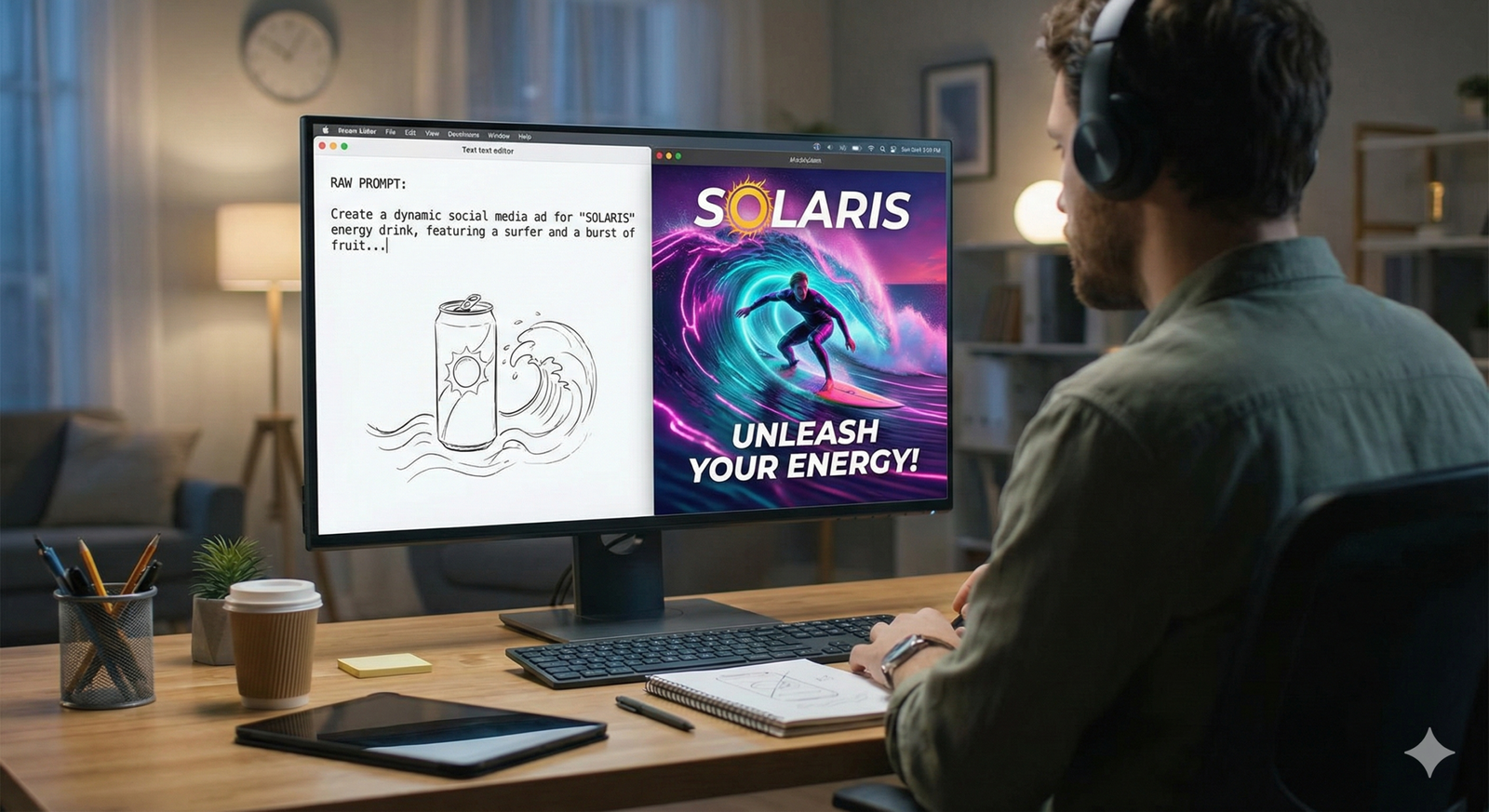
The landscape of digital marketing has shifted fundamentally. For decades, the constraint on social media growth was human bandwidth—the sheer number of hours required to brainstorm, draft, design, edit, and publish content. Today, generative artificial intelligence has removed many of those friction points, allowing brands to scale their output significantly. However, this accessibility brings a new challenge: the “sea of sameness.” When everyone has access to the same powerful tools, standing out requires more than just using AI; it requires mastering AI marketing creatives with a human-centric strategy.
This guide is not merely a list of tools. It is a comprehensive framework for marketing professionals, business owners, and social media managers who want to integrate AI into their creative workflows without losing their brand’s soul. We will explore how to generate high-fidelity visuals, craft compelling copy, and build automated workflows that prioritize quality and authenticity.
Key Takeaways
- Augmentation, Not Replacement: AI works best as a creative partner that handles repetitive tasks and iteration, leaving strategy and emotional connection to humans.
- Prompt Engineering is a Skill: The quality of your output is mathematically correlated to the specificity and structure of your inputs.
- Brand Consistency is the Hard Part: Training AI models on your specific voice and visual identity is essential to avoid generic outputs.
- Multimodal Capabilities: Modern marketing uses AI to bridge text, image, and video simultaneously, allowing for rapid repurposing of assets.
- Ethical Guardrails are Mandatory: As of January 2026, transparency regarding AI usage and vigilance against copyright infringement are critical for brand safety.
Who This Is For (and Who It Isn’t)
This guide is for:
- Social Media Managers looking to increase posting frequency without burning out.
- Content Marketers who need to repurpose long-form content into bite-sized creatives.
- Small Business Owners operating with limited design budgets who need professional-looking assets.
- Creative Directors seeking to speed up the storyboarding and ideation phase.
This guide is NOT for:
- People looking for “set it and forget it” spam automation tools.
- Technical developers looking for code-level implementation of LLMs.
- Those seeking to replace their entire creative team with a single script.
Understanding the Scope: What are AI Marketing Creatives?
In the context of this guide, AI marketing creatives refer to any asset—text, image, audio, or video—generated or significantly enhanced by artificial intelligence algorithms for the purpose of promotion.
In Scope:
- Generative Text: Captions, ad copy, blog outlines, scripts, and hashtags.
- Generative Imagery: Social media graphics, realistic photos, vector illustrations, and background generation.
- Generative Video: Text-to-video creation, AI avatars, and automated editing.
- Workflow Automation: Connecting these elements to streamline the path from idea to publication.
Out of Scope:
- Programmatic Ad Bidding: While this uses AI, it is a distribution mechanic, not a creative one.
- Customer Support Chatbots: While they interact with customers, they are operational, not creative marketing assets.
The Evolution of Content Production
To understand how to use these tools effectively, we must look at how the workflow has changed.
The Traditional Workflow:
- Ideation (Brainstorming meeting).
- Briefing (Writing a document for a designer/copywriter).
- Drafting (2–3 days for first drafts).
- Review/Feedback (Multiple rounds of revisions).
- Final Polish.
- Publishing.
The AI-Assisted Workflow:
- Ideation (Human + AI brainstorming together).
- Prompting (The “Brief” is now a “Prompt”).
- Generation (Seconds to minutes for multiple variations).
- Curation & Refinement (Human selects the best output and edits it).
- Final Polish (Often done with AI upscaling or grammar checks).
- Publishing.
The bottleneck has moved from creation to curation. Your ability to judge quality is now more valuable than your ability to execute the rough draft.
1. Generating High-Performance Text and Copy
Writing for social media requires a specific blend of brevity, wit, and hook-driven psychology. AI Large Language Models (LLMs) are exceptionally good at pattern matching, which makes them great at structure but often poor at nuance.
The “Context-First” Prompting Framework
Most marketers fail with AI copy because they provide insufficient context. A prompt like “Write a tweet about our new coffee” will yield generic results. To get high-quality AI marketing creatives, use the CARE framework:
- C – Context: Who are you? Who is the audience?
- A – Action: What specifically do you want the AI to write?
- R – Rules: What are the constraints? (Character count, formatting, forbidden words).
- E – Examples: Provide 1–2 examples of the tone you want.
Example of a High-Fidelity Prompt:
“Act as a senior social media manager for a premium outdoor apparel brand similar to Patagonia. Write 3 LinkedIn post options announcing our new recycled wool jacket. Context: The audience is eco-conscious professionals who value sustainability over fast fashion. Action: Write engaging copy that highlights the durability of the product. Rules: Keep it under 150 words. Use short paragraphs. No hashtags in the body text. Avoid salesy words like ‘buy now’ or ‘huge discount.’ Focus on storytelling. Example Tone: ‘We didn’t just make a jacket; we reclaimed 50 lbs of waste to keep you warm this winter.'”
Platform-Specific Adaptation
One of the strongest use cases for AI is taking a core message and adapting it for different platforms. You should never copy-paste the same text from Instagram to LinkedIn.
- LinkedIn: AI should be instructed to be professional, insight-driven, and structured with clear line breaks. It should encourage discussion.
- Instagram/TikTok: AI should focus on the visual hook, use emojis strategically (but not excessively), and keep the text scannable.
- X (Twitter): AI needs to be punchy, threaded, and provocative.
Iterative Refinement
Treat the AI’s first output as a “vomit draft.” It is rarely ready to publish.
- Humanize the Hook: AI often starts with “In today’s fast-paced world…” Delete that. Start in the middle of the action.
- Check for Hallucinations: Ensure the AI hasn’t invented features your product doesn’t have.
- Inject Brand Voice: Manually swap out generic verbs for words unique to your brand’s vocabulary.
2. Visual Synthesis: Creating Stopping Power
Visuals are the currency of social media. AI marketing creatives in the visual realm have moved beyond surreal, glitchy art into photorealistic commercial photography and high-end graphic design.
Text-to-Image for Social Media
When using tools like Midjourney, DALL-E 3, or Adobe Firefly, the goal is to create images that stop the scroll.
Key Techniques for Marketing Images:
- Aspect Ratio Control: Always specify the aspect ratio. Use –ar 9:16 for Stories/Reels and –ar 4:5 for Instagram feed posts. Square (1:1) is less dynamic on modern mobile screens.
- Subject Isolation: If you plan to add text later (in Canva or Photoshop), prompt for “clean background” or “studio lighting with negative space.”
- Style consistency: Use style references. If your brand uses flat vector art, include terms like “flat design, vector illustration, minimal, corporate Memphis style.” If your brand is photographic, use “35mm photography, depth of field, golden hour lighting.”
The “Text-on-Image” Challenge
As of early 2026, AI models have improved significantly at rendering text within images, but they are not perfect.
- Best Practice: Use AI to generate the background and the subject, but use a graphic design tool (like Canva or Photoshop) to overlay the typography. This gives you control over kerning, font choice, and readability, which are crucial for accessibility.
In-Painting and Out-Painting
These are essential techniques for social media managers:
- Out-Painting (Generative Expand): You have a horizontal photo from a website, but you need a vertical 9:16 version for a TikTok background. AI can generate the “rest” of the image above and below the original subject.
- In-Painting (Generative Fill): You have a perfect photo, but there is a distracting coffee cup on the table. AI can remove it and fill in the texture seamlessly.
3. Video and Motion: The Next Frontier
Static images are losing ground to short-form video. AI is now capable of generating video assets that can feed the content beast of TikTok, Reels, and YouTube Shorts.
AI B-Roll Generation
Shooting custom B-roll (background footage) is expensive and time-consuming. Text-to-video models can now generate specific clips, such as “a drone shot of a futuristic city at sunset” or “close up of coffee beans falling into a grinder,” which can be used as background layers for text-heavy posts.
Script-to-Video Avatars
For educational content or announcements, AI avatars can recite scripts with realistic lip-syncing.
- Pros: Extremely fast production; easy to update (just change the text).
- Cons: Can fall into the “uncanny valley” if not high quality; lacks the genuine human connection of a real founder or influencer.
- Verdict: Best used for tutorials, internal comms, or mass-scale personalized videos, rather than emotional brand storytelling.
Automated Captions and Clipping
This is the most practical application for most marketers. AI tools can ingest a 60-minute podcast and:
- Transcribe the audio.
- Identify the 5 most viral moments.
- Clip them into vertical format.
- Add dynamic, color-coded captions.
- Export them for scheduling.
This process turns one piece of content into a week’s worth of AI marketing creatives.
4. Workflow Integration: From Chaos to System
The danger of AI is creating more mess, not less. To truly benefit, you must integrate these tools into a linear workflow.
Step 1: The AI-Enhanced Content Calendar
Do not start creating until you have a plan. Use an LLM to analyze your previous month’s metrics (if anonymized) and suggest content pillars for the next month.
- Prompt: “Based on the trend of ‘sustainable living,’ suggest 10 content ideas for Instagram Reels that provide educational value without being salesy.”
Step 2: Batch Creation
Switching contexts kills productivity. Use AI to batch tasks.
- Monday: Generate all scripts and captions for the week using text AI.
- Tuesday: Generate all visual assets (backgrounds, thumbnails) using image AI.
- Wednesday: Assemble assets in your design tool and schedule.
Step 3: The Review Loop
Never let AI post directly. Establish a “human gatekeeper” protocol.
- Check visuals for artifacts (extra fingers, nonsensical text).
- Check copy for tone deafness or cultural insensitivity.
- Check facts against trusted sources.
5. Brand Consistency: The Holy Grail
The biggest criticism of AI marketing creatives is that they look generic. To avoid this, you must train the tools on your brand.
Creating a Brand Style Guide for AI
You need a “system prompt” or a “style reference document” that you use every time.
- Visuals: Define your color palette in hex codes (though AI struggles with exact hexes, describing them helps: “vibrant teal and coral”). Define your lighting style (“soft, diffused window light”).
- Voice: Define your persona. Are you “The Witty Best Friend” or “The Authoritative Professor”?
- Negative Prompting: List what you never want. “No cartoons, no dark backgrounds, no aggressive sales language.”
Using Seed Images and References
When generating images, always upload a reference image of your product or previous successful posts. This anchors the AI to your specific aesthetic rather than the average of the internet.
6. Tools and Technologies (2026 Landscape)
The tool market is volatile, but categories remain stable.
| Category | Primary Function | Best For |
| LLMs (Large Language Models) | Copywriting, Strategy, Scripting | Blog posts, captions, email sequences, brainstorming. |
| Generative Image Models | Visual creation | Social graphics, blog headers, ad creative backgrounds. |
| Design Suites with AI | Layout, Typography, Assembly | Combining AI elements into a finished post (adding logos/text). |
| Generative Video | B-roll, Avatars, Animation | TikTok backgrounds, explainer videos, faceless channels. |
| AI Repurposing Tools | Clipping, resizing, transcribing | Turning webinars into Reels; turning blogs into LinkedIn carousels. |
Selection Criteria:
- Commercial Rights: Does the platform grant you ownership of the output? (Critical for ads).
- Security: Does the platform train its public models on your private data? (Enterprise concern).
- Integration: Does it plug into your scheduling tool?
7. Ethical Considerations and Copyright
This is a YMYL (Your Money Your Life) adjacent topic because marketing impacts business finances and consumer trust. As of January 2026, the legal landscape is settling, but risks remain.
Copyright Eligibility
In many jurisdictions (including the US), pure AI-generated works cannot be copyrighted. This means if you generate a logo purely with AI, a competitor could theoretically use it.
- Solution: Human modification. Significant human input (editing, compositing, overlaying text, repainting) allows for copyright protection of the final composition.
Transparency and Disclosure
Consumers are becoming savvy at spotting AI.
- Trust: If you use a photorealistic AI image of a person who doesn’t exist to sell a skincare product, that is deceptive advertising.
- Policy: Platforms like Meta, TikTok, and YouTube often require labeling AI-generated content. Always toggle the “AI-generated” label when uploading to avoid algorithmic penalization or account bans.
Bias and Representation
AI models are trained on internet data, which contains historical biases.
- Check: Does your generated imagery reflect a diverse customer base?
- Action: You must explicitly prompt for diversity (e.g., “diverse group of professionals,” “mixed ages”) to override the model’s default tendencies toward stereotypes.
8. Common Mistakes and Pitfalls
Even with the best tools, marketers fail when they fall into these traps:
- The “One-Shot” Fallacy: Expecting the first prompt to yield a perfect result. Reality: It takes 5–10 iterations.
- Ignoring the Platform Native Vibe: Posting a polished, high-res AI image on a platform that values raw, authentic content (like BeReal or certain sides of TikTok) can backfire.
- Over-Polishing: AI tends to make things too smooth, too symmetric, and too perfect. This “glossiness” creates banner blindness. Sometimes, adding “grain” or “imperfection” to the prompt helps engagement.
- Hallucinating Facts: Using AI to write educational carousels without fact-checking. If the AI says “70% of people prefer X,” you must verify that statistic exists.
9. Practical Examples: What This Looks Like in Practice
Scenario A: The Local Bakery
- Goal: Promote a new “Cronut” special on Instagram.
- AI Usage:
- Takes a rough phone photo of the cronut.
- Uses Generative Fill to expand the table background to fill a vertical screen.
- Uses LLM to write a pun-filled caption: “Donut worry, be happy. The Cronut is back.”
- Result: A professional-looking post created in 10 minutes by the baker.
Scenario B: The B2B SaaS Company
- Goal: Drive downloads for a new whitepaper on LinkedIn.
- AI Usage:
- Uploads the whitepaper PDF to an LLM.
- Requests: “Summarize this into a 5-slide carousel text script.”
- Uses an AI Design Tool to auto-generate the carousel slides using the brand’s hex codes.
- Result: A complex technical document repurposed into a digestible social asset in 30 minutes.
Future Trends in AI Marketing
As we look further into 2026 and beyond, AI marketing creatives will shift from generation to personalization.
- 1:1 Content: Ads that generate specific visuals based on the individual viewer’s preferences (dynamic creative optimization on steroids).
- Interactive AI: Social posts where users can interact with an AI element directly in the feed.
- Agentic Marketing: AI agents that not only create the content but autonomously test A/B variations and allocate budget to the winner.
Conclusion
AI-assisted marketing creatives and social media posts represent the most significant shift in content production since the smartphone. By reducing the friction of creation, AI allows marketers to focus on what truly matters: the idea, the strategy, and the connection with the audience.
However, the tools are not a strategy in themselves. The winners in this new era will be those who use AI to amplify their unique brand voice, not those who use it to sound like everyone else. Start small, verify everything, and keep the human element front and center.
Next Steps: Audit your current content workflow. Identify the one bottleneck that slows you down the most (e.g., caption writing or image resizing) and apply an AI tool to solve just that specific problem this week.
FAQs
1. Can I use AI-generated images for Facebook and Instagram Ads? Yes, you can use AI-generated images for ads. However, you must ensure you have the commercial rights from the AI platform you used. Additionally, you should monitor performance closely; sometimes, overly “perfect” AI images perform worse than authentic human photos because users recognize them as artificial.
2. Does Google or social media algorithms penalize AI content? Algorithms generally do not penalize content just because it is AI-generated. They penalize low-quality, unengaging, or spammy content. If your AI content is helpful, entertaining, and keeps users on the platform, it will perform well. However, failing to label AI content where required (like deepfakes or realistic scenes) can lead to penalties.
3. How do I maintain my brand voice when using ChatGPT or Claude? You must “train” the chat session. Upload samples of your previous best-performing posts and say, “Analyze the tone, sentence structure, and vocabulary of these examples. Adopt this persona for all future outputs.” Create a style guide prompt that you paste at the start of every session.
4. Is it safe to put confidential product info into AI tools? Generally, no. Unless you are using an “Enterprise” version of a tool that explicitly guarantees data privacy (zero data retention), you should assume that anything you type into a public AI model could be used to train future versions. Use code names or redact sensitive details when prompting.
5. What is the best aspect ratio for AI-generated social media images? For mobile-first social media (TikTok, Reels, Stories), use a 9:16 aspect ratio. For Instagram feeds, 4:5 is optimal as it takes up the most vertical screen real estate. For LinkedIn and Twitter, 16:9 or 1:1 (square) often works best.
6. Can AI write hashtags for me? Yes, AI is excellent at generating hashtags. Ask it to categorize them by “High Volume,” “Niche,” and “Branded.” However, always review them to ensure they aren’t banned hashtags or irrelevant to the specific context of the post.
7. How much time does AI actually save in marketing? Estimates vary, but properly implemented AI workflows can reduce content production time by 30% to 50%. The time savings come from faster drafting and rapid variation generation (e.g., creating 10 headlines in seconds), though human review time often increases.
8. Do I need to be a designer to use AI image generators? No, but you need to think like a director. You don’t need to know how to draw, but you need to know how to describe lighting, composition, and mood. Learning the vocabulary of art and photography will significantly improve your AI image outputs.
9. What is the difference between predictive AI and generative AI in marketing? Predictive AI analyzes data to guess what will happen next (e.g., “Which customer is likely to churn?”). Generative AI creates new data (e.g., “Write an email to the customer likely to churn”). Marketing creatives rely primarily on generative AI.
10. How can I detect if a competitor is using AI for their posts? Look for common “tells”: generic, overly enthusiastic tone (lots of “Unlock the power of…” or “Game-changer”), visual artifacts in images (text on signs that is gibberish, inconsistent lighting), or a sudden, massive increase in content volume without a corresponding increase in team size.
References
- Meta Transparency Center. “Labeling AI-Generated Content on Facebook, Instagram and Threads.” Meta.
- U.S. Copyright Office. “Copyright Registration Guidance: Works Containing Material Generated by Artificial Intelligence.” Federal Register. https://www.federalregister.gov/documents/2023/03/16/2023-05321/copyright-registration-guidance-works-containing-material-generated-by-artificial-intelligence
- HubSpot. “The State of AI in Marketing Report 2025.” HubSpot Research. https://www.hubspot.com/state-of-marketing
- Adobe. “Adobe Firefly Ethics and Commercial Safety.” Adobe Trust Center. https://www.adobe.com/sensei/generative-ai/firefly.html
- Sprout Social. “The Impact of AI on Social Media Workflows.” Sprout Social Insights. https://sproutsocial.com/insights/ai-in-social-media/
- Canva. “Magic Studio and AI Tools for Marketers.” Canva Design School. https://www.canva.com/magic/
- OpenAI. “Enterprise Privacy and Data Usage Policies.” OpenAI API Documentation. https://openai.com/enterprise-privacy