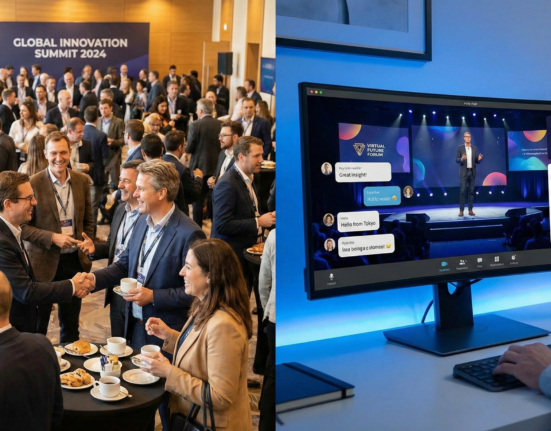
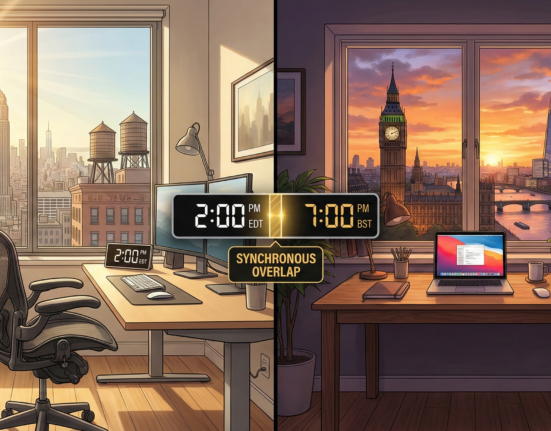
In the evolution of remote work, we have hit a ceiling with 2D video grids. “Zoom fatigue” is no longer just a buzzword; it is a documented psychological phenomenon caused by the excessive cognitive load of processing non-verbal cues through a flat screen, the unnatural sustained eye contact, and the lack of spatial context. As organizations seek to maintain the flexibility of distributed work while recapturing the “spark” of in-person interaction, immersive meeting technology has emerged as the next frontier.
This guide explores the ecosystem of VR collaboration spaces, Augmented Reality (AR) tools, and the hardware that powers them. We move beyond the hype of the “metaverse” to look at practical, deployable technologies that are reshaping how teams brainstorm, prototype, and bond across continents.
Key Takeaways
- Spatial Presence is the Goal: Unlike video calls, immersive tech relies on “spatial audio” and “sense of presence” to make the brain believe you are physically sharing a room with others.
- Hardware Spectrum: Solutions range from fully immersive VR headsets (like Meta Quest) to Mixed Reality (like Apple Vision Pro) and accessible desktop modes.
- Use Cases Vary: VR is superior for 3D design, complex brainstorming, and social bonding; traditional video remains better for quick status updates.
- The “Uncanny Valley” is Fading: Modern codecs and avatars are moving away from cartoonish representations toward photorealistic or highly expressive stylistic avatars.
- Hybrid is Hard: Integrating VR participants with laptop users in the same meeting requires specific software features (like Microsoft Mesh) to prevent exclusion.
Who This Is For (and Who It Isn’t)
This guide is for:
- Remote Team Leaders looking to improve team cohesion and reduce meeting fatigue.
- HR and People Ops Managers investigating new ways to onboard remote employees or host culture-building events.
- IT Directors evaluating the security and infrastructure requirements of deploying XR (Extended Reality) hardware.
- Product Designers and Architects who need collaborative 3D visualization tools.
This guide is NOT for:
- Organizations looking for simple video conferencing alternatives (stick to Zoom/Teams).
- Readers seeking a guide on gaming or consumer entertainment VR.
- Companies with zero budget for hardware (while desktop modes exist, the true value requires headsets).
Defining the Landscape: VR, AR, and MR
Before evaluating tools, we must disambiguate the terminology, as marketing materials often conflate these distinct technologies.
Virtual Reality (VR)
VR creates a fully synthetic digital environment. When you put on the headset, the physical world is blocked out (though modern “passthrough” features allow you to see it if needed). In a VR collaboration space, you and your colleagues exist as avatars inside a virtual boardroom, a space station, or a campfire setting.
- Best for: Deep focus, removing distractions, social bonding, and reviewing 3D assets.
Augmented Reality (AR)
AR overlays digital content onto the real world, typically viewed through a smartphone, tablet, or smart glasses (like the Xreal Air). In a meeting context, AR might place a floating Kanban board on your physical wall or project a hologram of your colleague sitting across your physical desk.
- Best for: Field workers, maintenance technicians, and contexts where seeing the physical environment is crucial.
Mixed Reality (MR) / Spatial Computing
MR is the sophisticated blending of the two. Devices like the Apple Vision Pro or Meta Quest 3 use cameras to capture the real world and seamlessly integrate digital objects that interact with physical boundaries (e.g., a virtual ball bouncing off a real table). In meetings, this allows you to see your physical keyboard and coffee cup while interacting with a virtual whiteboard.
- Best for: The current gold standard for professional immersive meetings, balancing digital utility with physical awareness.
The Psychology of Immersion: Why It Works
Why bother wearing a headset when a webcam works fine? The answer lies in cognitive psychology and how the human brain processes social interaction.
1. Spatial Audio and the “Cocktail Party Effect”
On a standard video call, all audio is monophonic or stereo, flattened into a single stream. If two people talk at once, the audio clashes, and comprehension drops to near zero. In VR collaboration spaces, audio is spatialized. If a colleague’s avatar is to your left, you hear them from the left. If they walk far away, their voice gets quieter (attenuation). This allows for side conversations—the “cocktail party effect”—where you can naturally tune into one voice while ignoring others. This creates a natural flow of conversation that is impossible on Zoom.
2. Proprioception and Non-Verbal Cues
While early VR avatars were floating heads, modern systems utilize inverse kinematics (IK) and AI to predict body language. When you talk with your hands in real life, your avatar does the same. Even simple head tracking conveys attention—you know exactly who someone is looking at in a virtual circle. This restores the non-verbal communication loop that text-based chat and “shoulders-up” video often miss.
3. Shared Context and Memory Palaces
Our brains are evolved to remember information spatially (the “method of loci”). When we collaborate on a 2D screen, every file lives in the same flat rectangle. In a 3D space, you might remember that the marketing plan was pinned to the wall by the window, while the budget was on the whiteboard behind you. This spatial arrangement aids memory retention and recall.
Hardware Ecosystem: The Gatekeepers of Experience
As of January 2026, the hardware landscape has matured into three distinct tiers suitable for business use.
Tier 1: Standalone Enterprise Headsets
These devices do not require a PC connection, have built-in tracking, and often feature “passthrough” video for Mixed Reality.
- Meta Quest 3 / 3S / Pro: The most ubiquitous entry point. Offers decent hand tracking, color passthrough, and a vast library of business apps. Affordable enough for mass deployment.
- HTC Vive Focus 3 / XR Elite: Focused heavily on enterprise data privacy and management. Popular in training and high-security sectors.
- Pico 4 Enterprise: A strong competitor in the European and Asian markets, offering lightweight designs and open ecosystems.
Tier 2: Premium Spatial Computers
- Apple Vision Pro (and successors): Sets the benchmark for resolution and UI control (eye and hand tracking). While expensive, it offers the sharpest text readability, making it viable for replacing multiple physical monitors. Its integration with the Apple ecosystem makes it a productivity powerhouse for Mac users.
- Varjo XR-4: High-end, tethered headsets used mostly in automotive and aerospace design due to human-eye resolution and specialized rendering.
Tier 3: Lightweight AR Glasses
- Xreal / Rokid: These look more like sunglasses. They are less about full avatars and more about giving the user a virtual screen for privacy during travel or simple teleprompter-style assistance during calls.
Practical Consideration: When choosing hardware for a team, weight and comfort are more important than graphical power. A headset that is too heavy (front-heavy) will cause neck strain after 30 minutes, killing the collaboration session.
Top VR/AR Collaboration Platforms (Software)
The hardware is a paperweight without the right software. The market has segmented into generalized meeting tools, specialized workshop tools, and persistent virtual offices.
1. Microsoft Mesh (Integrated Workflow)
Mesh is significant because it integrates directly into Microsoft Teams. Users can switch from a 2D video view to an “Immersive Space” with one click.
- Key Feature: Avatars are legless but highly expressive.
- Best For: Enterprises already locked into the Microsoft 365 ecosystem. It lowers the friction of entry since no new account creation is needed.
2. Meta Horizon Workrooms (The Virtual Office)
Designed specifically for the Quest ecosystem, Workrooms focuses on desk work. It allows you to bring your physical computer desktop into VR.
- Key Feature: The whiteboard integration is superb; you can flip the controller around and use the handle as a physical pen on a virtual desk.
- Best For: Small teams engaging in focused work sessions where everyone needs access to their laptop screens.
3. Spatial (Creative and Aesthetic)
Originally focused on AR, Spatial pivoted to being a web-based and VR metaverse platform. It creates beautiful, gallery-like environments.
- Key Feature: Highly accessible via web browser (no headset needed for guests). Excellent for showcasing 3D models or art.
- Best For: Creative reviews, town halls, and social gatherings where aesthetics matter more than spreadsheet productivity.
4. Glue (The Persistent War Room)
Glue focuses on “persistent” spaces. If you write on a whiteboard and leave the room, the writing is still there when you return two weeks later.
- Key Feature: Superior specialized collaboration tools (sticky notes, kanban boards, 3D model import).
- Best For: Agile teams and project management war rooms.
5. Arthur (Large Enterprise)
Arthur creates vast virtual office floors. It excels in handling large groups (50+ people) in a single instance without crashing.
- Key Feature: Productivity zones and privacy bubbles for breakout discussions.
- Best For: Large banking, consulting, and tech firms hosting major workshops.
Use Cases: When to Go Immersive vs. Traditional Video
Not every meeting should be a VR meeting. Misapplying the technology is the fastest way to generate resistance among staff.
Use Case A: The “Creative Sprint” & Brainstorming
- Verdict: VR is Superior.
- Why: Infinite whiteboard space. The ability to stand up, walk around, and move sticky notes spatially energizes the brain. In 2D, only one person can effectively “drive” the screen share. In VR, 10 people can write on the board simultaneously.
Use Case B: The Weekly Status Update / Standup
- Verdict: Traditional Video (or Audio) is Superior.
- Why: Putting on a headset, adjusting the strap, and logging in takes 2–5 minutes. For a 15-minute meeting where information is merely disseminated, this friction is unacceptable.
Use Case C: Difficult Conversations & HR Reviews
- Verdict: Context Dependent.
- Why: For sensitive feedback, real eye contact (video) is often preferred to gauge micro-expressions. However, for conflict resolution between two peers, VR can sometimes help by neutralizing the environment and reducing the intensity of staring at a face on a screen (the “monitor stare”).
Use Case D: Social Hours and Team Bonding
- Verdict: VR is Superior.
- Why: Zoom happy hours are notoriously awkward because only one person can speak at a time. In VR, you can play mini-games (ping pong, mini-golf), break into small groups naturally, and share an activity. This “doing something together” creates bonds faster than “staring at each other.”
Implementation Guide: Rolling Out VR Collaboration
If you decide to deploy immersive meeting tech, follow this phased approach to ensure adoption.
Phase 1: Pilot and Hardware Selection
Don’t buy 100 units immediately. Select a pilot group of 5–10 tech-savvy employees. Send them two different headset models (e.g., Quest and a Pico) to test comfort and IT firewall compatibility.
- Action: Verify that your MDM (Mobile Device Management) software can secure these devices.
Phase 2: The “Low Stakes” Introduction
Never make the first VR meeting a high-pressure board meeting. The first session should be a “playground” session.
- Activity: “Avatar decoration and frisbee.” Let people figure out how to move, mute, and customize their appearance without the pressure of work.
- Goal: Overcoming motion sickness and controller confusion.
Phase 3: Hybrid Bridging
It is inevitable that someone will forget to charge their headset or find it uncomfortable. You must choose a platform (like Mesh or Spatial) that allows robust desktop participation.
- Rule: The facilitator must acknowledge desktop users frequently, as they often feel like second-class citizens in a 3D world.
Phase 4: Establishing Etiquette
VR requires new norms.
- The “Mute” Norm: In VR, heavy breathing is amplified by the microphone position. Mute-by-default is often necessary.
- Personal Space: Yes, you can invade personal space in VR. Establish a rule of keeping a respectful distance from other avatars.
- Ghosting: Taking the headset off without logging out leaves a comatose avatar in the room. Teach users to log out properly.
Challenges and Barriers to Adoption
Despite the benefits, significant friction remains.
1. The Friction of “Suiting Up” Transitioning from typing an email to being in VR requires physical effort: clearing desk space, putting on the device, adjusting lenses. This friction discourages spontaneous usage.
2. Physical Discomfort (The Sweat Factor) Current headsets generate heat. After 45–60 minutes, the face gasket can become sweaty and uncomfortable (sometimes called “VR face”).
- Mitigation: Limit VR sessions to 45 minutes maximum. Schedule breaks. Use third-party facial interfaces (like silicone or PU leather) that are wipeable.
3. Motion Sickness (Vestibular Conflict) Roughly 25–40% of people experience some form of motion sickness if the virtual movement doesn’t match their physical movement.
- Mitigation: Use “Teleport” movement options rather than “Smooth Locomotion” (gliding). Ensure the platform maintains a high frame rate (90Hz+).
4. Security and Privacy VR headsets utilize cameras and microphones that map the user’s physical room. This raises massive concerns for InfoSec.
- Risk: Could a hacked headset broadcast video of a confidential document sitting on the user’s physical desk?
- Solution: Enterprise-grade headsets allow IT to disable local recording and impose “kiosk modes” that restrict data transfer.
The Future: Haptics and Photorealism
We are currently in the “brick phone” era of VR collaboration. Here is what is coming in the immediate future (2027–2030).
Photorealistic Codec Avatars Meta and other giants are developing “Codec Avatars” using AI scanning. Instead of a cartoon, your avatar looks exactly like you, right down to the wrinkles when you smile. This will bridge the final gap for executive meetings where gravitas is required.
Haptic Feedback Integration Gloves and vests that simulate touch are moving from niche research to prosumer availability. Imagine shaking a colleague’s hand and feeling the pressure, or feeling the weight of a virtual prototype you are passing around.
AI-Agent Integration Future immersive spaces will be populated not just by humans, but by AI agents. You might say, “Copilot, visualize the sales data for Q3 on the wall,” and an AI avatar will materialize a 3D interactive chart in the center of the room.
Conclusion
The shift to immersive meetings via VR and AR collaboration spaces is not about replacing the office; it is about replacing the limitations of the video call. By restoring spatial audio, shared environments, and non-verbal cues, these tools offer a way to “be together” when we are apart.
However, success lies not in the hardware specs, but in the implementation culture. Organizations that treat VR as a tool for specific, high-value collaborative moments—rather than a mandatory 9-to-5 environment—will see the highest ROI in engagement and innovation.
Next Steps for Your Team:
- Survey your team to assess openness to immersive tech and identify those prone to motion sickness.
- Purchase 3–4 headsets (e.g., Quest 3 or equivalent) for a designated “innovation squad.”
- Run a pilot focusing solely on social bonding first, before attempting complex work.
FAQs
1. Do I need a VR headset to join these collaboration spaces? Not always. Most leading platforms (Microsoft Mesh, Spatial, Horizon Workrooms) offer a desktop or mobile version. However, joining via a 2D screen significantly reduces the sense of presence and immersion. You become an observer rather than a participant in the space.
2. How much internet speed is required for VR meetings? VR collaboration is surprisingly efficient because it transmits data coordinates (position, rotation, voice) rather than streaming high-definition video of the whole environment. A stable connection of 20–50 Mbps is usually sufficient, though low latency (ping) is critical to prevent audio desync and motion sickness.
3. Can VR meetings replace all business travel? No. While they can replace routine quarterly planning workshops or initial client meet-and-greets, high-stakes relationship building and physical site inspections still benefit from physical travel. VR is a reducer of travel, not a total eliminator.
4. Is it safe to wear a VR headset for 8 hours a day? It is generally not recommended. Most manufacturers and optometrists suggest taking breaks every 30 to 60 minutes. The weight of the headset can strain the neck, and the “vergence-accommodation conflict” (focusing eyes on a screen close to the face) can cause eye strain over long periods.
5. How do I type in VR? There are three ways:
- Passthrough: You see your real keyboard through the headset cameras.
- Tracked Keyboards: Specific Logitech or Apple keyboards are tracked and rendered virtually in the space.
- Virtual Keyboards: Typing in the air (slow and inefficient for long text). For productive work, using a tracked physical keyboard or passthrough is essential.
6. What is the difference between 3 DOF and 6 DOF? DOF stands for Degrees of Freedom.
- 3 DOF: You can look around (rotation), but if you lean forward, the world moves with you. (Old technology, avoid for collaboration).
- 6 DOF: You can look around and move around (translation). If you lean forward, you get closer to the virtual object. 6 DOF is mandatory for a comfortable and effective professional meeting experience.
7. Are these platforms secure for confidential discussions? Enterprise-tier subscriptions (like Vive Business or Microsoft Mesh Enterprise) offer end-to-end encryption and SOC 2 compliance. However, using free consumer versions of social VR apps for discussing trade secrets is a security risk. Always verify the data privacy policy of the specific platform.
8. Can I use my prescription glasses in VR? Yes, most headsets have a “glasses spacer” to allow room for frames. However, for frequent use, it is highly recommended to buy custom prescription lens inserts (from providers like VR Optician or Zenni) that snap directly onto the headset lenses for better comfort and clarity.
References
- Microsoft. (2025). Microsoft Mesh: Enabling presence and shared experiences from anywhere. Official Product Documentation. https://www.microsoft.com/en-us/mesh
- Meta. (2025). Horizon Workrooms: Collaboration in Virtual Reality. Meta Quest for Business. https://forwork.meta.com/horizon-workrooms/
- Bailenson, J. N. (2021). Nonverbal Overload: A Theoretical Argument for the Causes of Zoom Fatigue. Technology, Mind, and Behavior, 2(1).
- Spatial. (2025). The Metaverse for Culture and Design. Official Site. https://www.spatial.io/
- PwC. (2022). Seeing is believing: How virtual reality and augmented reality are transforming business and the economy. PwC Global Analysis. https://www.pwc.com/gx/en/technology/publications/assets/how-virtual-reality-and-augmented-reality.pdf
- Apple. (2025). Apple Vision Pro for Enterprise. Official Documentation.
- Glue. (2025). Glue Collaboration Platform Features. Glue.work. https://glue.work/
- Stanford University Virtual Human Interaction Lab. (n.d.). Research on Avatars and Social Presence. https://vhil.stanford.edu/research/