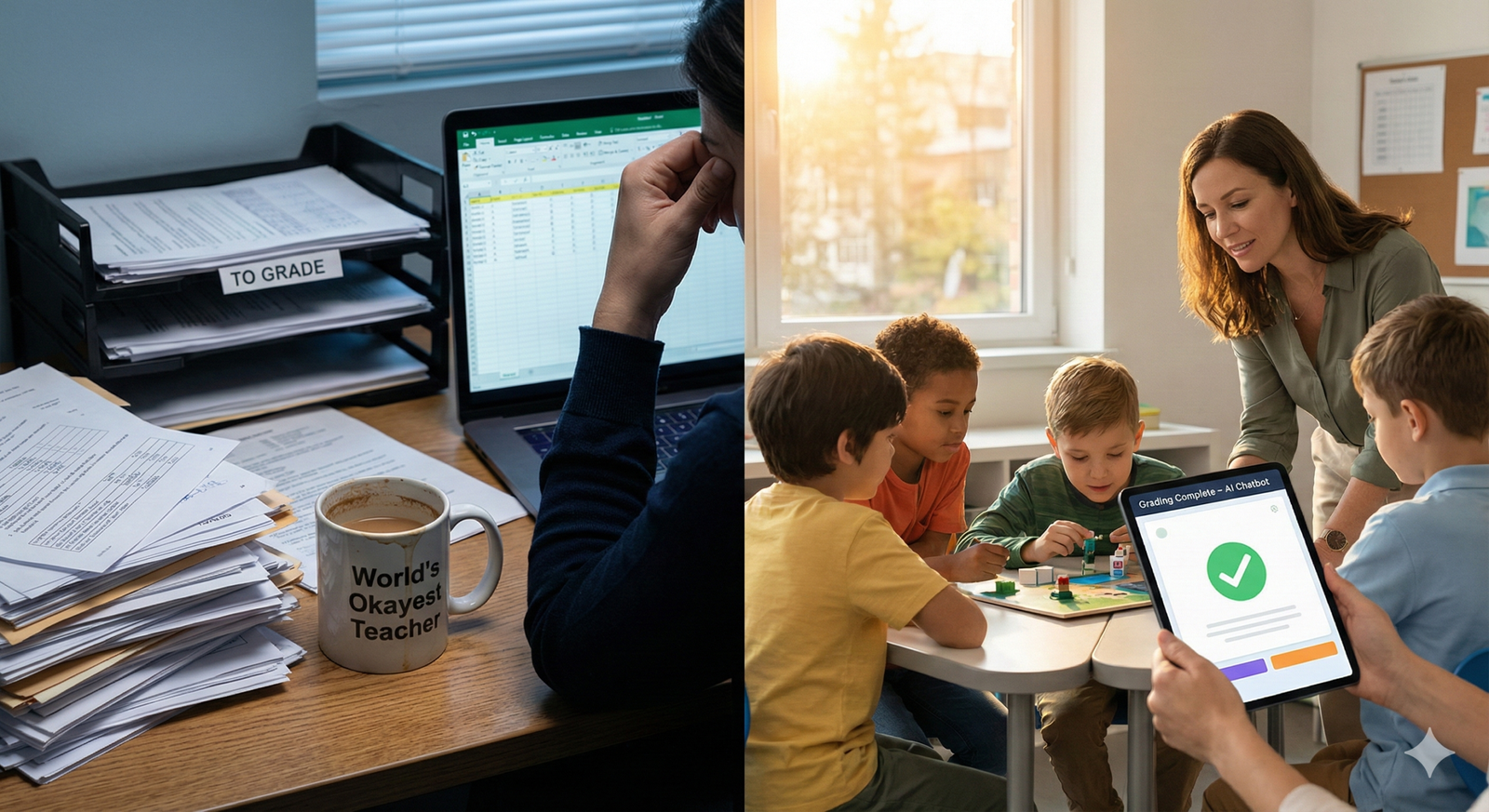
The modern educator faces a crisis of capacity. Between lesson planning, grading, administrative paperwork, and the emotional labor of student support, the actual act of teaching often feels squeezed into the margins. As of early 2026, the integration of AI chatbots in education has shifted from a novelty to a necessity, offering a lifeline for overburdened faculty. These tools are not designed to replace teachers but to function as tireless teaching assistants, automating the repetitive tasks that contribute to burnout and freeing up human educators to do what they do best: inspire and mentor.
In this guide, “AI chatbots” refers to Large Language Model (LLM)-driven interfaces—both general-purpose tools (like ChatGPT, Claude, or Gemini) and specialized educational platforms (like Khanmigo or proprietary LMS integrations)—that can process natural language to perform complex educational tasks.
Key Takeaways
- Workload Reduction: AI chatbots can reduce administrative and grading time by 30–50% when implemented correctly.
- Instant Differentiation: They allow teachers to instantly generate varied reading levels and assignments for diverse learner needs.
- 24/7 Tutoring: Chatbots extend the teacher’s reach by answering routine student questions outside of class hours.
- Privacy First: Implementation requires strict adherence to data privacy laws (FERPA, GDPR) and “human-in-the-loop” verification.
- Strategic Shift: The role of the teacher is evolving from a content deliverer to a learning facilitator and critical thinking coach.
Who This Is For (And Who It Isn’t)
This guide is written for K-12 teachers, university professors, school administrators, and educational technologists looking for practical ways to alleviate workload using current AI technology.
- It is not a technical manual for coding a chatbot from scratch.
- It is not a debate on whether AI should exist; it focuses on how to use it effectively and ethically now that it is here.
The Crisis of Time: Why Automation Matters
Before examining the tools, it is crucial to understand the problem they solve. Educational burnout is largely driven by the “invisible workload”—the hours spent outside the classroom. Teachers frequently report spending more time on data entry, email management, and grading logistics than on direct instruction.
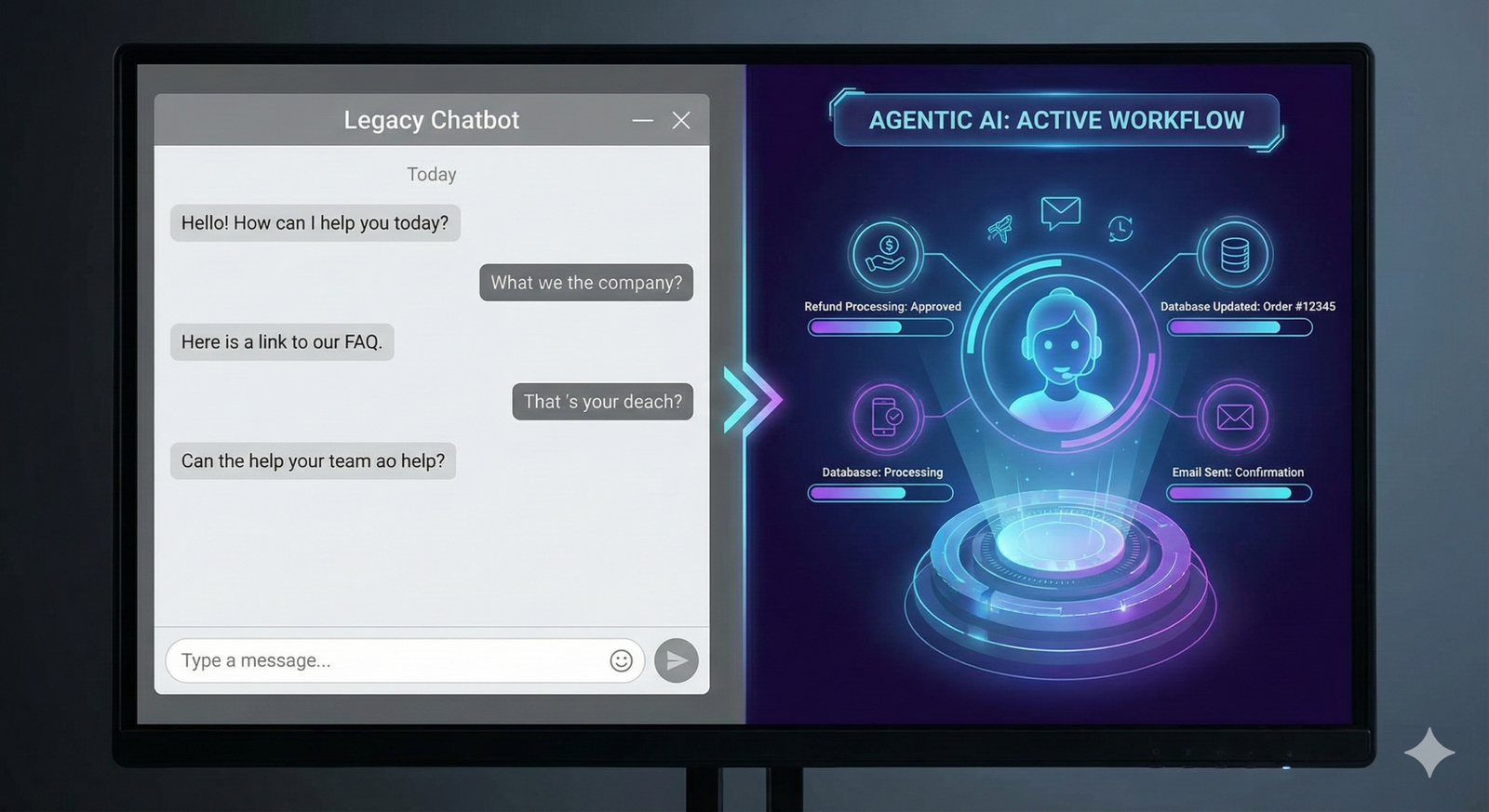
AI chatbots address this by handling unstructured data. Unlike previous EdTech tools that required rigid inputs (like Scantron machines), modern chatbots can “read” an essay, “understand” a lesson plan request, and “draft” an email to a parent, bridging the gap between rigid software and human flexibility.
How AI Chatbots Work in Educational Settings
At their core, AI chatbots in education utilize Natural Language Processing (NLP). They predict likely text sequences based on vast training datasets. In an educational context, this means they can mimic the structure of a lesson plan, the tone of a feedback letter, or the logic of a math explanation.
The Mechanism of Assistance
- Input Processing: The teacher provides a prompt (e.g., “Create a quiz based on this text,” or “Draft a response to this parent email”).
- Contextual Analysis: The AI analyzes the request against its training data and any specific context provided (grade level, tone, learning standards).
- Generative Output: The AI produces a draft, which the teacher reviews.
- Iterative Refinement: The teacher asks for adjustments (e.g., “Make the second question harder,” or “Soften the tone of the email”).
This “Human-in-the-Loop” workflow is the gold standard. The AI provides the draft, and the teacher provides the judgment.
Automating Administrative Drudgery
The lowest-hanging fruit for AI adoption is administrative automation. These tasks require accuracy and professionalism but rarely require deep pedagogical empathy.
Email and Communication Management
Drafting emails to parents, administrators, and colleagues is a significant time sink. Chatbots excel here.
- Scenario: A teacher needs to inform a parent about a student’s missing assignments without sounding accusatory.
- Prompt Strategy: “Draft a polite, supportive email to a parent regarding their child, [Name], missing three math assignments. Ask for a meeting next Tuesday. Tone: collaborative.”
- Workload Impact: Reduces a 15-minute drafting process to a 2-minute review-and-send task.
Scheduling and Logistics
Advanced chatbots integrated into workspace suites (like Microsoft Copilot or Google Gemini for Workspace) can interact with calendars. They can find optimal meeting times for staff meetings or parent-teacher conferences by scanning multiple calendars, eliminating the “email ping-pong” often required to schedule appointments.
Formatting and Documentation
Teachers often struggle with bureaucratic formatting—converting a lesson plan into a specific template required by the district or turning meeting notes into a formal report. AI chatbots can instantly reformat text. You can paste rough bullet points and ask the AI to “Format this into a formal memo,” or “Convert these notes into a table with columns for Action Item, Owner, and Due Date.”
Revolutionizing Lesson Planning and Curriculum Design
One of the most cognitively demanding tasks for educators is starting from a blank page. AI chatbots function as an infinite brainstorming partner, removing the initial friction of creation.
Instant Resource Generation
Instead of searching Google for hours to find a worksheet that almost fits, teachers can generate custom materials.
- Worksheets: “Create a 10-question multiple-choice quiz on the water cycle for 5th graders. Include an answer key.”
- Rubrics: “Generate a grading rubric for a persuasive essay assignment for 10th graders, focusing on thesis clarity, evidence usage, and grammar. Use a 4-point scale.”
- Discussion Prompts: “List 5 controversial but age-appropriate discussion questions about To Kill a Mockingbird that relate to modern justice systems.”
Differentiation at Scale
Perhaps the single greatest workload reducer is the ability to differentiate materials instantly. A teacher can take a single text and ask the chatbot to:
- “Rewrite this article at a 3rd-grade reading level for my ESL students.”
- “Summarize this text into five bullet points for students with processing difficulties.”
- “Create an extension activity for advanced learners who finish early.”
In Practice: Previously, creating three versions of a reading assignment took hours. With an AI chatbot, it takes seconds.
Streamlining Grading and Feedback Loops
Grading is often cited as the primary cause of teacher fatigue. While AI should not be the sole arbiter of a student’s grade, specifically for high-stakes assessments, it is incredibly powerful for formative assessment and drafting feedback.
The Feedback Drafter
AI chatbots can analyze student text and suggest feedback based on specific criteria.
- Process: A teacher pastes a student’s essay (anonymized) into the chatbot along with the rubric.
- Prompt: “Analyze this essay based on the provided rubric. Identify two strengths regarding structure and two areas for improvement regarding evidence citations. Draft constructive feedback.”
- Result: The teacher receives a structured critique. They verify it, tweak the tone, and submit it. This shifts the teacher’s role from “editor” to “reviewer,” significantly speeding up the process.
Automated Quiz Grading
For short-answer questions, AI tools can be trained to recognize correct semantic meaning rather than just exact keyword matching. This allows teachers to move away from purely multiple-choice testing without incurring an unmanageable grading burden.
Reducing Bias
Using AI as a “second set of eyes” can help identify if a teacher is grading inconsistently. A teacher might ask a chatbot, “Does this feedback sound neutral?” or “Check these three papers against the rubric to see if I am scoring the ‘Analysis’ section consistently.”
Offloading Routine Student Support and Tutoring
In a typical classroom of 30 students, a teacher cannot answer every question instantly. AI chatbots act as a “first line of defense,” handling routine inquiries so the teacher can focus on complex misconceptions.
The “24/7” Teaching Assistant
Universities and high schools are increasingly deploying course-specific chatbots. These bots are fed the syllabus, lecture notes, and textbook data.
- Student Query: “When is the midterm?” or “What is the formula for photosynthesis?”
- Chatbot Action: Provides the answer instantly based on course materials.
- Benefit: The teacher receives fewer emails asking routine questions, preserving their energy for deeper mentoring.
The Socratic Tutor
Advanced educational chatbots (like Khan Academy’s Khanmigo) are fine-tuned to not give the answer. Instead, they act as tutors.
- Student: “What is the answer to number 4?”
- Chatbot: “I can’t give you the answer, but let’s look at the equation. What is the first step in solving for X?”
- Workload Impact: This provides immediate support to students who are stuck, preventing them from disengaging while waiting for the teacher to become available.
Supporting Special Education and IEP Development
Special Education teachers face some of the highest administrative burdens in the profession. AI chatbots are proving to be essential tools for managing Individualized Education Programs (IEPs).
Goal Drafting
Writing SMART (Specific, Measurable, Achievable, Relevant, Time-bound) goals is difficult and time-consuming.
- Prompt: “Draft three SMART goals for a student who struggles with reading fluency and decoding multi-syllabic words. The student is currently at a 2nd-grade reading level in 4th grade.”
- Output: The AI provides structured options that the teacher can refine based on their specific knowledge of the child.
Data Synthesis
Special education involves tracking vast amounts of behavioral and academic data. An AI chatbot can help summarize observational notes into a coherent progress report.
- Prompt: “Here are my observational notes for the week: [Paste Notes]. Summarize these into a paragraph for a weekly parent update, highlighting positive social interactions.”
Accessible Material Creation
Chatbots can generate social stories (narratives used to teach social skills) or visual schedule descriptions instantly, tailored to a specific student’s interests (e.g., “Write a social story about asking for a turn on the swing set, featuring characters from Minecraft”).
Implementation Guide: Integrating Chatbots into the Classroom
Adopting AI chatbots is not just about signing up for an account; it requires a strategic workflow to ensure it actually saves time rather than creating new complications.
Phase 1: Prerequisites & Policy Check
Before inputting any data, check your institution’s Acceptable Use Policy (AUP).
- Data Privacy: Confirm which tools are FERPA/COPPA compliant. Never paste personally identifiable information (PII)—names, ID numbers, addresses—into a public LLM like standard ChatGPT. Use pseudonyms (e.g., “Student A”).
- Transparency: Inform parents and students how AI is being used in the classroom.
Phase 2: Setup and Prompt Library
Don’t reinvent the wheel every day. Build a personal library of “Master Prompts” for recurring tasks.
- The “Rubric Generator” Prompt
- The “Parent Email” Prompt
- The “Quiz Maker” Prompt Save these in a document so you can copy, paste, and fill in the blanks rapidly.
Phase 3: The “Sandwich” Workflow
For every AI interaction, use the Sandwich Method:
- Human Slice (Top): You provide the context, the pedagogical goal, and the constraints.
- AI Meat (Middle): The chatbot performs the heavy lifting (drafting, sorting, summarizing).
- Human Slice (Bottom): You review, edit, fact-check, and humanize the output before it reaches a student or parent.
Phase 4: Validation and Testing
Start small. Use AI to grade one low-stakes assignment. Use it to plan one lesson. Evaluate how much time was saved versus how much time was spent prompting and editing. Refine your prompts to improve the ratio.
Common Mistakes and Pitfalls
While promising, AI adoption is fraught with errors that can increase workload if not managed.
1. The “Copy-Paste” Trap
Mistake: Copying AI output directly into materials without reading it. Consequence: AI hallucinations (invented facts) or generic, robotic phrasing can damage teacher credibility. Students are quick to spot “AI voice.” Fix: Always edit for tone and accuracy. Add personal anecdotes that an AI cannot know.
2. Over-Prompting
Mistake: Spending 20 minutes crafting the “perfect” prompt for a task that takes 5 minutes to do manually. Consequence: Negative ROI on time. Fix: Use AI for high-volume or high-complexity tasks (e.g., “generate 20 variations of this math problem”) rather than simple ones.
3. Ignoring Data Privacy
Mistake: Pasting a student’s full name and grade history into a public chatbot. Consequence: Violation of federal privacy laws (FERPA in the US, GDPR in Europe) and potential job loss. Fix: Anonymize everything. Use “Student X” or generic placeholders.
4. Relying on AI for Factual Accuracy
Mistake: Asking an AI for historical dates or scientific statistics and using them unverified. Consequence: Spreading misinformation. Fix: Treat AI as a creative writer, not a search engine (unless it is a browser-connected tool with citations). Always cross-reference facts.
Top AI Chatbot Categories for Educators (Tools & Examples)
As of January 2026, the landscape of AI tools has segmented into generalists and specialists.
1. General Large Language Models (LLMs)
- ChatGPT (OpenAI), Claude (Anthropic), Gemini (Google):
- Best for: Brainstorming, drafting emails, creating rubric templates, reformatting text, and coding assistance for STEM teachers.
- Pros: Versatile, often free or low cost.
- Cons: Requires careful prompting; higher risk of hallucinations; requires strict anonymization of data.
2. Education-Specific AI Platforms
- Khanmigo (Khan Academy):
- Best for: Student tutoring and teacher lesson planning. It is specifically guard railed to avoid giving answers and to be pedagogically sound.
- Pros: Safe, ethical, integrated with educational standards.
- Cons: Usually requires a subscription or institutional license.
- MagicSchool AI / Eduaide.ai:
- Best for: specialized tools. These platforms wrap LLMs in easy-to-use interfaces (e.g., “Click here to generate an IEP goal,” “Click here to create a rap battle about history”).
- Pros: Very low learning curve; highly specific to teacher needs.
3. LMS-Integrated AI
- Canvas / Google Classroom / Blackboard AI integrations:
- Best for: Workflow automation within the systems teachers already use.
- Pros: Seamless data flow; often covered by institutional privacy agreements.
Ethical Considerations: The “Human in the Loop”
The introduction of AI into the classroom raises ethical questions that educators must navigate to model responsible citizenship for students.
Algorithmic Bias
AI models are trained on internet data, which contains historical biases. A chatbot might generate writing prompts that unconsciously reinforce stereotypes or grade essays using biased language patterns (e.g., favoring standard academic English over dialect variations in a way that penalizes specific demographics). Teachers must actively screen for these biases.
Plagiarism vs. Assistance
Teachers often worry about students using AI to cheat, but teachers using AI to grade can also be seen as “cheating” the contract of care.
- The Ethical Line: It is generally considered ethical to use AI for formative feedback (helping a student improve) and administrative tasks. It is ethically dubious to use AI to determine a final grade or high-stakes outcome without significant human review. Students deserve to know a human evaluated their final performance.
The Future: From Administrator to Facilitator
The long-term impact of AI chatbots on education is a shift in professional identity. For decades, “rigor” in teaching was often associated with the volume of paperwork a teacher could process—how many essays graded, how many lesson plans written.
As AI commoditizes the generation of content and the processing of data, the value of the teacher shifts to the human connection.
- Mentorship: Using the time saved on grading to have one-on-one career conversations with students.
- Facilitation: managing dynamic, in-class discussions that AI cannot replicate.
- Emotional Intelligence: detecting the subtle signs of distress or disengagement that a chatbot screen cannot see.
By 2030, the “best” teachers will not be the ones who write the most detailed lesson plans from scratch, but the ones who can most effectively orchestrate AI tools to curate personalized, human-centric learning experiences.
Conclusion
AI chatbots in education represent the most significant workflow disruption since the personal computer. By automating the “backend” of teaching—grading, planning, and administration—these tools offer a tangible solution to the burnout crisis. However, their effectiveness hinges on how they are used.
Implementation must be intentional, privacy-conscious, and human-centered. The goal is not to automate the teacher, but to automate the teaching tasks that keep the teacher from the students.
Next Steps for Educators:
- Audit Your Time: Identify the top 3 tasks that consume your time outside of class (e.g., email, quiz creation, grading).
- Select One Tool: Choose one general LLM (like Gemini or ChatGPT) or one education tool (like MagicSchool).
- Run a Pilot: Spend one week using that tool for only one of your identified time-sink tasks.
- Evaluate: Did it save time? If yes, keep it and expand.
Ready to start? Open a chatbot right now and try this prompt: “I am teaching a unit on [Topic] to [Grade Level]. Create a 3-day lesson outline that includes one hands-on activity, one digital resource, and a formative assessment.”
FAQs
1. Will AI chatbots replace teachers? No. AI chatbots lack empathy, crisis management skills, and the ability to build complex human relationships. They are designed to replace administrative tasks and assist with resource generation, allowing teachers to focus on mentorship and direct instruction.
2. Is it safe to put student names in ChatGPT? Generally, no. Most public versions of chatbots store data for training purposes. Putting student PII (Personally Identifiable Information) into these systems can violate laws like FERPA or GDPR. Always anonymize data or use enterprise-grade tools with data privacy agreements.
3. How can I use AI if my school has banned it? Focus on using AI for teacher-facing tasks on your personal device at home, such as lesson planning, creating rubrics, or drafting emails. Do not use it for student-facing activities or grading student work if school policy strictly forbids it.
4. Can AI really grade essays accurately? AI is excellent at analyzing structure, grammar, and adherence to a rubric, but it struggles with nuance, voice, and fact-checking creativity. It should be used as a “first pass” or feedback drafter, with the teacher always providing the final review and grade.
5. What is the best free AI chatbot for teachers? As of 2026, the free versions of ChatGPT (OpenAI), Claude (Anthropic), and Gemini (Google) are all powerful options. For education-specific tools, MagicSchool AI often offers a robust free tier for teachers.
6. How do I prevent students from using AI to cheat? Shift assessment methods away from take-home essays and toward in-class writing, oral presentations, and process-oriented work. Discuss AI ethics openly with students and teach them how to use AI as a tutor rather than a writer.
7. Does using AI make me a lazy teacher? Absolutely not. Using a calculator doesn’t make a mathematician lazy; it makes them efficient. Using AI to reduce administrative overhead allows you to direct your limited energy toward your students, which is the hallmark of a dedicated teacher.
8. Can AI help with classroom management? Indirectly, yes. By generating engaging, differentiated lesson plans instantly, AI can help reduce behavioral issues stemming from boredom or frustration. It can also help draft behavioral intervention plans and track student data trends.
9. What should I do if the AI gives me wrong information? This is called a “hallucination.” Always verify facts, dates, and citations generated by AI against reliable sources. Never use unverified AI output for instructional materials.
10. How much time can AI actually save a teacher? Early studies and anecdotal evidence suggest that proficient use of AI for planning and administrative tasks can save 5–10 hours per week, essentially giving a teacher back their weekend.
References
- U.S. Department of Education. (2024). Artificial Intelligence and the Future of Teaching and Learning: Insights and Recommendations. Office of Educational Technology.
- UNESCO. (2024). Guidance for generative AI in education and research. UNESCO Digital Library. https://www.unesco.org/en/digital-education/artificial-intelligence
- Stanford University. (2025). The AI Index Report 2025: Education Chapter. Human-Centered AI Institute (HAI). https://hai.stanford.edu/research/ai-index-report
- Khan Academy. (n.d.). Khanmigo for Teachers: Features and Safety. Accessed January 2026.
- Common Sense Media. (2025). AI Ratings and Reviews for Parents and Educators. https://www.commonsense.org/education/ai
- EdWeek Research Center. (2025). Teacher Burnout and AI Adoption: Annual Survey Results. Education Week. https://www.edweek.org/research-center
- International Society for Technology in Education (ISTE). (2025). Standards for Educators: Artificial Intelligence. https://www.iste.org/standards
- European Commission. (2024). Ethical guidelines on the use of artificial intelligence and data in teaching and learning for educators. Publications Office of the European Union. https://education.ec.europa.eu/focus-topics/digital-education/action-plan/action-6