If you’re choosing between cloud storage solutions, you’re really picking an object store to hold the lifeblood of your systems: logs, backups, media, datasets, and application artifacts. This guide gives you a concrete, human-first comparison of AWS S3, Google Cloud Storage, Azure Blob, and two popular S3-compatible alternatives—Backblaze B2 and Wasabi—so you can match features, guardrails, and costs to your actual usage. In one line: object storage keeps immutable files (“objects”) in buckets with metadata, versioning, lifecycle rules, and different cost/latency tiers. For most teams, the right choice balances durability, access patterns, network egress, and tooling.
Quick answer: pick the platform that minimizes data-movement surprises and aligns with your ecosystem; S3 fits AWS-heavy stacks, GCS shines for global consistency and Autoclass, Azure Blob slots neatly into Azure-centric analytics, and B2/Wasabi offer predictable pricing for backup and media.
Fast path (skim steps):
- Map access: hot vs warm vs cold.
- Estimate egress % and inter-cloud traffic.
- Choose redundancy: single-region, dual/multi-region, or geo-replicated.
- Enforce immutability (Object Lock/retention) for backups/compliance.
- Automate lifecycle and alerts; test restore times before committing.
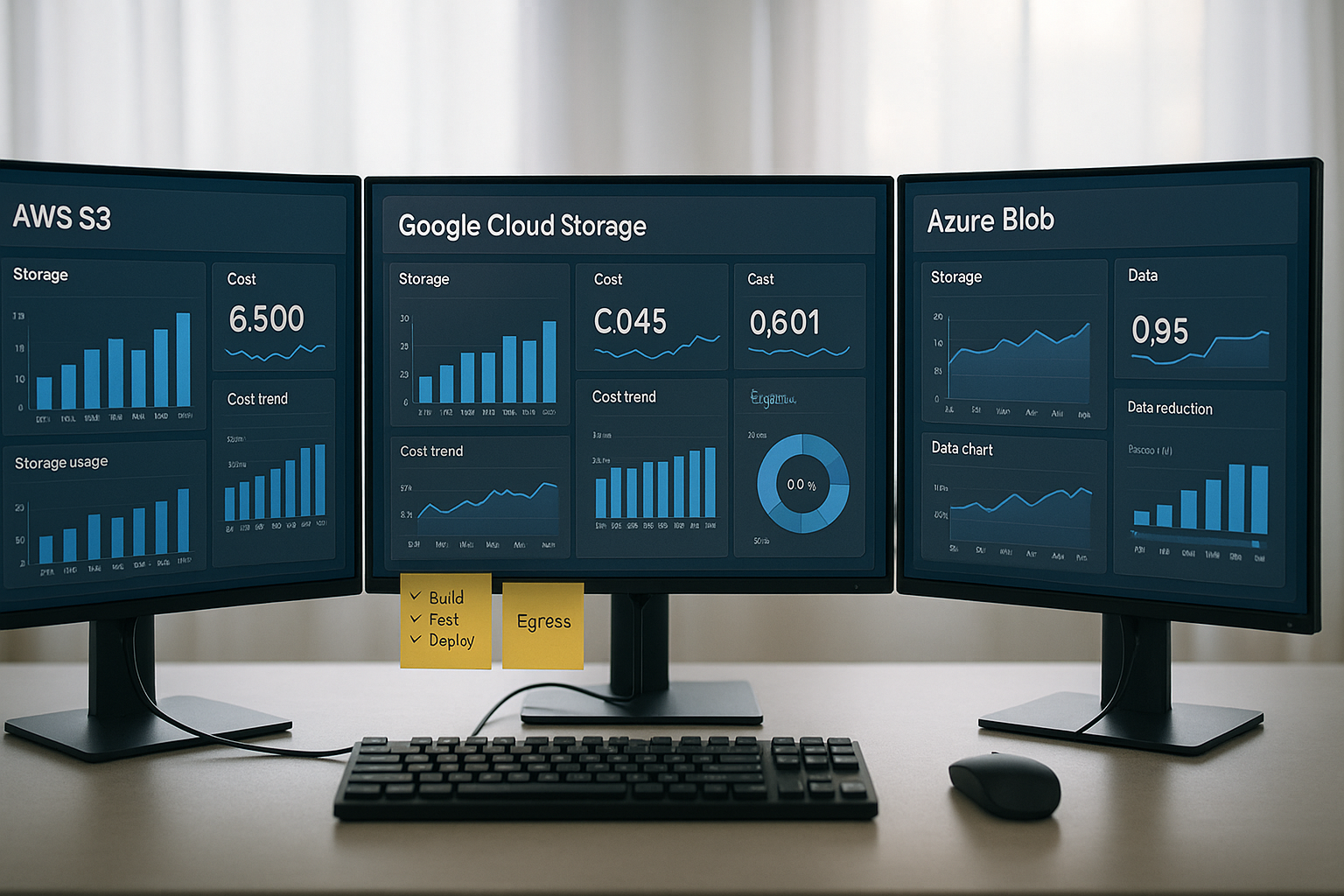
One-screen fit guide
| Service | Best for | Key strengths | Watch-outs |
|---|---|---|---|
| AWS S3 | AWS-centric apps, rich ecosystem | 11-9s durability, strong consistency, deep features (Replication, Batch, Glacier tiers) | Egress and cross-AZ transfers can add up; many knobs to tune. |
| Google Cloud Storage | Global analytics, multi-region buckets | Strong global consistency, Autoclass, 11-9s durability | Minimum storage durations on colder tiers. |
| Azure Blob Storage | Azure data platforms & archives | Hot/Cool/Cold/Archive tiers, strong consistency, lifecycle JSON policies | Archive rehydration delay; choose redundancy (LRS/ZRS/GRS) carefully. |
| Backblaze B2 | Cost-optimized backup & media | S3-compatible, simple pricing, generous free egress band | Check class-C/API nuances at scale. |
| Wasabi | Predictable bills for backup/share | No egress/API request fees policy, S3-compatible, Object Lock | Fewer native services than hyperscalers. |
1. AWS S3: Feature-rich object storage for AWS-centric stacks
AWS S3 is the default answer when you’re deep in the AWS ecosystem and want a mature feature set, integrations with virtually every AWS service, and industry-standard durability. In plain terms: you put objects in buckets, choose storage classes that trade retrieval speed for cost, and rely on guardrails like versioning, replication, and lifecycle rules to keep bills predictable and data safe. S3 is designed for 11-9s durability and delivers strong read-after-write and list consistency without extra work, which makes application logic simpler and reduces surprises when you upload or update objects. When you need to move data between regions or enforce compliance, built-in replication policies and Object Lock (WORM) are there; when you need to move data fast across the planet, Transfer Acceleration uses CloudFront’s edge to absorb the latency. If you’re storing cold data, Glacier classes offer big savings with explicit retrieval time trade-offs, which is perfect for archives you rarely read.
Why it matters
S3’s breadth isn’t just marketing; it’s the difference between reinventing plumbing or using a native feature. Need multi-region resilience with an SLA’d replication window? S3 Replication Time Control (RTC) targets 99.99% of new objects within 15 minutes. Need to accelerate uploads from a distributed workforce? Transfer Acceleration routes uploads into nearby edge locations automatically. And for compliance or ransomware protection, Object Lock with retention periods or legal holds gives you WORM without a separate vault product.
How to do it (practical setup)
- Pick classes per prefix: Standard for hot content; Intelligent-Tiering for unpredictable access; Glacier tiers for archives. AWS Documentation
- Automate lifecycle: Transition and expiration rules to control long-tail objects.
- Replicate intentionally: SRR for same-region isolation; CRR for compliance/latency. Add RTC only where required.
- Enable Object Lock on new buckets that hold backups and critical datasets. AWS Documentation
- Use Transfer Acceleration for long-haul uploads or mobile users.
Numbers & guardrails
- Durability design target: 99.999999999%; availability design for S3 Standard. (Design targets, not guarantees—always review SLAs.)
- Glacier retrieval windows range from milliseconds (Instant Retrieval) to hours (Flexible/Deep Archive). Plan RTOs accordingly.
- Replication SLA example: 99.99% of new objects within 15 minutes with S3 RTC. AWS Documentation
Synthesis: Choose S3 when you value deep service integration, explicit knobs for resilience and cost, and globally battle-tested behaviors—then lock cost risk down with lifecycle rules and targeted replication.
2. Google Cloud Storage: Global consistency with smart cost automation
Google Cloud Storage (GCS) is a strong fit when your workloads span regions and you want strong global consistency by default plus automation that optimizes storage class on your behalf. In practice, you create buckets in single, dual, or multi-region locations, upload objects, and let Autoclass adapt the class as access patterns change so you don’t micro-manage Nearline/Coldline transitions. GCS is designed for 11-9s durability and clearly documents availability by class and location type, so you can match SLAs to your RTO/RPO targets. Colder classes impose minimum storage durations and higher access fees, which is fine for backups and archives but needs modeling if you frequently re-read older data. For migration and sync, Storage Transfer Service pulls from other clouds, on-prem, or HTTPS sources into buckets with managed schedules.
Why it matters
GCS’s strong global consistency means that once a write is acknowledged, reads and lists reflect the latest state from anywhere. That reduces edge-case bugs in data pipelines and simplifies cross-region analytics. Autoclass is more than convenience: it’s a guardrail against “forgotten” hot buckets that balloon costs, automatically cooling objects not touched for a while and warming them when they become active again.
How to do it (practical setup)
- Pick location type: Region for locality, dual-region/multi-region for resilience or global latency.
- Enable Autoclass on buckets with mixed or evolving access. Google Cloud
- Use Lifecycle Rules alongside Autoclass for deletes and version pruning.
- Protect data with Object Versioning and Bucket Lock (retention policies). Google Cloud
- Plan egress from other platforms; use Storage Transfer Service for scheduled migrations and copies.
Numbers & guardrails
- Durability design target: 99.999999999%; availability varies by class/location.
- Minimum storage duration signals: Nearline ~30 days, Coldline ~90 days; Archive is longer—budget for retrievals.
Synthesis: Choose GCS for global data patterns and when you prefer consistency and automated class management over manual tuning—then wrap it with retention and lifecycle policies to keep governance tight.
3. Azure Blob Storage: Tiered economics with enterprise-grade governance
Azure Blob Storage aligns naturally with Microsoft-centric stacks, analytics on Synapse, AI/ML workflows, and archival at scale. It offers multiple access tiers—Hot, Cool, Cold, Archive—that you can assign per blob or as an account default, and you can later transition using lifecycle policies written as JSON rules. Azure embraces a strong consistency model, which simplifies app behavior after writes and updates. The Archive tier is truly offline; you must rehydrate to an online tier before reading, which can take hours depending on the priority you set—so test restore workflows for business-critical backups. For durability and availability, you’ll choose redundancy options (LRS, ZRS, GRS/GZRS) that replicate synchronously across zones or asynchronously across paired regions; match them to your RPO/RTO.
Why it matters
Azure’s tiering is simple and explicit, which helps finance teams understand bills and helps engineers set guardrails with a single policy document. Strong consistency avoids subtle read/list anomalies after writes, and redundancy choices let you dial protection up without changing APIs. Lifecycle management ties it together—moving or expiring blobs at scale with a few rules.
How to do it (practical setup)
- Pick redundancy intentionally: LRS for lowest cost; ZRS for zone resilience; GRS/GZRS for region-level events.
- Set access tiers at upload; change later if patterns shift. Microsoft Learn
- Plan Archive restores: rehydration from Archive to online tiers can take up to hours; document RTOs.
- Automate transitions with lifecycle policies (JSON) and monitor runs. Microsoft Learn
- Use immutability for compliance (container or version scope).
Numbers & guardrails
- Archive rehydration may take up to ~15 hours depending on priority.
- LRS/ZRS/GRS durability and availability vary—ZRS keeps writes going through a zone loss; GRS adds cross-region failover capability. Microsoft Learn
Synthesis: Choose Azure Blob when your data estate lives in Azure, you want crisp tiering and lifecycle control, and you’re comfortable trading Archive read latency for deep cost savings.
4. Backblaze B2: S3-compatible storage with simple, predictable pricing
Backblaze B2 wins fans by being straightforward to buy and easy to integrate. You get an S3-compatible API, transparent pricing, and a focus on backup, media, and application data where predictability matters. A standout is the free egress up to a multiple of stored data (with clearly posted terms) and Object Lock immutability to fight ransomware or satisfy retention mandates—all without learning a completely new conceptual model if you already know S3. For heavy content distributors and media teams with frequent restores, this pricing model can stabilize bills that would otherwise spike on other platforms. If you need higher performance for specialized workloads, B2 also offers options tailored for throughput at scale.
Tools & examples
- S3-compatible integrations: Many backup tools (e.g., Veeam, Commvault, MSP stacks) point at B2 with minimal changes.
- Object Lock supports compliance and governance modes, retention periods, and legal hold via the S3-compatible API.
- Transaction pricing is documented, with notes on class-C/API considerations when you have chatty workloads.
Mini case: backup archive with periodic restores
Assume you store 100 TB and egress 10% of that per month for restores and verification. With a simple “free egress up to 3× your average stored data” policy, your 10 TB egress in a typical month falls under the free band, so your network line item remains predictable; if you exceed that band, published per-GB rates apply. The result is a bill dominated by storage, not movement—exactly what most backup use cases want. Always validate current terms and any volume or reserve plan nuances.
Synthesis: Pick Backblaze B2 when S3-compatibility plus transparent egress terms will materially reduce surprises for backup, media, or app data—and you prefer a leaner platform over a sprawling cloud suite.
5. Wasabi: Flat, no-egress model for stable, budget-friendly storage
Wasabi’s value proposition is refreshingly clear: no egress and no API request fees in its standard model, plus S3-compatible APIs and Object Lock for immutability. If your workload involves frequent data retrieval or inter-cloud movement, removing egress as a variable can simplify forecasting and approvals. Wasabi positions itself as substantially more affordable than hyperscalers on a pure storage basis, and the lack of transaction charges means fewer mental overheads when you script life-cycle operations, run integrity checks, or test restores. Like any focused platform, you trade breadth of native services for predictability; most teams pair Wasabi with existing tools and pipelines rather than with a massive cloud PaaS catalog.
How to do it (practical setup)
- Use S3-compatible SDKs and confirm Object Lock settings (governance/compliance modes, retention).
- Plan regions for latency and data residency; replicate with your tooling if you need multi-region.
- Model capacity: focus on storage trendlines rather than egress; set internal budgets and alerts on bucket growth.
Mini case: video production with shared edits
A studio stores 50 TB of raw and mezzanine footage and streams 5–8 TB to editors weekly. Under a no-egress policy, moving project files to and from cloud storage does not incur network line items, so budget centers can focus on storage capacity and retention windows. The savings are most visible during busy editing cycles when pull requests spike; predictable egress reduces the temptation to “hoard” files locally, improving collaboration and version control. Validate specific plan terms and any exceptions with your account rep.
Synthesis: Choose Wasabi when stable, egress-agnostic economics trump native cloud breadth, and you’re comfortable driving integrations through S3-compatible tooling and your existing data platform.
Conclusion
All five options deliver durable, scalable object storage; the right choice pivots on access patterns, ecosystem lock-in, and how sensitive you are to egress fees versus feature breadth. If you already live in AWS, S3’s deep integrations, strong consistency, and rich policy surface will keep both engineers and auditors happy. If you want global consistency and smart class automation, GCS with Autoclass reduces toil and surprises. Azure Blob’s explicit tiers and JSON lifecycle policies are a clean fit for Microsoft-centric estates and archival at scale. Backblaze B2 and Wasabi shift the cost conversation: B2 with S3-compatibility and a free-egress band, Wasabi with a no-egress stance and predictable bills. Regardless of platform, you’ll get better outcomes if you: 1) enforce immutability for backups, 2) automate lifecycle transitions and expirations, 3) model egress and cross-region transfers, and 4) run restore drills to validate RTOs before you need them.
Copy-ready CTA: Choose one candidate today, set up a pilot bucket with lifecycle + immutability, and run a one-week access and cost trace to validate your pick.
FAQs
1) How do I estimate egress so I don’t get surprised later?
Track three flows: user downloads, inter-cloud or CDN origins, and cross-region copies. Start with a conservative assumption like 5–15% of stored volume per month for active workloads, then refine with logs. If your egress approaches your stored volume, short-list providers with free or no-egress models (B2’s free-egress band; Wasabi’s no-egress policy) or cache more aggressively at the edge/CDN. Validate each provider’s current terms before committing.
2) Is object storage “eventually consistent”? Will I read stale data?
S3, GCS, and Azure Blob document strong read-after-write behavior for object operations, which means a confirmed write is immediately visible to reads and lists, simplifying application logic and reducing anomalies in pipelines. Nuances can exist with proxies or caches, but the service back-ends are strongly consistent for core operations.
3) What durability numbers should I plan around?
Hyperscalers design for eleven 9s of durability for standard classes, achieved through redundant storage across failure domains. Durability is not availability; you still need lifecycle policies, versioning, and replication if outages or regional events concern you. Check redundancy choices (e.g., Azure LRS vs ZRS/GRS) and your RPO/RTO before finalizing.
4) What’s the real difference between tiers/classes (Standard vs Nearline/Coldline vs Archive vs Glacier)?
They trade at-rest cost for access latency and minimum storage duration. “Hot” is for frequent reads/writes; “cold” and “archive” are cheap to store but slower or costlier to retrieve. For example, GCS Nearline/Coldline impose 30/90-day minimums, and S3 Glacier classes range from near-instant restores to multi-hour retrievals. Azure’s Archive requires rehydration before reads.
5) How do I enforce ransomware-resilient backups in object storage?
Use immutability: S3 Object Lock, GCS Bucket Lock/retention policies, Azure immutable storage. Set retention windows that match your recovery needs, and test restores. Combine with versioning so accidental deletes are reversible. Many third-party backup tools support these features natively. AWS DocumentationGoogle Cloud
6) What about moving petabytes into the cloud quickly?
Each major cloud offers transfer tooling: AWS Snowball/Snowmobile devices, Google Storage Transfer Service for on-prem or cross-cloud migrations, and Azure Data Box for offline and online transfers. These options reduce migration time when networks are constrained and help stage data in the right regions. AWS DocumentationGoogle Cloud
7) When should I enable S3 Transfer Acceleration or multi-region replication?
Use Transfer Acceleration if users are globally distributed or far from the bucket and uploads are large/latency-sensitive. Enable SRR/CRR replication for compliance, latency improvements, or regional isolation. Consider RTC when you need an SLA on cross-region replication time.
8) Are B2 and Wasabi “as durable” as hyperscaler storage?
Both are S3-compatible and publish durability guidance and integrity mechanisms, and both support Object Lock. What differs is ecosystem breadth and how pricing treats egress and API calls. If durability posture is paramount, combine provider docs with your own testing: enable versioning, run fixity checks, and replicate critical datasets.
9) How should I think about lifecycle rules without breaking analytics pipelines?
Start by tagging or prefixing analytics inputs with a retention window and exclude them from auto-delete rules. Use transition-only policies first (Standard → colder tier) and add deletes after verifying downstream consumers. All three major clouds support lifecycle automation; monitor policy runs and exception logs.
10) Do I need multi-region buckets for everything?
No. Use multi-region or geo-replicated setups for content distribution, low-latency global reads, or resilience against regional incidents. For line-of-business systems with localized users, single-region plus backups and replication may suffice. GCS offers multi/dual-region buckets; S3 and Azure provide replication controls.
11) Can I mix providers (e.g., Wasabi for backups, S3 for app data)?
Yes—just plan routing and identity. Many teams back up to B2/Wasabi for cost predictability while keeping hot application data in S3/GCS/Azure to stay close to compute. Watch for inter-cloud egress and ensure your backup tool supports both ends’ Object Lock semantics.
12) What’s the simplest way to avoid paying for “surprise” reads on cold storage?
Set verification windows (e.g., 1 day after write) before transitioning objects to a cold class; keep indexes and manifests in a hot tier; budget a small monthly read allowance for audits. GCS’s Autoclass can help balance transitions automatically; Azure and S3 rely on lifecycle rules you define.
References
- S3 Storage Classes — AWS — Product page. https://aws.amazon.com/s3/storage-classes/
- Data protection in Amazon S3 — AWS Docs — Documentation. https://docs.aws.amazon.com/AmazonS3/latest/userguide/DataDurability.html
- Amazon S3 Strong Consistency — AWS — Overview. https://aws.amazon.com/s3/consistency/
- S3 Replication (SRR/CRR) & RTC — AWS Docs — User Guide. https://docs.aws.amazon.com/AmazonS3/latest/userguide/replication.html
- S3 Transfer Acceleration — AWS Docs — User Guide. https://docs.aws.amazon.com/AmazonS3/latest/userguide/transfer-acceleration.html
- Understanding S3 Glacier storage classes — AWS Docs — User Guide. https://docs.aws.amazon.com/AmazonS3/latest/userguide/glacier-storage-classes.html
- Cloud Storage: Availability & Durability — Google Cloud — Documentation. https://cloud.google.com/storage/docs/availability-durability
- Cloud Storage: Storage classes — Google Cloud — Documentation. https://cloud.google.com/storage/docs/storage-classes
- Cloud Storage consistency — Google Cloud — Documentation. https://cloud.google.com/storage/docs/consistency
- Autoclass for Cloud Storage — Google Cloud — Documentation. https://cloud.google.com/storage/docs/autoclass
- Storage Transfer Service overview — Google Cloud — Documentation. https://cloud.google.com/storage-transfer/docs/overview
- Azure Blob access tiers overview — Microsoft Learn — Documentation. https://learn.microsoft.com/en-us/azure/storage/blobs/access-tiers-overview
- Manage concurrency in Blob Storage (strong consistency) — Microsoft Learn — Documentation. https://learn.microsoft.com/en-us/azure/storage/blobs/concurrency-manage
- Azure Storage redundancy — Microsoft Learn — Documentation. https://learn.microsoft.com/en-us/azure/storage/common/storage-redundancy
- Azure Blob lifecycle management — Microsoft Learn — Overview. https://learn.microsoft.com/en-us/azure/storage/blobs/lifecycle-management-overview
- Immutable storage for blob data — Microsoft Learn — Overview. https://learn.microsoft.com/en-us/azure/storage/blobs/immutable-storage-overview
- Backblaze B2 Cloud Storage pricing — Backblaze — Pricing Page. https://www.backblaze.com/cloud-storage/pricing
- Backblaze Transactions & Egress notes — Backblaze — Pricing Details. https://www.backblaze.com/cloud-storage/transaction-pricing
- Backblaze B2 Object Lock (S3-compatible) — Backblaze — Docs. https://www.backblaze.com/docs/cloud-storage-enable-object-lock-with-the-s3-compatible-api
- Wasabi Pricing — Wasabi — Pricing Page. https://wasabi.com/pricing
- Wasabi S3 API Reference (S3 compatibility) — Wasabi — PDF Reference. https://s3.us-east-2.wasabisys.com/wa-pdfs/Wasabi%20S3%20API%20Reference.pdf
- Object Lock with the Wasabi S3 API — Wasabi — Docs. https://docs.wasabi.com/apidocs/object-lock-with-the-wasabi-s3-api